TM3011.Simultaneous switching operator setting both of the front and rear.pdf - 第6页
SMT Software En gineering Group IMOperations YAMAHAMOTORCO.,LTD. 6/8 3 . Both of the fr ont and rear side operat ors are switche d into t he scanned operator . * W hen "Operator Leve l Tim e Li …
SMT Software Engineering Group
IMOperationsYAMAHAMOTORCO.,LTD.
5/8
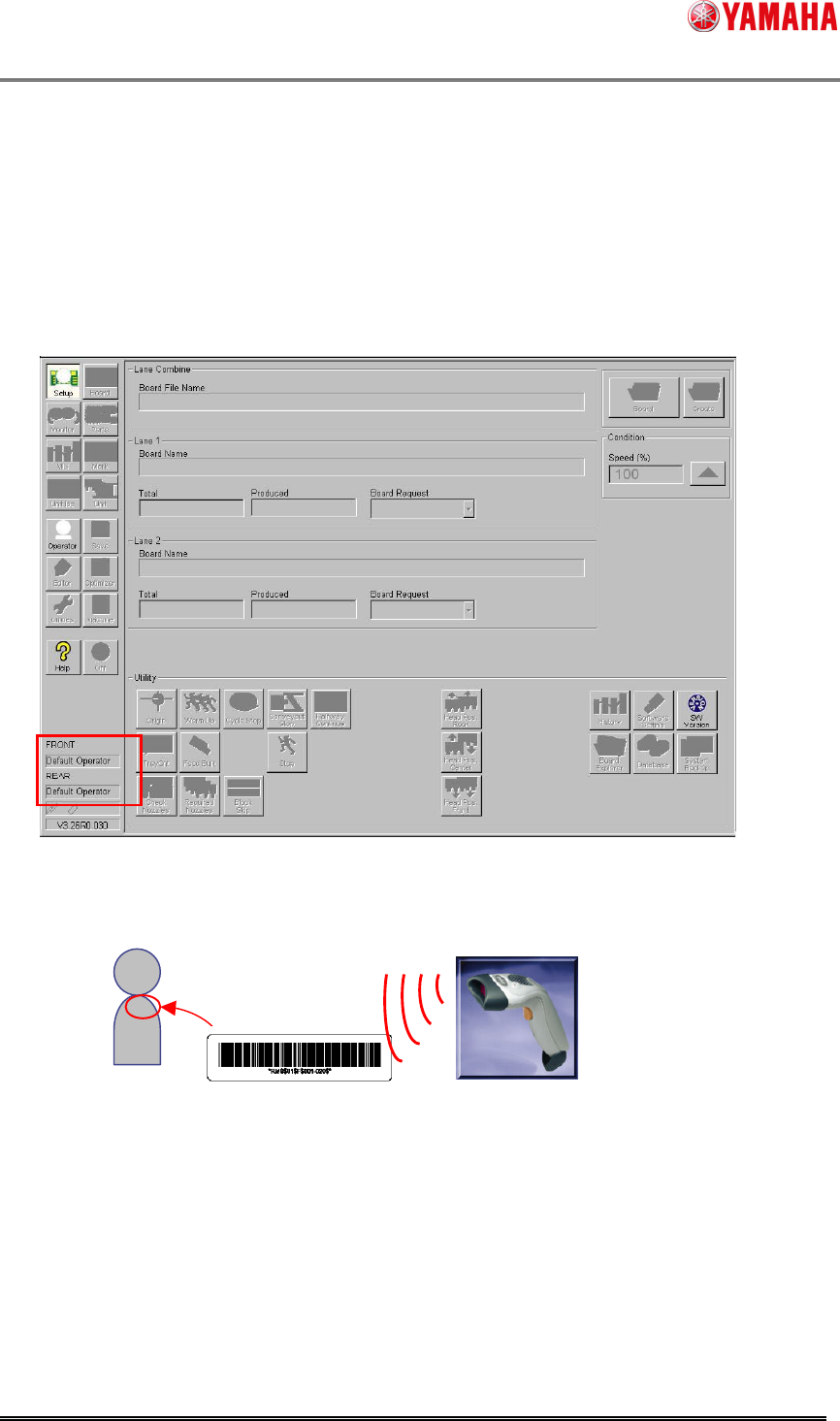
3.2. Operator switch by operator ID scanning
Both of the front and rear side operators are switched when you scan the operator ID on one
side with the handy barcode reader for Setup Verification.
1. It is the screen before the operator switched.
2. Scan operator ID barcode.
Operator
Operator ID barcode
Scan operator ID barcode with the handy barcode
reader for Setup Verification.
SMT Software Engineering Group
IMOperationsYAMAHAMOTORCO.,LTD.
6/8
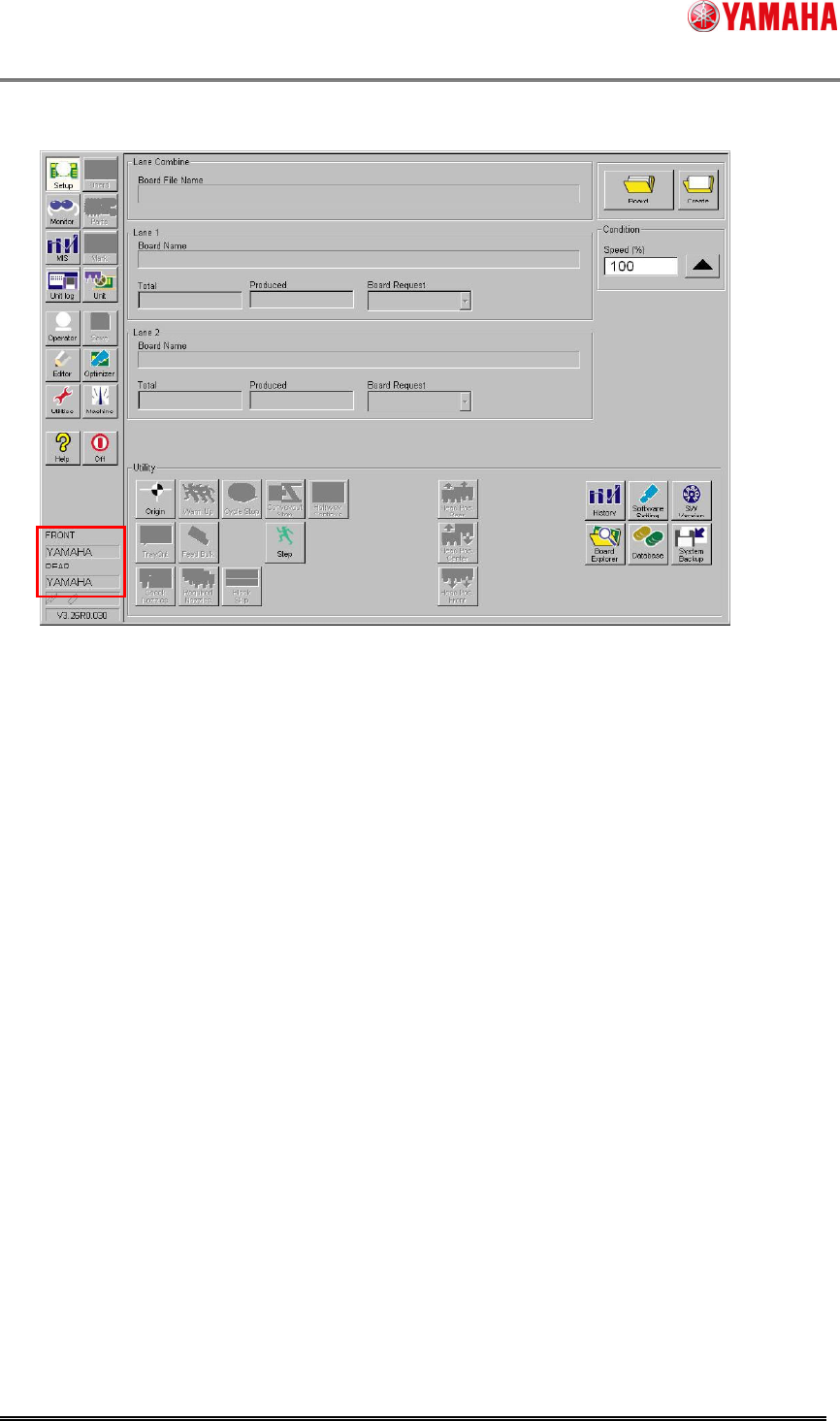
3. Both of the front and rear side operators are switched into the scanned operator.
* When "Operator Level Time Limit" is effective, both of the front and rear side operators
return to "Returning operator name" at the same time.
SMT Software Engineering Group
IMOperationsYAMAHAMOTORCO.,LTD.
7/8
4. Setting
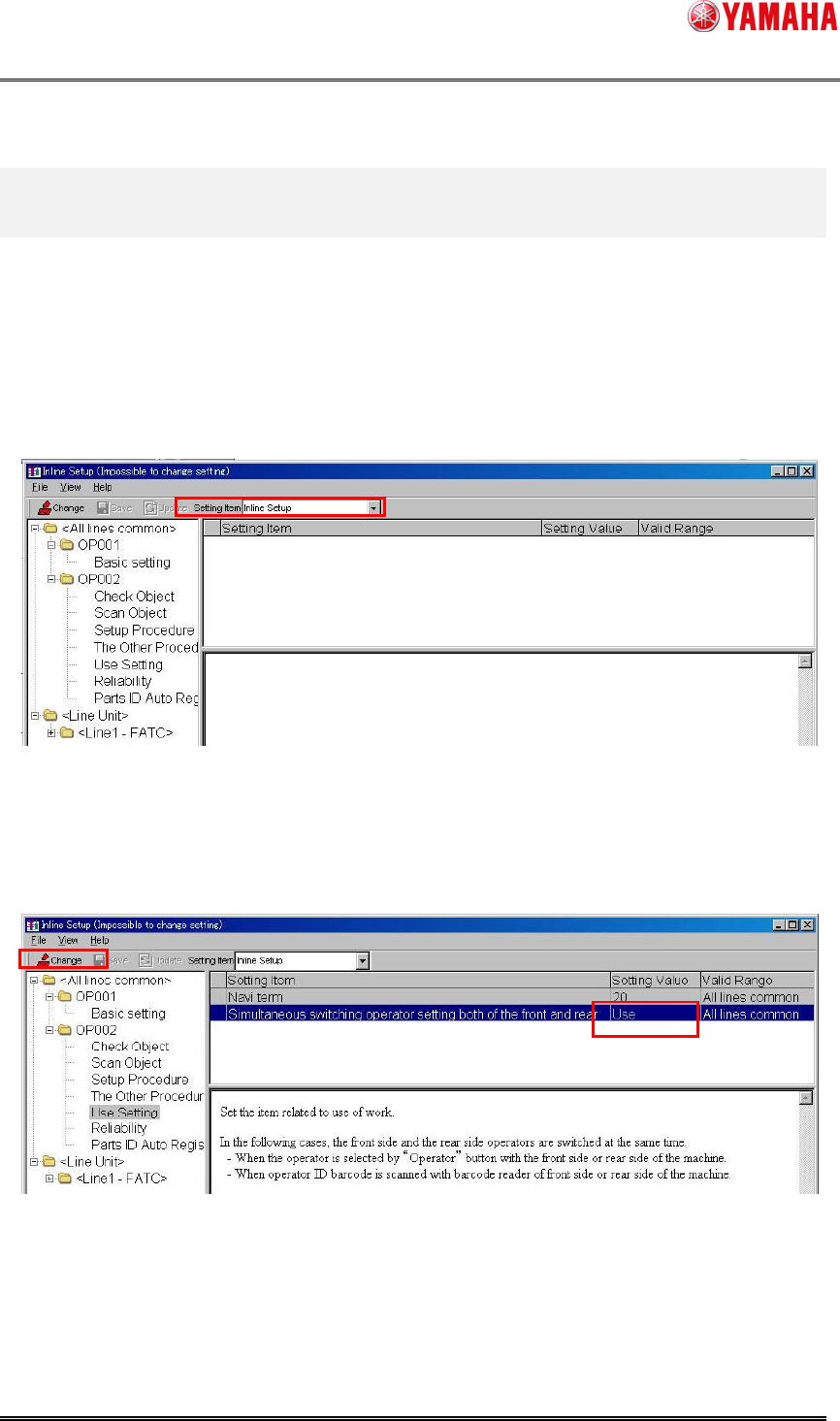
Set this function with “SystemConfig” of PC in which YAMAHA IT-System is installed.
Specify "Use" or "Not Use" of “Simultaneous switching operator setting both of the front and
rear" with System Config.
1. Start [SystemConfig] window from [Start] - [Program] - [YAMAHA IT-System] -
[SystemConfig], and select [Inline Setup] from the [Setting Item] drop down list box.
2. Select [Alllines common] – [OP002] – [Use Setting] – [Simultaneous switching operator
setting both of the front and rear] of the tree view.
Press the "Change" button and set “Use” or “Not Use”.