Micron Installation V9 Power Up Sequence.pdf - 第4页
POWER UP SEQUENCE MACHINE POWER UP SEQUENCE 5.4 Installation Manual Chapter Issue 8, Jan 16 7. Select Change time zone.... 8. Using the drop down box, select th e appropriate time zone. 9. Select OK. 10. Select OK. 1 1. …
POWER UP SEQUENCE
MACHINE POWER UP SEQUENCE
Chapter Issue 8, Jan 16 Installation Manual 5.3
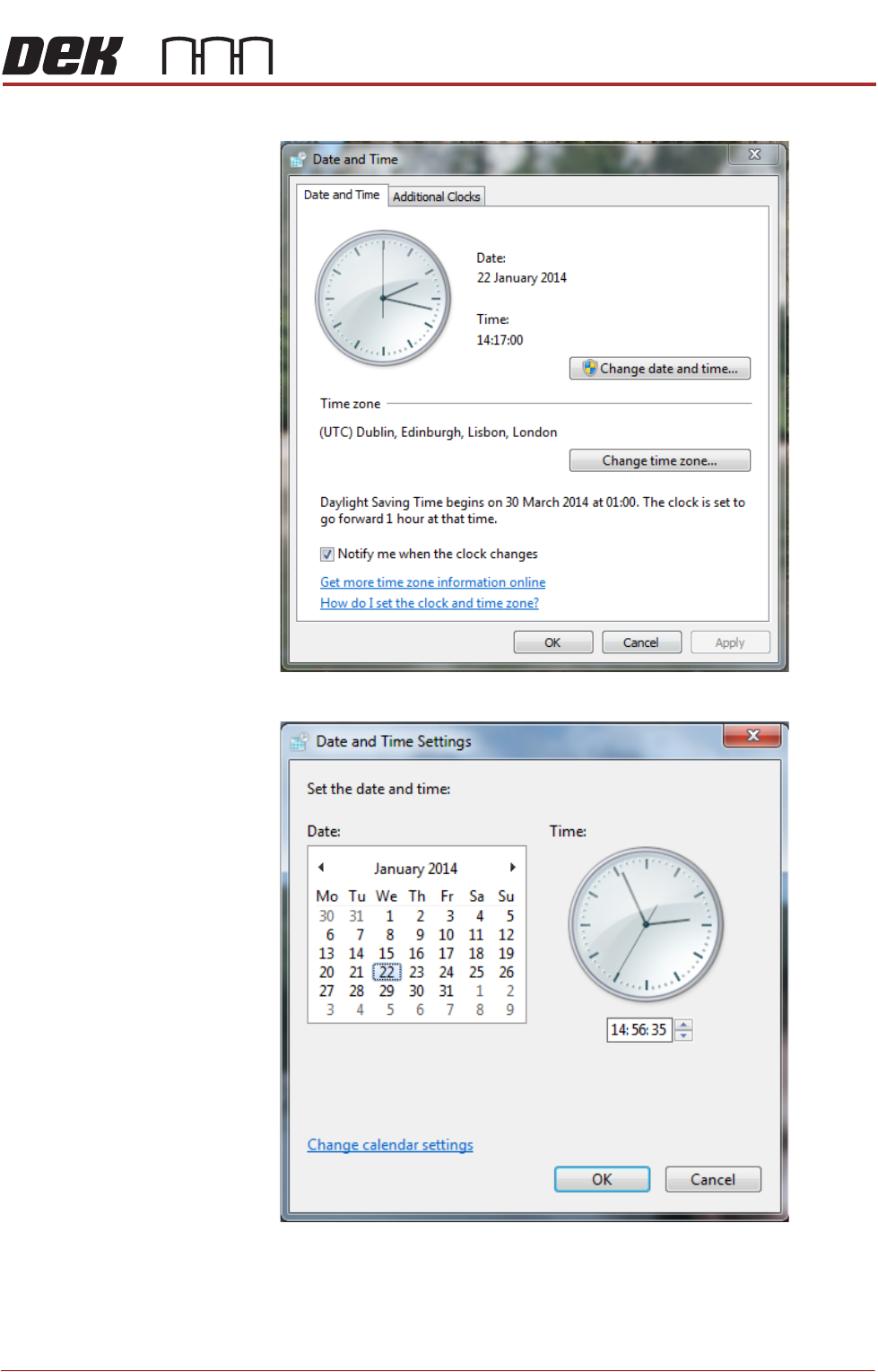
3. Click on the Change date and time... button.
4. Select the correct date on the calendar display.
5. Set the correct time on the digital display beneath the clock.
6. Select OK.
POWER UP SEQUENCE
MACHINE POWER UP SEQUENCE
5.4 Installation Manual Chapter Issue 8, Jan 16
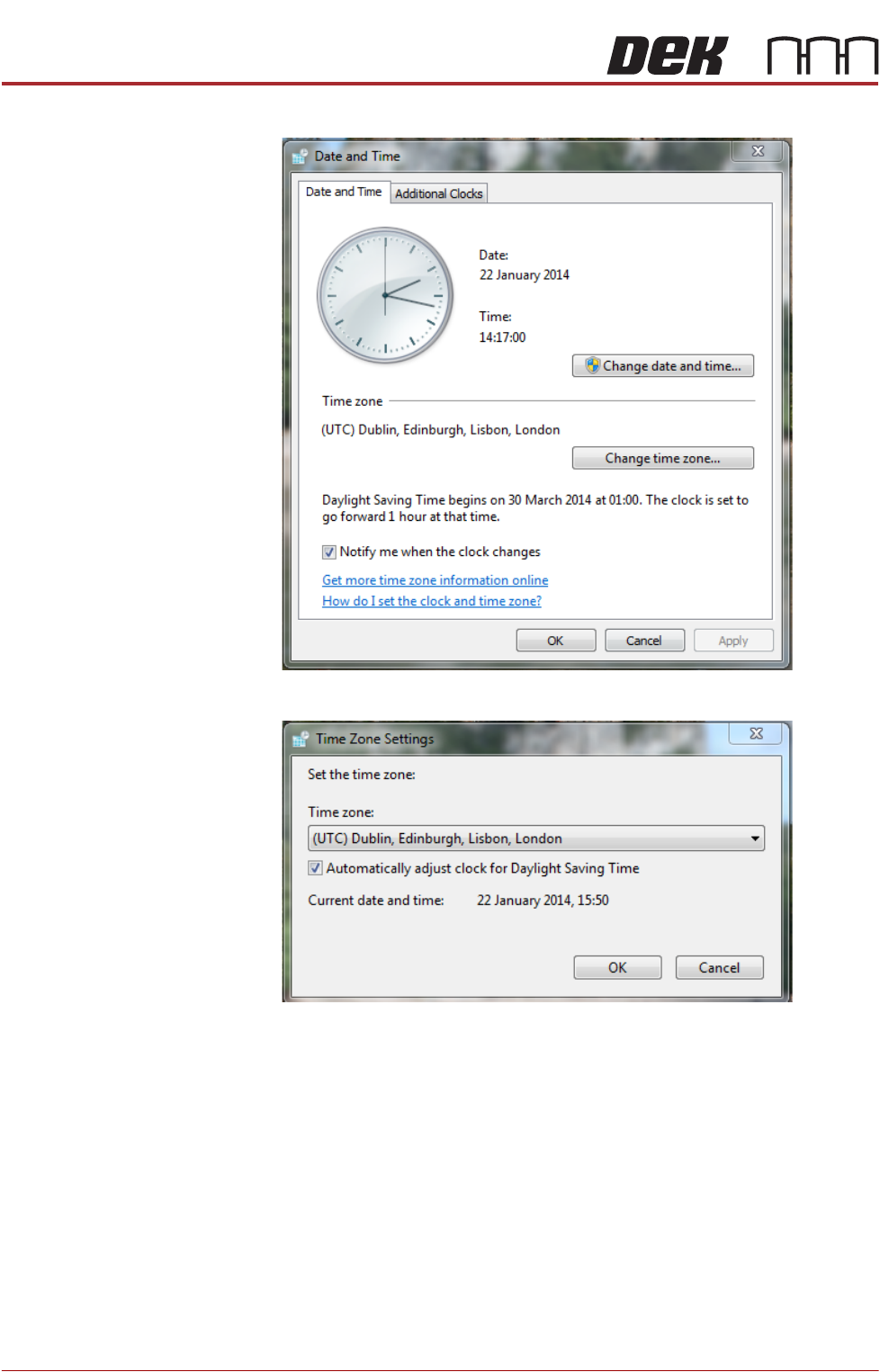
7. Select Change time zone....
8. Using the drop down box, select the appropriate time zone.
9. Select OK.
10. Select OK.
11. Select Start on the taskbar.
12. Select DEK Printer Software.
13. Press the System button.
POWER UP SEQUENCE
MACHINE POWER UP SEQUENCE
Chapter Issue 8, Jan 16 Installation Manual 5.5
Time and Date
(Windows XP)
In order for the machine PC to log events correctly, the system time, date and
correct time zone must be set.
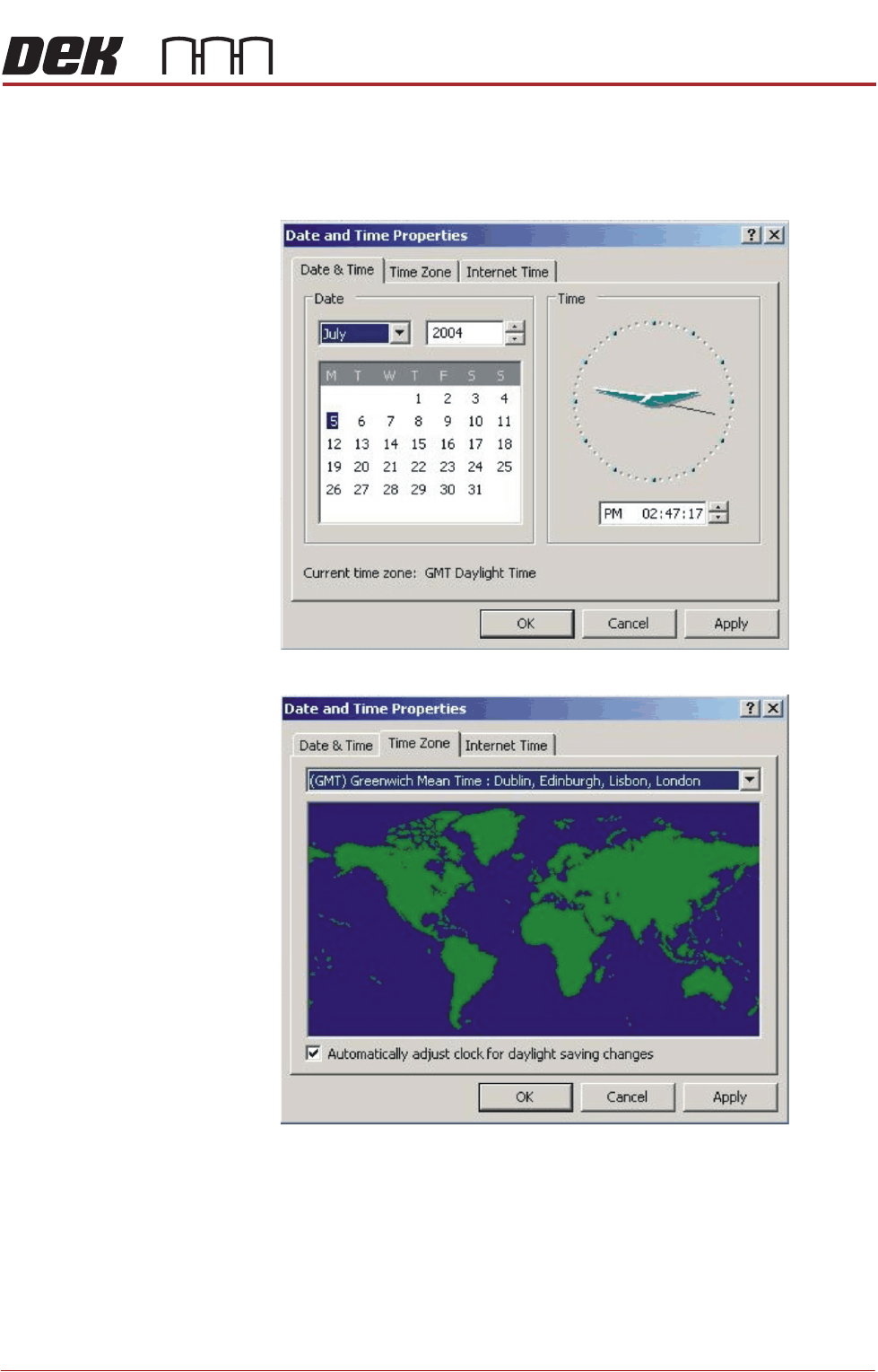
1. Using the mouse, double click on the time, displayed at the right hand side
of the Windows taskbar. The Date/Time Properties window is displayed.
2. Click on the Time Zone tab.
3. Select the appropriate time zone from the drop down menu box.
4. Click on Apply.
5. Click on the Date & Time tab.
6. Adjust to local time and date and select OK.
7. Select Start on the taskbar.
8. Select DEK Printer Software.
9. Press the System button.