00198788-01_UM_SSI_DE_EN.pdf - 第55页
5 CAN ID mode and presettings 5.3 Setting the baud rate User Manual / Bedienungsanleitung SIPLACE Single Slot Interface 05/2021 55 5.3 Setting the baud rate A jumper on the board can be used to define the baud rate used …
5 CAN ID mode and presettings
5.2 Setting the CAN ID
54 User Manual / Bedienungsanleitung SIPLACE Single Slot Interface 05/2021
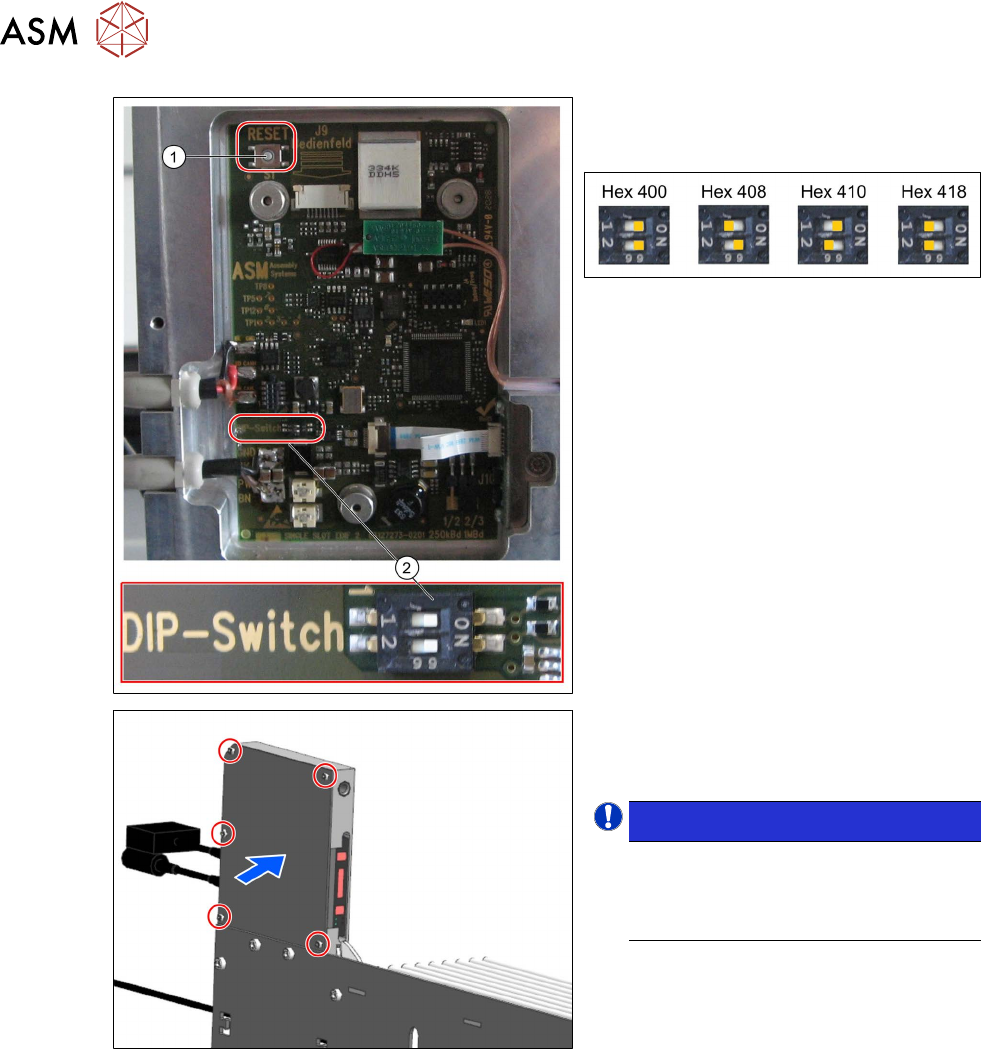
► Set the required CAN ID at the DIP
switch (2)
.
The following CAN IDs are possible:
Hex 400 is preset in the delivery state.
► If the SSI is not recognized straight
away:
press the reset button (1)
at the top left
of the board.
► Close the panel.
► Tighten the previously removed five
hexagon socket-head screws.
NOTICE!
The changed settings will only be
imported when the SSI is rebooted
i.e. when the SSI is reconnected to
the power supply.
.
5 CAN ID mode and presettings
5.3 Setting the baud rate
User Manual / Bedienungsanleitung SIPLACE Single Slot Interface 05/2021 55
5.3 Setting the baud rate
A jumper on the board can be used to define the baud rate used to transmit the SSI signals. The
preset rate is 1MBd for communication as a setup area (like FCU).
WARNING
Unplug the mains connector from the power supply before opening the SSI.
When working with settings on the board, disconnect the SSI to protect the sensitive elec-
tronics assemblies.
NOTICE
Modified settings on the board will only be imported when the SSI is rebooted.
Settings defined on the board will only be imported when the SSI is rebooted. Booting will
occur as soon as the SSI is connected to the power supply.
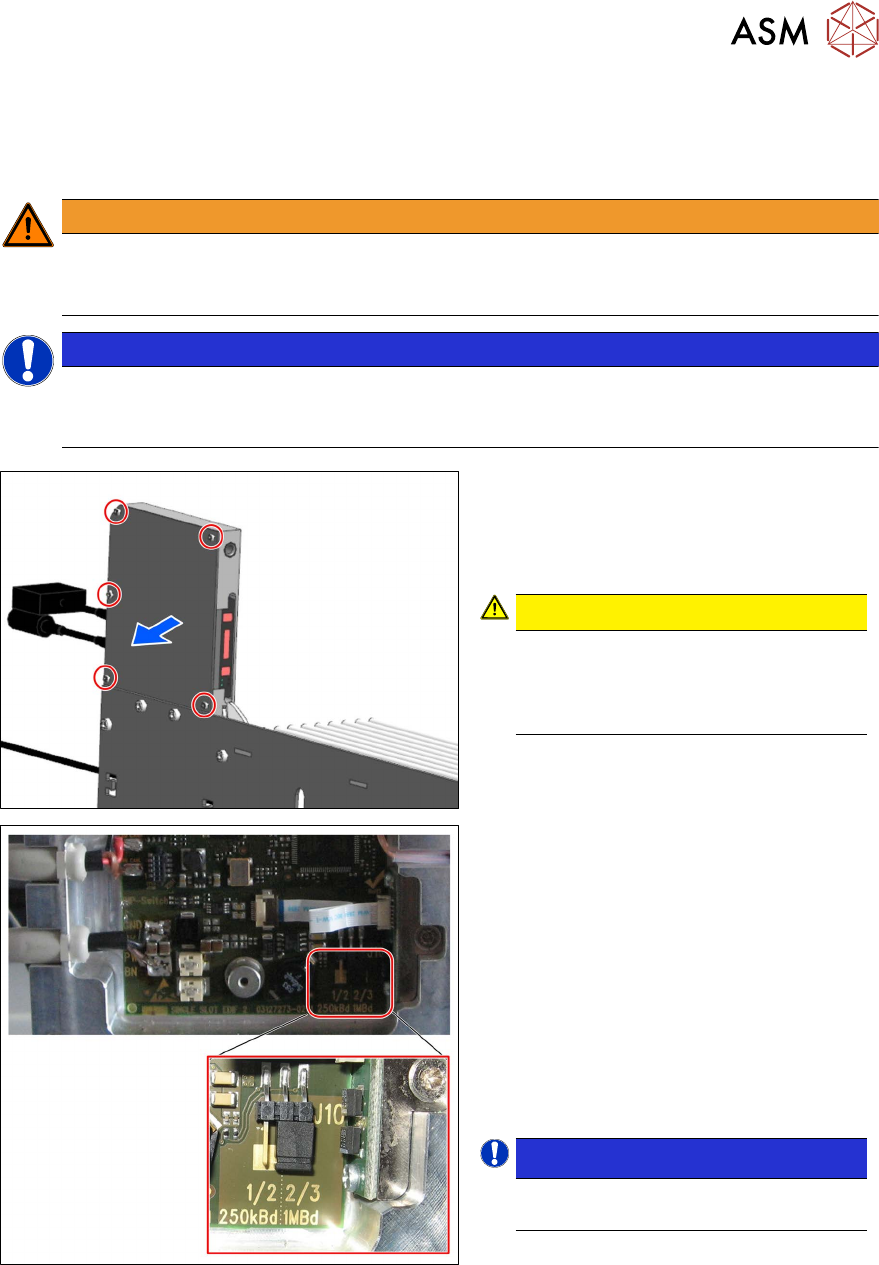
To set the baud rate, proceed as follows:
► Remove the five the M3x6 hexagon
socket-head screws (see red outline):
► Remove the cover.
CAUTION!
ESD-sensitive electronics.
Observe the ESD regulations.
Use an ESD-safe workplace and ESD-
safe tools.
.
► Set the required baud rate by selecting
the connector position.
Possible baud rate:
1. 250 kBd: connector at position 1/2
for communication with Caccia (ASM
in-house)
2. 1 MBd: connector at position 2/3
for communication as setup area (as
FCU)
In its delivery state, the connector is connec-
ted to position 2/3 and therefore preset to 1
MBd.
NOTICE!
If the connector is missing, 1MBd
is automatically selected.
.
5 CAN ID mode and presettings
5.3 Setting the baud rate
56 User Manual / Bedienungsanleitung SIPLACE Single Slot Interface 05/2021
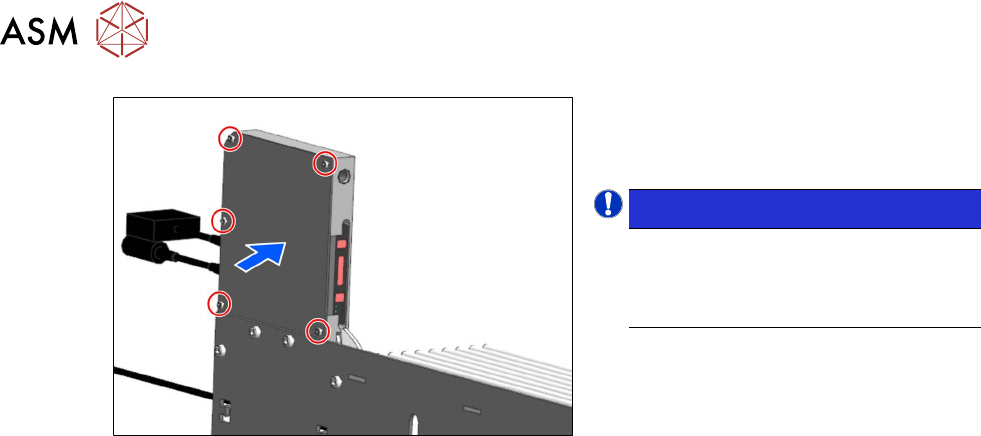
► Close the panel.
► Tighten the previously removed five
hexagon socket-head screws.
NOTICE!
The changed settings will only be
imported when the SSI is rebooted
i.e. when the SSI is reconnected to
the power supply.
.