00194585_Installation_Manual_EDM_en.pdf - 第19页
Installation Manual SIPLACE EDM Version 1.1 Issue 07/2005 Master server/master server with clearing pool 4.3.3 Figure 9 Configuring the EDM database The installation procedure is identical for both options. You are first…
Installation Manual, SIPLACE EDM Version 1.1 Issue 07/2005
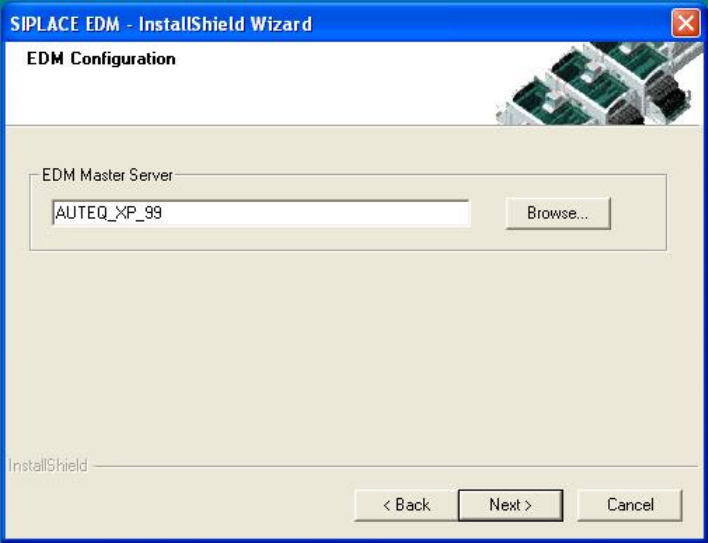
Figure 8 Selecting the master server
18 of 64
Installation Manual SIPLACE EDM Version 1.1 Issue 07/2005
Master server/master server with clearing pool 4.3.3
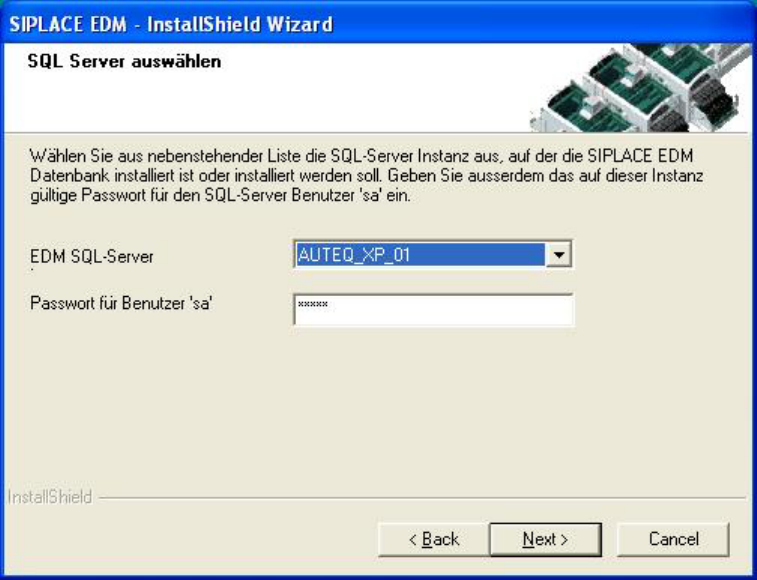
Figure 9 Configuring the EDM database
The installation procedure is identical for both options. You are first asked to select the server for the
clearing pool database (Figure 9 Configuring the EDM database) and to enter the password for the
database user ‘sa’. Only SQL server instances on the local host are available for selection.
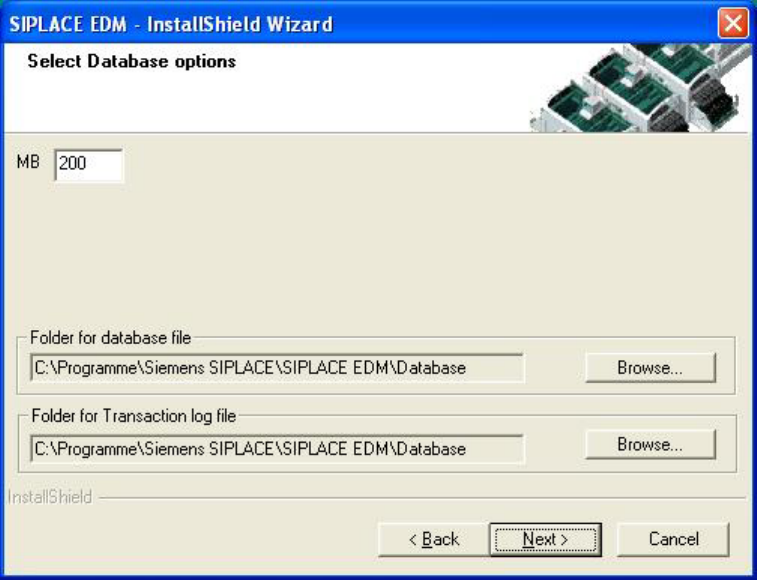
If no EDM database yet exists, confirm creation of the new database and enter the database options
in the following screen (Figure 10 EDM database options). The default settings are generally
sufficient. Confirm your entries with “Next”.
19 of 64
Installation Manual, SIPLACE EDM Version 1.1 Issue 07/2005
Figure 10 EDM database options
If an EDM database already exists, you are instead asked whether you wish to replace the database
or select a different server.
Confirm your selection with “Next”.
20 of 64