00198424-03_JC_PM_WF3_JTF-ML2_EN.pdf - 第22页
www.asm-smt.com
3 WF3 JTF-ML2 Maintenance Shut Down Machine 5 min 1 / 1
CAUTION! Refer to safety instructions in user manual before commencing Maintenance
Machine Status ON Conveyor Empty
NOTICE! ESD guidelines are to be followed Tool: Wear Part: Consumables:
www.asm-smt.com
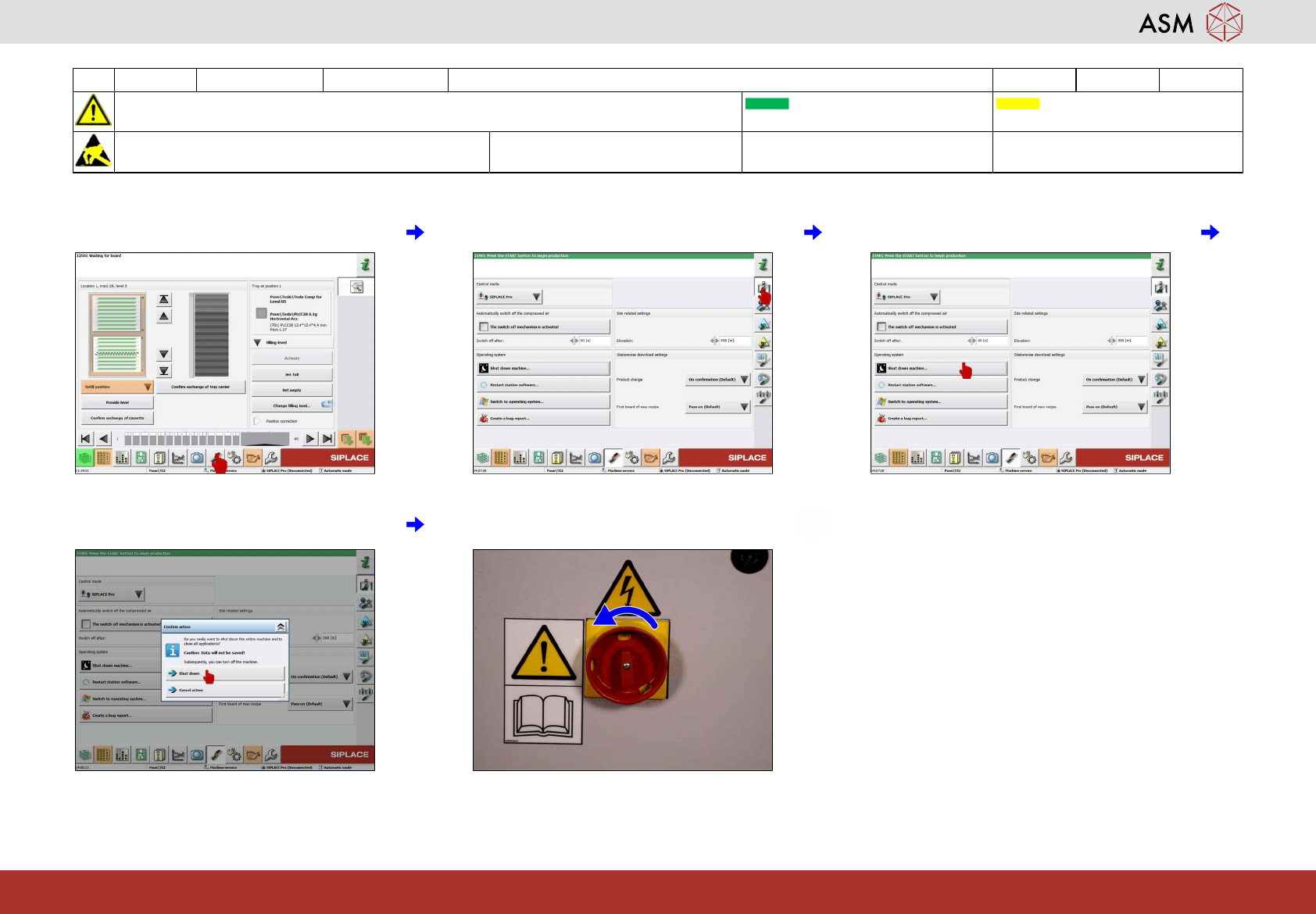
1 Select the "Settings" icon. 2 Select the "Machine settings" icon. 3 Select "Shut down machine…" icon.
4 Select "Shut down" option. 5 Switch off machine when safety message
is prompted.

www.asm-smt.com
4 WF3 JTF-ML2 Maintenance Remove Conveyor 5 min 1 / 2
CAUTION! Refer to safety instructions in user manual before commencing Maintenance
Machine Status OFF Conveyor Empty
NOTICE! ESD guidelines are to be followed Tool:
T31, T69
Wear Part: Consumables:
www.asm-smt.com
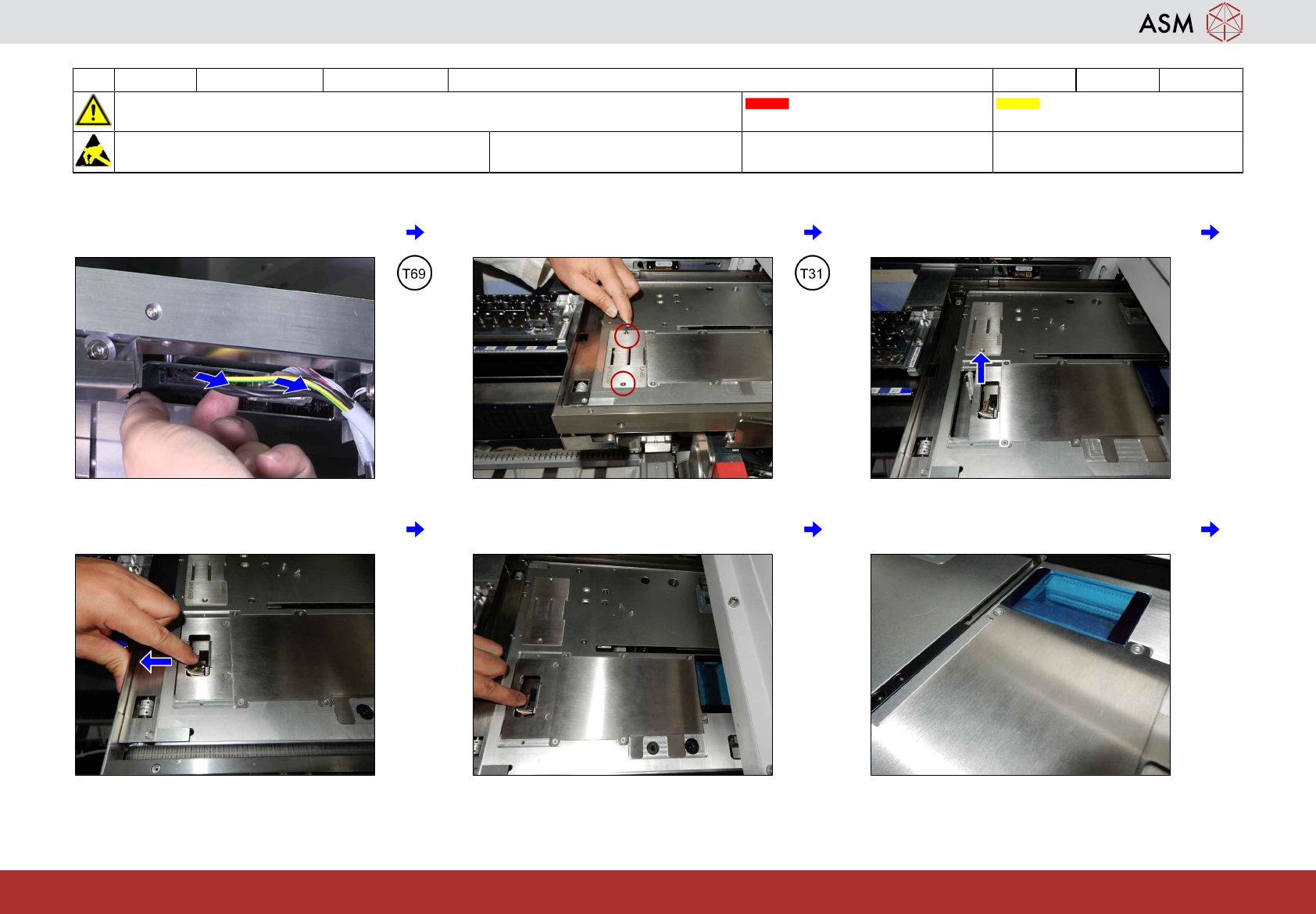
1 Loosen the screws and unplug the 2
cables from the connectors.
2 Remove the two screws. 3 Remove the PCB mounting cover.
4 Pull the PCB mounting part towards the
machine.
5 The PCB mounting part is in unplugged
position.
6 Ensure that the PCB is out from the con-
nectors.