力辰PV系列膏体粘度计说明书(英文版).pdf - 第7页
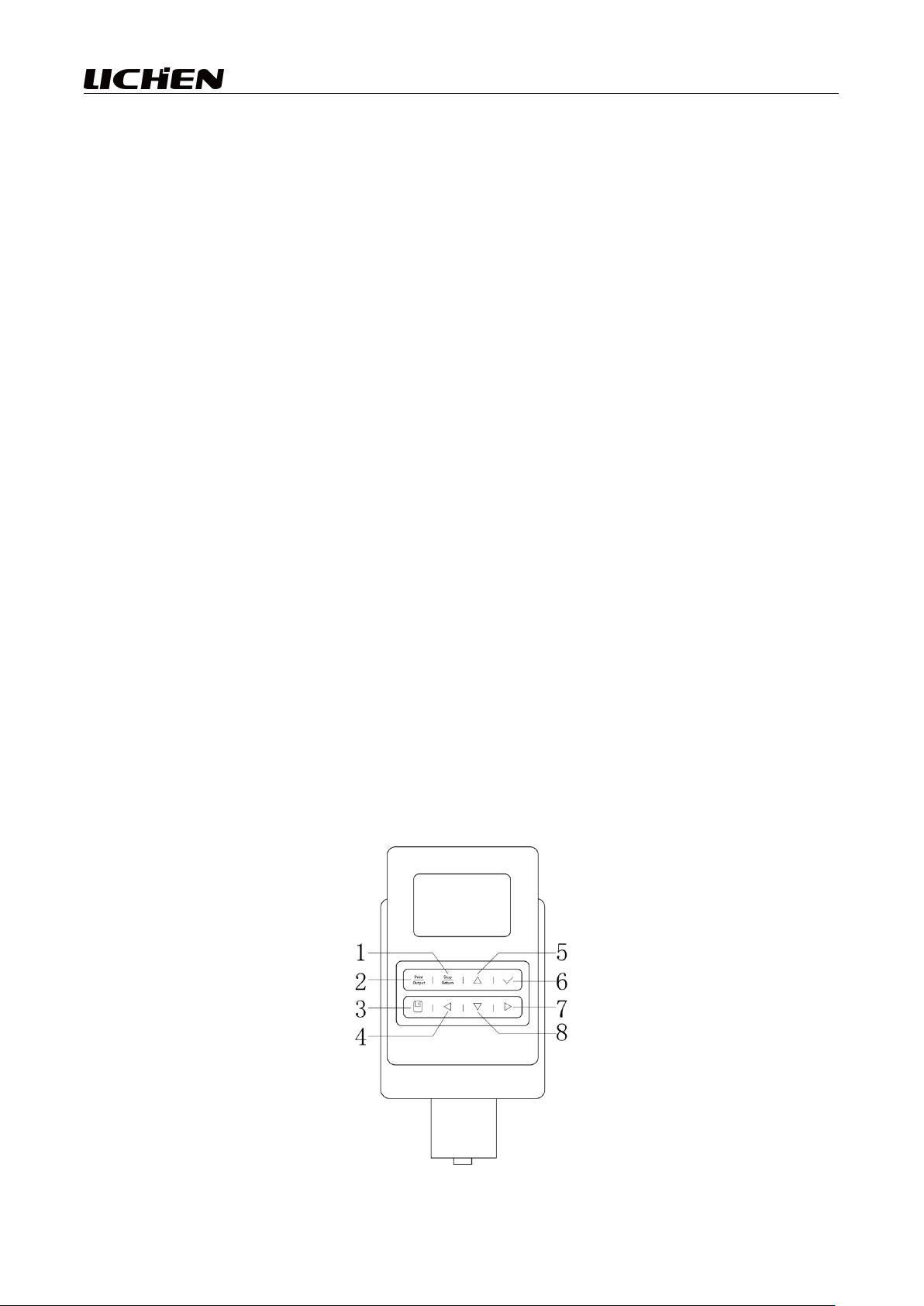
6 Order number Show Explain 1 Stop/return Pause/Resume across all interfaces 2 Print/output Data Print/Out put Key 3 preserve Once the measurement is complete, the data will be saved. 4 ◀ Left arrow key 5 ▲ Move the curs…
5
secure it with a socket wrench; next, insert the viscometer head crossbar into the fixed circular hole
of the head to keep the head approximately level, and turn the fixed handwheel to lock it in place,
preventing the head from tipping over;
(6) Adjust the level adjustment screws on the main instrument base so that the level bubble on the
viscometer head is centered;
(7) Loosen and remove the yellow protective cap located beneath the viscometer head. Attach the
connector to the rotor connection point, then select an appropriate rotor and insert it into the
connector, securing it in place.
Pay attention to:
① When loading or unloading the rotor, operate with care: gently lift the connector at the lower end
of the instrument upward before disassembly or assembly; avoid applying excessive force and
prevent the rotor from experiencing lateral stress to prevent bending of the rotor;
② After installing the rotor, do not rotate it in the absence of liquid to avoid damaging the rotor tip
and the bearings;
③ Before measurement, estimate the viscosity range of the liquid to be measured, and then select an
appropriate rotor and operating speed from the range table. If the approximate viscosity of the liquid
cannot be estimated, it should be treated as having high viscosity. In such cases, select rotors in
ascending order of size (using rotor numbers in descending order) and operating speeds in ascending
order.
(8) Check whether the level bubble on the viscometer head is centered. If the instrument is not level,
adjust the level adjustment screw on the main instrument base;
(9) Insert the power plug into the power socket, connect the power supply to the back of the
instrument, and complete the installation of the entire unit.
3.Make use of
(1) User Interface (Button Functions)
6
Order number
Show
Explain
1
Stop/return
Pause/Resume across all interfaces
2
Print/output
Data Print/Output Key
3
preserve
Once the measurement is complete, the data will be saved.
4
◀
Left arrow key
5
▲
Move the cursor up on the function interface or main menu, or
increment the set parameter values.
6
√
Confirm key
7
▶
Right arrow key
8
▼
Navigate the functional interface, move the main menu cursor
downward, or decrease the set parameter values.
(2) Mode of operation
① Prepare the liquid to be measured by placing it into a measurement vessel;
② Accurately control the temperature of the liquid under test (if used in conjunction with a
temperature-controlled bath);
③ Slowly adjust the up/down knob to change the height of the rotor within the test liquid until the
liquid indicator mark on the rotor (center of the groove) is level with the liquid surface. Then, insert
the temperature probe into the test liquid.
Note: The following points, when followed, will enable the measurement of viscosity with relatively
high precision.
1) Precisely control the temperature of the liquid being tested;
2) Immerse the rotor in the test liquid for a sufficiently extended period while maintaining a constant
temperature, ensuring that the rotor temperature matches that of the test liquid;
3) Ensure the homogeneity of the analyte;
4) During measurement, position the rotor as centrally as possible within the container;
5) Prevent bubbles from adhering to the underside of the rotor when it is immersed in the liquid;
6) Ensure the rotor remains clean.
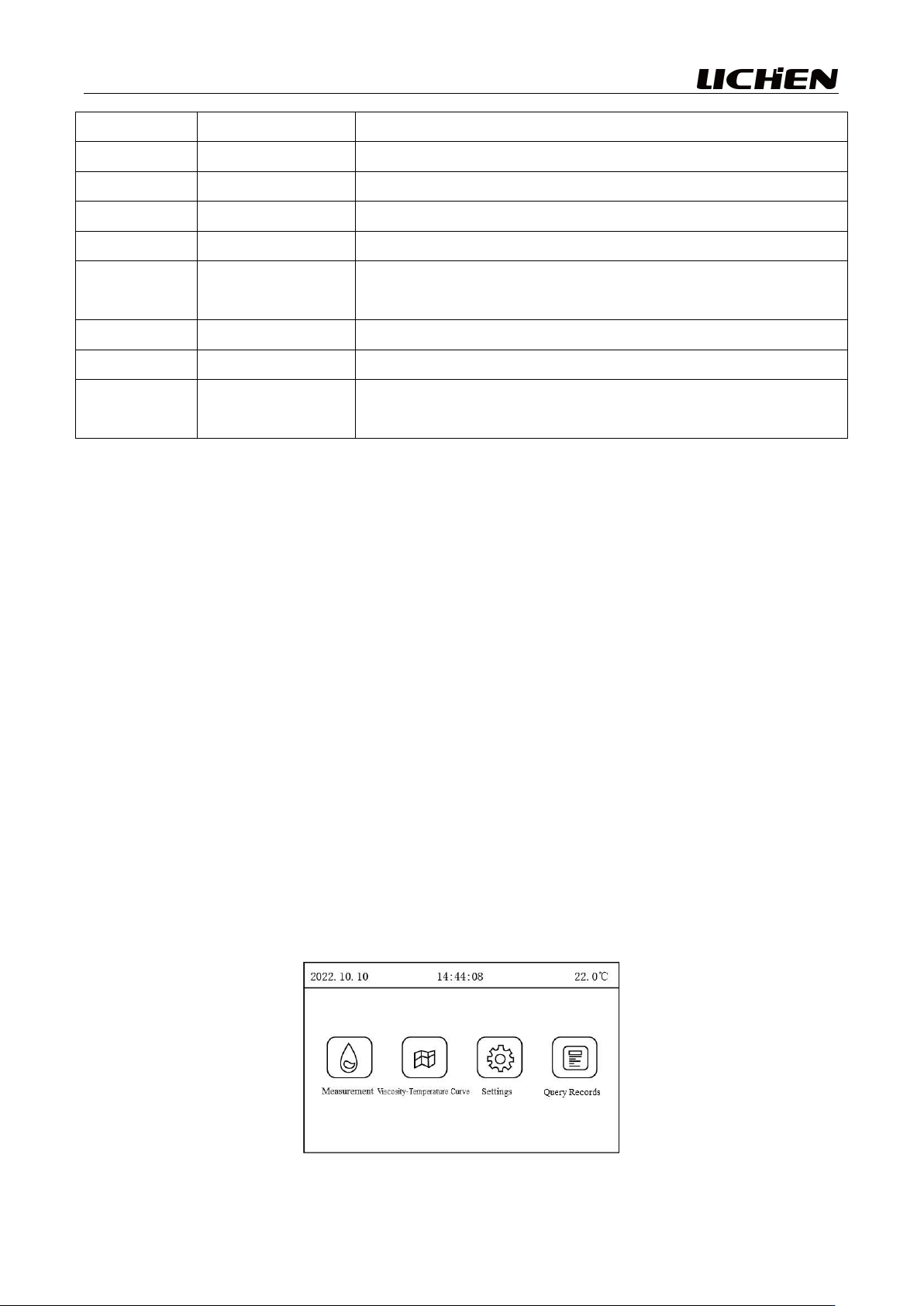
④ Turn on the power switch on the back of the instrument; the device will then enter a standby state,
and the display screen will appear as shown in Figure 1;
Figure 1
7
⑤
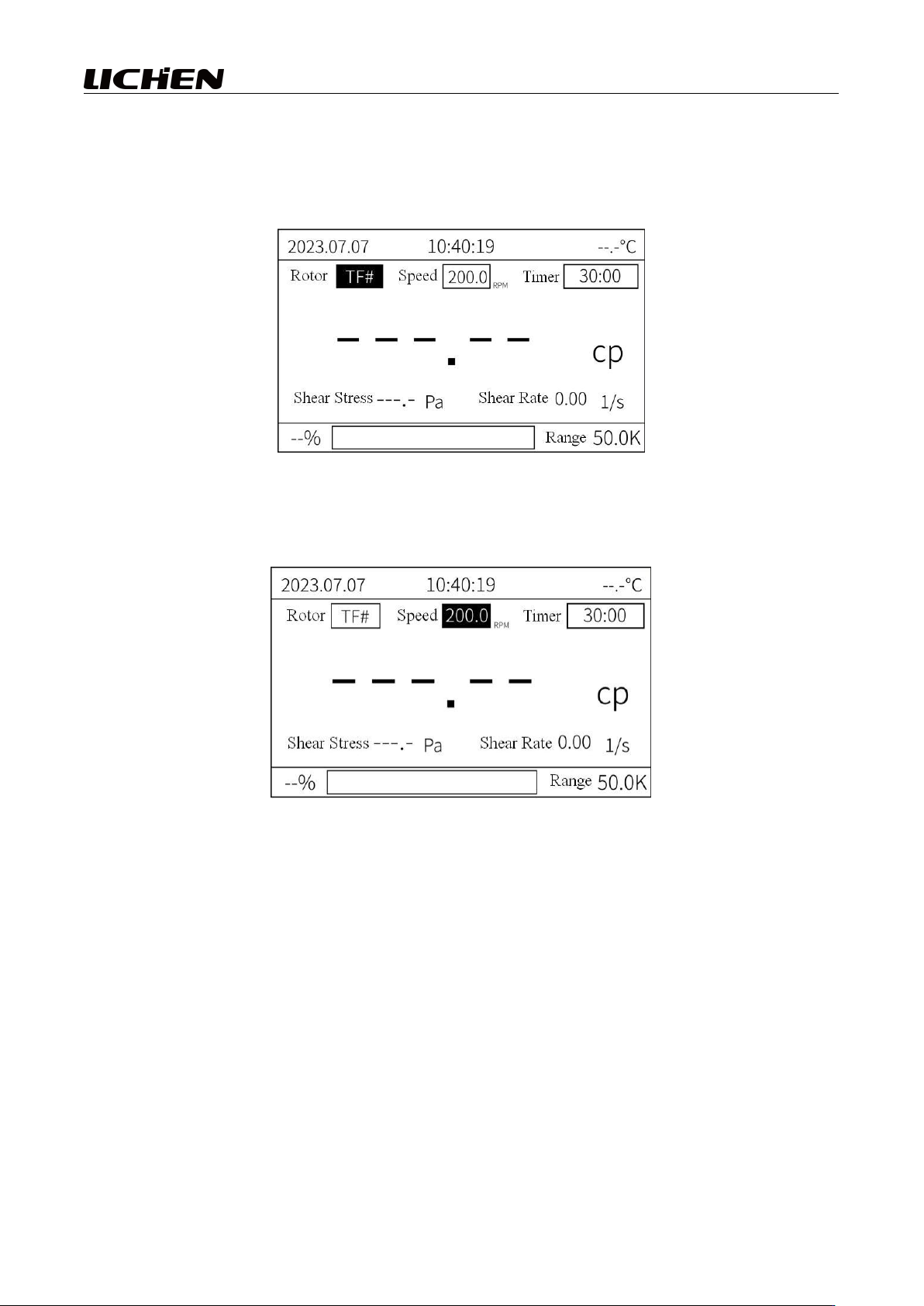
Use the ◀ or ▶ keys to navigate through the menu; once the measurement item has been
selected, press the OK key to proceed, and the interface will then display as shown in Figure 2. The
cursor will then be positioned at TF#, and you can press the ▲ or ▼ keys to select the desired rotor
number;
Figure 2
⑥
Use the ◀ or ▶ keys to switch to the rotational speed position, and the cursor will then be
positioned at 200.0 rpm as shown in Figure 3;
Figure 3
⑦
Use the ▲ or ▼ keys to select the desired rotational speed. After selecting the rotor type and
speed setting, press the OK button; the rotor will then begin to rotate, the instrument will start
measurement, and the screen will display the result as shown in Figure 4.
Pay attention to:
1) After selecting the rotor speed, the measurement range displayed in the lower-right corner of the
screen represents the maximum measurable value at the current rotor speed;
2) The instrument features an over-range alarm function; if the measured value exceeds 100%, the
display will show "----". To ensure accuracy, when performing measurements, the percentage reading
within the measurement range should be maintained between 10% and 90% (if the measured value
falls below 10% or exceeds 90%, the lower percentage bar will turn red).