index-1.php.pdf - 第13页
D39051 | Date 12/2019 | v2.9 13 AtmoCONTROL FDA Edition – IQ-OQ-Documentation Click the Show audit trail button. Does it open up the following browser window? yes no 3.3 Connect database T o confirm the functionality…
12 D39051 | Date 12/2019 | v2.9
AtmoCONTROL FDA Edition – IQ-OQ-Documentation
User Rights
Login as “TestUser1”.
Check if it is not possible to change the system settings
(Options → Email options or Edit backup folder)
Is it impossible?
yes no
Check if it is not possible to open the User management
(Security → Edit user)
Is it impossible?
yes no
Audit Trail
Login as Admin.
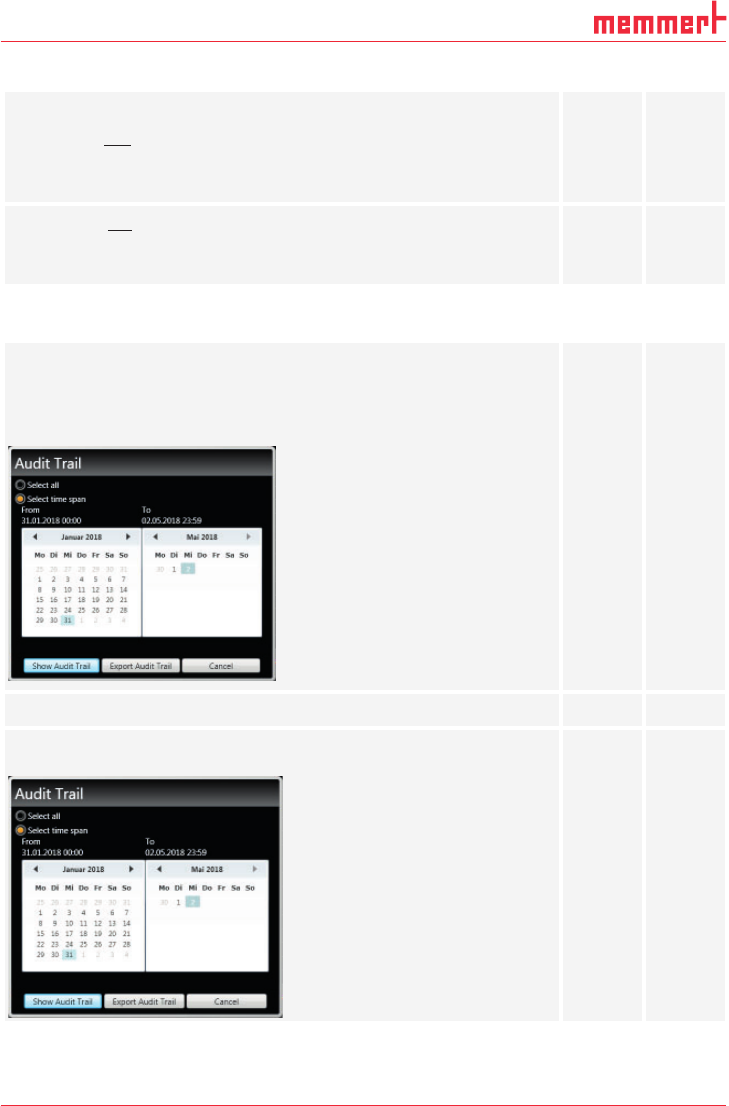
To confirm the functionality of the Audit Trail function, select the
Security tab on top of the tool bar and click on Audit Trail.
Is the Audit Trail window below displayed?
yes no
Does the Audit Trail window appear without any error messages?
yes no
Activate Select time span. Is it possible to select the current day as
time span?
yes no
D39051 | Date 12/2019 | v2.9 13
AtmoCONTROL FDA Edition – IQ-OQ-Documentation
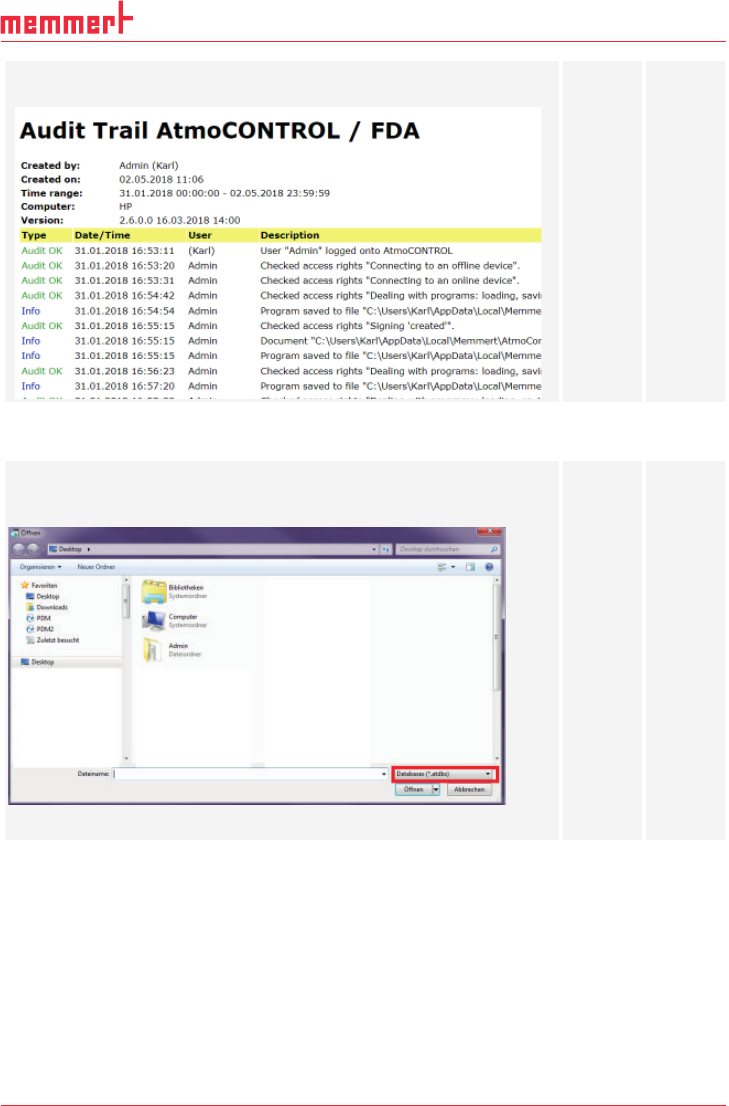
Click the Show audit trail button. Does it open up the following
browser window?
yes no
3.3 Connect database
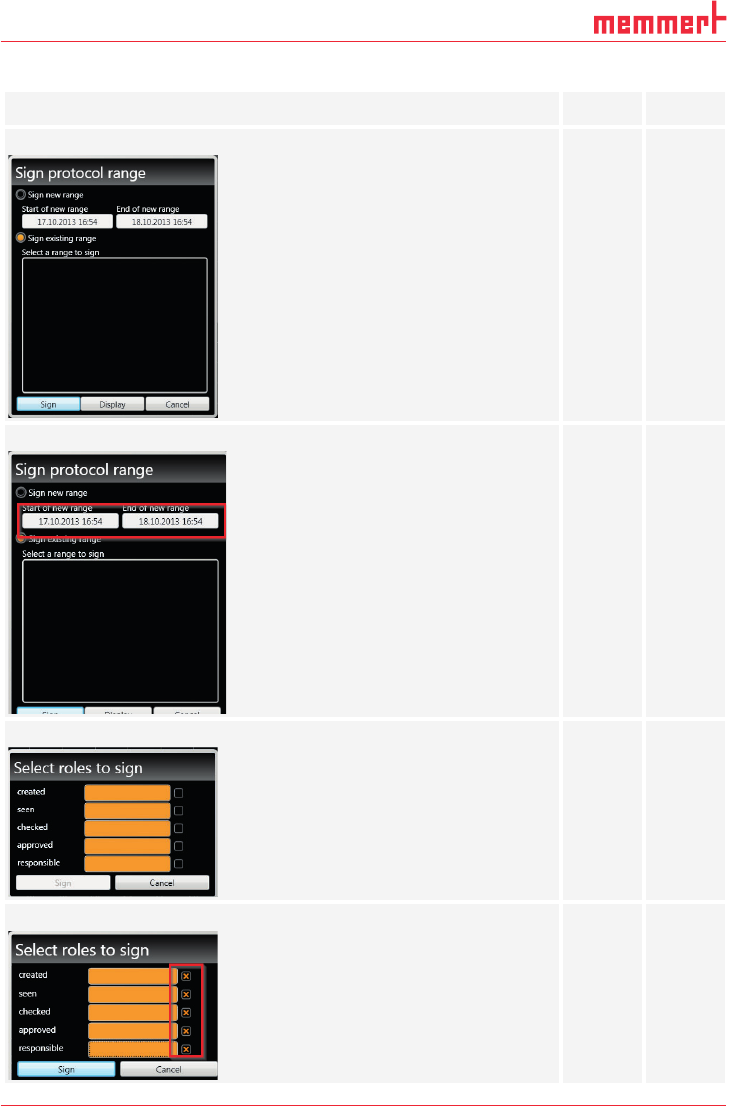
To confirm the functionality of the Connect database function, click
Device → Connect offline from Database. Does the following win-
dow appear?
Connect demo device Y6160011.atdbx .
yes no
14 D39051 | Date 12/2019 | v2.9
AtmoCONTROL FDA Edition – IQ-OQ-Documentation
3.4 Signatures
Click the Security button. Can the Sign document button be selected?
yes no
Does the following window appear?
yes no
Can the starting and ending point for signatures be selected?
yes no
Does the following window appear after clicking the Sign button?
yes no
Can all five roles be selected?
yes no