index-1.php.pdf - 第9页
D39051 | Date 12/2019 | v2.9 9 AtmoCONTROL FDA Edition – IQ-OQ-Documentation After login, does the program start with the AtmoCONTROL window? yes no Is Admin displayed in the title bar? yes no 3.2 Admin and User …
8 D39051 | Date 12/2019 | v2.9
AtmoCONTROL FDA Edition – IQ-OQ-Documentation
3. Operational Qualifi cation
Operational Qualification (OQ) demonstrates that the AtmoCONTROL FDA software is func-
tioning to specification. Operational Qualification tests should be performed:
► Once upon receipt of the instrument
► When the computer or software that runs the instrument is changed or modified
Software IQ tests should be performed prior to the OQ tests in order to verify that the soft-
ware is installed properly.
3.1 Login
Start the AtmoCONTROL FDA Version by double-clicking the appropriate icon or in the start
menu.
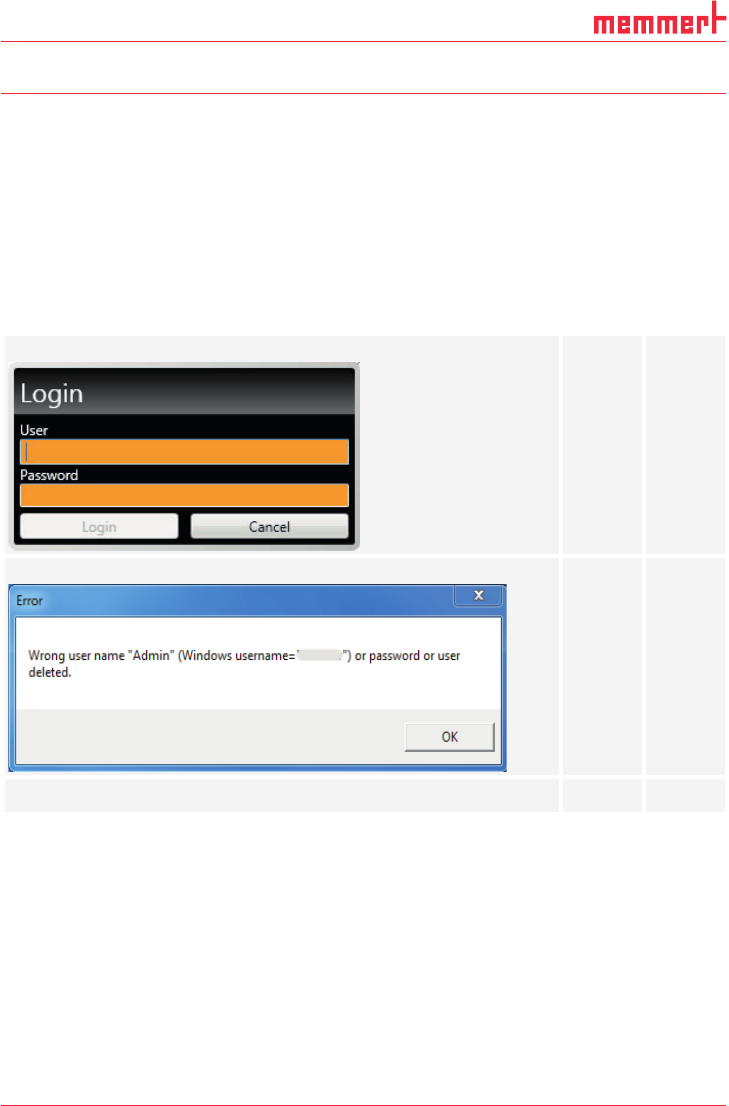
Does the Login window appear after starting AtmoCONTROL FDA?
yes no
If the username and/or password are incorrect, does the login fail?
yes no
Can you login with your user name which was created during Setup?
yes no
D39051 | Date 12/2019 | v2.9 9
AtmoCONTROL FDA Edition – IQ-OQ-Documentation
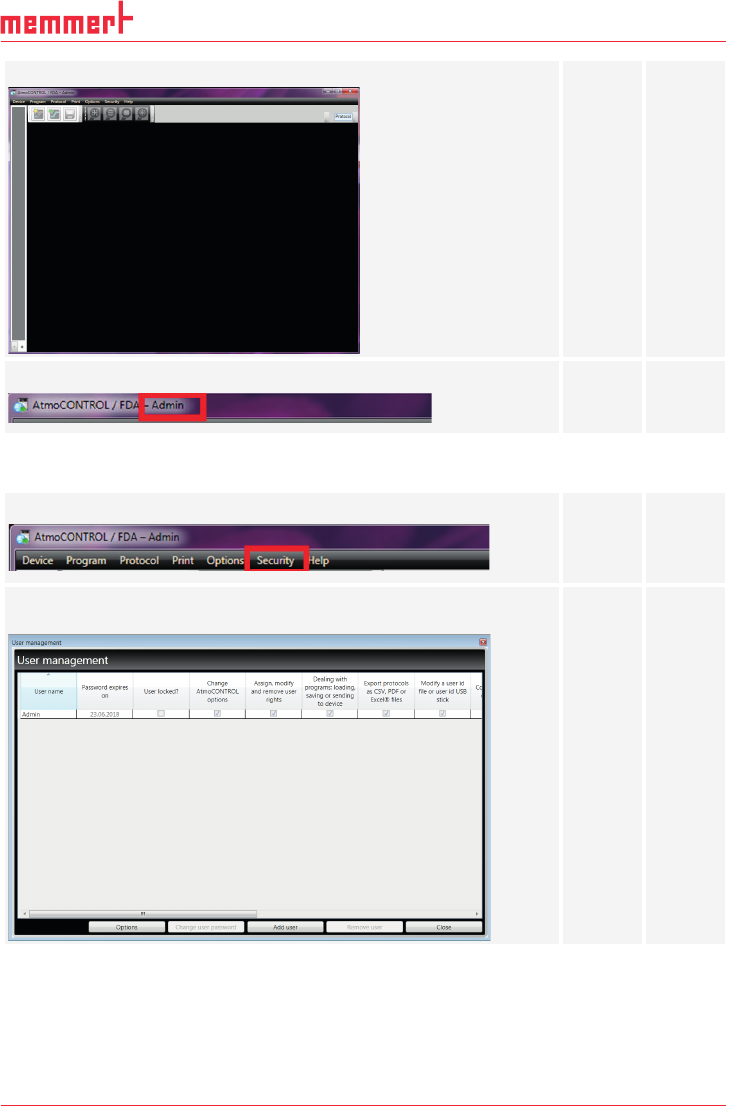
After login, does the program start with the AtmoCONTROL window?
yes no
Is Admin displayed in the title bar?
yes no
3.2 Admin and User Rights
Is the menu item Security available?
yes no
Does the following window appear after clicking Edit users in the
Security menu?
yes no
10 D39051 | Date 12/2019 | v2.9
AtmoCONTROL FDA Edition – IQ-OQ-Documentation
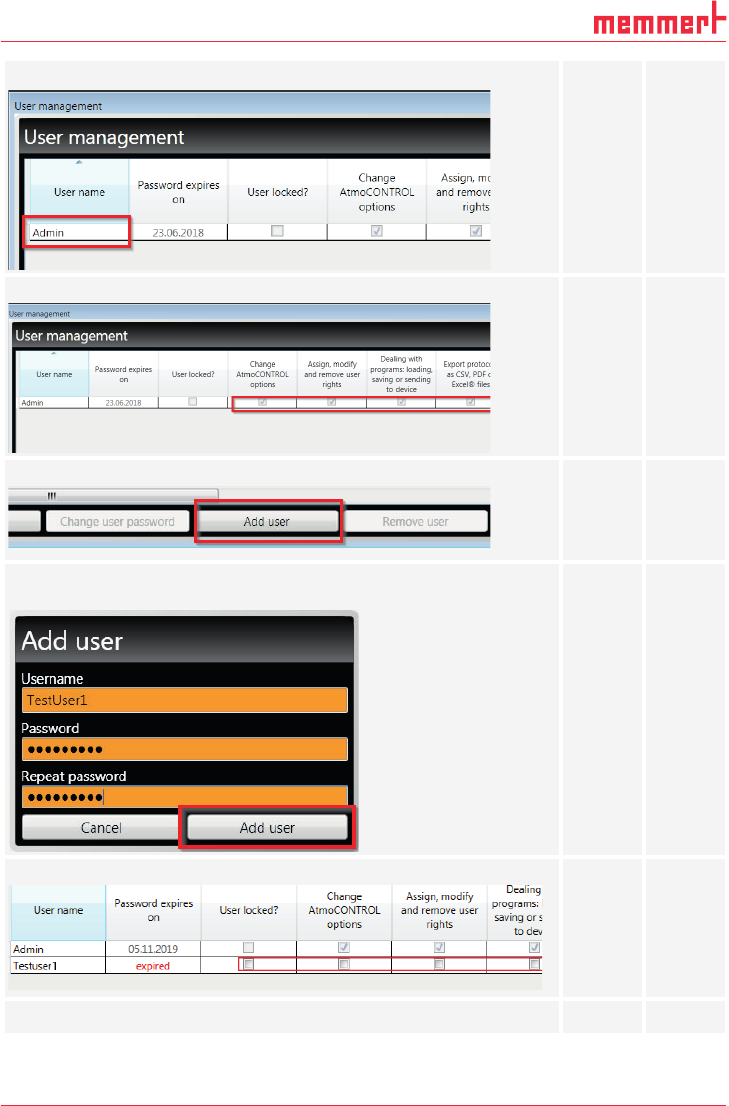
Does the Admin appear in the list?
yes no
Does the Admin have all user rights, is locked and can’t be edited?
yes no
Does the button Add user exist?
yes no
Create a new user account by clicking the Add user button and name
the new user “TestUser1” .
Does the new user have no user rights?
yes no
Can the user rights be edited?
yes no