index-1.php.pdf - 第25页
D39051 | Date 12/2019 | v2.9 25 AtmoCONTROL FDA Edition – IQ-OQ-Documentation Activate User specific backup folder and click Save . Close the dialog by clicking the Cancel button. Reopen the dialog and be sure that the c…
24 D39051 | Date 12/2019 | v2.9
AtmoCONTROL FDA Edition – IQ-OQ-Documentation
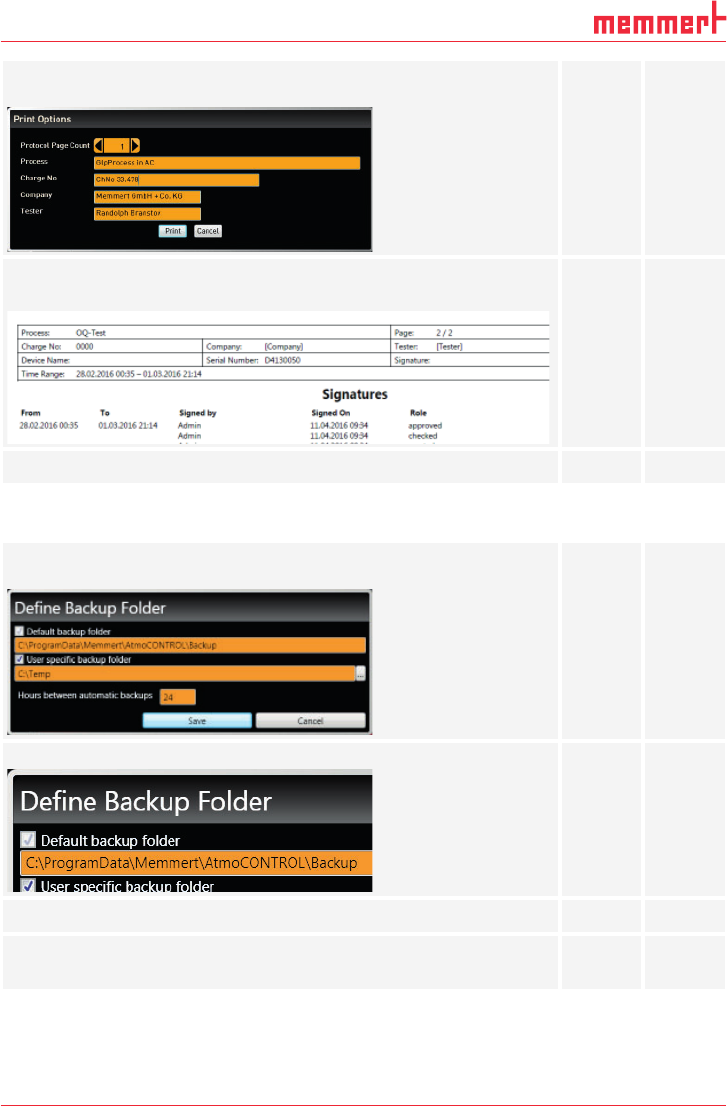
Does the following window appear after clicking the Print document
button?
yes no
Please fill the gaps and print the protocol.
Does the printout contain the signatures?
yes no
Does AtmoCONTROL print the document without any errors?
yes no
3.7 Backup
Does the following window appear after clicking Edit backup folder in
the Options menu?
yes no
If Default backup folder is activated, is it impossible to deactivate it?
yes no
Is the path write-protected?
yes no
Activate User specific backup folder.
Is it possible to edit the folder?
yes
no
D39051 | Date 12/2019 | v2.9 25
AtmoCONTROL FDA Edition – IQ-OQ-Documentation
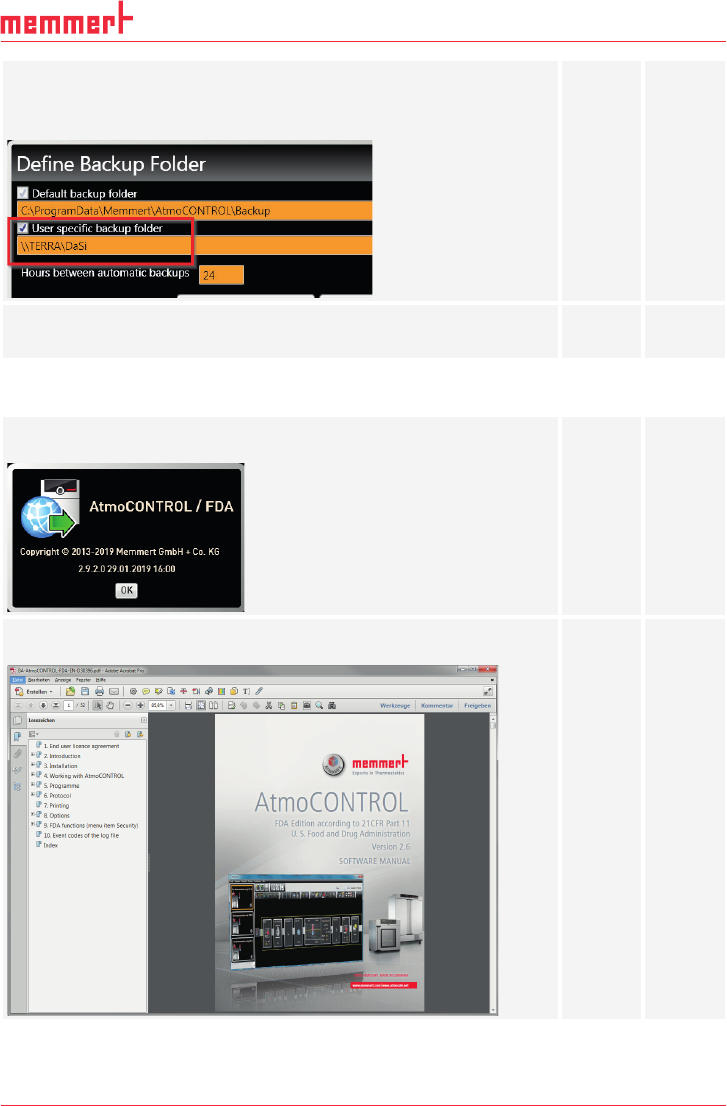
Activate User specific backup folder and click Save.
Close the dialog by clicking the Cancel button.
Reopen the dialog and be sure that the changes are present.
Deactivate User specific backup folder and click Save.
Does the window close without any errors?
yes
no
3.8 Help
Does the following window appear after clicking the About button in
the Help menu and show the activated version?
yes no
Does the following PDF document appear after clicking User manual
in the Help menu?
yes no
26 D39051 | Date 12/2019 | v2.9
AtmoCONTROL FDA Edition – IQ-OQ-Documentation
3.9 Assessment of Operational Qualifi cation
The operational qualification has been passed successfully if all previous questions have been
answered with Yes. If not, the errors have to be fixed and the operational qualification needs
to be repeated.
I hereby confirm that all previous questions have been answered with YES.
Name Position Date Signature