index-1.php.pdf - 第24页
24 D39051 | Date 12/2019 | v2.9 AtmoCONTROL FDA Edition – IQ-OQ-Documentation Does the following window appear after clicking the Print document button? yes no Please fill the gaps and print the protocol. Does the pr…
D39051 | Date 12/2019 | v2.9 23
AtmoCONTROL FDA Edition – IQ-OQ-Documentation
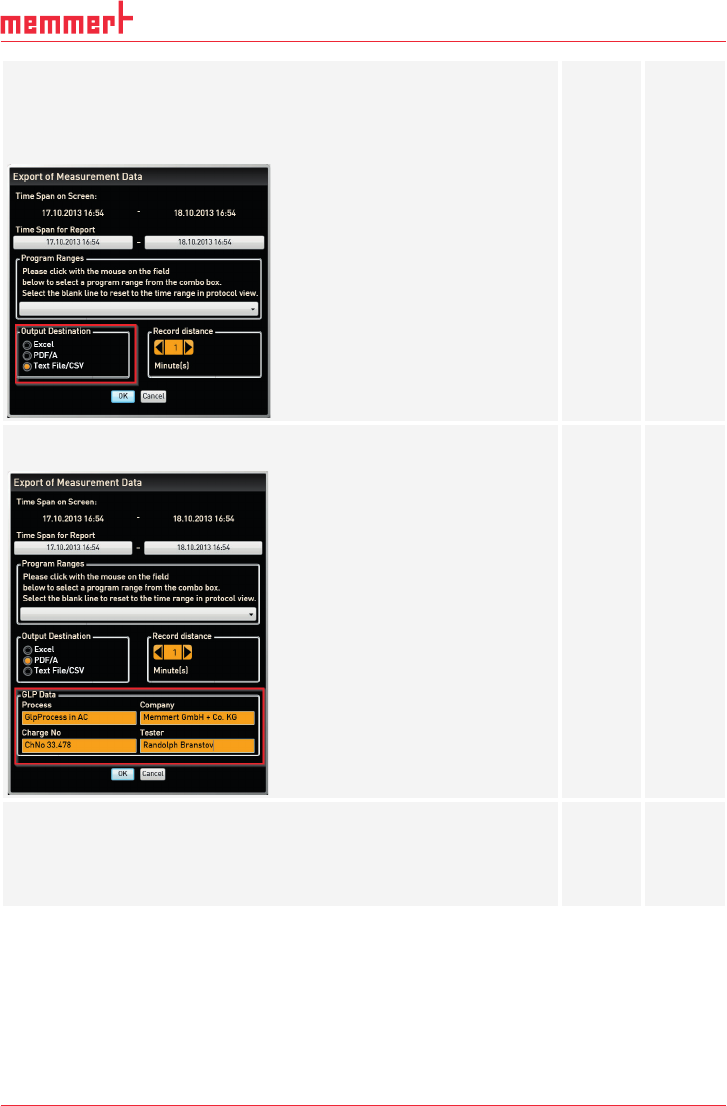
Can you select the following items:
► Excel
► PDF
► Text File/CSV
yes
yes
yes
no
no
no
Does the window show an input mask for the GLP data when selecting
Excel or PDF?
yes no
Can the protocol be exported to all three files types?
► Excel
► PDF
► Text File/CSV
yes
yes
yes
no
no
no
24 D39051 | Date 12/2019 | v2.9
AtmoCONTROL FDA Edition – IQ-OQ-Documentation
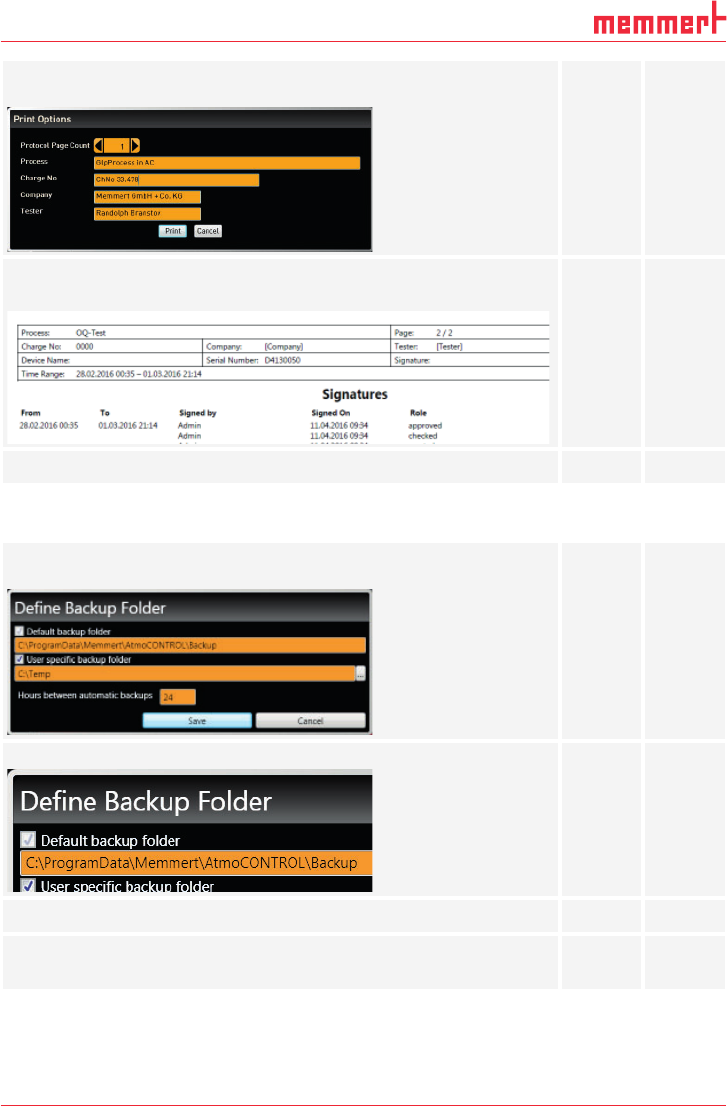
Does the following window appear after clicking the Print document
button?
yes no
Please fill the gaps and print the protocol.
Does the printout contain the signatures?
yes no
Does AtmoCONTROL print the document without any errors?
yes no
3.7 Backup
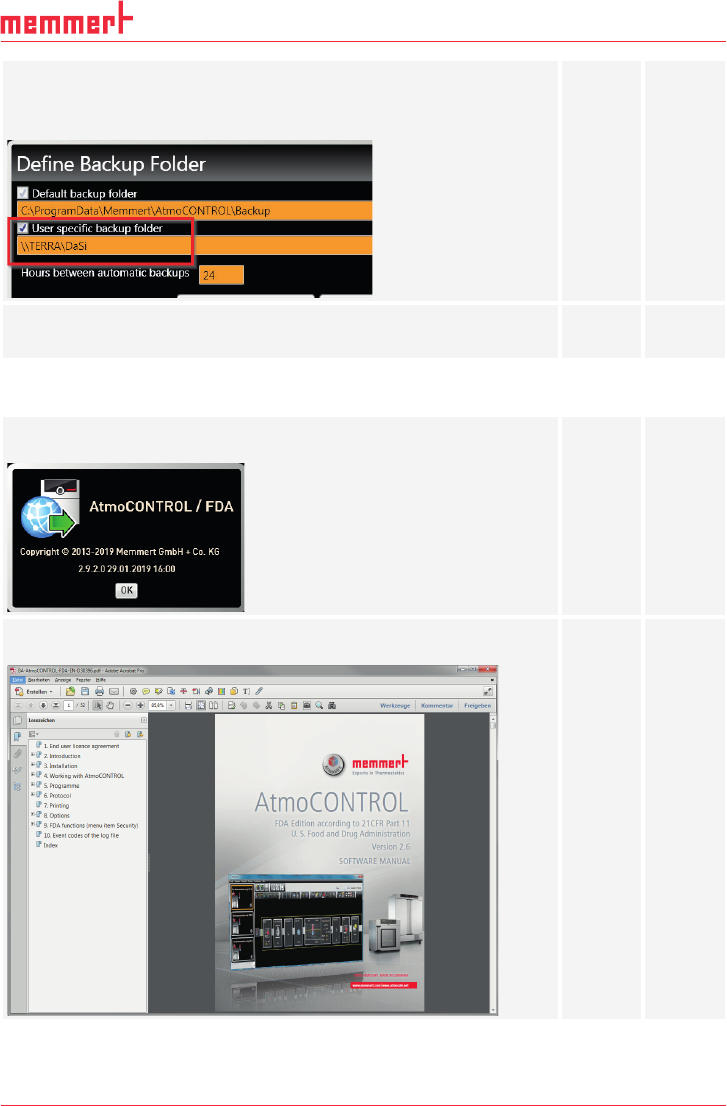
Does the following window appear after clicking Edit backup folder in
the Options menu?
yes no
If Default backup folder is activated, is it impossible to deactivate it?
yes no
Is the path write-protected?
yes no
Activate User specific backup folder.
Is it possible to edit the folder?
yes
no
D39051 | Date 12/2019 | v2.9 25
AtmoCONTROL FDA Edition – IQ-OQ-Documentation
Activate User specific backup folder and click Save.
Close the dialog by clicking the Cancel button.
Reopen the dialog and be sure that the changes are present.
Deactivate User specific backup folder and click Save.
Does the window close without any errors?
yes
no
3.8 Help
Does the following window appear after clicking the About button in
the Help menu and show the activated version?
yes no
Does the following PDF document appear after clicking User manual
in the Help menu?
yes no