Vista Machine Performance.pdf - 第10页
MACHINE PERFORMANCE MACHINE CAPABILITY 8.10 Instal lation M anual Chapter Issue 1 Sep 02 21. Map the C drive on the DEK machine to a spar e drive lett er on the laptop. Highlight C drive an d select O.K . A window will o…
MACHINE PERFORMANCE
MACHINE CAPABILITY
Chapter Issue 1 Sep 02 Installation Manual 8.9
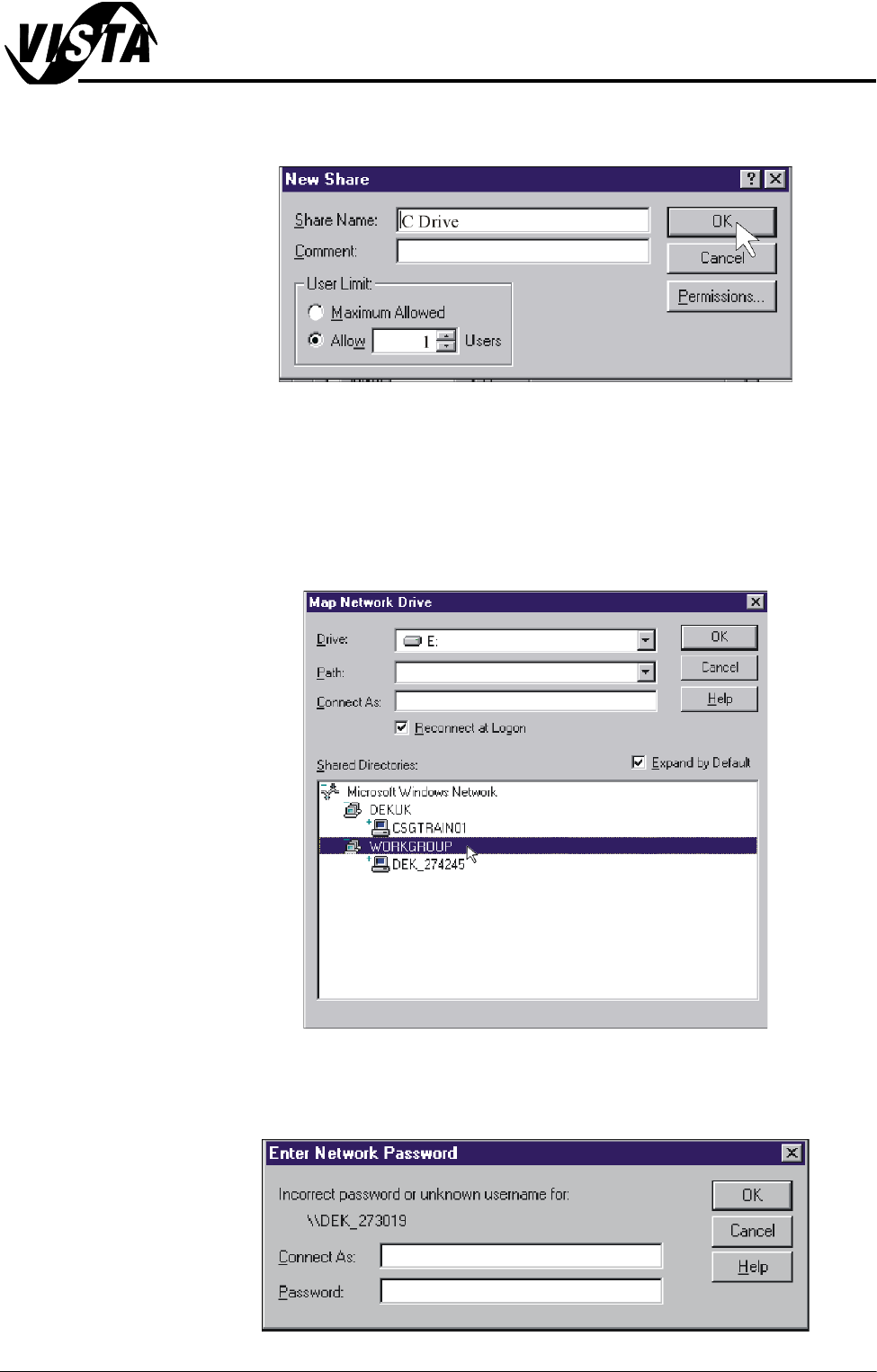
13.Insert C Drive in the Share Name box. Click on the Allow radio button and
set the number of users to 1.
14.Repeat Steps 11 - 13 for D drive.
15.Shutdown and restart the DEK machine and terminate the DEK program.
16.On the laptop computer, right mouse click on the Network Neighbourhood
icon on the desktop.
17.Select Map Network Drive.
18.Scroll down Shared Directories and double click on Workgroup.
19.Double click on the relevant DEK machine serial number.
20.Enter user name and password (use administrator for both) and select
O.K.
MACHINE PERFORMANCE
MACHINE CAPABILITY
8.10 Installation Manual Chapter Issue 1 Sep 02
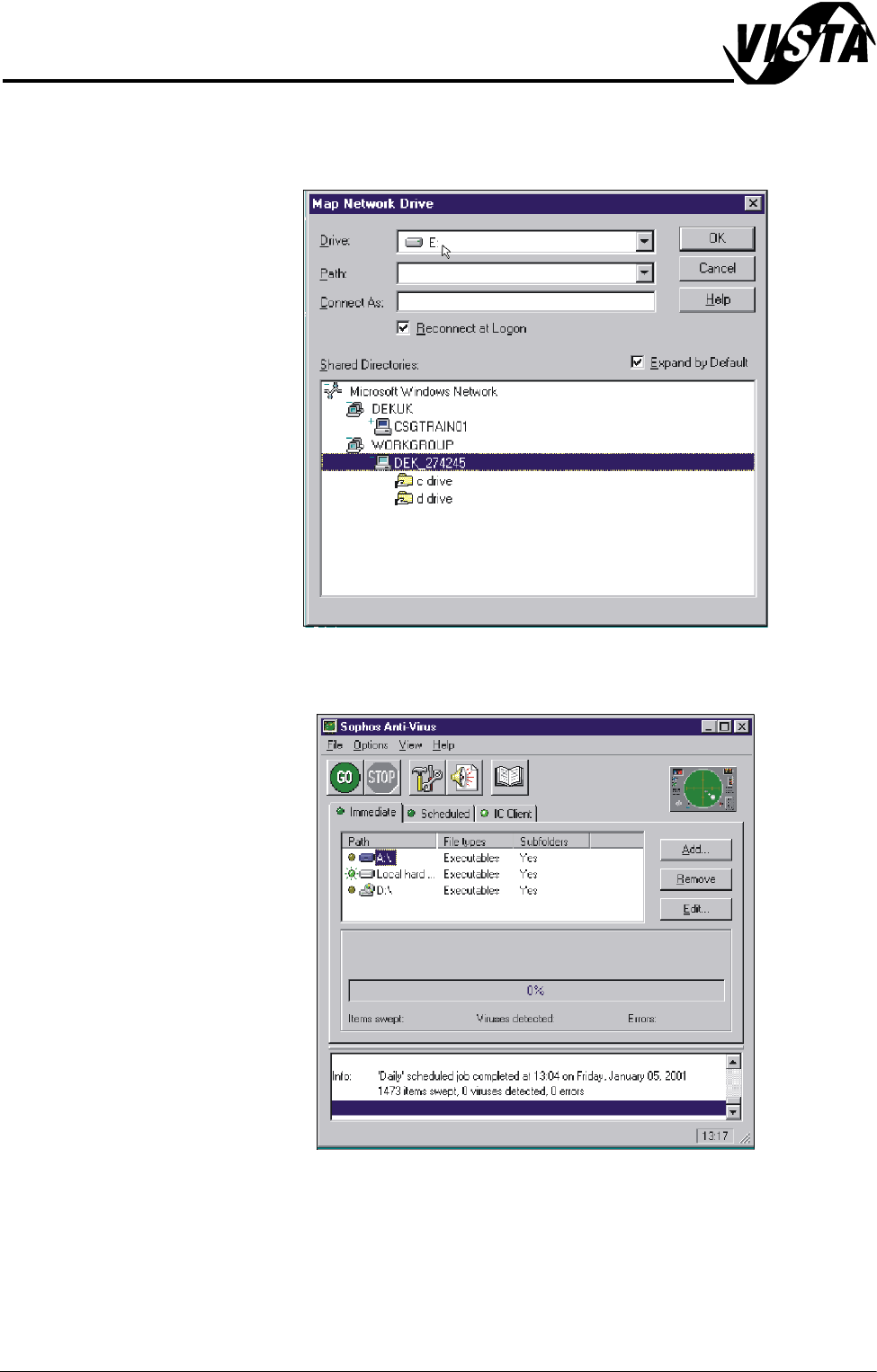
21.Map the C drive on the DEK machine to a spare drive letter on the laptop.
Highlight C drive and select O.K. A window will open showing what is in the
drive you have selected, close this window.
22.Repeat Steps 16 - 21 for the D drive on the DEK machine.
23.On the laptop, start the Sophos Anti-Virus program.
MACHINE PERFORMANCE
MACHINE CAPABILITY
Chapter Issue 1 Sep 02 Installation Manual 8.11
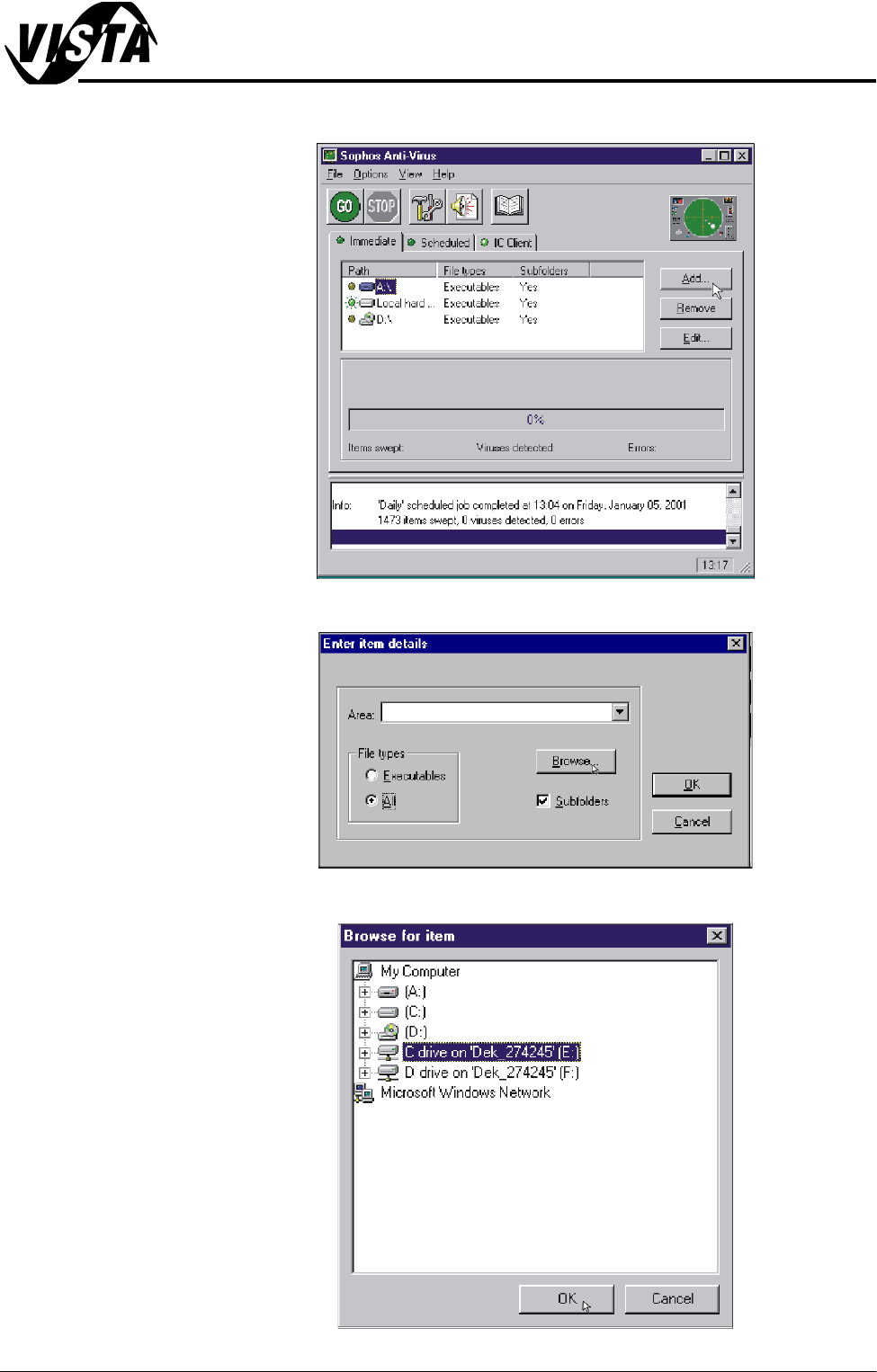
24.Select Add.
25.Click on All radio button in File Types and select Browse.
26.Highlight required drives to be swept and select O.K.