Vista Machine Performance.pdf - 第3页
MACHINE PERFORM ANCE MACHINE CAP ABILITY Chapter Issue 1 Sep 02 Instal lation M anual 8 . 3 7. In the Record Filter s Box, select sqy1 file and select O.K . 8. Select St atis tics , Cpk - Process Cap ability .
MACHINE PERFORMANCE
MACHINE CAPABILITY
8.2 Installation Manual Chapter Issue 1 Sep 02
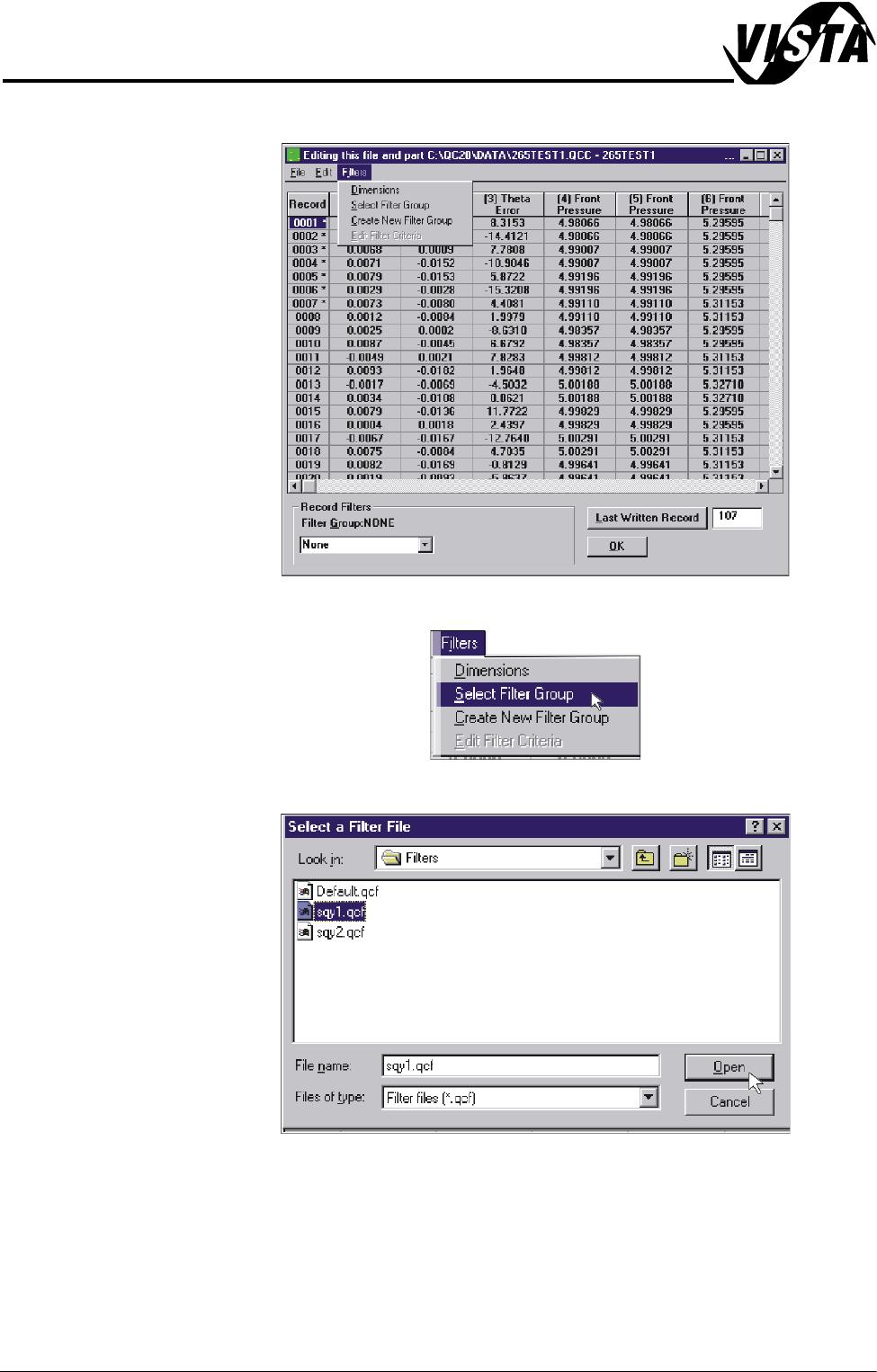
4. Select Filters.
5. Select Select Filter Group.
6. Highlight sqy1.qcf file and select Open.
MACHINE PERFORMANCE
MACHINE CAPABILITY
Chapter Issue 1 Sep 02 Installation Manual 8.3
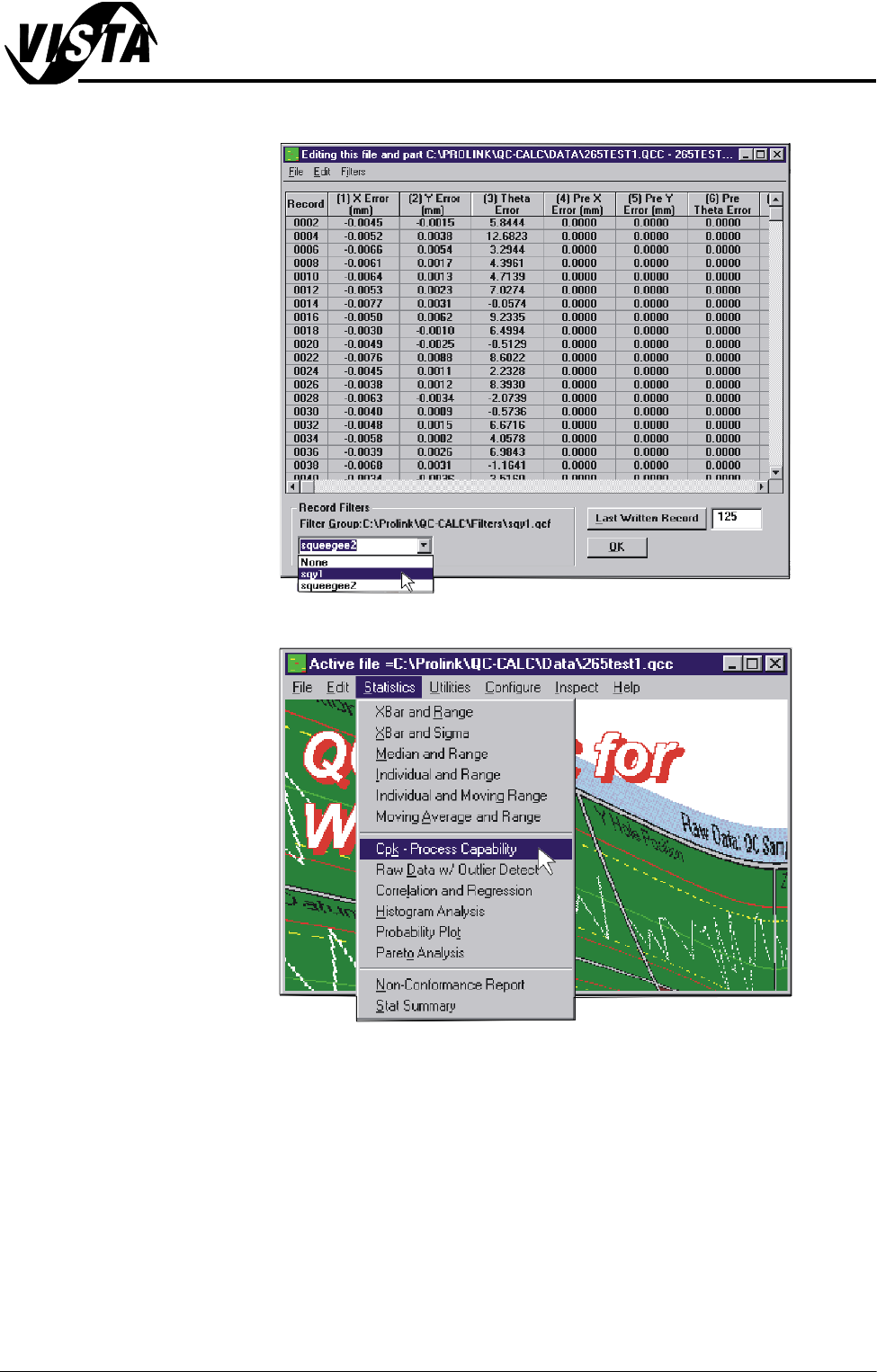
7. In the Record Filters Box, select sqy1 file and select O.K.
8. Select Statistics, Cpk - Process Capability.
MACHINE PERFORMANCE
MACHINE CAPABILITY
8.4 Installation Manual Chapter Issue 1 Sep 02
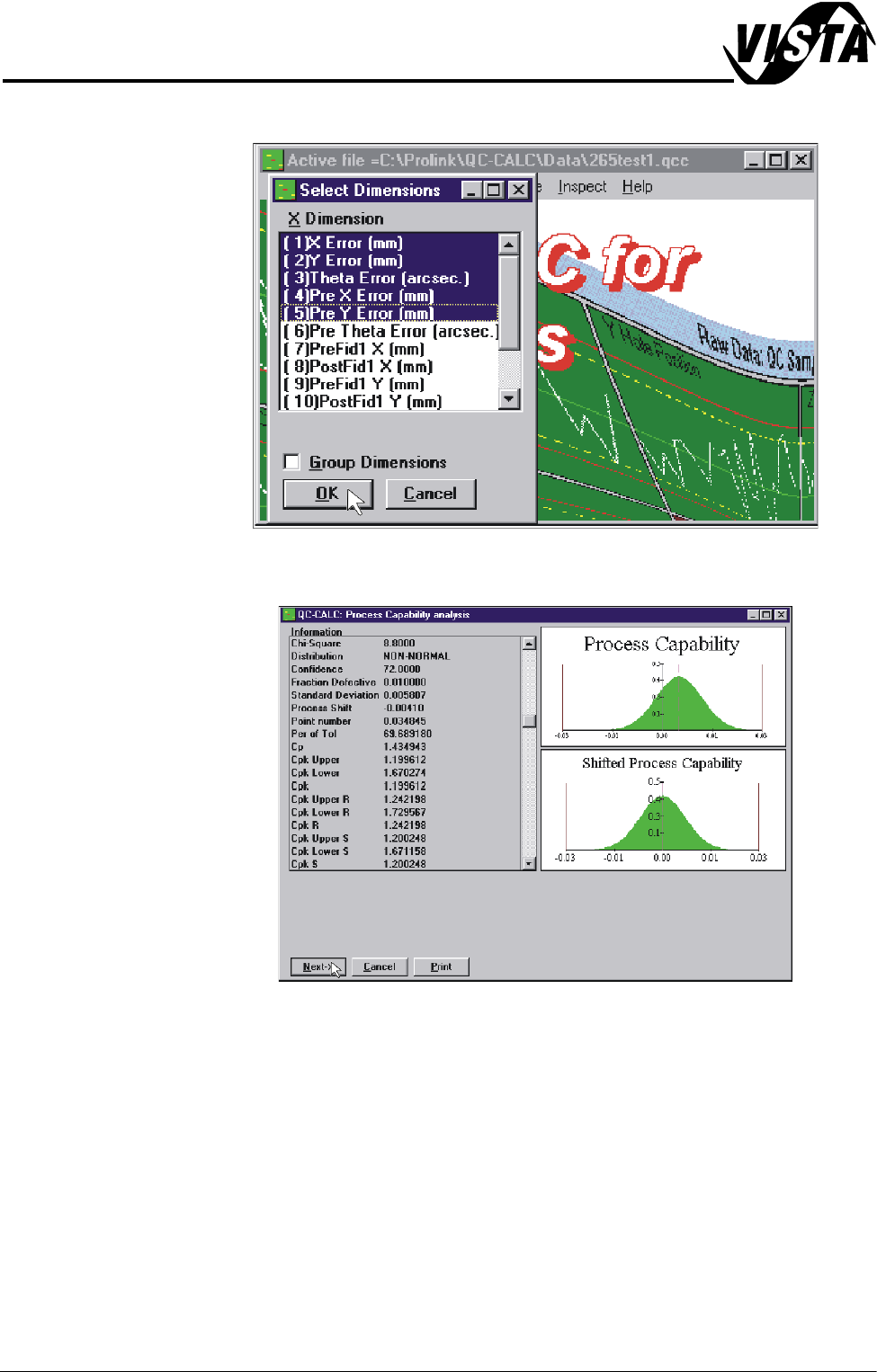
9. Highlight the required dimensions to output and select O.K.
10.View the Cp/Cpk values for the dimension illustrated ensuring the values are
within the specification. Select Next to view the further dimensions.
11. Repeat Steps 4 - 10 for filter group sqy2.qcf.