Vista Machine Performance.pdf - 第12页
MACHINE PERFORMANCE MACHINE CAPABILITY 8.12 Instal lation M anual Chapter Issue 1 Sep 02 27. Ensure a gr een light i s lit b y the two dri ves to be swept . Selec t GO , t he program now runs. 28. On completi on, highlig…
MACHINE PERFORMANCE
MACHINE CAPABILITY
8.10 Installation Manual Chapter Issue 1 Sep 02
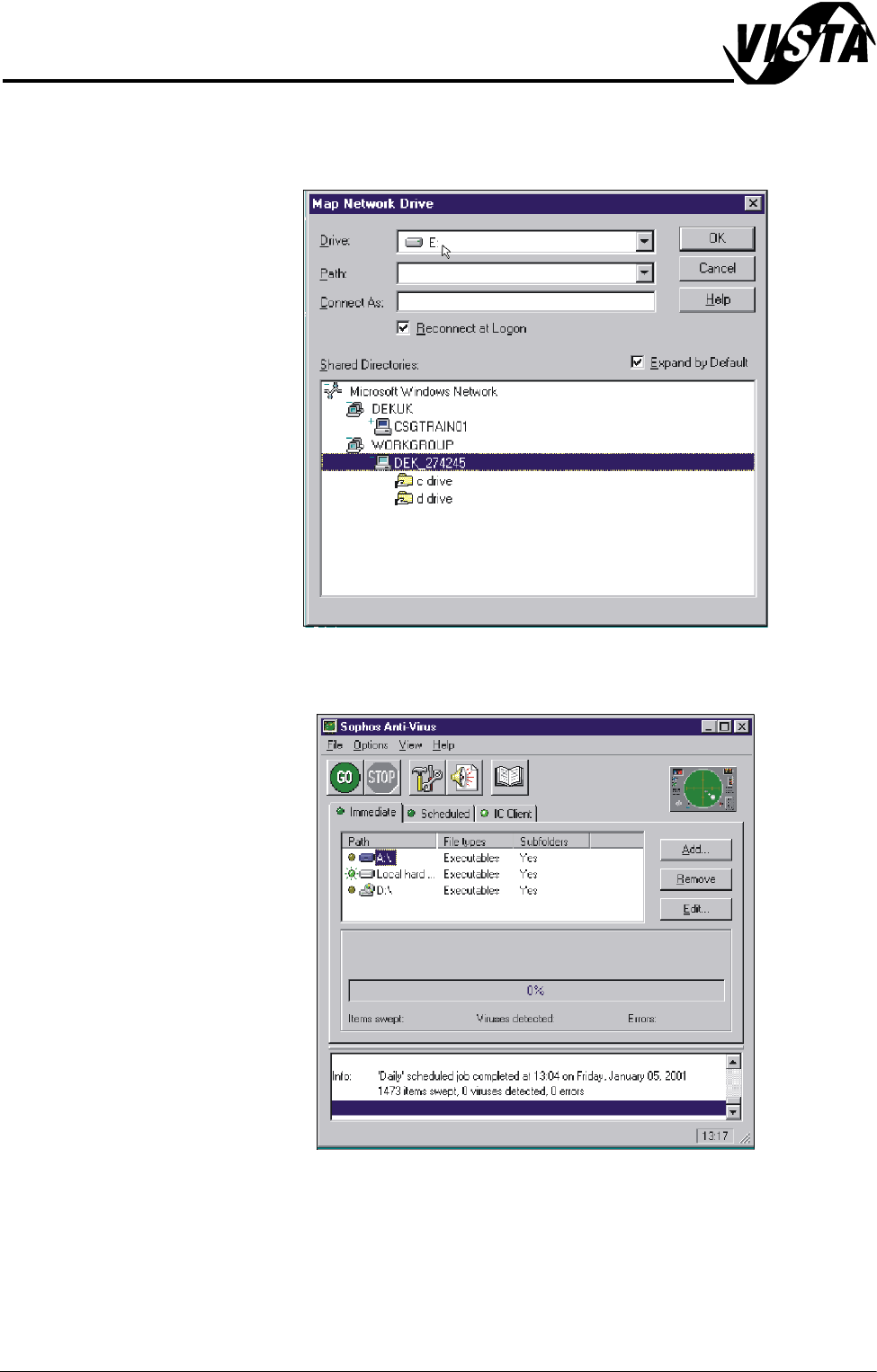
21.Map the C drive on the DEK machine to a spare drive letter on the laptop.
Highlight C drive and select O.K. A window will open showing what is in the
drive you have selected, close this window.
22.Repeat Steps 16 - 21 for the D drive on the DEK machine.
23.On the laptop, start the Sophos Anti-Virus program.
MACHINE PERFORMANCE
MACHINE CAPABILITY
Chapter Issue 1 Sep 02 Installation Manual 8.11
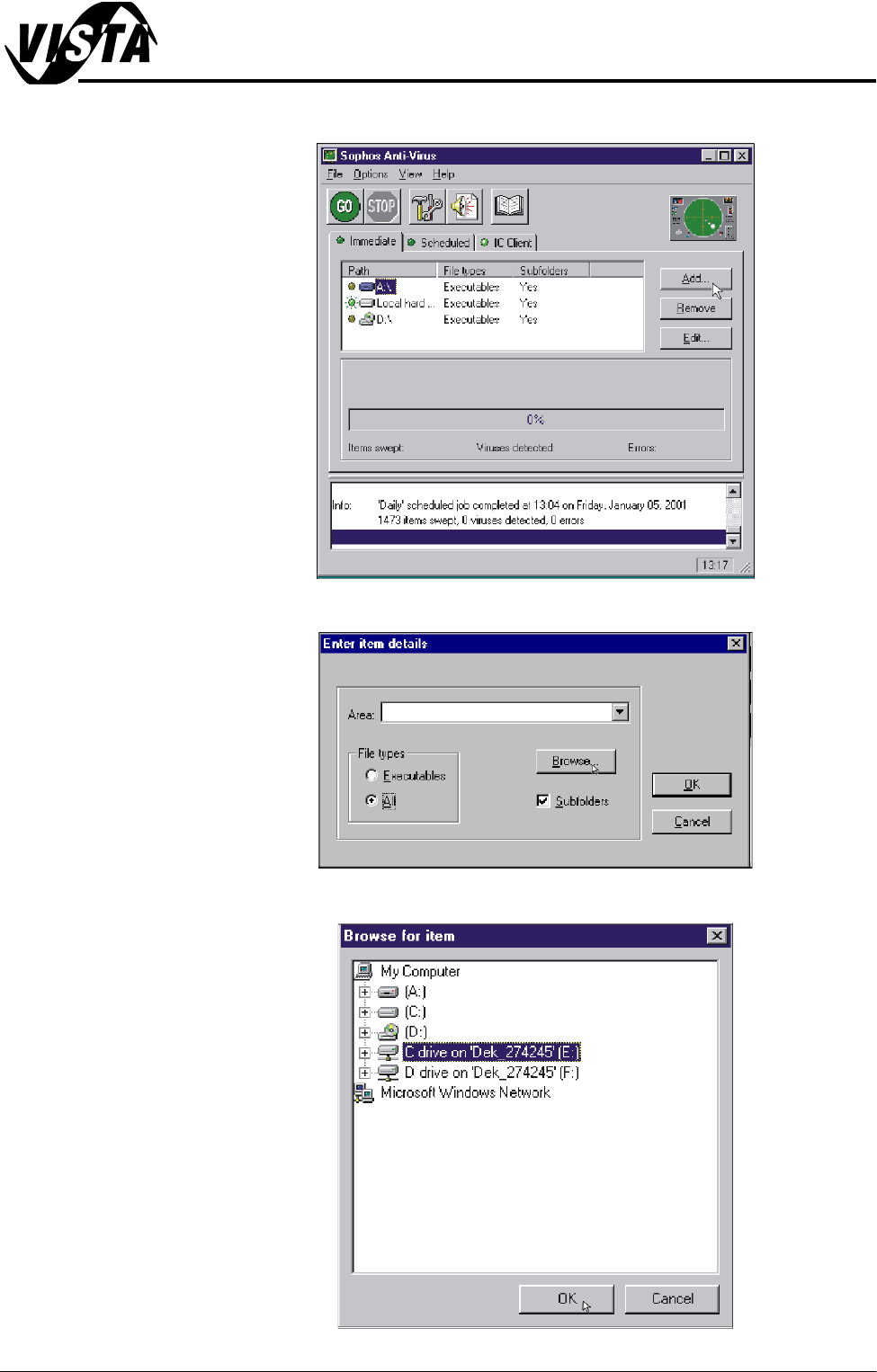
24.Select Add.
25.Click on All radio button in File Types and select Browse.
26.Highlight required drives to be swept and select O.K.
MACHINE PERFORMANCE
MACHINE CAPABILITY
8.12 Installation Manual Chapter Issue 1 Sep 02
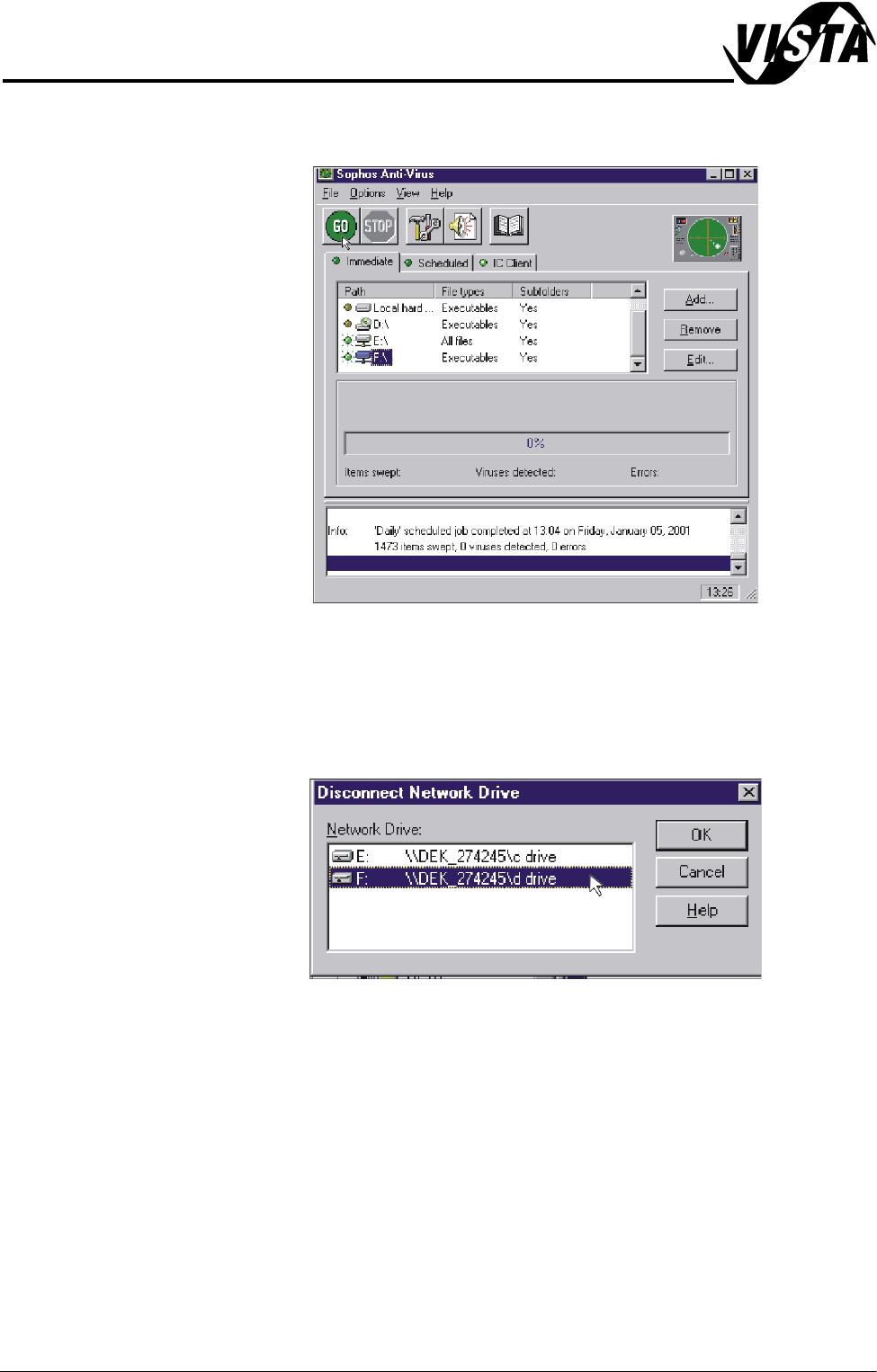
27.Ensure a green light is lit by the two drives to be swept. Select GO, the
program now runs.
28.On completion, highlight both drives of the DEK machine and select
Remove. Terminate the Sophos program.
29.On the laptop, double click on the Explorer icon on the desktop.
30.Select Tools, Disconnect Network Drive.
31.Highlight the DEK machine hard drives and select O.K.
32.Revert the laptop to the settings noted in Step 9.
33.Shutdown the laptop and remove the cable between the computer and the
DEK machine.