Vista Machine Performance.pdf - 第7页
MACHINE PERFORM ANCE MACHINE CAP ABILITY Chapter Issue 1 Sep 02 Instal lation M anual 8 . 7 8. Click on Spe cify an IP addres s radio button. Set the IP address to 195.100 .100.1 and a Subnet Mask of 255.255 .255.0 . Cl …
MACHINE PERFORMANCE
MACHINE CAPABILITY
8.6 Installation Manual Chapter Issue 1 Sep 02
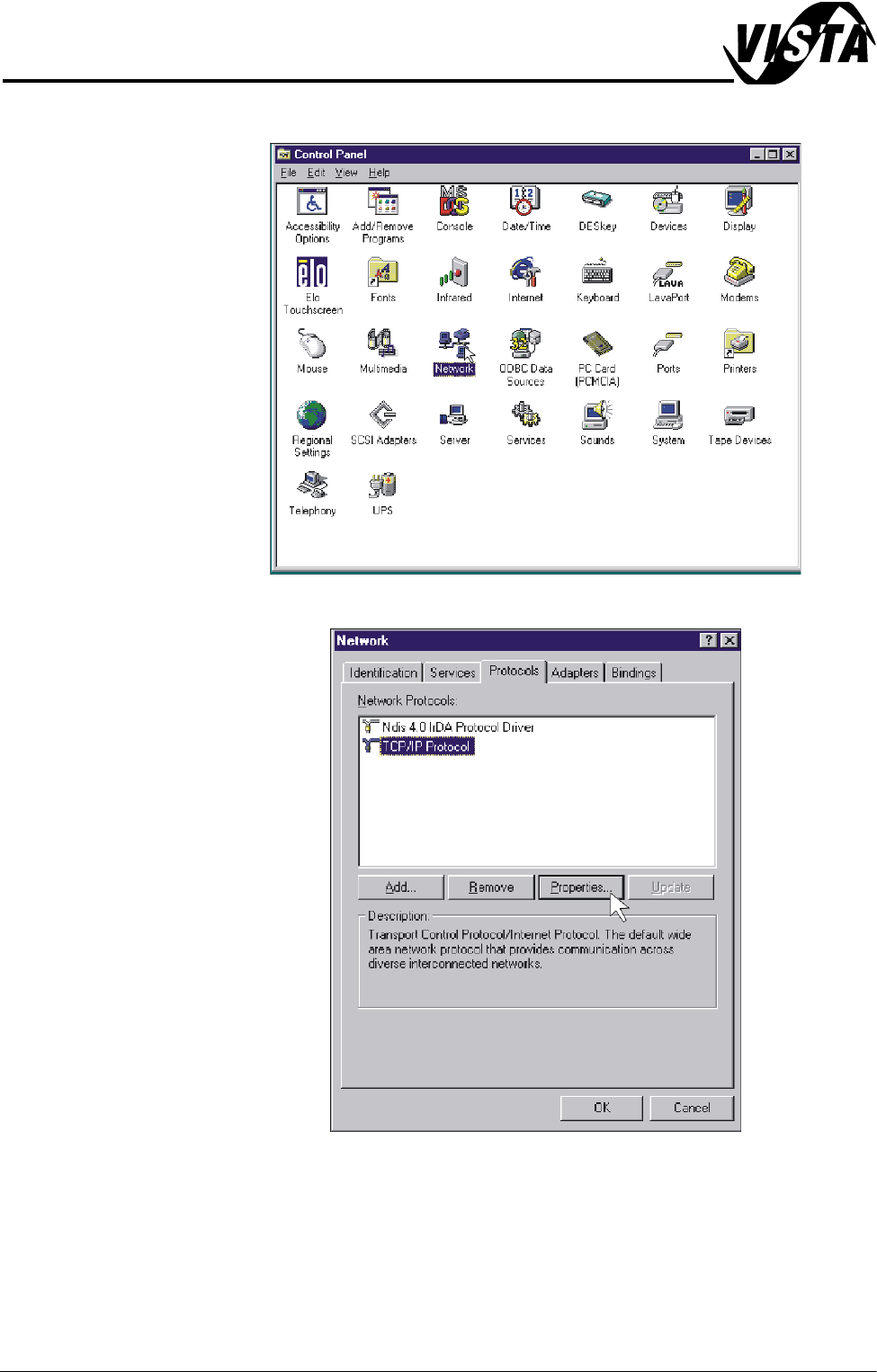
6. Double click on the Network icon.
7. Select Protocols, click on the TCP/IP Protocol and select Properties.
MACHINE PERFORMANCE
MACHINE CAPABILITY
Chapter Issue 1 Sep 02 Installation Manual 8.7
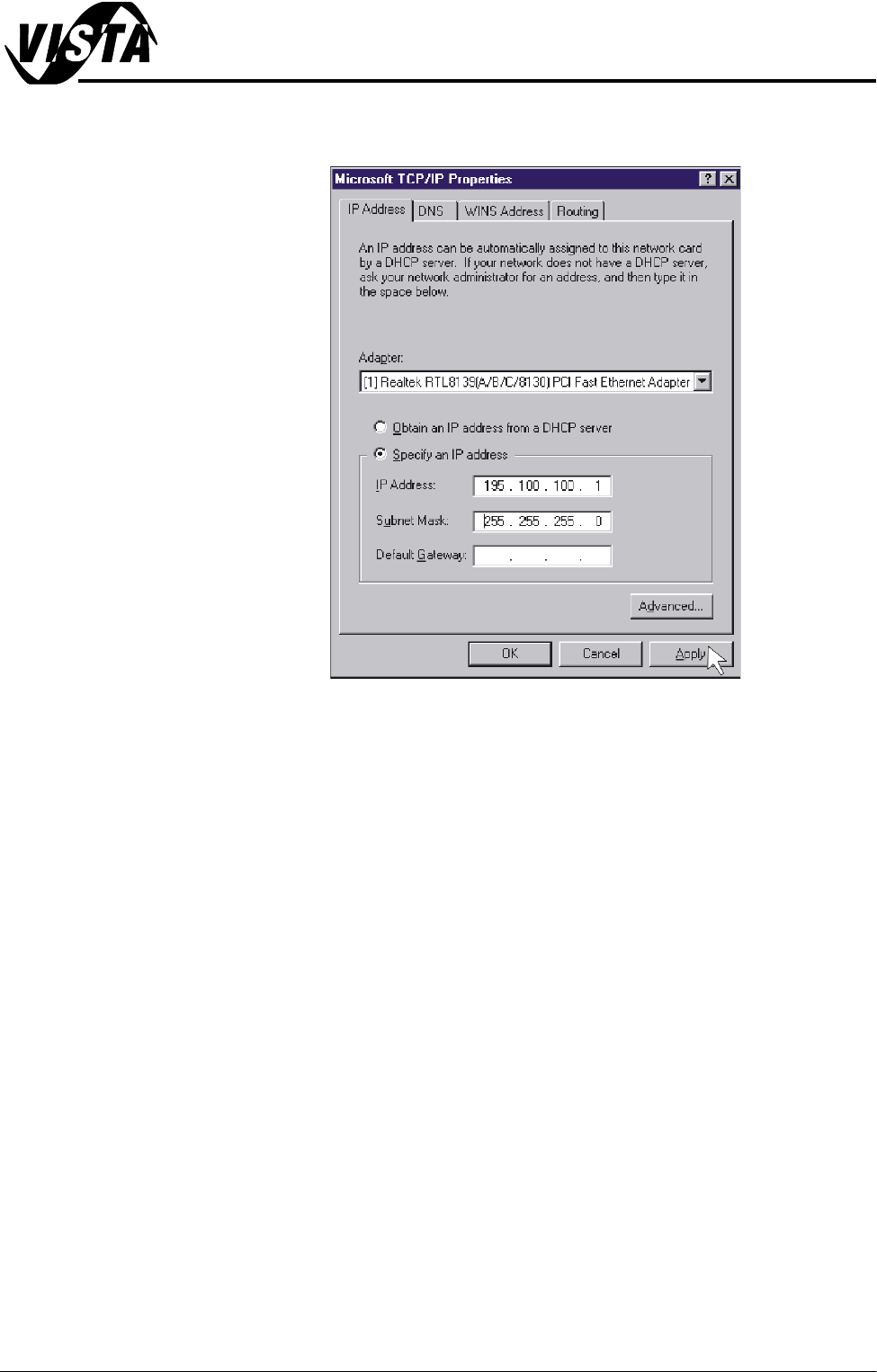
8. Click on Specify an IP address radio button. Set the IP address to
195.100.100.1 and a Subnet Mask of 255.255.255.0. Click on Apply.
9. Using the procedure above, ensure the laptop computer IP address is set to
195.100.100.10.
NOTE
Record the original settings on the laptop before changing the IP address.
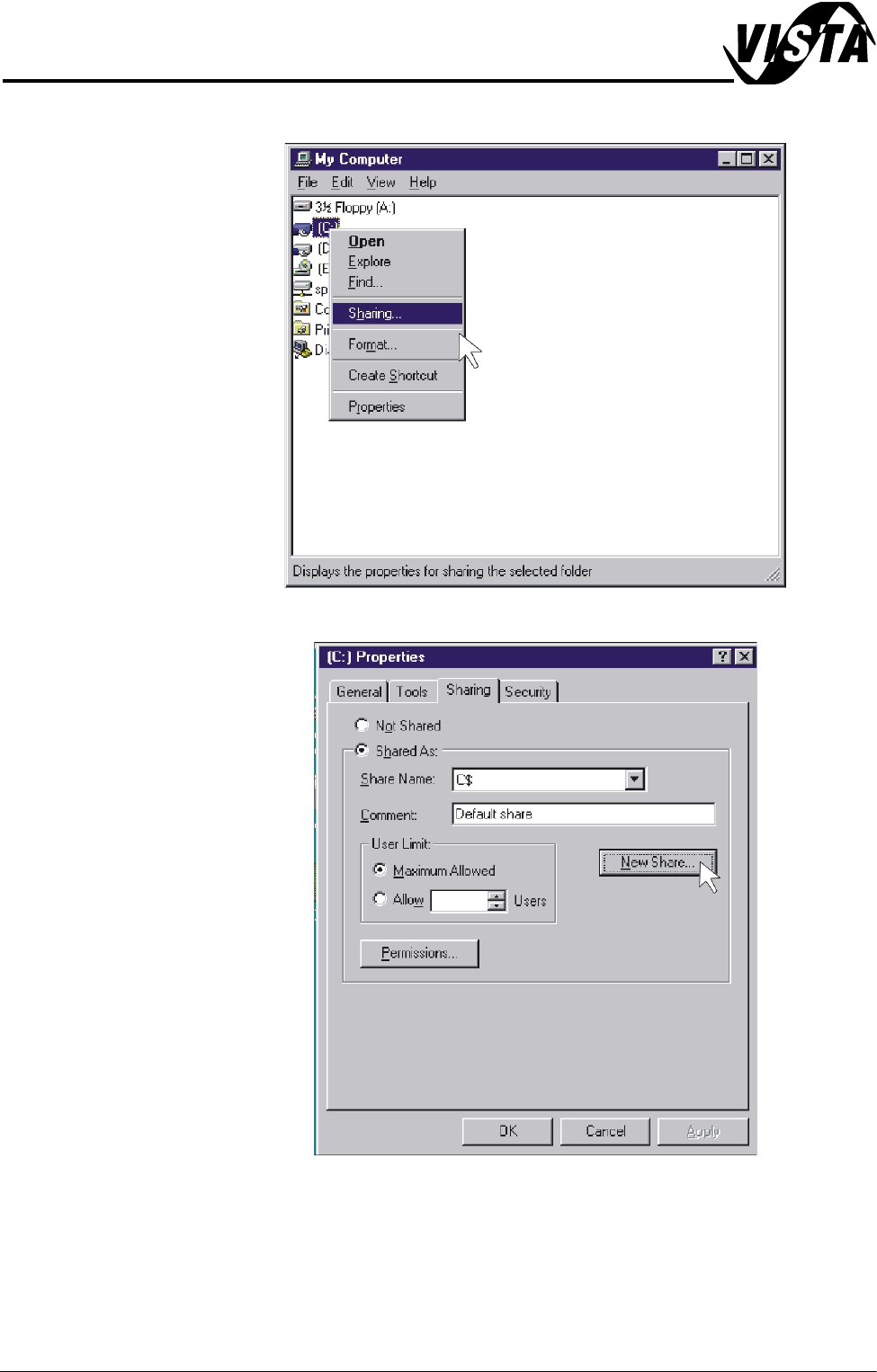
10.On the DEK machine, double click on the My Computer icon on the
desktop.
MACHINE PERFORMANCE
MACHINE CAPABILITY
8.8 Installation Manual Chapter Issue 1 Sep 02
11. Right mouse click on C Drive and left mouse click on Sharing.
12.Select New Share.