Vista Machine Performance.pdf - 第4页
MACHINE PERFORMANCE MACHINE CAPABILITY 8.4 Installa tion M anual Chapter Issue 1 Sep 02 9. Highli ght the required dimen sions to outpu t and select O.K . 10. V iew the Cp/Cpk values for the dimension illust rated ens ur…
MACHINE PERFORMANCE
MACHINE CAPABILITY
Chapter Issue 1 Sep 02 Installation Manual 8.3
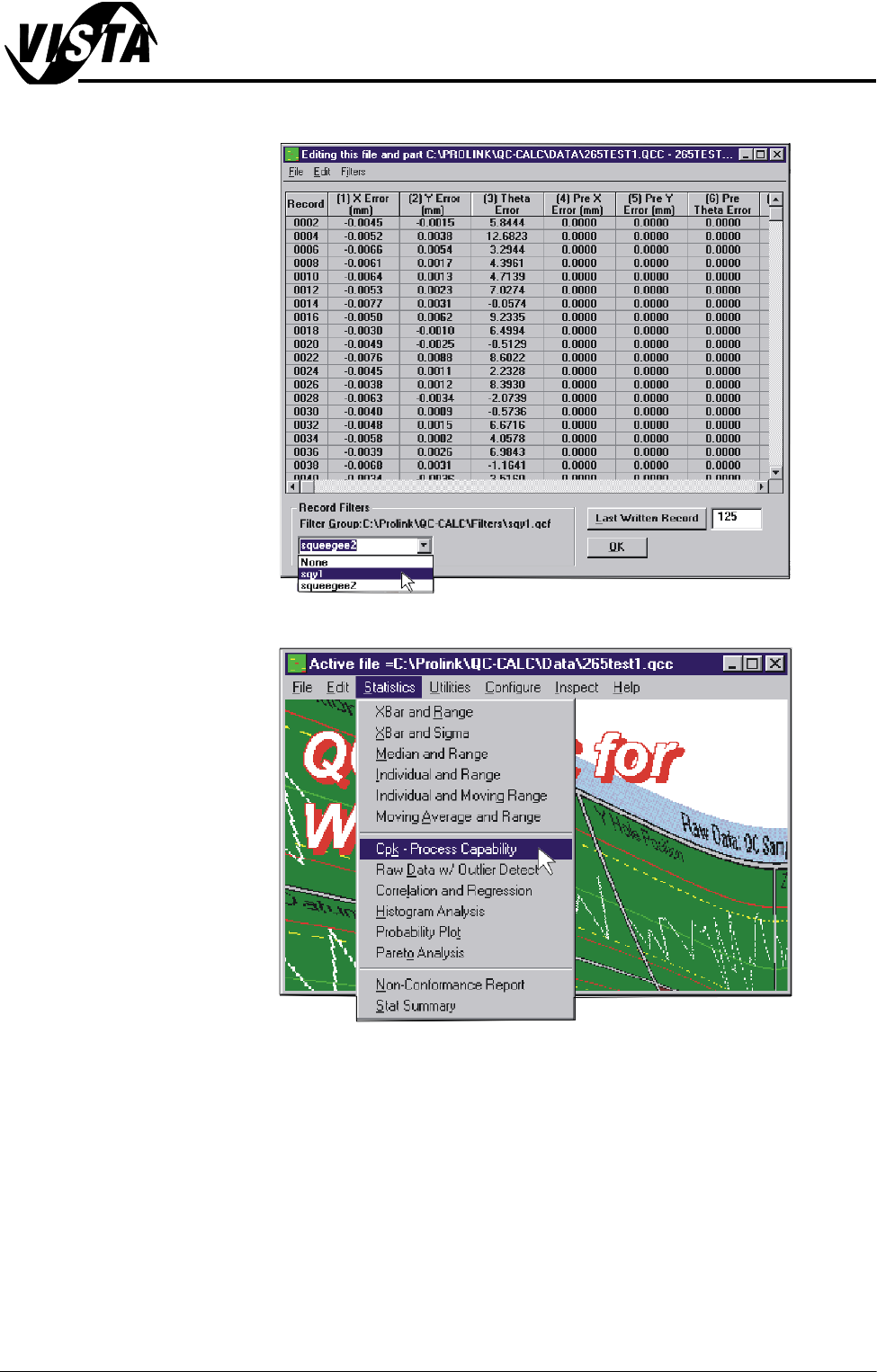
7. In the Record Filters Box, select sqy1 file and select O.K.
8. Select Statistics, Cpk - Process Capability.
MACHINE PERFORMANCE
MACHINE CAPABILITY
8.4 Installation Manual Chapter Issue 1 Sep 02
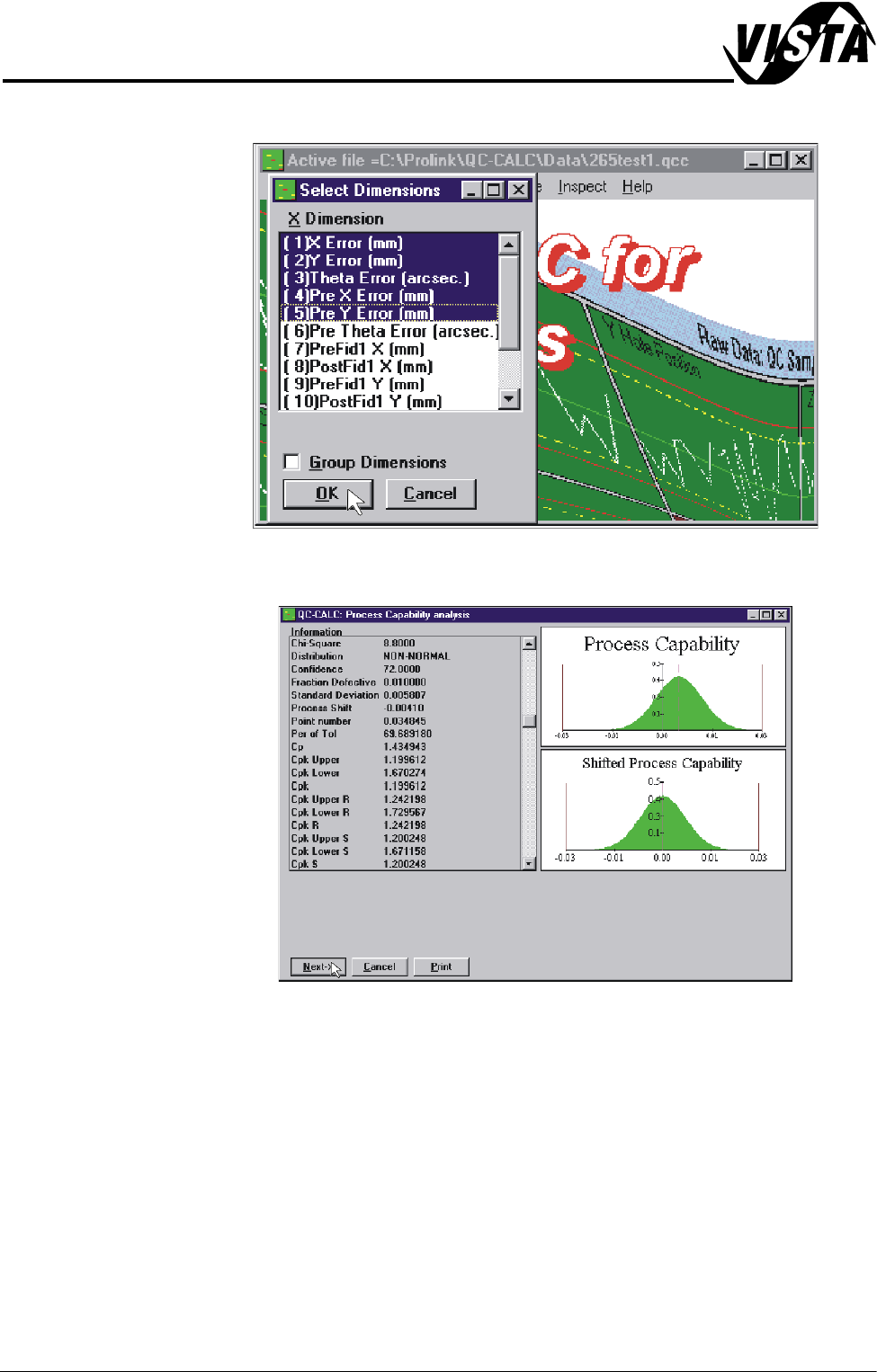
9. Highlight the required dimensions to output and select O.K.
10.View the Cp/Cpk values for the dimension illustrated ensuring the values are
within the specification. Select Next to view the further dimensions.
11. Repeat Steps 4 - 10 for filter group sqy2.qcf.
MACHINE PERFORMANCE
MACHINE CAPABILITY
Chapter Issue 1 Sep 02 Installation Manual 8.5
12.Record the following information in Section 20 of the Installation Checklist:
NOTE
On occasions no Cp/Cpk values are displayed for pressure and speeds due to
the small size of the error. Front Pressure and Rear Pressure are not recorded
for ProFlow only machines.
Virus Check
To perform an anti-virus check using a laptop computer carry out the following:
1. On the DEK machine, terminate the DEK program.
2. Connect the laptop computer to the DEK machine using a Point to Point
network cable.
3. Log in locally on the laptop computer.
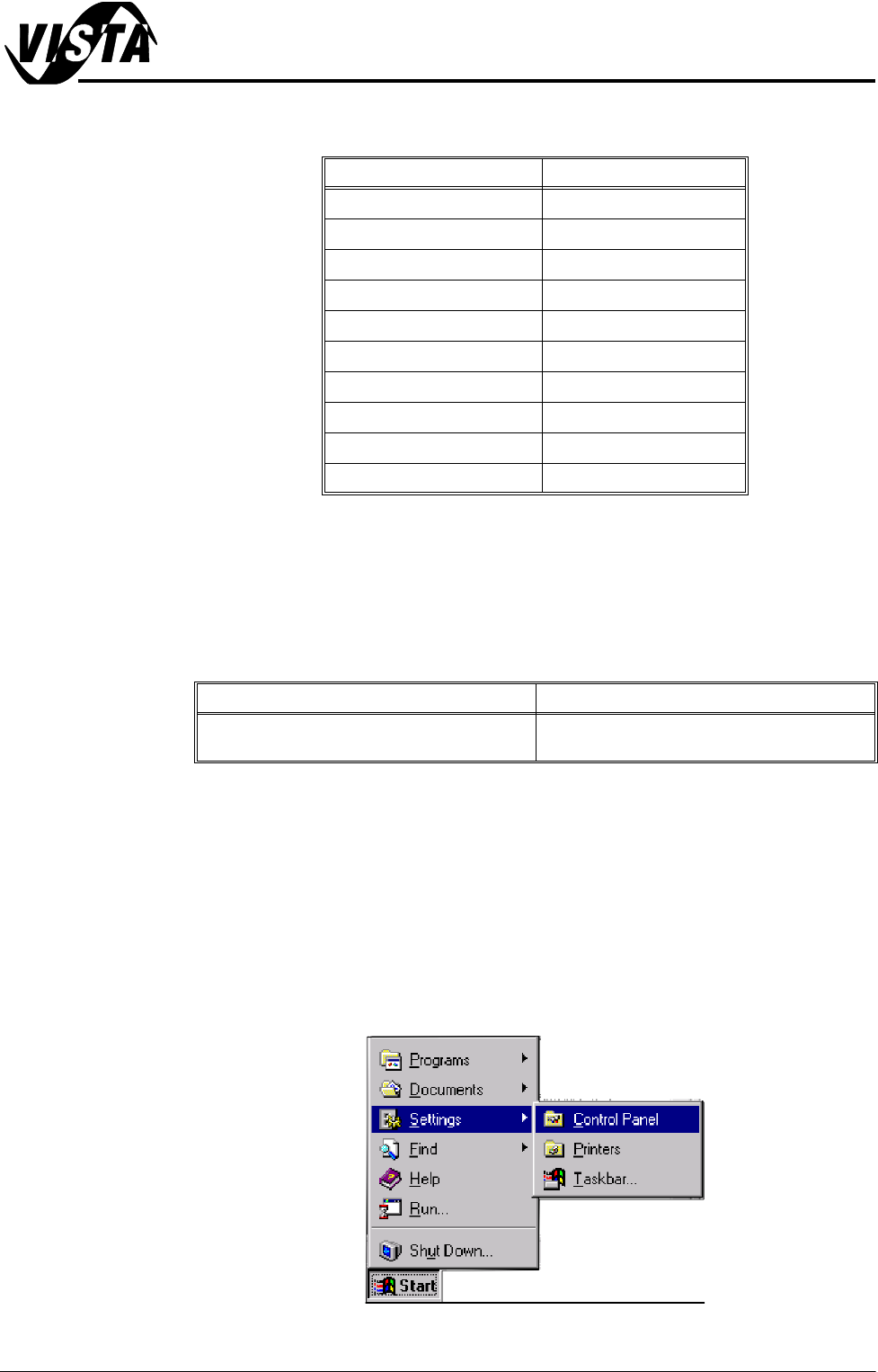
4. On the DEK machine, using the mouse, click on the Start button on the
taskbar. The Start Menu is displayed.
5. Select Settings and Control Panel.
Detail Specification
X Alignment (Front) ≥Cp/Cpk 1.6
X Alignment (Rear) ≥Cp/Cpk 1.6
Y Alignment (Front) ≥Cp/Cpk 1.6
Y Alignment (Rear) ≥Cp/Cpk 1.6
θ Alignment (Front) ≥Cp/Cpk 1.6
θ Alignment (Rear) ≥Cp/Cpk 1.6
Front Pressure (See Note) ≥Cp/Cpk 1.6
Rear Pressure (See Note) ≥Cp/Cpk 1.6
Front Print Speed (See Note) ≥Cp/Cpk 1.6
Rear Print Speed (See Note) ≥Cp/Cpk 1.6
Detail Complete
Perform anti-virus check using the latest ver-
sion of virus checking software.