00198233-01_VD_SIPLACE_Studio_2.1_EN.pdf - 第14页
Version Des cription SIPLACE Studio 2 .1 0 5/2016 Edition 14 6 Restrictions There are no kno wn restrictions 7 Errors that have been fixed Please see the ReadM e.txt f ile in the installation m edia for the latest list o…
Version Description
SIPLACE Studio 2.1 05/2016 Edition
13
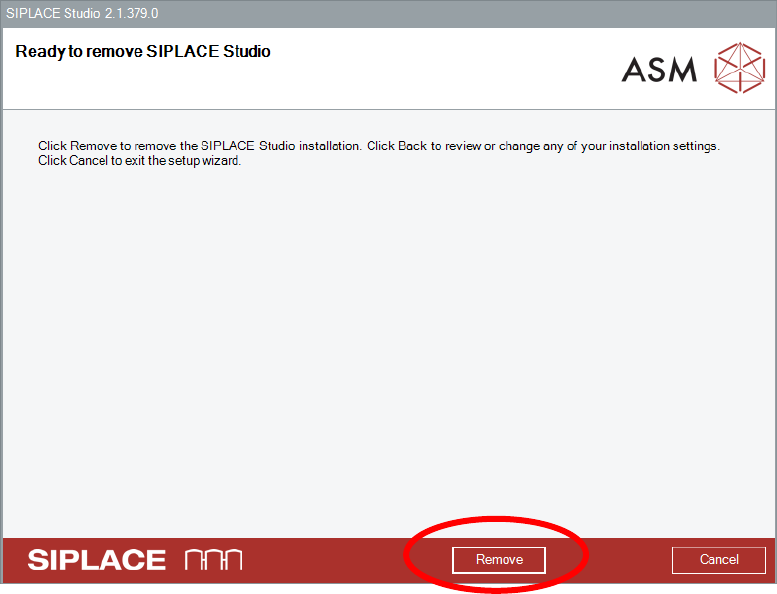
Ensure that you want to remove the SIPLACE Studio installation.
Select the Remove button.

Version Description
SIPLACE Studio 2.1 05/2016 Edition
14
6 Restrictions
There are no known restrictions
7 Errors that have been fixed
Please see the ReadMe.txt file in the installation media for the latest list of errors that have been fixed. The
ReadMe.txt file will be updated with every build.
8 Important terms and abbreviations
SPI
SIPLACE Pro Programming Interface
9 Troubleshooting
9.1 SIPLACE Studio Installation cannot be de-installed
In some rare case the SIPLACE Studio installation cannot be de-installed. This results in a blocked
deployment situation.
Background
Microsoft report some issues with the installer technology SIPLACE Studio Installer is using.
Caution:
The issue is resported in the Microsoft FixIt Solution Center under
http://support.microsoft.com/fixit/
Perform the FixIt Solution
Open the webpage under the following link from the Microsoft FixIt Solution Center under
http://support.microsoft.com/fixit/
Follow the instructions to install the FixIt solution and try to deinstall the SIPLACE OIB installation.

Version Description
SIPLACE Studio 2.1 05/2016 Edition
15
9.2 SIPLACE Studio cannot be started from a network share
When SIPLACE Studio is been installed on network share, it cannot be stared.
Background
Network shares are a different code security group than local drives.
Caution:
The issue is been described under
http://msdn.microsoft.com/library/default.asp?url=/library/en-
us/cptools/html/cpgrfCodeAccessSecurityPolicyUtilityCaspolexe.asp
Use caspol tools to change the permissions on the network share
Open command line tool as administrator
Use the following command line (with adjustments) to assign a different code security group to the
network share.
C:\WINDOWS\Microsoft.NET\Framework\v2.0.50727>caspol -m -ag Intranet -url
\\server\freigabe\pfad\* FullTrust -n “Name” -d “Description”