00197284-03_VD_LED_Pairing_V2_1_DE_EN.pdf - 第9页
LED Pairing / Sof tware Version Descript ion Ausgabe 05/2015 Edition 9 5 Brief Descriptio n With SIPLACE Pro LED Pairing it is po ssible to match LEDs t hat have different brightness classe s with adjusted seri es resist…
LED Pairing / Software Version Description Ausgabe 05/2015 Edition
8
4 Installation
SIPLACE LED Pairing will be installed together with SIPLACE Pro.
The SIPLACE LED Pairing Controller will be installed on the line computer on which OIB Core is
installed and will be configured via the OIB Operation Manager.
Further information can be found in the LED Pairing Installation Manual, item no. [00197283-xx],
and in the installation manuals of SIPLACE Pro and SIPLACE OIB.
LED Pairing / Software Version Description Ausgabe 05/2015 Edition
9
5 Brief Description
With SIPLACE Pro LED Pairing it is possible to match LEDs that have different brightness classes
with adjusted series resistors, to achieve homogenous brightness.
As prerequisite for working with SIPLACE Pro LED Pairing, LED matrix files have to be created.
The LED matrix file is a simple text file (*.TXT) that may be created with any text editor. This file
describes the connection between the LED brightness class and the series resistors.
SIPLACE Pro LED Pairing has three views in which the user is guided through the creation of
production data on a job-oriented basis.
1. Import & Assignment
LED matrix files are imported, converted to *.LRX or *.LRX2 files (depending on the
configuration) and then get assigned; each placement list can have a LED matrix file assigned
to it.
2. Programming
Job, recipe and setup templates are generated and optimized, based on previously optimized
reference jobs and the assigned LED matrix file.
3. Production
Available LED brightness classes are selected on the basis of the LED matrix file. Then the
recipes and setups used for production are automatically generated, on the basis of a recipe
template (for recipe changeover) or a real recipe (for new definition after change to another
LED brightness class).
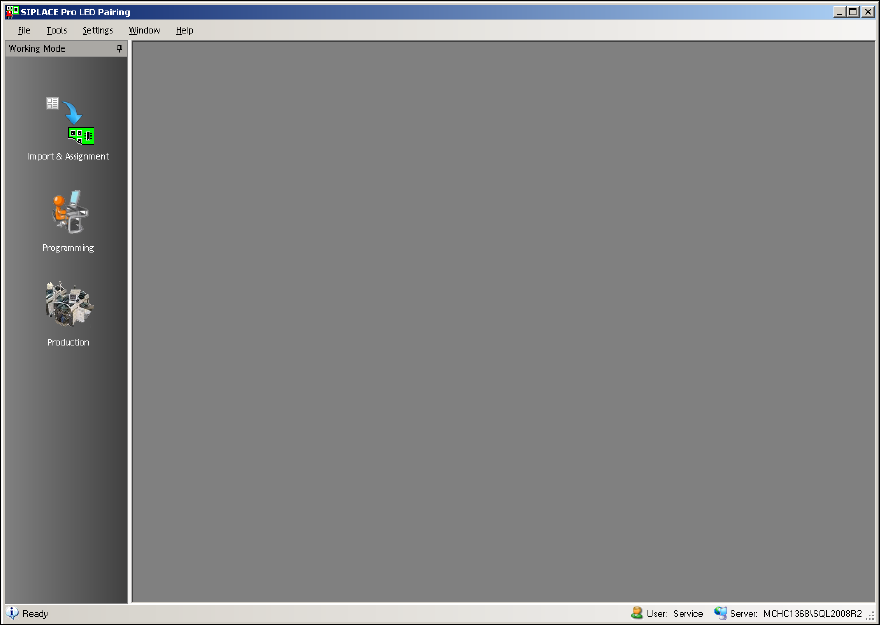
The following window displays the main view of SIPLACE Pro LED Pairing.
Figure 5-1: SIPLACE LED Pairing – Main view

LED Pairing / Software Version Description Ausgabe 05/2015 Edition
10
NOTICE
Further Information
Detailed information about the user interface and work flows can be found in the User
Guide and Online Help for SIPLACE LED Pairing.
The brightness class is displayed in the Setup-Editor in SIPLACE Pro Desk.
In SIPLACE Setup Center, the barcode labels for LEDs have to be extended by the barcode
fragment Brightness Class. Additionally to the component name, SIPLACE Setup Center also
checks the brightness class for LEDs during the setup verification.
Detailed information can be found in the User Guides or Online Helps for SIPLACE Pro and
SIPLACE Setup Center.