Vakuumtooling Neology HF3.pdf - 第30页
Installation instructions Vacuum Tooling Neology (00166109-01) SIPLACE HF3 02/2005 Edition 30 T o avoid a crash situat ion betwee n the conv eyor and the vac uum tooli ng, the autom atic width ad- justment m ust be deact…
Installation instructions Vacuum Tooling Neology (00166109-01) SIPLACE HF3
02/2005 Edition
29
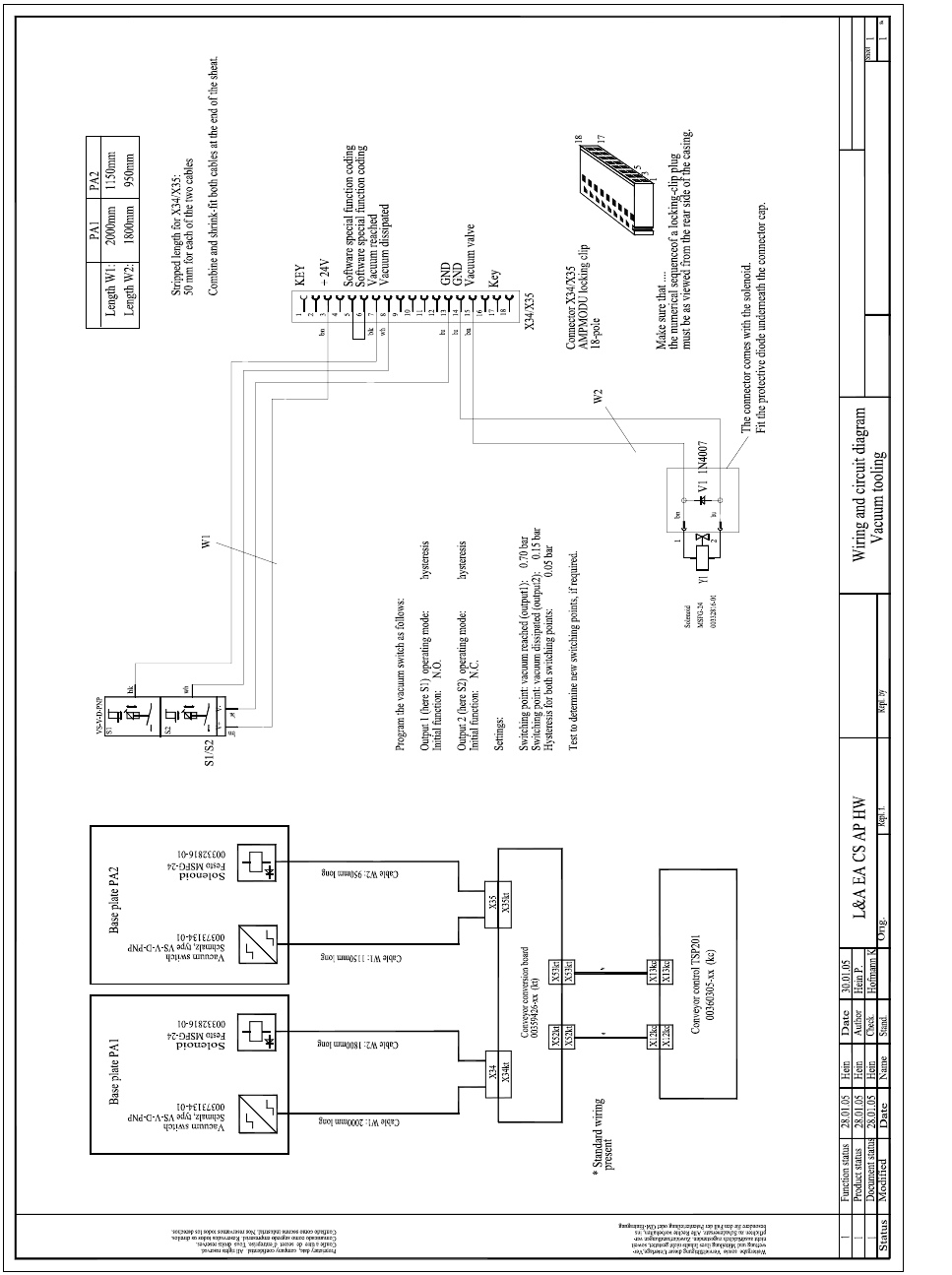
Circuit diagram for wiring the option 2
2
00166109-01
Vacuum tooling wiring
Vaacuum tooling circuit diagram
Note!
Installation instructions Vacuum Tooling Neology (00166109-01) SIPLACE HF3
02/2005 Edition
30
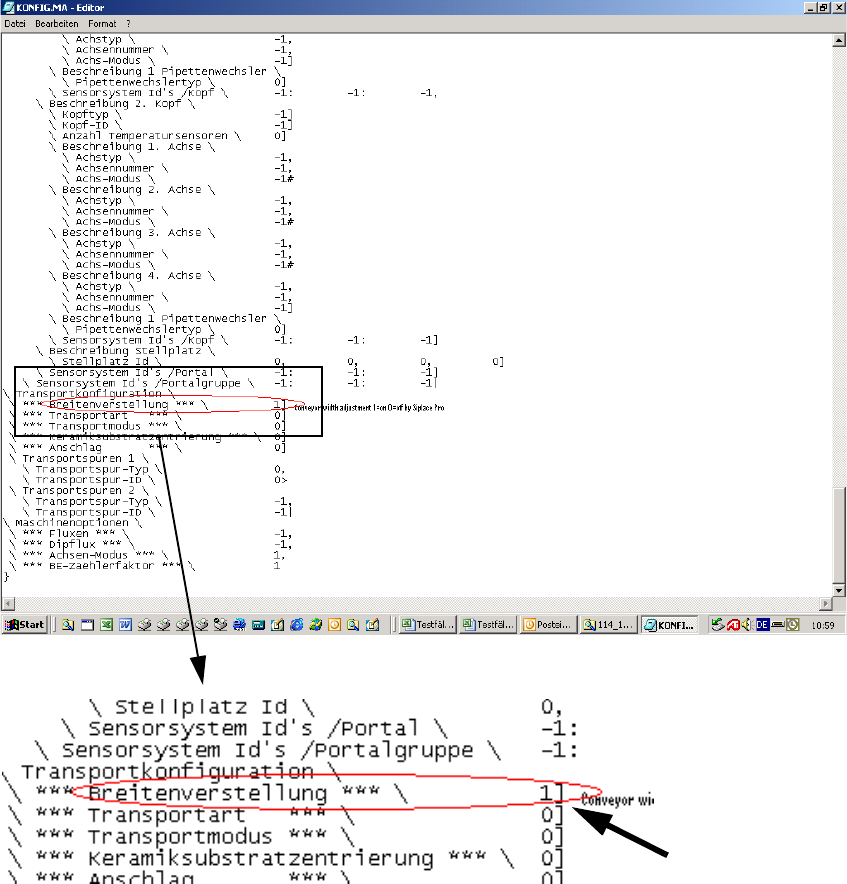
To avoid a crash situation between the conveyor and the vacuum tooling, the automatic width ad-
justment must be deactivated using SIPLACE Pro. 2
This involves changing Config.ma in the SRDaten/SRCMA directory. 2
2
2
2
Change from 1 to 0 2
Installation instructions Vacuum Tooling Neology (00166109-01) SIPLACE HF3
02/2005 Edition
31
2.4 Conveyor firmware
2.4.1 HyperTerminal
Activate the "Vacuum tooling for VDO Regensburg" program. 2
Use an external computer to connect to the interface cable (RS 232) on the conveyor control via
HyperTerminal. 2
The instructions and program can be found on the enclosed CD. 2
2.4.2 Download the special design conveyor firmware in SITEST
Downloading the special design conveyor firmware T0610515.HEX provided on CD. 2
2.4.3 How the special design conveyor firmware works
The two outputs of the vacuum sensor are scanned by the conveyor firmware. If the two "Lifting
table up“ and "Vacuum established" signals are present, then the placement process is enabled.
After placement there is a further scan to determine whether the vacuum has fully dissipated. The
lifting table cannot be moved down or the PCB moved to the intermediate belt or output belt until
this is true. 2
2
2
2
2
2
2
2
2
2
2
2
2
2
2