TM3592.SystemFullBackup.pdf - 第13页
SMT Software En gineering Group IM Operations YAMAHA Motor Co., Lt d. MD OC-SOFT50111 SystemFullBacku pSpecifications 13/19 3) ConnectFLA SHDISKtoP C. When thePCdetec…
SMT Software Engineering Group
IM Operations
YAMAHA Motor Co., Ltd.
MDOC-SOFT50111 SystemFullBackupSpecifications
12/19
4
44
4.
..
.2
22
2
RestoreDatatoFLASHDISK(onPC)
RestoreDatatoFLASHDISK(onPC) RestoreDatatoFLASHDISK(onPC)
RestoreDatatoFLASHDISK(onPC)
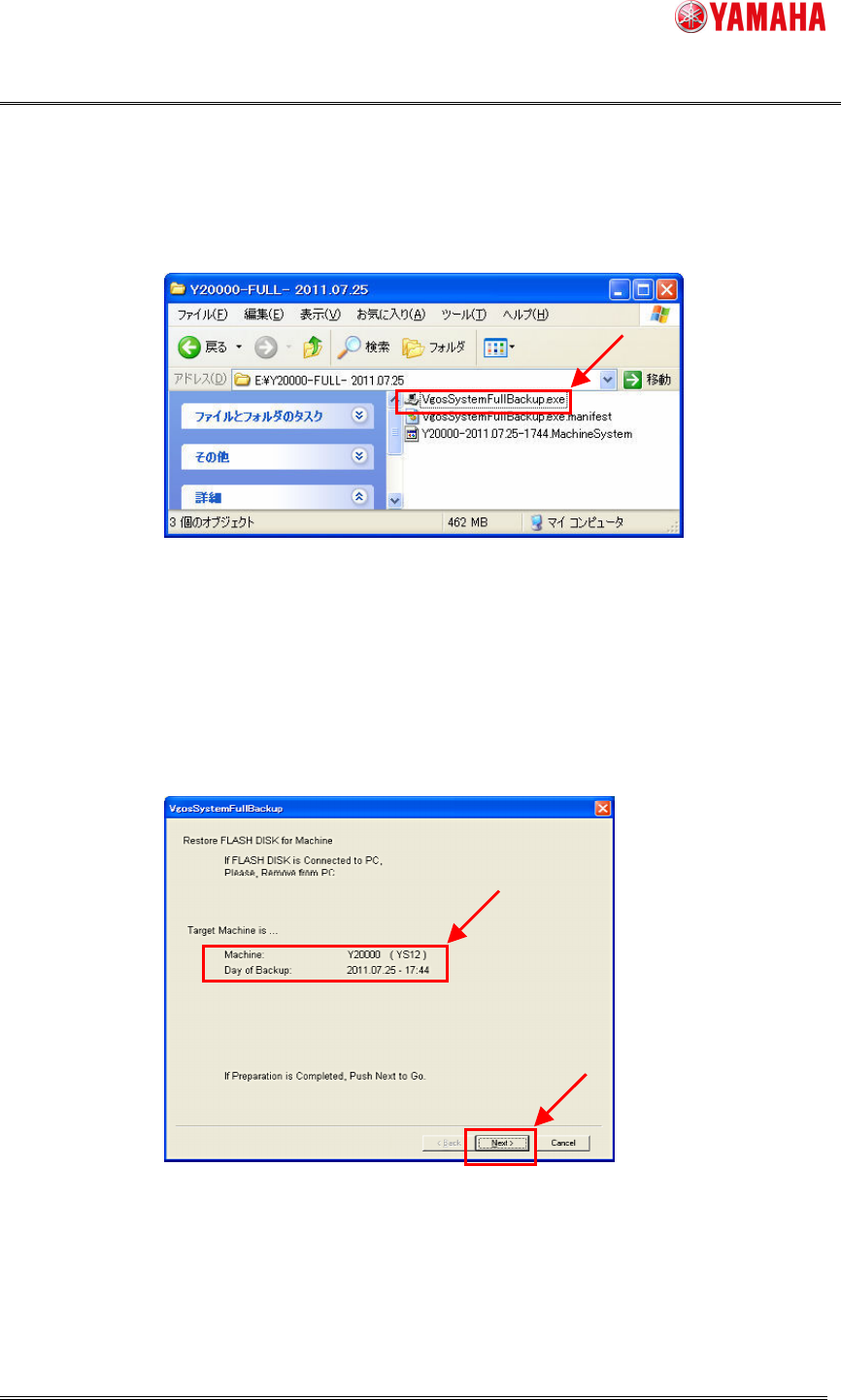
1) Startthesoftware:VgosSystemFullbackup.exeinthedestinationfolderofSystemFullBackup.
2) ConfirmthatTargetMachineiscorrect,andclickthe[Next]button.
IftheotherFLASHDISKisalreadyconnectedtothePC,removeit,andclickthe[Next]
button.
SMT Software Engineering Group
IM Operations
YAMAHA Motor Co., Ltd.
MDOC-SOFT50111 SystemFullBackupSpecifications
13/19
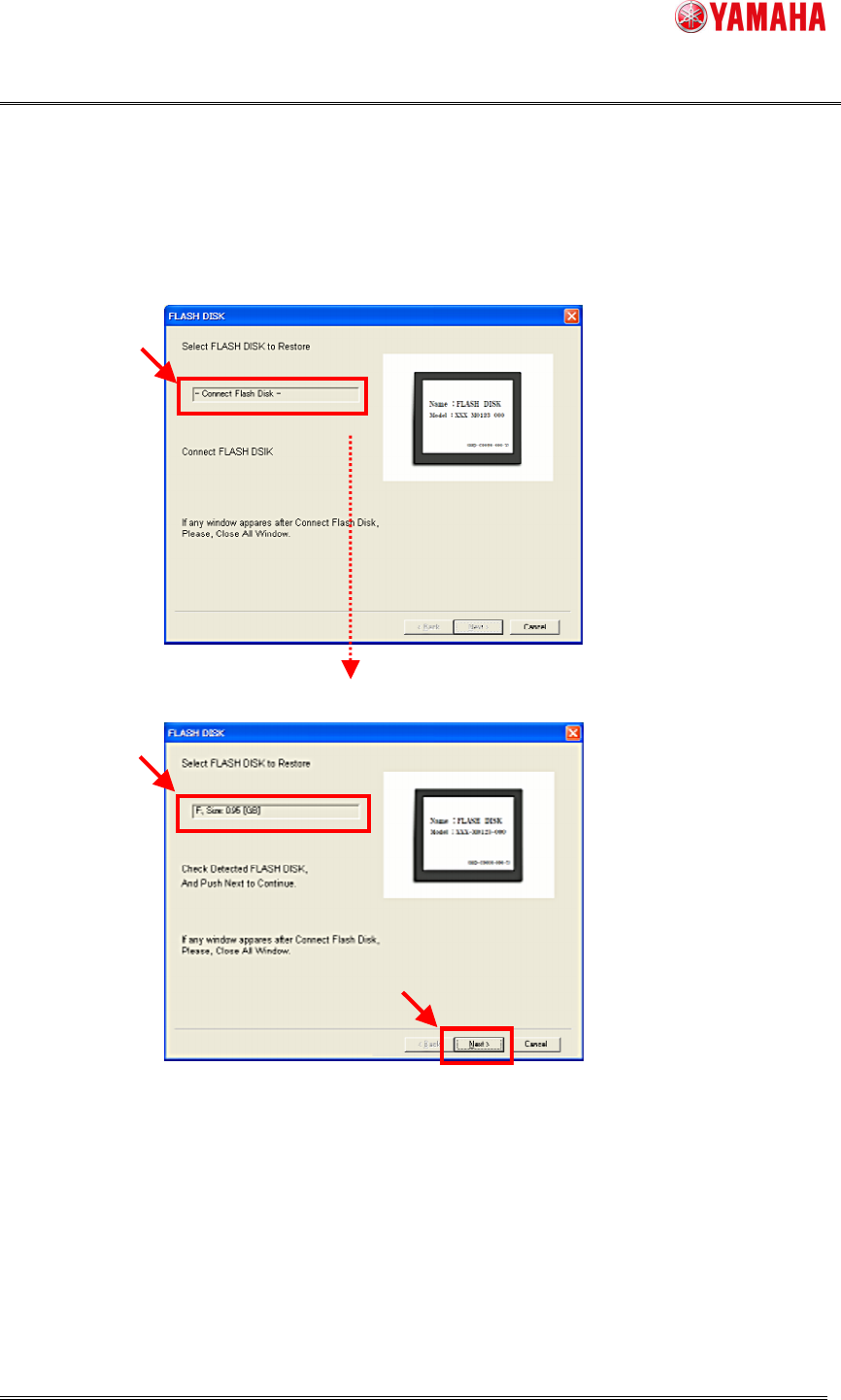
3) ConnectFLASHDISKtoPC.
WhenthePCdetectsnewFLASHDISK,theFLASHDISKscreenisdisplayed.
Clickthe[Next]buttontocontinue.
FLASHDISKunconnected.
FLASHDISKconnected.(detected).
Note:
WhenFLASHDISKisconnected,awindow(Ex.thewindowsexplore)canbeappeared.
Closethosewindows.
IfFLASHDISKisnotdetected,removeonce,andconnectitagain.
AllcontentsinFLASHDISKwillbereplacedtothesaveddata.
SMT Software Engineering Group
IM Operations
YAMAHA Motor Co., Ltd.
MDOC-SOFT50111 SystemFullBackupSpecifications
14/19
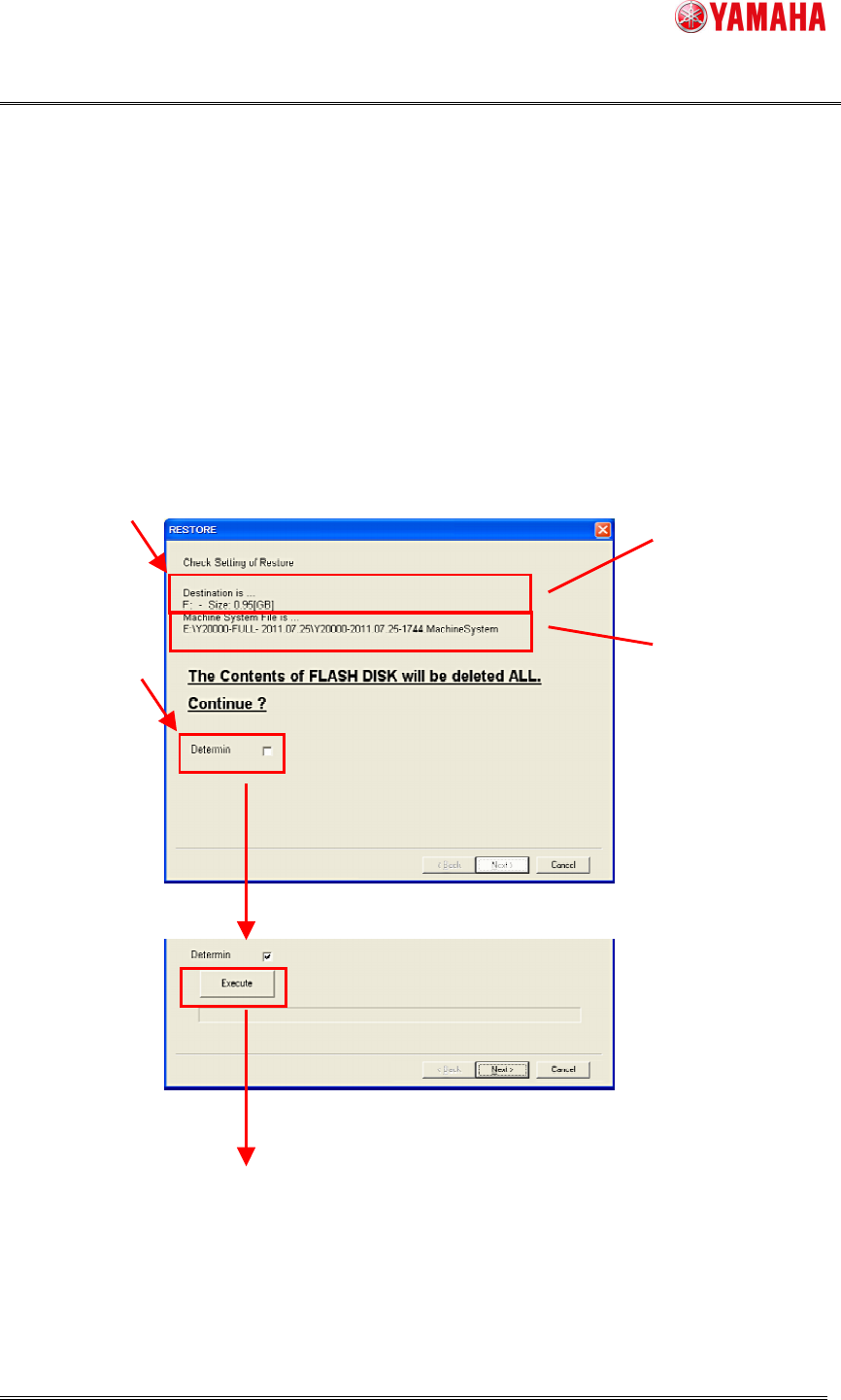
4) CheckandExecuteRestoration.
ConfirmthedriveoftheFLASHDISKandthefilepathtothesavedata,ifOK,checkthe
[Determine]box.
(When“Determine”ismarked,the[Execute]buttonwillappear.)
Clickthe[Execute]button,andarestorationwillstart.
Atfirst“Write”,then“Compare”willbeexecuted.
TheDriveofFLASHDISK
FilePathtothe
SystemFullBackup