TM3592.SystemFullBackup.pdf - 第5页
SMT Software En gineering Group IM Operations YAMAHA Motor Co., Lt d. MD OC-SOFT50111 SystemFullBacku pSpecifications 5/19 3 3 3 3 . . . . 2 2 2 2 H owto Ge H owtoG e H owto…
SMT Software Engineering Group
IM Operations
YAMAHA Motor Co., Ltd.
MDOC-SOFT50111 SystemFullBackupSpecifications
4/19
3
33
3.
..
.UsingMethod
UsingMethodUsingMethod
UsingMethod
3
33
3.
..
.1
11
1WhattoPrepare
WhattoPrepareWhattoPrepare
WhattoPrepare
Media(USBmemory)orNetworkStorage.
Media(USBmemory)orNetworkStorage.Media(USBmemory)orNetworkStorage.
Media(USBmemory)orNetworkStorage.
PrepareoneofthemtosaveSystemFullBackupdata.
Refer to “3.5 the configuration of the System Full Backup”. It describes how to switch the
destinationfolderbetweenthemediaandthenetworkstorage.
Destinationfolderneedsfreespacemorethan1GB.
Destinationfolderneedsfreespacemorethan1GB.Destinationfolderneedsfreespacemorethan1GB.
Destinationfolderneedsfreespacemorethan1GB.
Apparently,thedisksizeoftheUSBmemoryattachedtothemachineis2GB.(2011/9/14)
YoucanpurchaseourUSBmemoryunderthefollowingpartsNo.andpartsname.
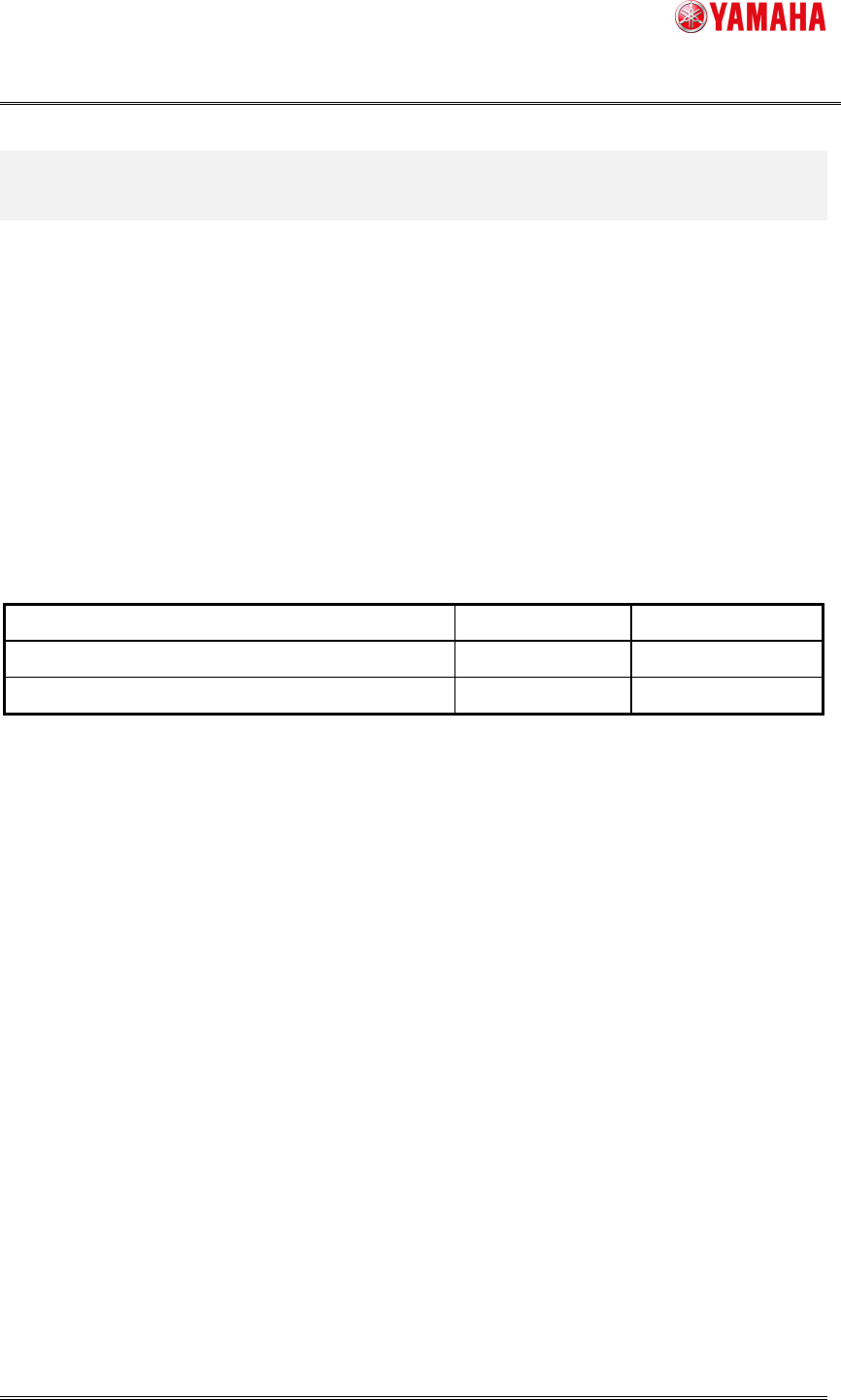
USBMEMORY. PartNo./PartsName. BRAND TheDiskSize[GB]
KGY-M4268-003/USBMEMORY YAMAHA 2
KGY-M4268-103/USBMEMORY ASSEMBLEON 2
SMT Software Engineering Group
IM Operations
YAMAHA Motor Co., Ltd.
MDOC-SOFT50111 SystemFullBackupSpecifications
5/19
3
33
3.
..
.2
22
2HowtoGe
HowtoGeHowtoGe
HowtoGetSystemFullBackupData
tSystemFullBackupDatatSystemFullBackupData
tSystemFullBackupData
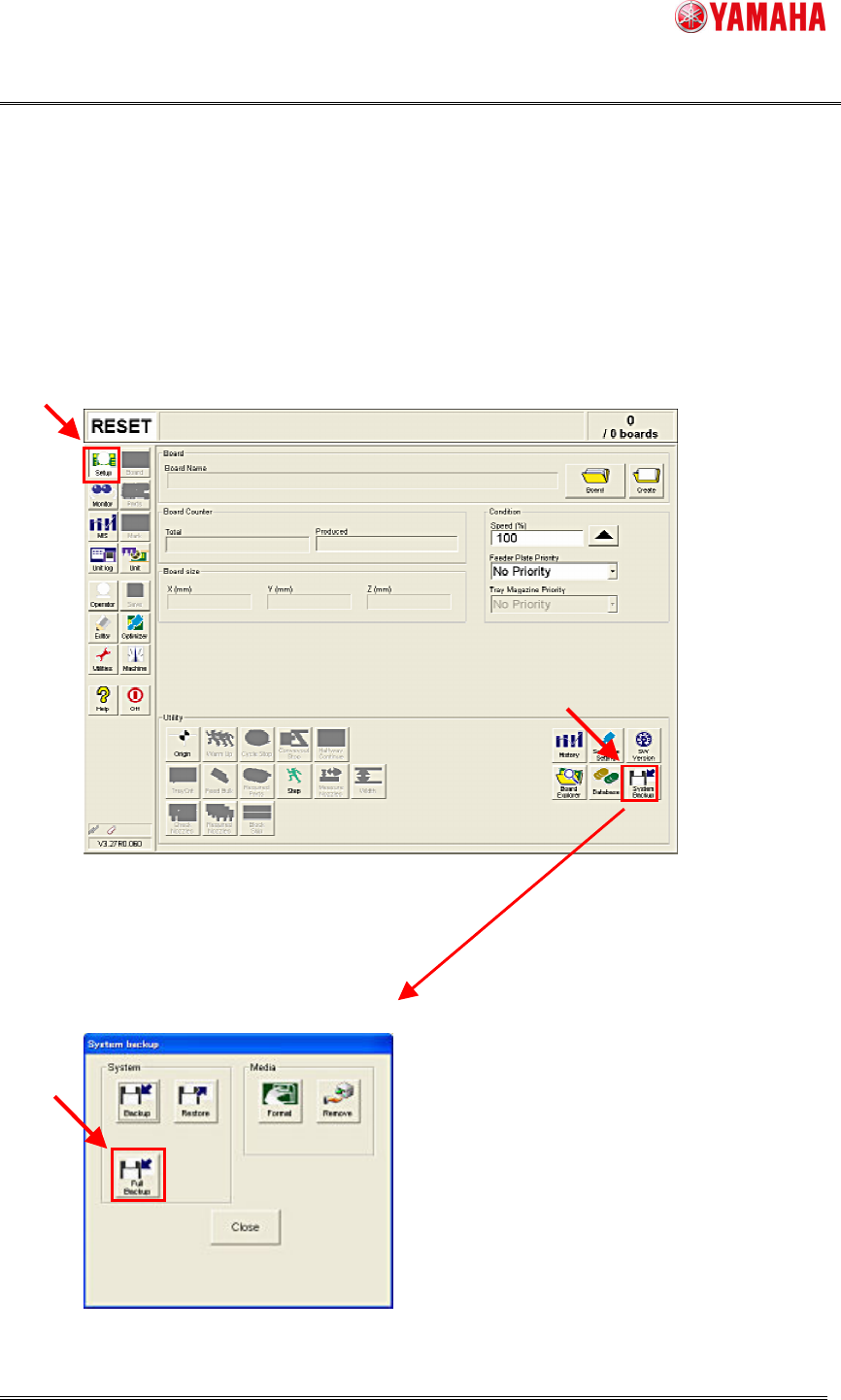
1. InsertaUSBmemoryintothemachine.
Youdon’tneedthisifyouuseadestinationfileonnetworks.
2. Clickthe[Setup]-[SystemBackup]button.
3. Clickthe[FullBackup]button.
SMT Software Engineering Group
IM Operations
YAMAHA Motor Co., Ltd.
MDOC-SOFT50111 SystemFullBackupSpecifications
6/19
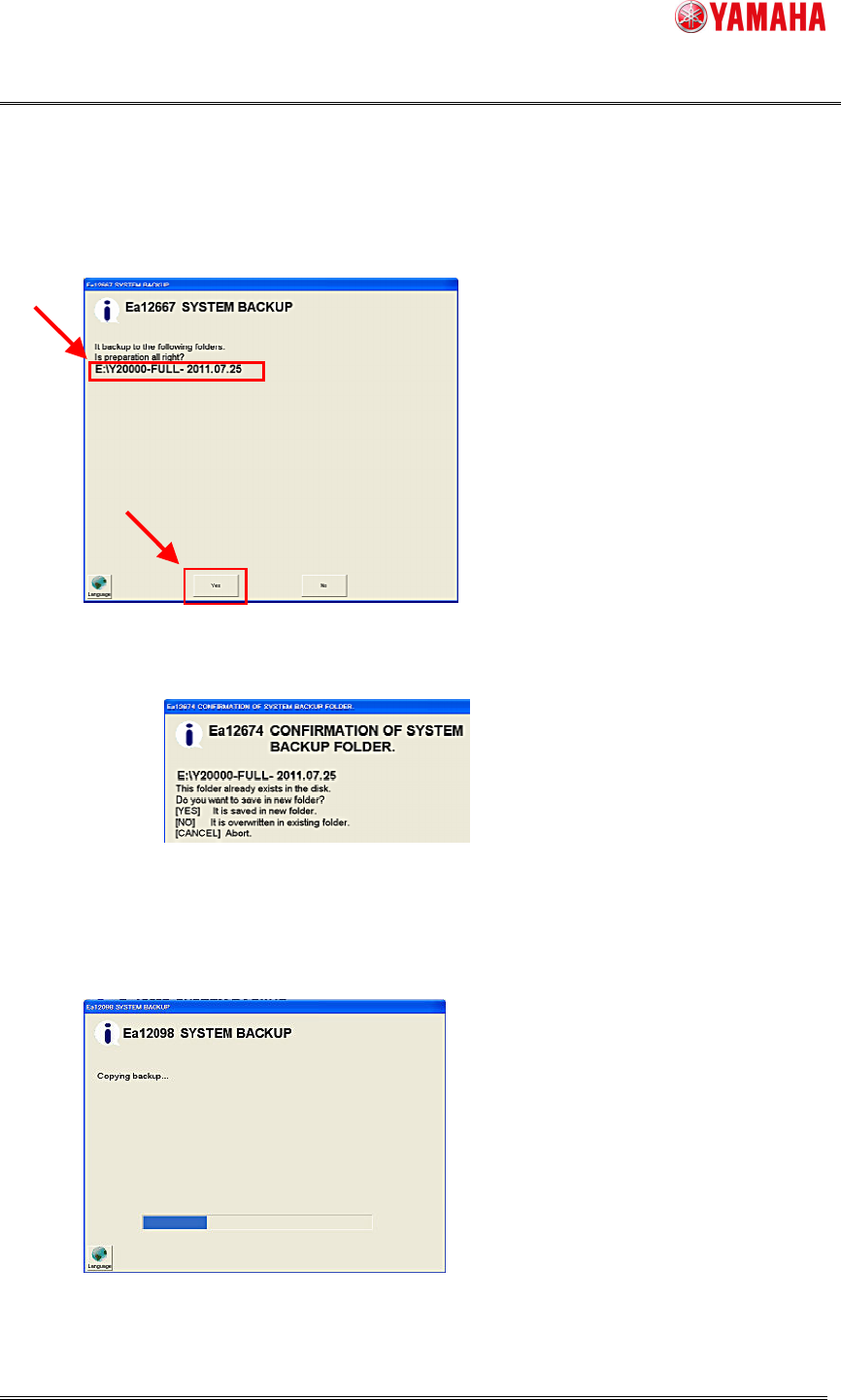
4. Destinationfileisdisplayed.
Thefileisautomaticallycreatedas“MachineSerialNo.-FULL-Date”
Confirmthatthedestinationfolderiscorrect,andclickthe[Yes]button.
If the same name folder already exists, select “create the another folder” or “overwrite
existingfolder”.
Note: Ifyouselecttooverwrite,thefilesintheexistingdestinationfolderwillbedeleted.
5.Afterthedestinationisset,SystemFullBackupstarts.
Normallyittakesabout20minutes.
Note: Tocancel,clickthe[Esc]key.
WhenSystemBackupiscanceledorfails,thedataunderthecopyingprocessisnotdeleted.