TM3592.SystemFullBackup.pdf - 第6页
SMT Software En gineering Group IM Operations YAMAHA Motor Co., Lt d. MD OC-SOFT50111 SystemFullBacku pSpecifications 6/19 4. Destinati onfil eisdisplaye d. Th efilei sautom…
SMT Software Engineering Group
IM Operations
YAMAHA Motor Co., Ltd.
MDOC-SOFT50111 SystemFullBackupSpecifications
5/19
3
33
3.
..
.2
22
2HowtoGe
HowtoGeHowtoGe
HowtoGetSystemFullBackupData
tSystemFullBackupDatatSystemFullBackupData
tSystemFullBackupData
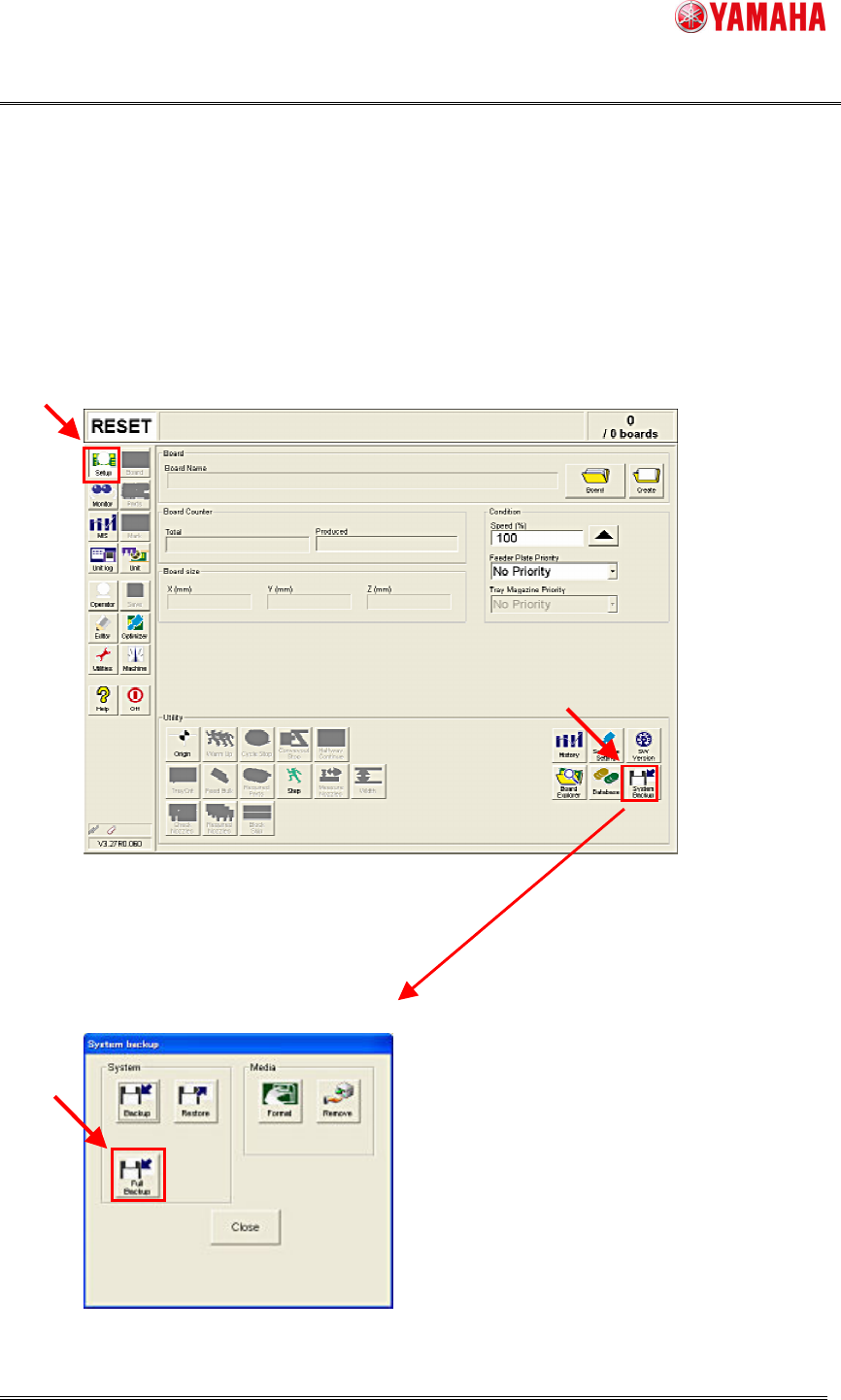
1. InsertaUSBmemoryintothemachine.
Youdon’tneedthisifyouuseadestinationfileonnetworks.
2. Clickthe[Setup]-[SystemBackup]button.
3. Clickthe[FullBackup]button.
SMT Software Engineering Group
IM Operations
YAMAHA Motor Co., Ltd.
MDOC-SOFT50111 SystemFullBackupSpecifications
6/19
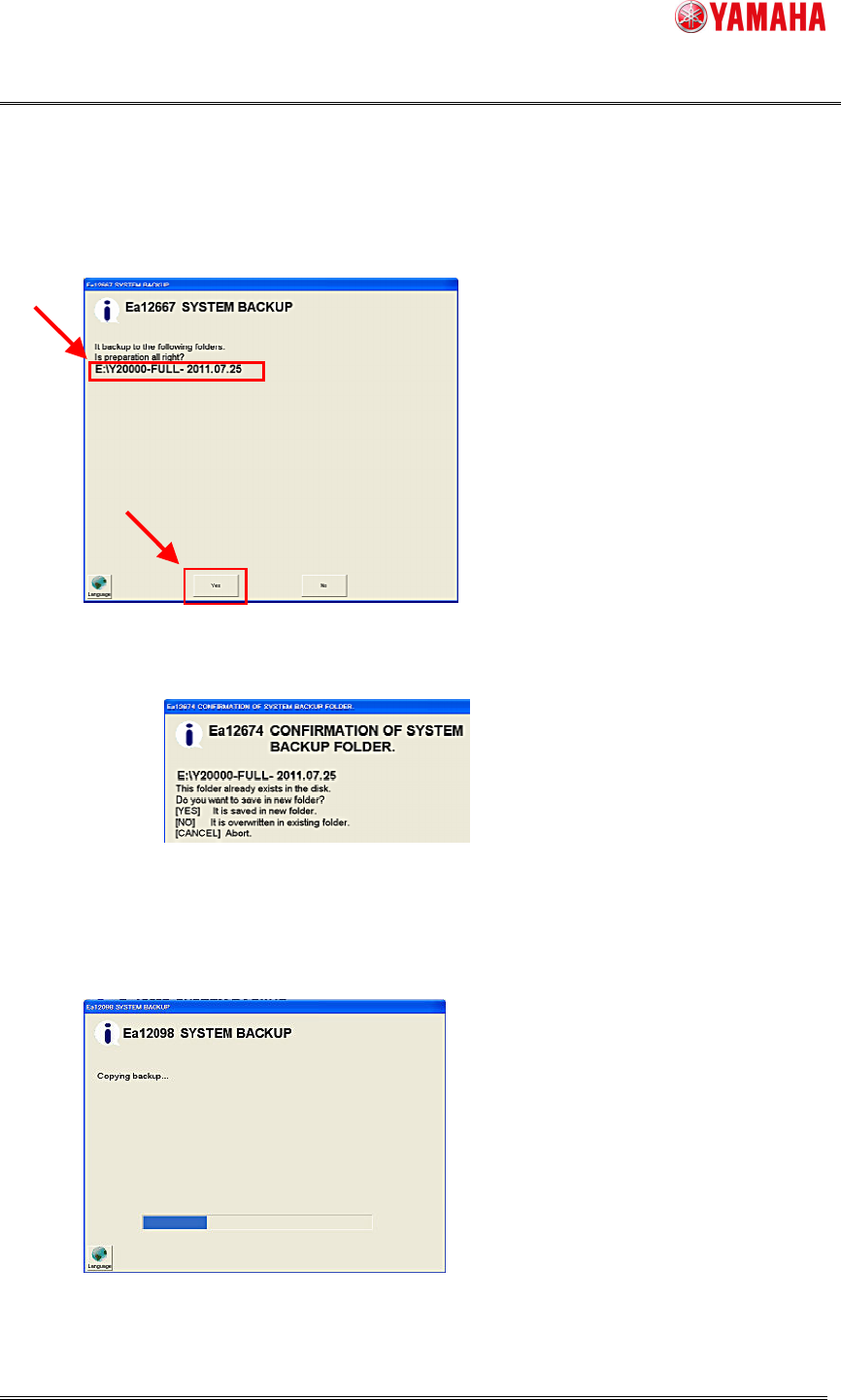
4. Destinationfileisdisplayed.
Thefileisautomaticallycreatedas“MachineSerialNo.-FULL-Date”
Confirmthatthedestinationfolderiscorrect,andclickthe[Yes]button.
If the same name folder already exists, select “create the another folder” or “overwrite
existingfolder”.
Note: Ifyouselecttooverwrite,thefilesintheexistingdestinationfolderwillbedeleted.
5.Afterthedestinationisset,SystemFullBackupstarts.
Normallyittakesabout20minutes.
Note: Tocancel,clickthe[Esc]key.
WhenSystemBackupiscanceledorfails,thedataunderthecopyingprocessisnotdeleted.
SMT Software Engineering Group
IM Operations
YAMAHA Motor Co., Ltd.
MDOC-SOFT50111 SystemFullBackupSpecifications
7/19
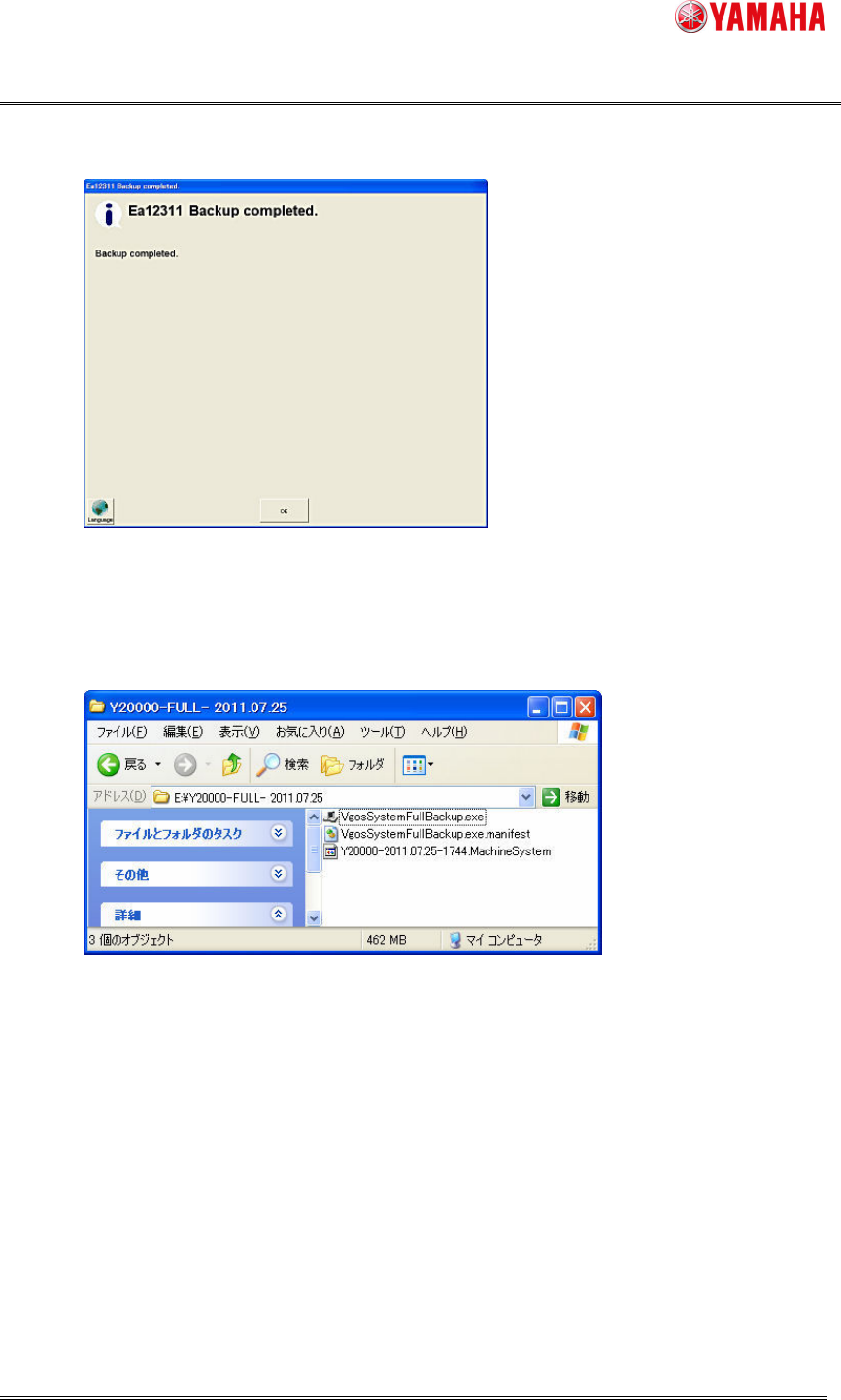
6.Whenthebackupiscompleted,click[OK]button.
WithexecutingSystemFullBackup,3filesarecreated.
ThesefilesareusedforrestorationoftheFLASHDISK.
Note: Thesaveddataincludesimportantdata.(Ex.theBoardDataetc.)
ThesefilesmustbekeptSTRICTLY.