Vision_Serie_EN_2023.pdf - 第16页
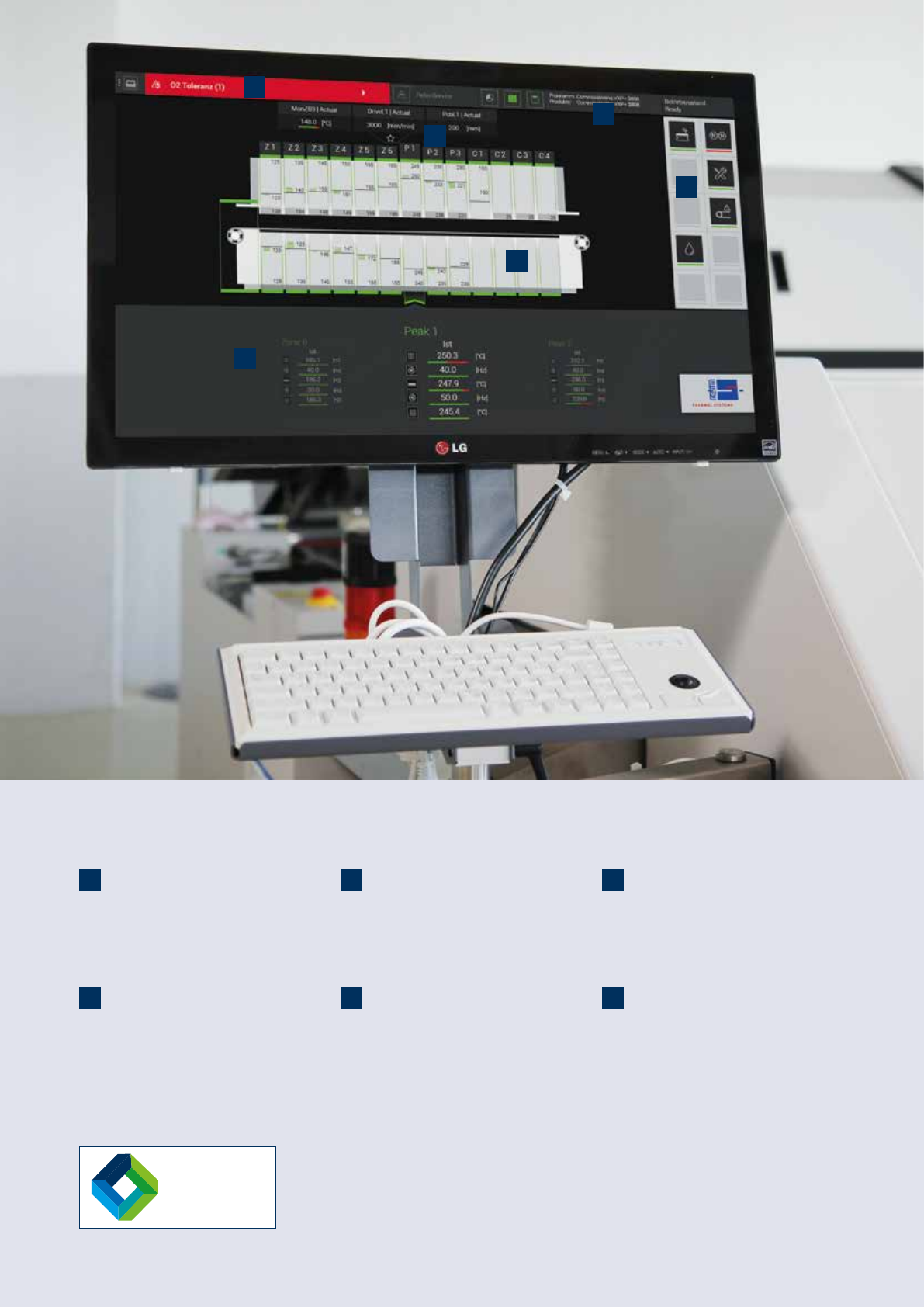
1. 2. 3. 4. 5. 6. ViCON Vision 1. Alarms The top area of the screen gives you a clear overview where you can view , interpret and edit alarm messages. 4. Machine view The machine view offers an overview of the modular co…
15
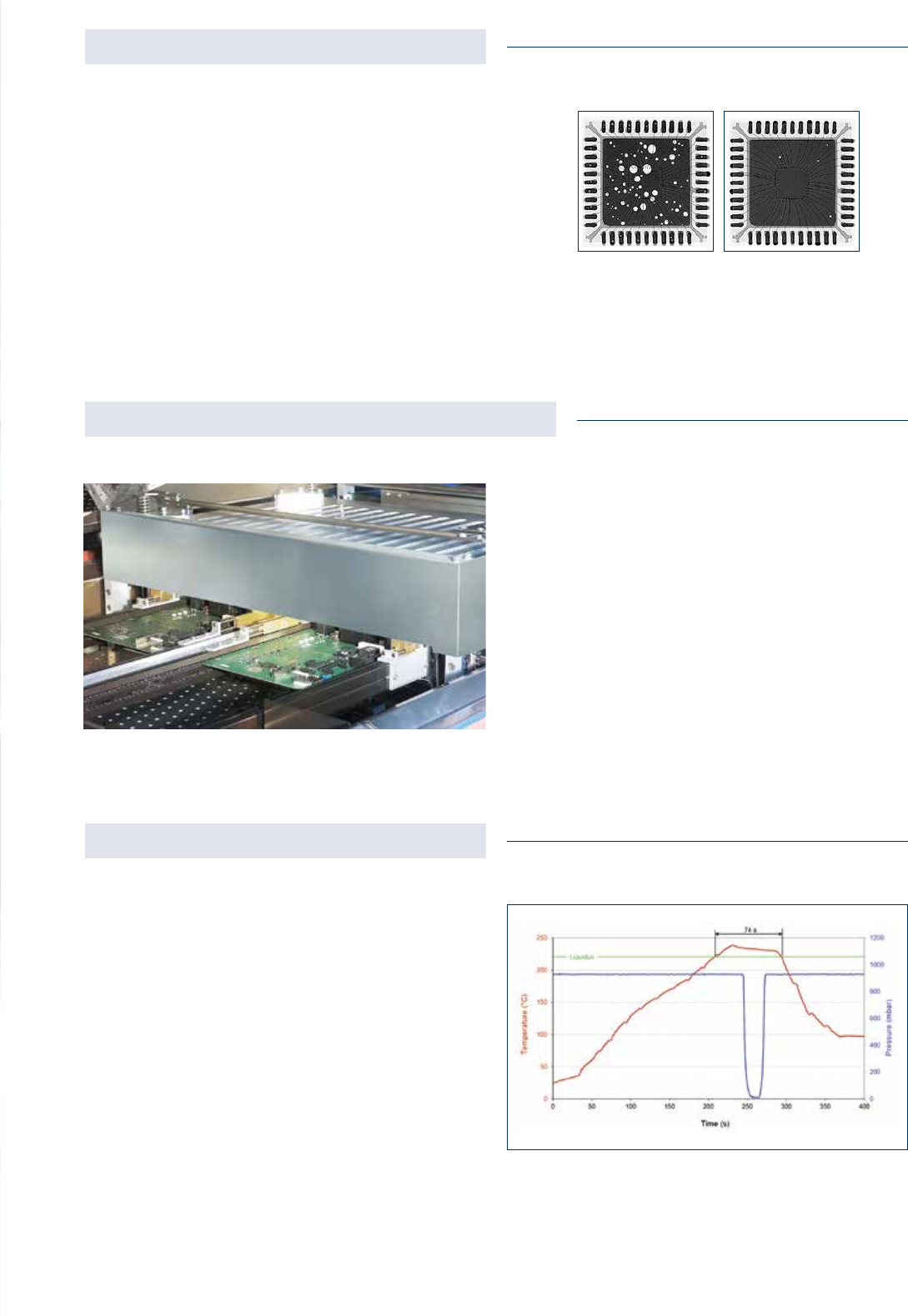
Opened vacuum chamber of the VisionXP+ Vac
Divided, separately regulated transport system
The systems with vacuum chamber are equiped with atripar-
tite transport system: pre-heating/peak area, vacuum unit
and cooling zone. All three areas of the transport system can
be optionally equipped with a central support for particularly
wide boards. The possibility of reducing the transportation
speed in the cooling zone when using the vacuum enables
the extension of the cooling time of components and there-
fore guarantees an optimum temperature for subsequent
process steps. The throughput of the system is additionally
increased with the expansion of the transport system by a
second track.
The vacuum chamber is installed as an enhancement to the
available peak zones. The integrated pyrolysis and sepa-
rate ltering of the atmosphere extracted from the vacuum
chamber are additional plus points in terms of maintenance
and cleaning. A generously dimensioned opening angle of the
vacuum chamber in the service position enables good access
to the internal mechanisms during maintenance periods.
All heating zones are regulated individually and separated
from each other thermally, guaranteeing exible prole
guidance and a stable reow process. The measurement
of a temperature prole with the vacuum process switched
on shows that despite a very low vacuum < 10 mbar, all
prole settings have been fullled (≤ 3 K/s heating, tL ≤ 90
s, TP ≤ 240 °C). With the help of the heating integrated into
the chamber, the temperature of the components inside
the vacuum unit can be adapted to the settings of the most
common standards. This rened solution ensures a time-
efcient and stable production process.
Efcient, easy to maintain and void-free
Precise pressure and temperature proling
Pressure and temperature prole of a soldering
process with the VisionXP+ Vac
without vacuum
with vacuum
valid for VisionXP+ Vac and Vision Triplex
valid for VisionXP+ Vac and Vision Triplex
valid for VisionXP+ Vac and Vision Triplex
Vision-Series | Vacuum
1.
2.
3.
4.
5.
6.
ViCON
Vision
1. Alarms
The top area of the screen gives you a clear
overview where you can view, interpret and
edit alarm messages.
4. Machine view
The machine view offers an overview of the
modular construction of your system, the
current loading situation and the status of the
process zones.
2. Favourites bar
In the favourites bar you can view selected
values. This then appears on the main screen
and on every page in the dened position.
5. Options
Machine options can be set depending on the
system equipment. For this there are up to ten
different options available for your manufac-
turing process.
3. Status bar
Colour-contrasting markings in the status
bar provide you with information on the
operating mode of the system.
6. Display area
The display area shows you all prole
parameter actual values, e.g. temperature
and lters.
16
17
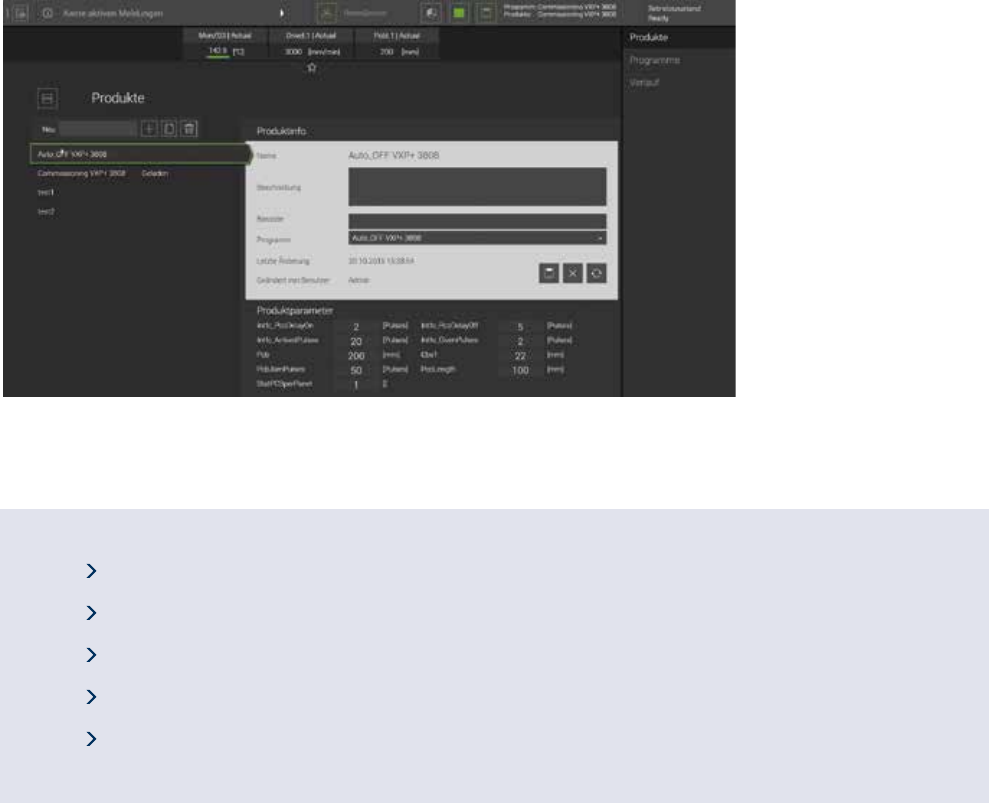
Clear product management with ofine programming
Intuitive software operation with touch-screen surface
Clear product management with ofine programming
Parameter transparency through module groupings
Easy adaption due to favourites bar
Multilingual software
Innovative software
User-friendly and easy operation
With the ViCON Rehm offers straightforward software for
the Vision-Series, boasting intuitive operation with its touch-
screen surface.
All messages, commands and parameters can be viewed
at one glance on the main screen using machine view. With
a number of features including a freely congurable favour-
ites bar, the structured grouping of parameters or individual
process tracking and documentation ViCON provides you with
optimum assistance in your production processes.
While developing the software Rehm experts have rened
many aspects including product management. The creation
of new products or the copying of certain properties in parallel
with production on the machine is enabled. The parameters
for new creations are directly selectable, meaning that the
production sequence can progress faster and without any
disruption.
As well as that, you can immediately recognise which action
mode the system is in from the operating status. The operat-
ing status and alarm messages can be evaluated quickly and
reliably.
Another plus of the ViCON is dening user administration.
Through the assignment of specic user roles each user has
exactly those rights activated that he or she needs for opera-
tion and work on the system – without any rigid hierarchy.
Vision-Series | Software