OM-1650-001_w.pdf - 第32页
OM-1650 29 1 1. Bad Mark Communication Function 1 1.2 "OPERA TION" Window [1] [3] [2] F28 [1] Receive from upstream machine Using this selection button, whether or not the upstream (input) machine communication…
OM-1650
28
11. Bad Mark Communication Function
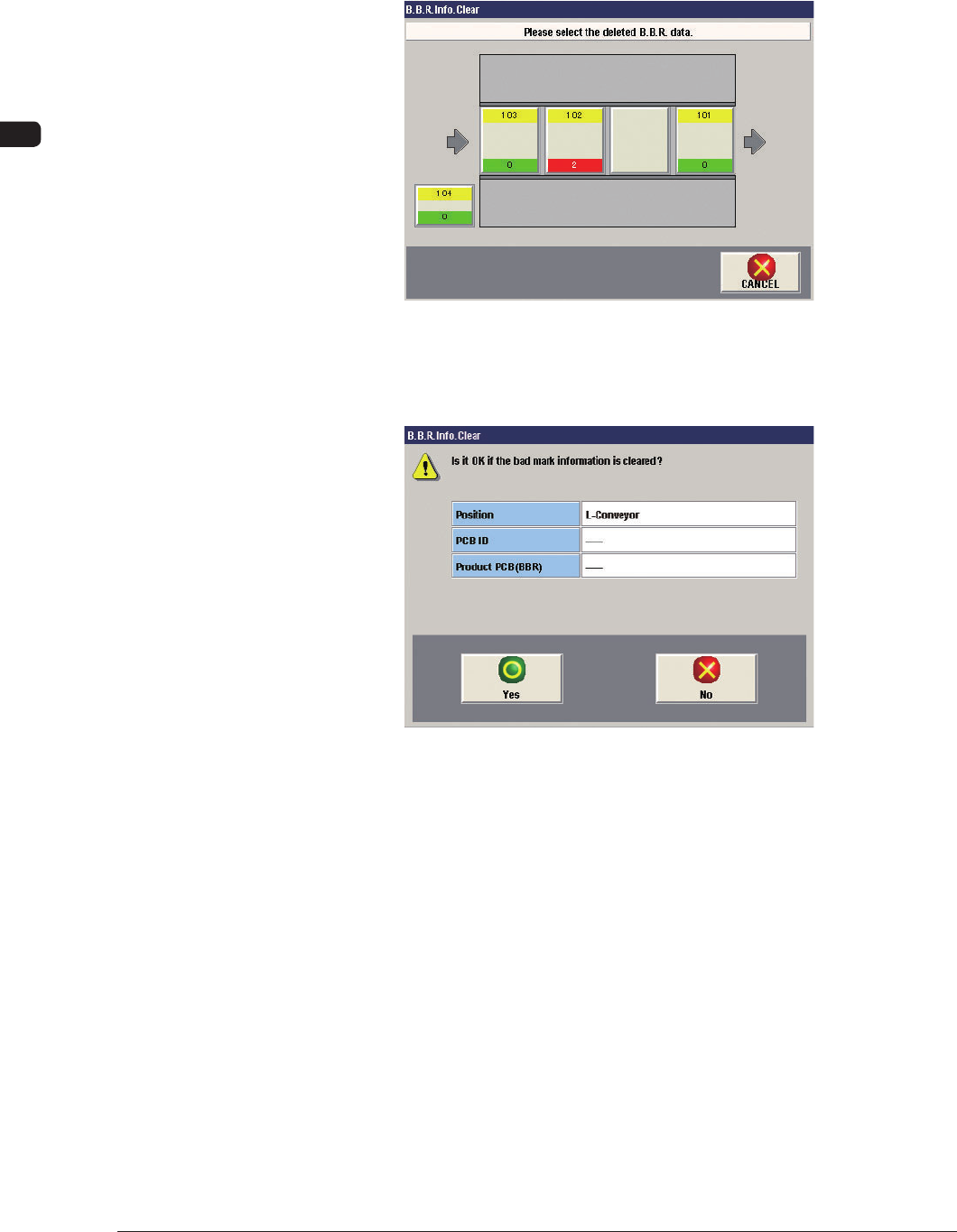
[3] [BBR Info Clear] Button
When this button is pressed, the unit selection window for the "BBR Info
Clear" is displayed. There, the unit where the bad mark data is to be deleted,
can be selected.
F26
When the unit where the bad mark data is deleted, is selected, the "BBR Info
Clear" execution window appears, where the bad mark data can be deleted.
F27
1006-001
OM-1650
29
11. Bad Mark Communication Function
11.2 "OPERATION" Window
[1]
[3]
[2]
F28
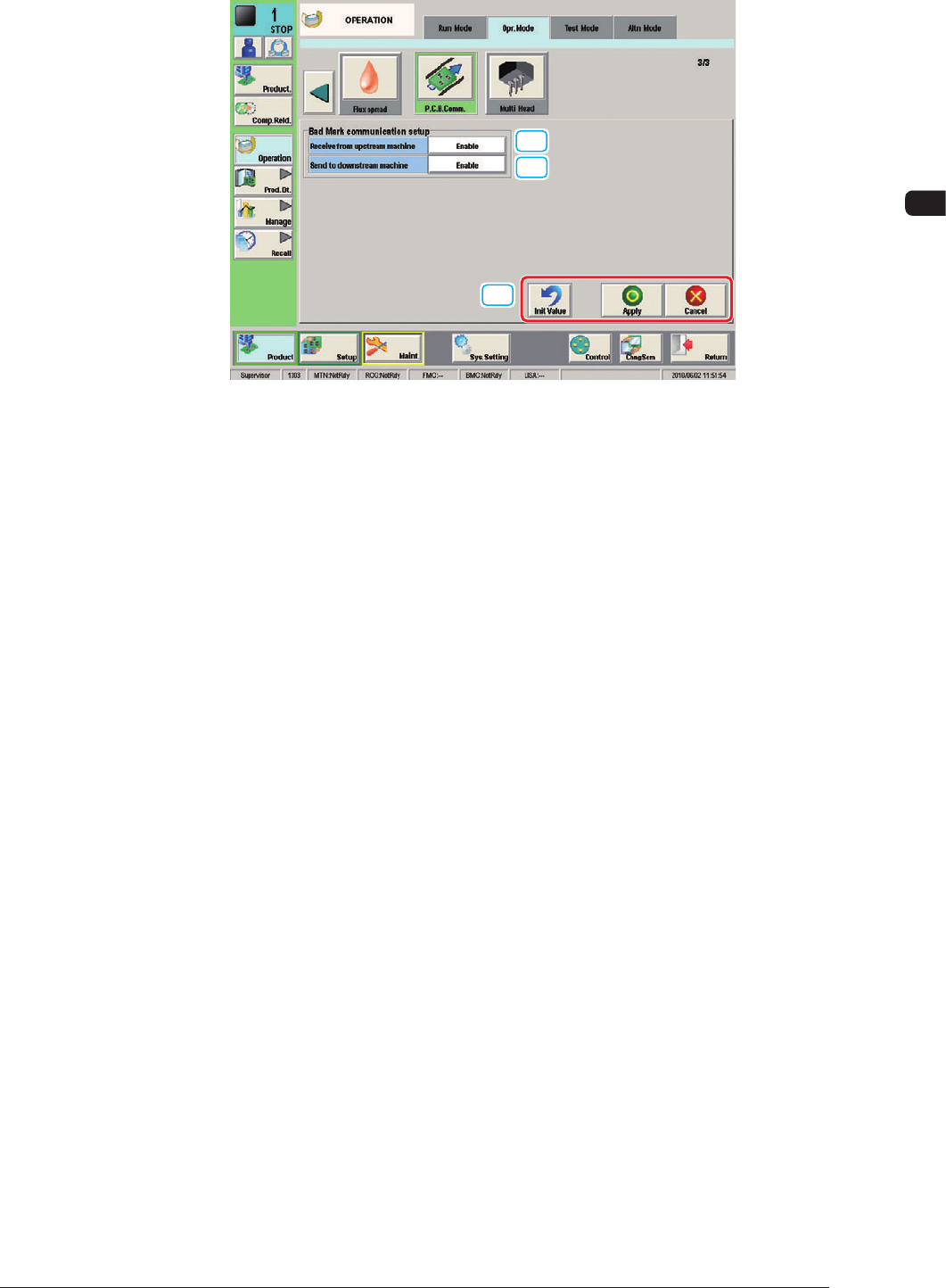
[1] Receive from upstream machine
Using this selection button, whether or not the upstream (input) machine
communication is used, is selected.
[2] Send to downstream
machine
Using this selection button, whether or not the downstream (output) machine
communication is used, is selected.
[3] [Init Value], [Apply] and [Cancel] Buttons
[Init Value]
: When selected, the initial values for the bad mark
communication setup are returned.
[Apply]
: When selected, the setup is applied.
[Cancel]
: When selected, the setup is cancelled.
1006-001
OM-1650
30
12. Specifications
12. Specifications
T1
1006-001