How to Read a Long Barcode with CAM Barcode_ENG_ Ver.1.0.pdf
How to Read a Long Barcode with CAM Barcode Revision History Date Revision Author Description 30-OCT -09 V er .1.0 Kim Min Soo Y ou Hee Wook Brenda Jang First edition Overview This paper shows you how to read a long barc…
How to Read a Long Barcode with CAM Barcode
Revision History
Date Revision Author Description
30-OCT-09 Ver.1.0 Kim Min Soo
You Hee Wook
Brenda Jang
First edition
Overview
This paper shows you how to read a long barcode with CAM barcode. Follow the steps below.
Reading a Long Barcode with CAM Barcode
1. Make sure if your machine is equipped with a CAM barcode dongle key.
NOTE Your machine cannot read a long bar code when a CAM barcode dongle key
is not equipped.
2. Be sure that you are using the correct software versions. Perform the following steps to
check the software versions.
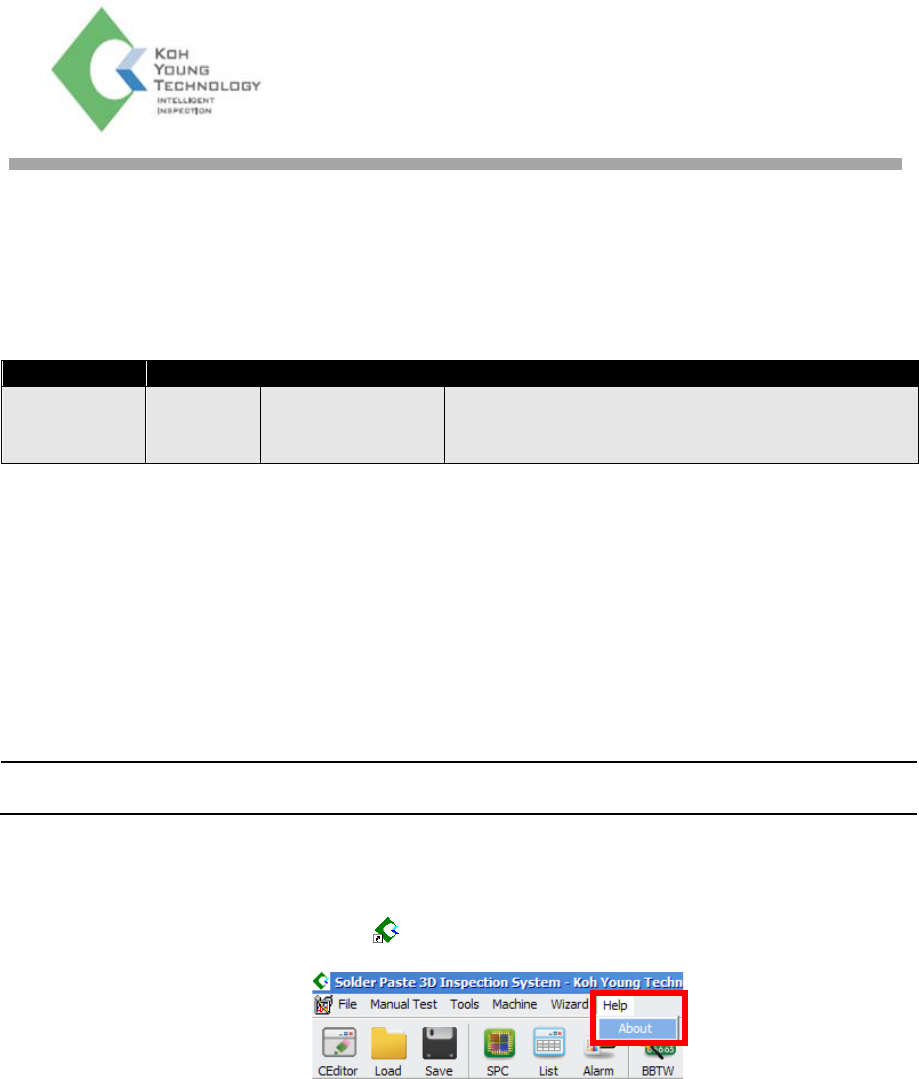
(1) Double-Click the 3D Inspector (
) icon on the PC and click on the Help > About.
Technical Note
How to Read a Long Barcode with CAM Barcode Technical Note Page | 2
KOH YOUNG TECHNOLOGY INC.
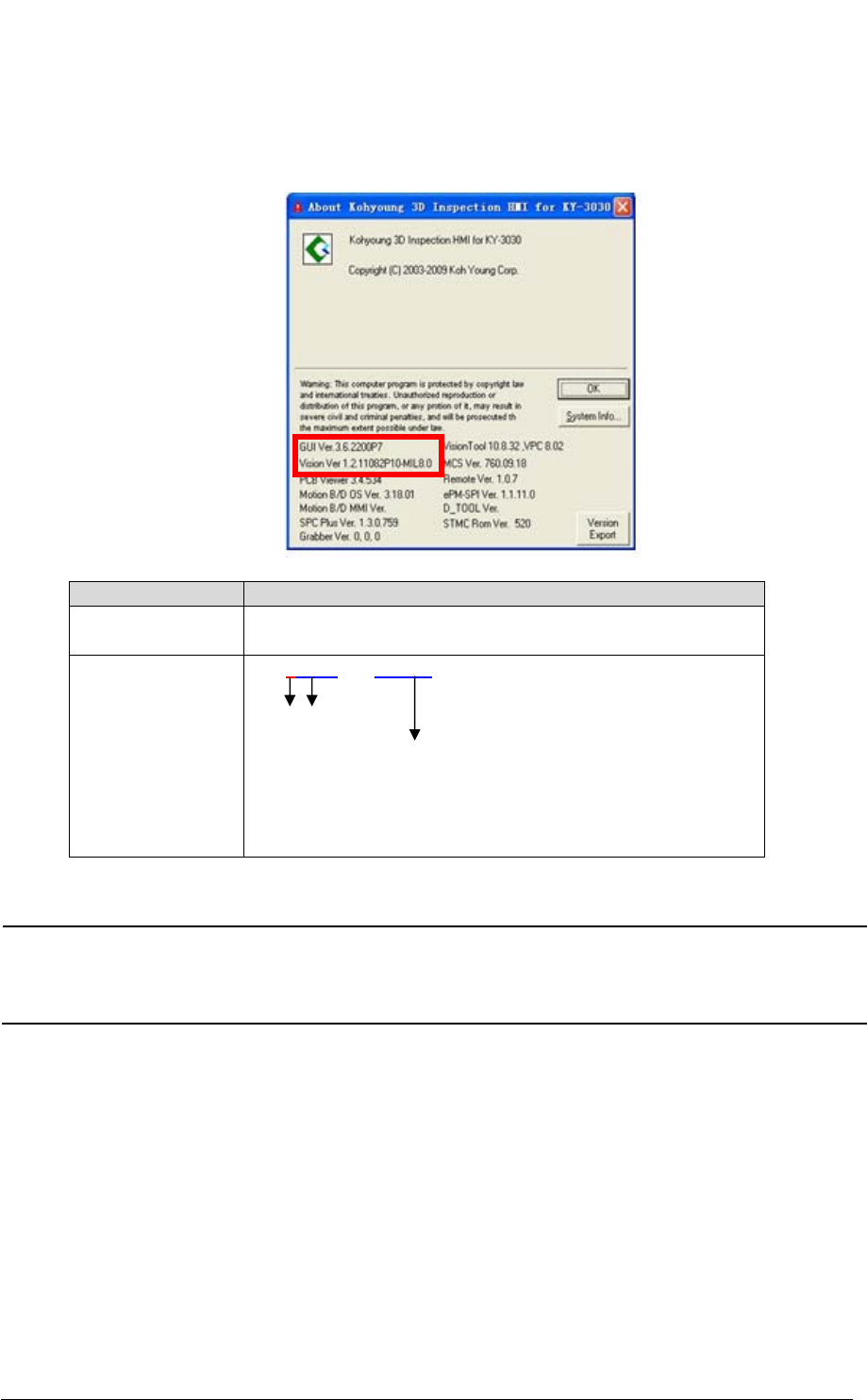
(2) Check if the software (e.g. GUI & Vision) versions shown on the window below are
same as the versions shown in the [Table 1] below. If they are not same, you have to
install software that has a correct version as shown in the [Table 1] below.
Software Version
GUI 3.5.2133 or later
3.6.2200 or later
Vision x.x.xxxxxxxx.xxxx.x
1 1078 or later
MIL8.0
e.g) 1.2.11078P10.MIL8.0 -> OK
1.2.11079P10.MIL8.0 -> OK
1.2.1082P10 -> NO
Table 1. Software Version
NOTE If you do not install software (e.g. GUI & Vision) with the version shown in the
[Table 1] above, the long barcode function does not work.
Contact your local sales representatives to install the correct software
version.
How to Read a Long Barcode with CAM Barcode Technical Note Page | 3
KOH YOUNG TECHNOLOGY INC.
3.Set up the CAM Barcode
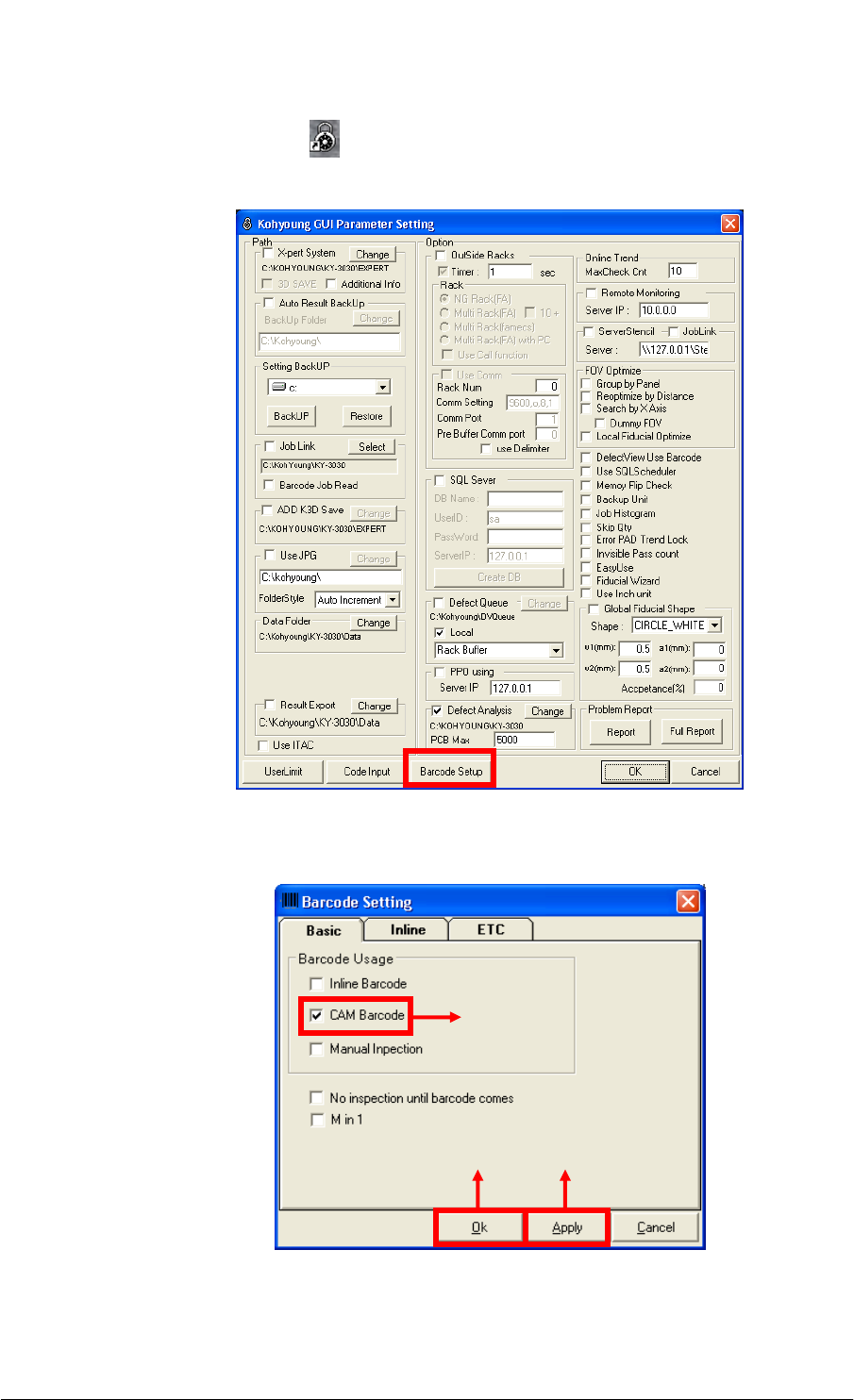
(1) Double-click the KYConfig(
) icon on the PC. The Kohyoung GUI Parameter Setting
dialog box opens. Click on the Barcode Setup button.
(2) Click on the Apply button after selecting the CAM Barcode check box. Click on the
OK button.
①
③ ②