How to Read a Long Barcode with CAM Barcode_ENG_ Ver.1.0.pdf - 第5页
How to Read a Long Barcode with CAM Barcode T echnical Note Page | 5 K OH Y OUNG T ECHNOLOGY I NC . (3) Select the user level t hat you assigned from the User Name part and enter your password. Click on the OK button. (4…
How to Read a Long Barcode with CAM Barcode Technical Note Page | 4
KOH YOUNG TECHNOLOGY INC.
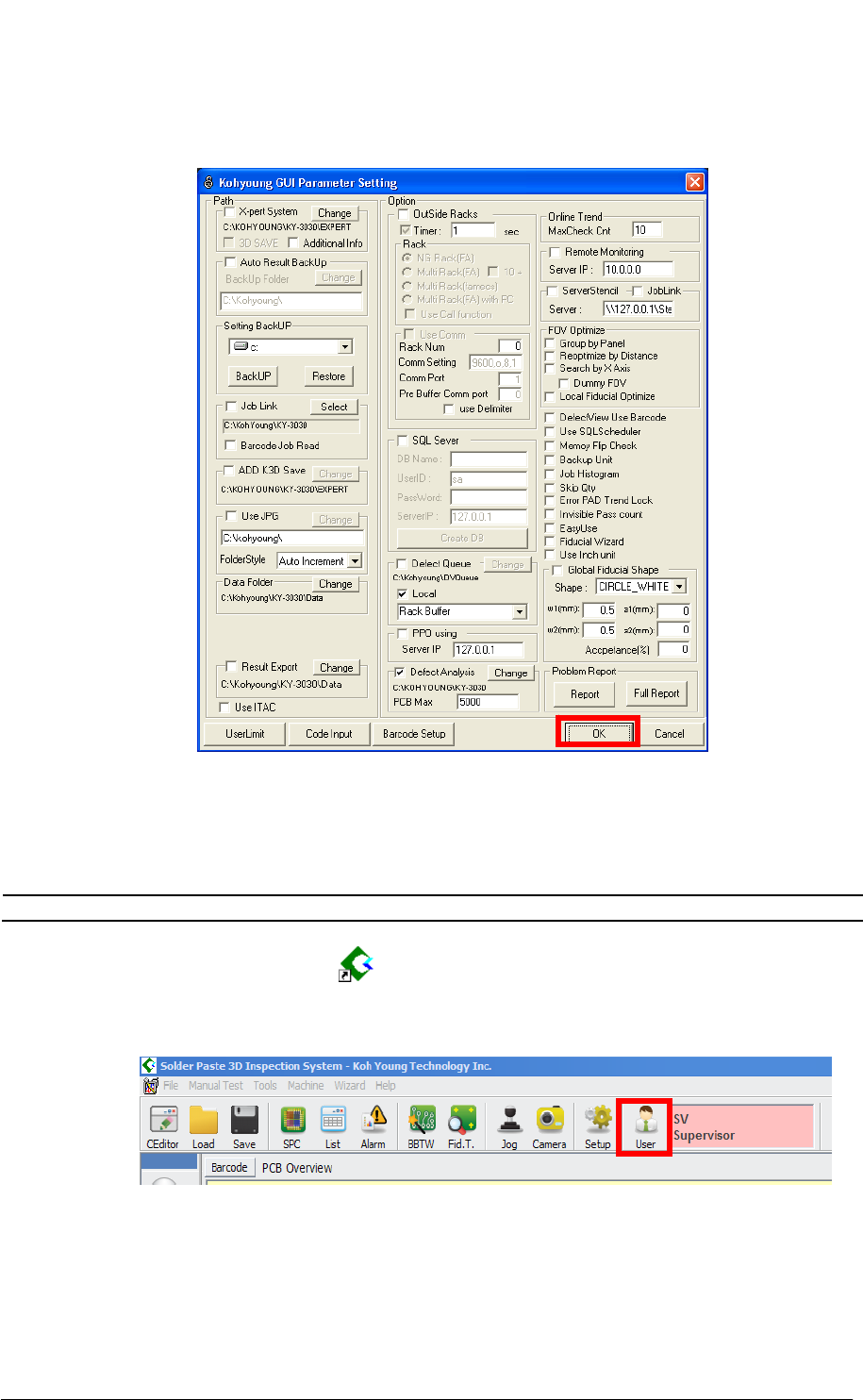
(3) Click on the OK button on the Kohyoung GUI Parameter Setting dialog box to save
the setting.
3.Read a long barcode
Before reading a long barcode, make sure you use the machine equipped with a CAM
barcode dongle key, software versions (GUI & Vision) and set up CAM Barcode.
NOTE For more detailed information, see the “Step 1, 2, 3” above.
(1) Double-click the 3D Inspector (
) icon to run the 3D Inspector software.
(2) Select the User from the tool bar as shown in the figure below.
How to Read a Long Barcode with CAM Barcode Technical Note Page | 5
KOH YOUNG TECHNOLOGY INC.
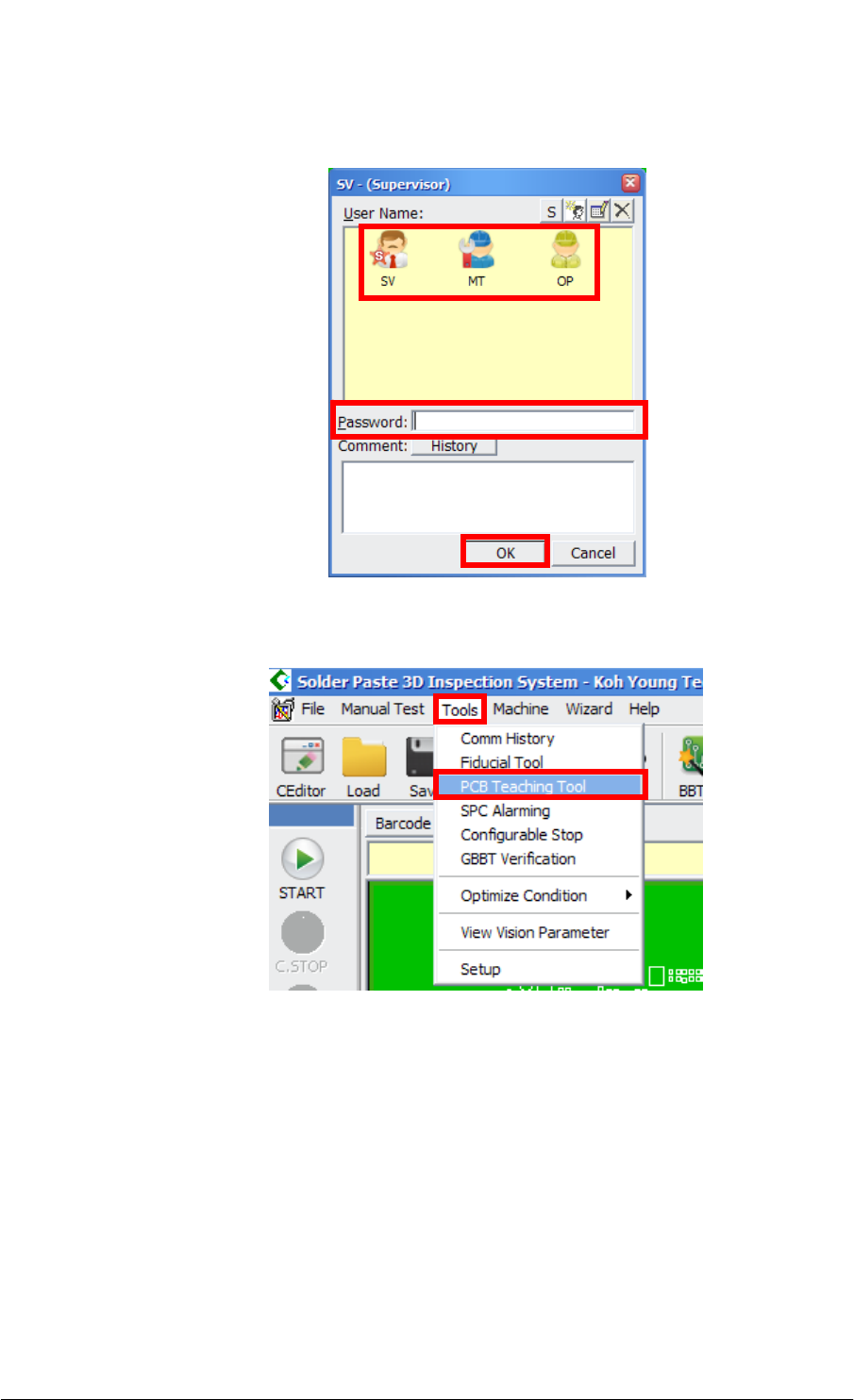
(3) Select the user level that you assigned from the User Name part and enter your
password. Click on the OK button.
(4) Click Tool > PCB Teaching Tool.
How to Read a Long Barcode with CAM Barcode Technical Note Page | 6
KOH YOUNG TECHNOLOGY INC.
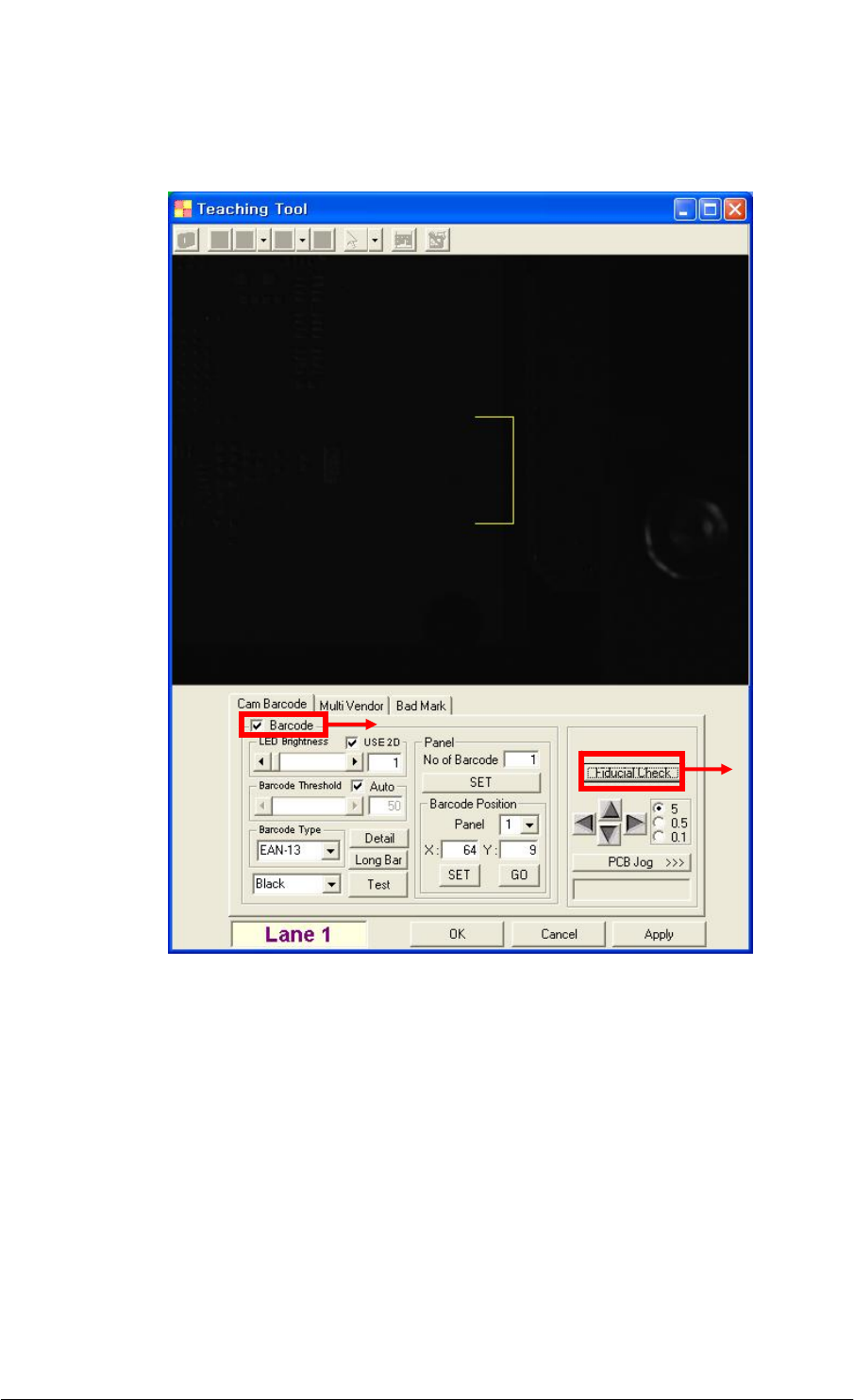
(5) Click on the Fiducial Check button after selecting the Barcode check box on the
Teaching Tool dialog box.
①
②