How to Read a Long Barcode with CAM Barcode_ENG_ Ver.1.0.pdf - 第10页
How to Read a Long Barcode with CAM Barcode T echnical Note Page | 10 K OH Y OUNG T ECHNOLOGY I NC . N O T E When a system (machine) fails to read a long barcode, make sure if you correctly set the following field. See t…
How to Read a Long Barcode with CAM Barcode Technical Note Page | 9
KOH YOUNG TECHNOLOGY INC.
Field Name Description
Direction The direction that a barcode is read.
Selecting Right enables a system (machine) to read
from the selected position of the barcode to the right
side of it.
Selecting Down enables a system (machine) to read
from the selected position of the barcode to the
downside of it.
Length The length of a barcode.
Overlap Increasing a number enables a system(machine) to
read a long barcode more accurately. However, the
speed of reading a long barcode is slow.
Table 2. Field Description
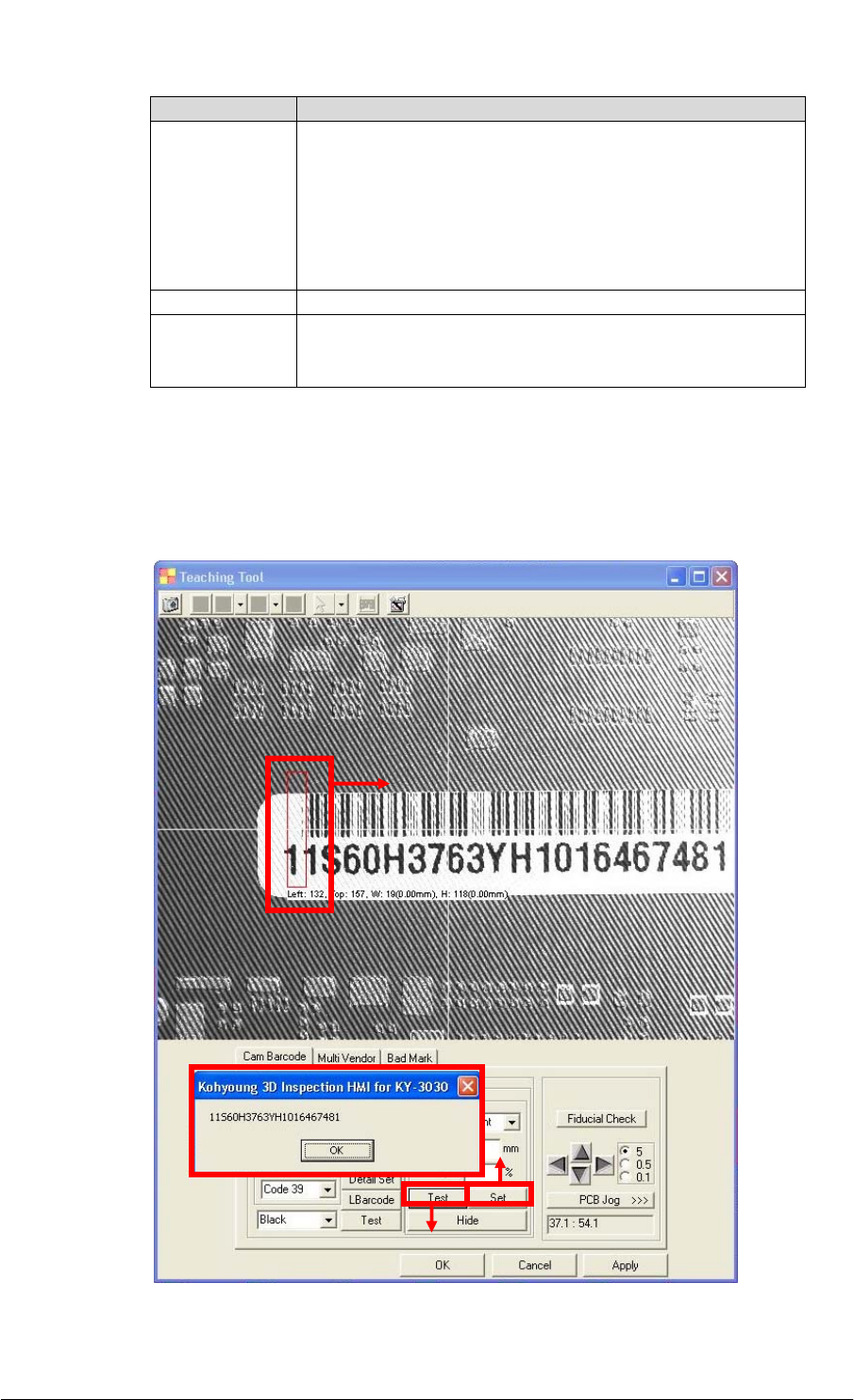
(9) Select the position of a barcode by dragging a mouse as shown in ① below.
Click on the Set button and then click on the Test button. The Kohyoung 3D
Inspection HMI for KY-3030 dialog box below displays the long barcode number read
by a system (machine) successfully.
③
②
①
How to Read a Long Barcode with CAM Barcode Technical Note Page | 10
KOH YOUNG TECHNOLOGY INC.
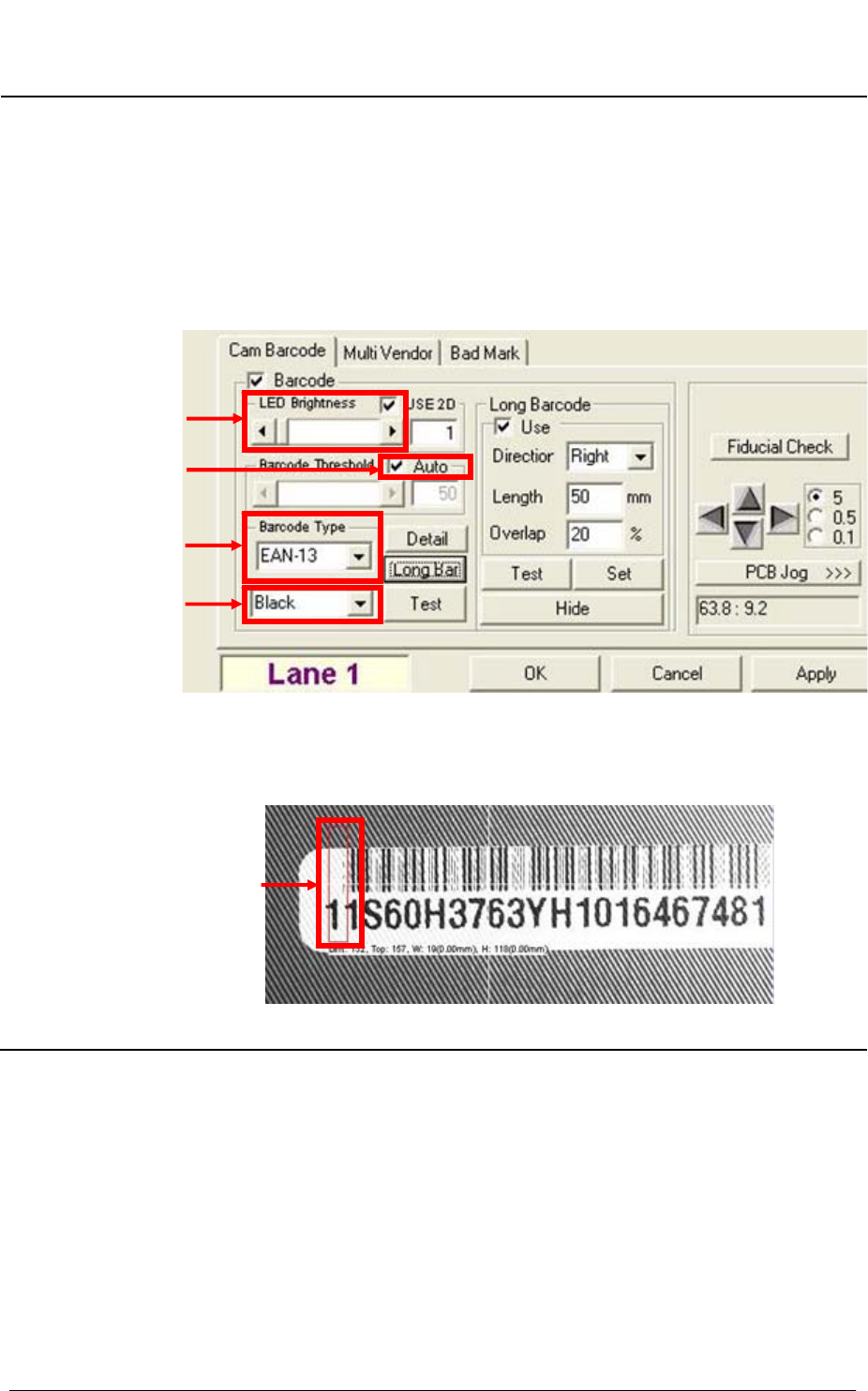
NOTE When a system (machine) fails to read a long barcode, make sure if you
correctly set the following field. See the [Figure 1].
①LED Brightness: Make sure if you correctly set the LED brightness.
②Barcode Threshold: Make sure if you select the Auto check box.
③Barcode Type: Make sure if you correctly select the barcode type
corresponding to the barcode you want to read.
④Barcode color: Make sure if you correctly set up the barcode color
corresponding to the barcode you want to read.
Figure 1. Teaching Tool window
⑤Selecting the position of a barcode: Make sure if you correctly select the
position of a barcode by dragging a mouse. See the [Figure 2].
Figure 2. Selecting the Position of a Barcode
①
②
③
④
⑤
How to Read a Long Barcode with CAM Barcode Technical Note Page | 11
KOH YOUNG TECHNOLOGY INC.
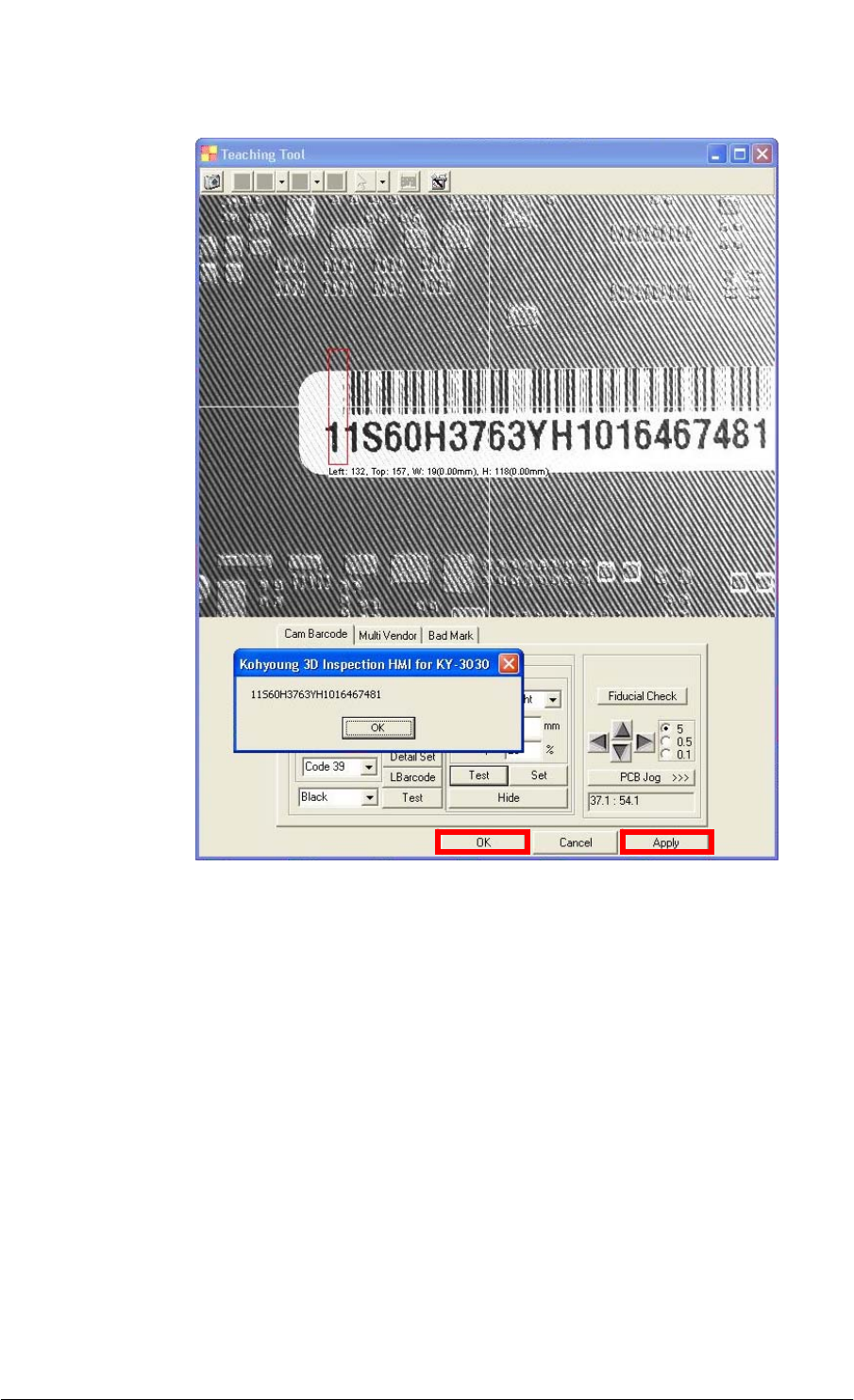
(10) Click on the Apply button and then click on the OK button to close the window.