5TROUBLESHOOTING_.pdf - 第18页
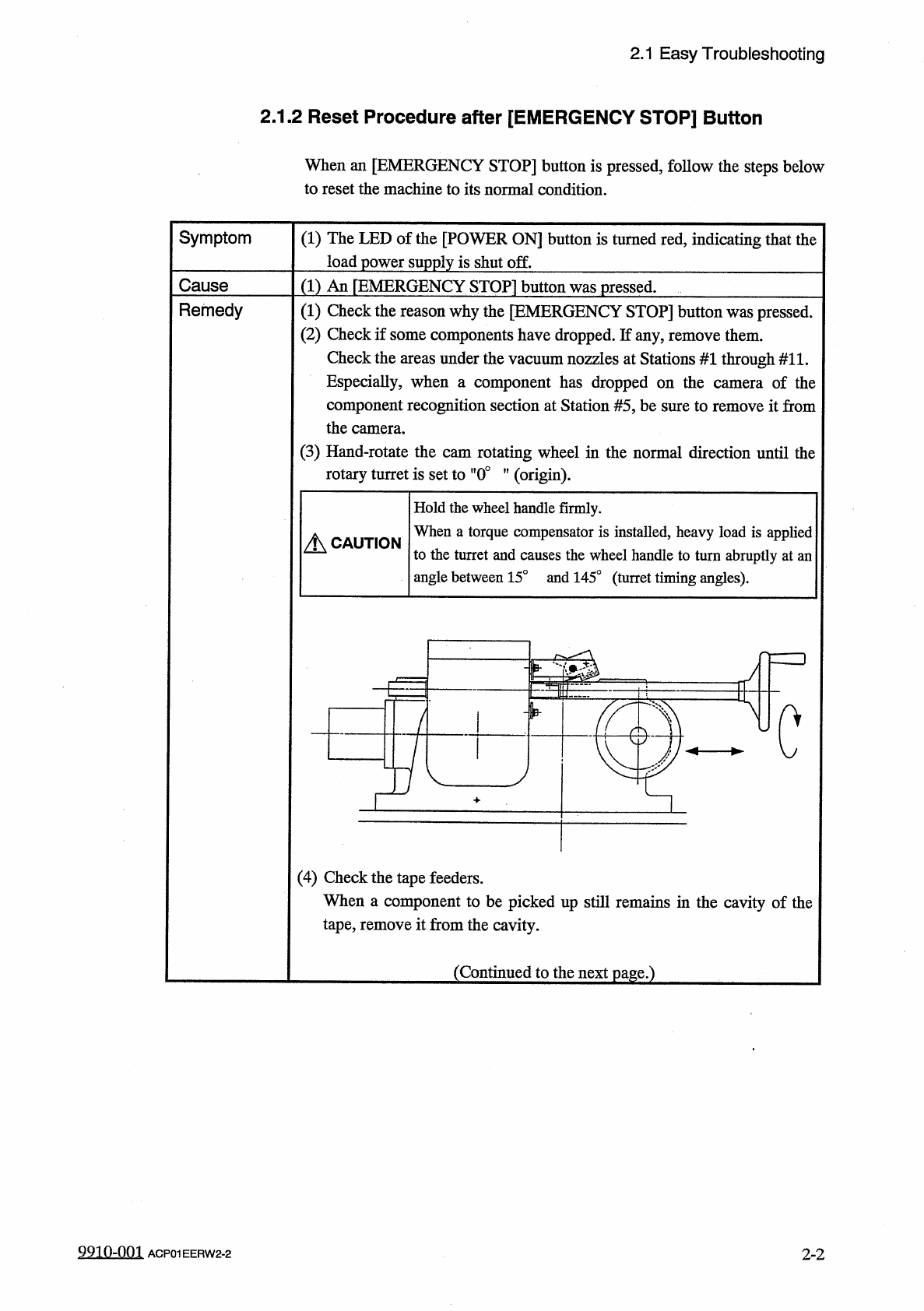
2.1 Easy Troubleshooting 2.1 . 2 Reset Procedure after [ EMERGENCY STOP ] Button When an [ EMERGENCY STOP ] button is pressed , follow the steps below to reset the machine to its normal condition . Symptom ( 1 ) The LED …
2.1
Easy
Troubleshooting
2.1
Easy
Troubleshooting
Described
below
are
the
simple
errors
against
which
general
operators
can
take
measures
.
When
a
general
operator
cannot
solve
a
certain
problem
,
contact
the
superintendent
of
the
machine
for
his
advice
.
2.1
.
1
Power
Operation
Impossible
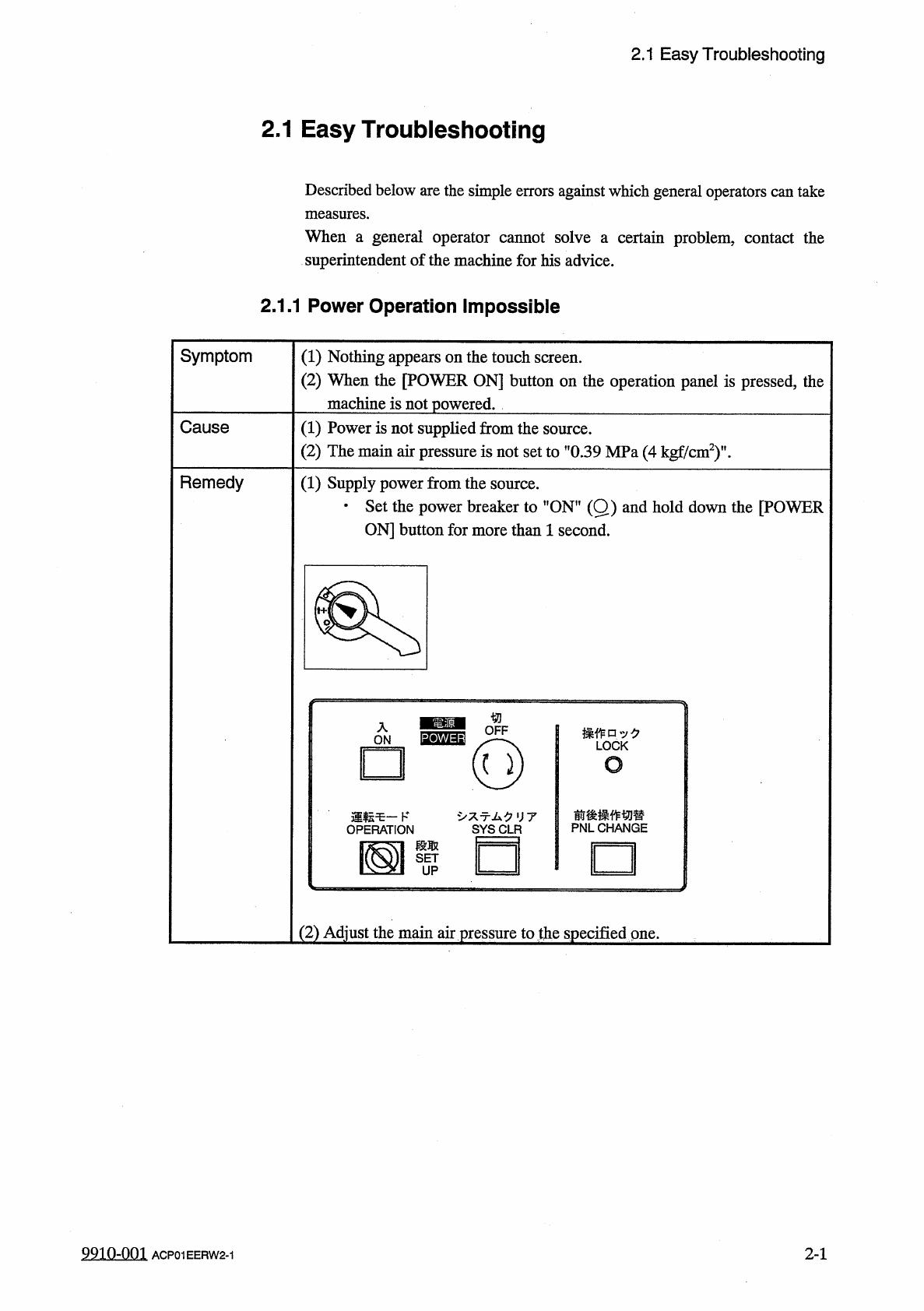
Symptom
(
1
)
Nothing
appears
on
the
touch
screen
.
(
2
)
When
the
[
POWER
ON
]
button
on
the
operation
panel
is
pressed
,
the
ine
is
not
powered
.
mach
:
Powe
Cause
⑴
r
is
not
supplied
from
the
source
.
(
2
)
The
main
air
pressure
is
not
set
to
”
0.39
MPa
(
4
kgf
/
cm
2
)
'
Remedy
(
1
)
Supply
power
from
the
source
.
•
Set
the
power
breaker
to
"
ON
"
(
Q
)
and
hold
down
the
[
POWER
ON
]
button
for
more
than
1
second
.
操作口
:
/
夕
LOCK
o
前後操作切替
PNLCHANGE
亍厶夕
UT
□
(
2
)
Adjust
the
main
air
pressure
to
the
specified
one
.
2
-
1
9910
-
001
ACP
01
EERW
2
-
1
2.1
Easy
Troubleshooting
2.1
.
2
Reset
Procedure
after
[
EMERGENCY
STOP
]
Button
When
an
[
EMERGENCY
STOP
]
button
is
pressed
,
follow
the
steps
below
to
reset
the
machine
to
its
normal
condition
.
Symptom
(
1
)
The
LED
of
the
[
POWER
ON
]
button
is
turned
red
,
indicating
that
the
load
power
supply
is
shut
off
.
Cause
(
1
)
An
[
EMERGENCY
STOP
〗
button
was
pressed
.
Remedy
(
1
)
Check
the
reason
why
the
[
EMERGENCY
STOP
]
button
was
pressed
.
(
2
)
Check
if
some
components
have
dropped
.
If
any
,
remove
them
.
Check
the
areas
under
the
vacuum
nozzles
at
Stations
#
1
through
#
11
.
Especially
,
when
a
component
has
dropped
on
the
component
recognition
section
at
Station
#
5
,
be
sure
to
remove
it
from
the
camera
.
(
3
)
Hand
-
rotate
the
cam
rotating
wheel
in
the
normal
direction
until
the
rotary
turret
is
set
to
"
0
°
”
(
origin
)
.
of
the
camera
Hold
the
wheel
handle
firmly
.
When
a
torque
compensator
is
installed
,
heavy
load
is
applied
to
the
turret
and
causes
the
wheel
handle
to
turn
abruptly
at
an
angle
between
15
°
and
145
°
(
turret
timing
angles
)
.
A
CAUTION
rpzD
c
(
4
)
Check
the
tape
feeders
.
When
a
component
to
be
picked
up
still
remains
in
the
cavity
of
the
tape
,
remove
it
from
the
cavity
.
(
Continued
to
the
next
page
.
)
9910
-
001
ACP
01
EERW
2
-
2
2
-
2
2.1
Easy
Troubleshooting
Remedy
(
5
)
Unlock
the
[
EMERGENCY
STOP
]
button
.
(
6
)
Hold
down
the
[
POWER
ON
]
button
for
more
than
1
second
to
re
-
supply
power
to
the
machine
.
•
When
the
LED
of
the
[
POWER
ON
]
button
turns
green
,
it
indicates
that
power
is
supplied
to
the
machine
.
When
the
LED
is
kept
red
,
re
-
check
the
cause
and
remove
it
.
(
7
)
After
an
"
”
mark
has
appeared
before
”
RECOGNITION
"
in
the
"
ORIGIN
MONITOR
"
field
,
press
the
[
ZERO
]
button
to
zero
each
individual
devices
.
(
8
)
When
there
still
remains
an
unfinished
P
.
C
.
B
.
on
the
X
/
Y
table
,
determine
whether
or
not
the
P
.
C
.
B
.
should
be
completed
.
To
continue
the
placement
operation
,
open
the
"
AUTO
OPN
.
SUB
-
MENU
"
display
and
select
the
[
SEMI
-
AUTOMATIC
OPERATION
]
key
.
The
"
SEMI
-
AUTOMATIC
OPERATION
PLACEMENT
STEP
"
display
appears
on
the
screen
.
Press
the
[
FULL
AUTO
CONT
[
START
]
]
key
to
finish
the
P
.
C
.
B
.
completely
.
Refer
to
"
4.5
SEMI
-
AUTOMATIC
OPERATION
"
in
the
instruction
manual
(
Section
I
:
Operation
)
for
details
.
9910
-
001
2
-
3
ACP
01
EERW
2
-
3