OM-1637-002w_NA02001.pdf - 第19页
OM-1637 17 5. LAN 的设定 1012-002 (12) 确认 “ LocalAreaConnectionProperties( 本地连接属性 ) ” 对话框 “ Thisconnectionusesthefollowingitems( 此连接使用下列项目 ) ” 标签下的列表框内有 “ InternetProtocol(TCP/IP)(Internet 协议 (TCP/IP)) ” 。 (13)…
OM-1637
16
5. LAN 的设定
1012-002
(9)确认后,点击 [Cancel( 取消 )] 按钮关闭。
Note
不能确认时,有可能是网络控制器没有被正确安装。
请参照网络控制器或计算机的使用说明书等进行安装。
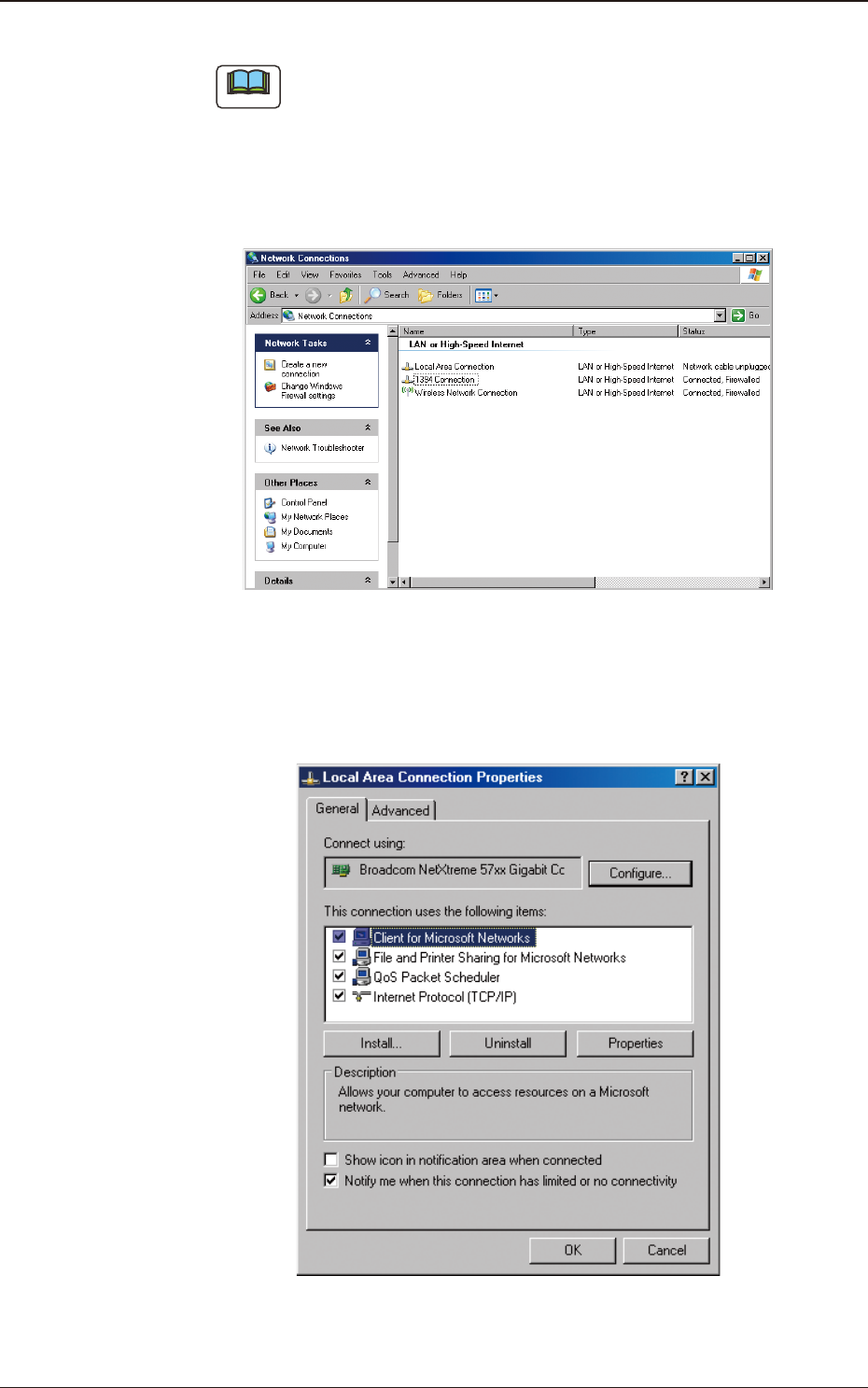
(10)在桌面的任务栏,按 [Strat( 开始 )]-[ControlPanel( 控制面板 )]
-[NetworkConnections( 网络连接 )] 顺序点击。
( 显示
“
NetworkConnections
”
对话框。)
F8
(11)在
“
NetworkConnections
”
右键点击 [LocalAreaConnection( 本地连
接 )] 图标,在显示的菜单点击 [Properties( 属性 )] 按钮。
( 打开
“
LocalAreaConnectionProperties( 本地连接属性 )
”
界面。)
F9
OM-1637
17
5. LAN 的设定
1012-002
(12)确认
“
LocalAreaConnectionProperties( 本地连接属性 )
”
对话框
“
Thisconnectionusesthefollowingitems( 此连接使用下列项目)
”
标签下的列表框内有
“
InternetProtocol(TCP/IP)(Internet 协议
(TCP/IP))
”
。
(13)选中
“
InternetProtocol(TCP/IP)
”
的复选框。
Note
没 有
“
InternetProtocol(TCP/IP)
”
时,点击
“
LocalArea
ConnectionProperties
”
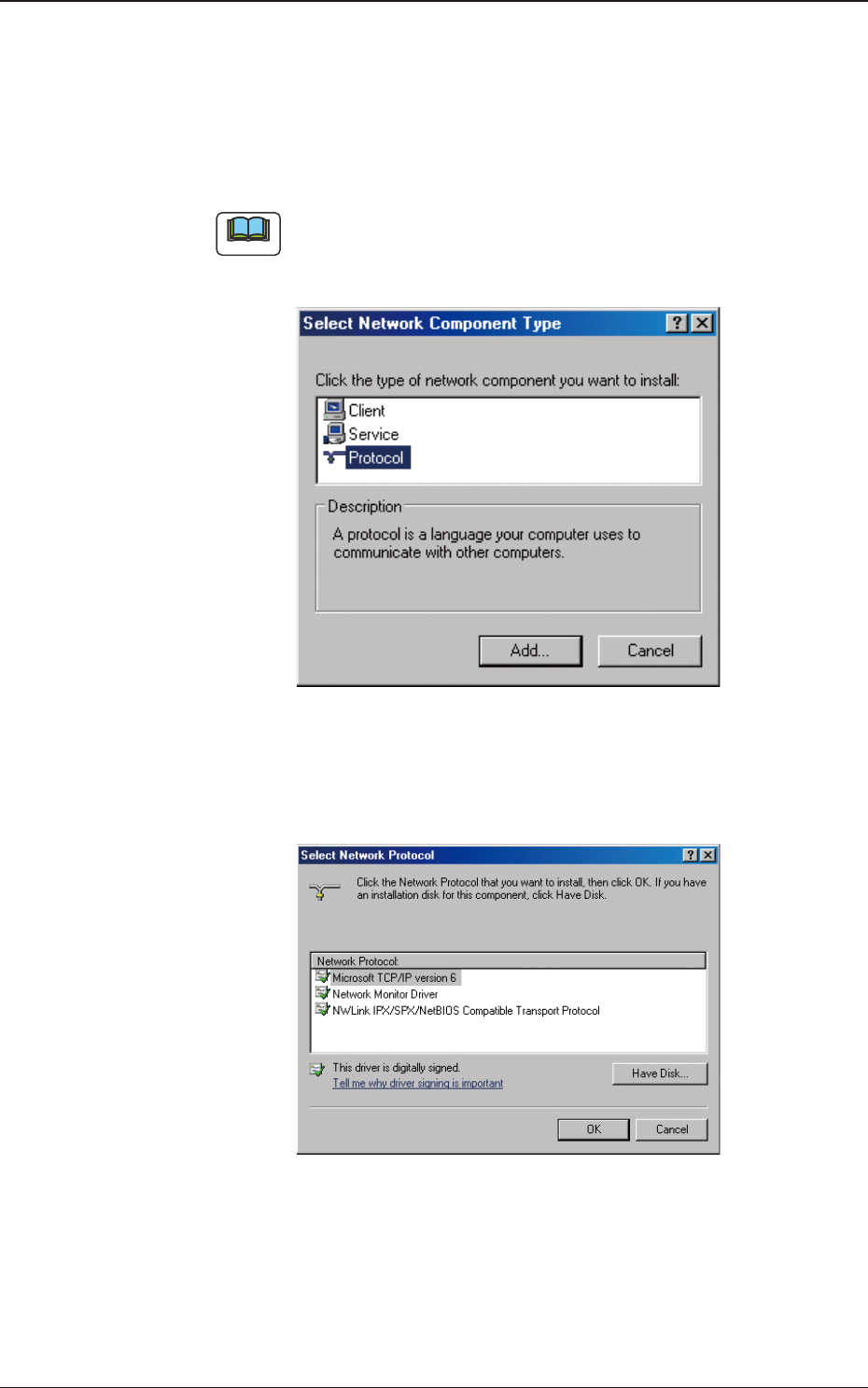
对话框内的 [Install( 安装 )] 按钮。
打开
“
SelectNetworkComponentType( 选择网络组件类型 )
”
对话框。
F10
在新打开的对话框的列表框内,选择
“
Protocol( 协议 )
”
,点击 [Add
( 添加 )] 按钮。打开
“
SelectNetworkProtocol( 选择网络协议 )
”
对话框。
F11
在此对话框的列表框内,选择
“
InternetProtocol(TCP/IP)
”
,
点击 [OK] 按钮。打开
“
SelectNetworkProtocol
”
对话框。
OM-1637
18
5. LAN 的设定
1012-002
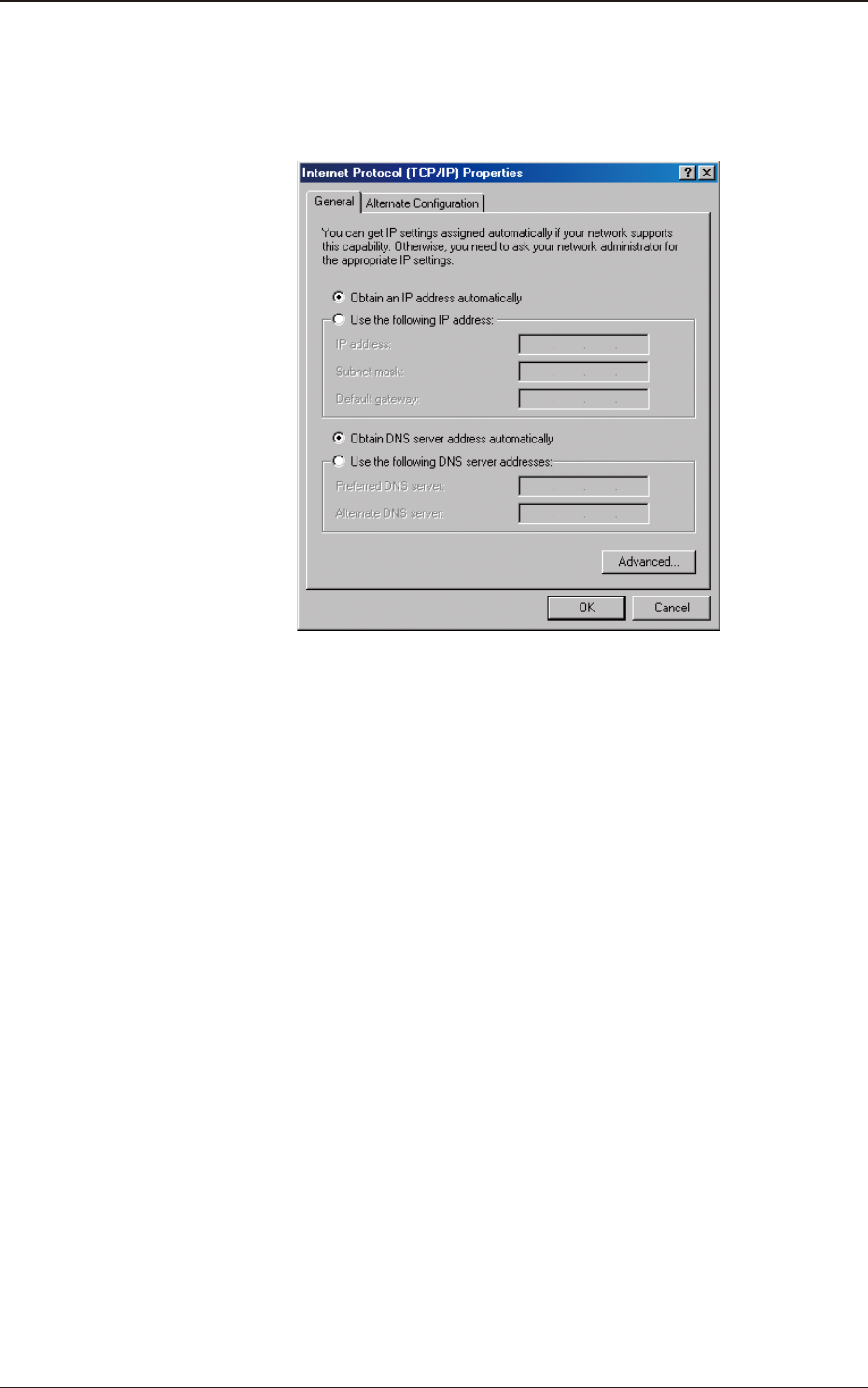
(14)选择
“
InternetProtocol(TCP/IP)(Internet 协议 (TCP/IP))
”
,点击
[Properties( 属性 )] 按钮。
( 打开
“
InternetProtocol(TCP/IP)Properties(Internet 协议 (TCP/
IP)属性 )
”
对话框。)
F12