工作头自动清洗机使用说明书.pdf - 第30页
4. 安装 INS-HDCLN-002S0 20 工作头自动清洗机使用说明书 4.4 各种设定 说明工作头自动清洗机的 IP 地址设定、操作画面 的语言设定和日期、时间设 定。 为了进行各种设定,在启动工作 头自动清洗机后,需要将 操作画面变更为工程师模式 。 4.4.1 如何将画面显示变成工程师模式 1. 请按下操作面板的 POWER 按钮,启动工 作头自动清洗机。 2 . 按 下2次G R O U P按 钮 。 01NST -187…
INS-HDCLN-002S0 4. 安装
工作头自动清洗机使用说明书 19
4.3 连接气管
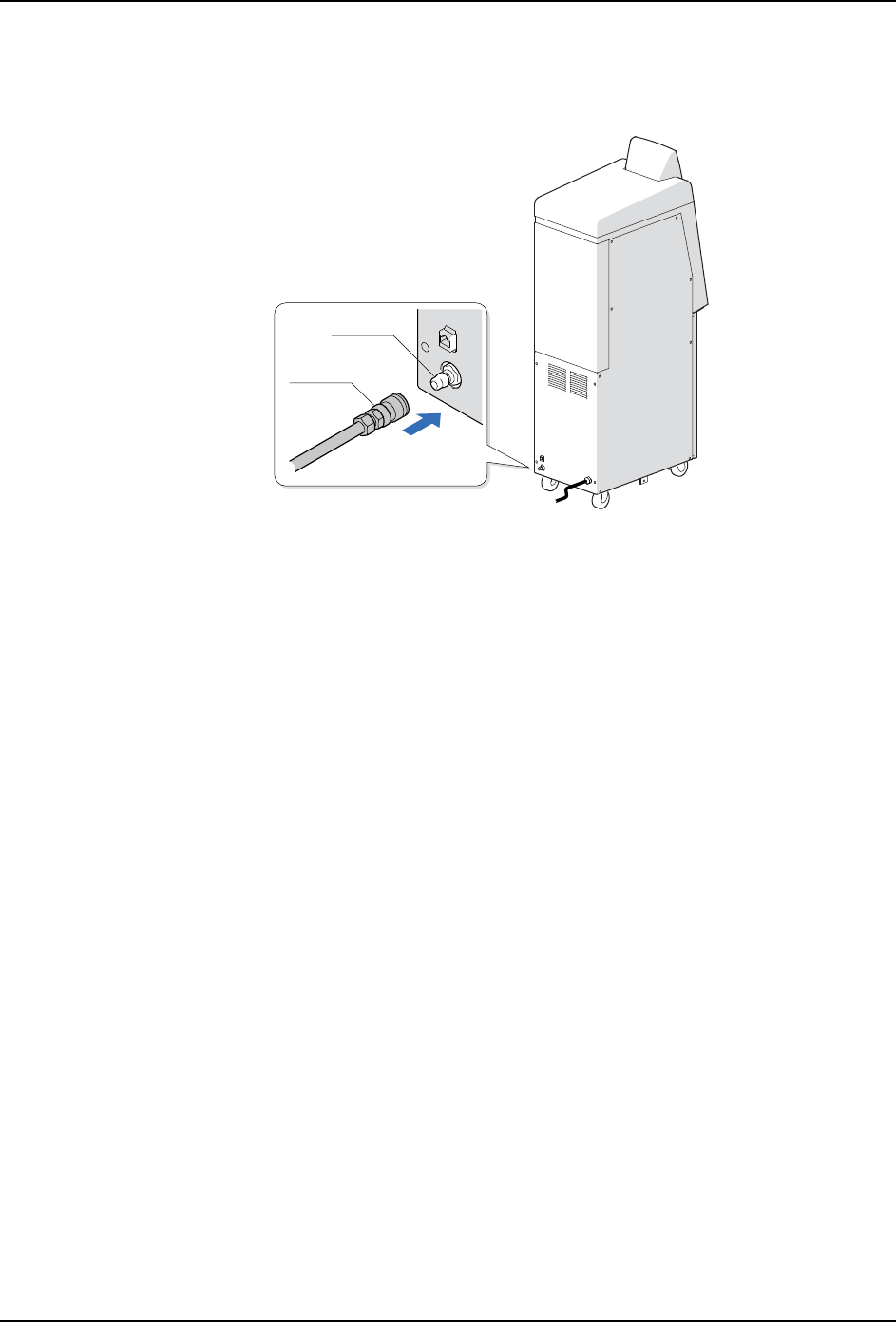
将外部供气管连接到工作头自动清洗机上。
备注 ) 用户自行准备气管。
1. 将气管连接到工作头清洗机侧的管子插头上。
2. 确认调节器的刻度为 0.4 MPa。没有处在 0.4 MPa 时,请转动旋钮进行调整。
01NST-1870
30PM
30SH
4. 安装 INS-HDCLN-002S0
20 工作头自动清洗机使用说明书
4.4 各种设定
说明工作头自动清洗机的 IP 地址设定、操作画面的语言设定和日期、时间设定。
为了进行各种设定,在启动工作头自动清洗机后,需要将操作画面变更为工程师模式。
4.4.1 如何将画面显示变成工程师模式
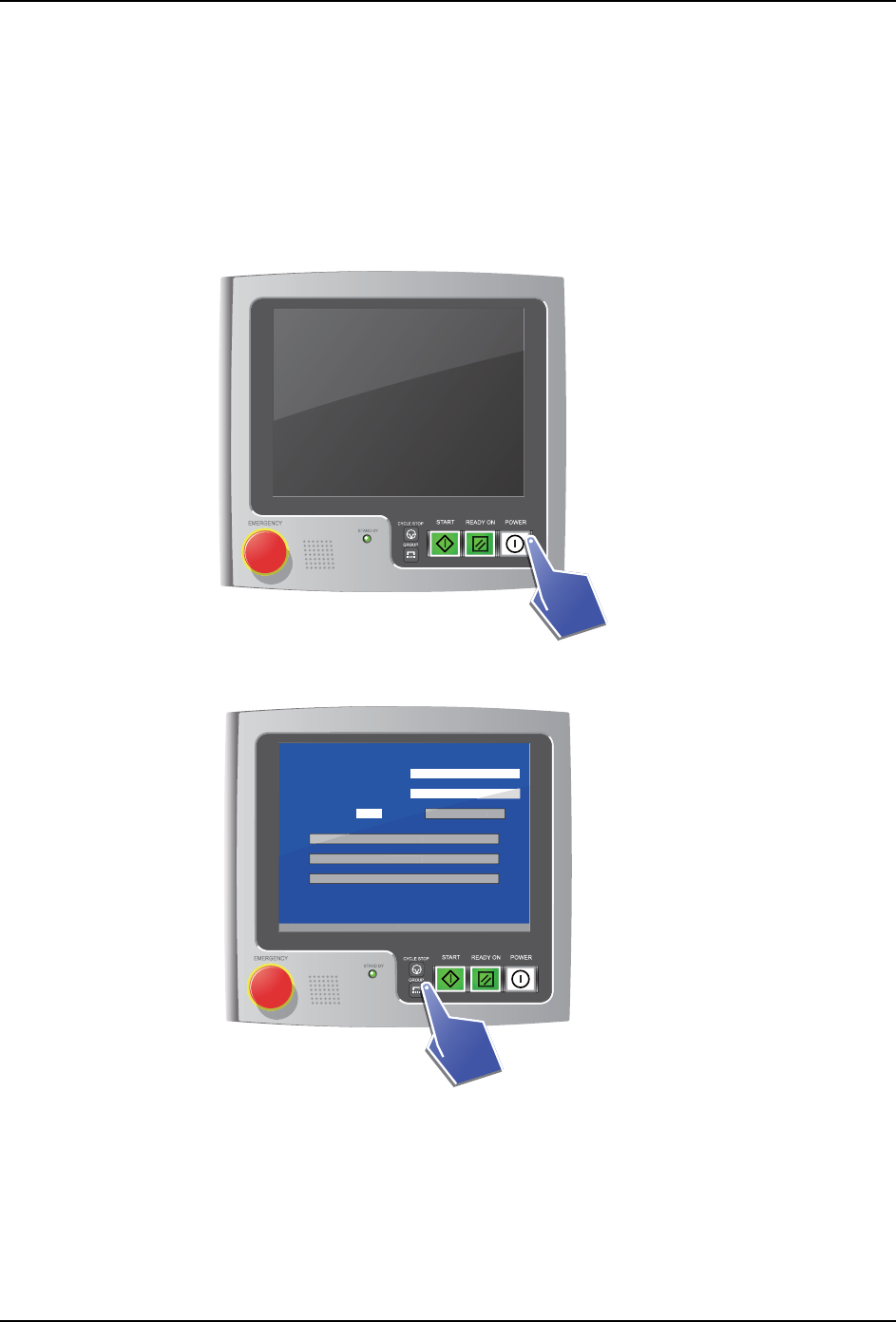
1. 请按下操作面板的 POWER 按钮,启动工作头自动清洗机。
2. 按下2次GROUP按钮。
01NST-1876
01NST-2620E
[ Menu ]
V3.00 [ Filter exchange notice ]
Head serial number
Cleaning count
/ 999
Filter exchange guidance
Counter reset
Air cleaning
Oil cleaning
Cleaning preparation details
V
3
.
00
[
Fi
l
ter exc
h
an
g
e notice
]
Cou
nter rese
t
Air c
l
eaning
Oi
l
c
l
eanin
g
Cl
eaning preparation
d
etai
l
s
INS-HDCLN-002S0 4. 安装
工作头自动清洗机使用说明书 21
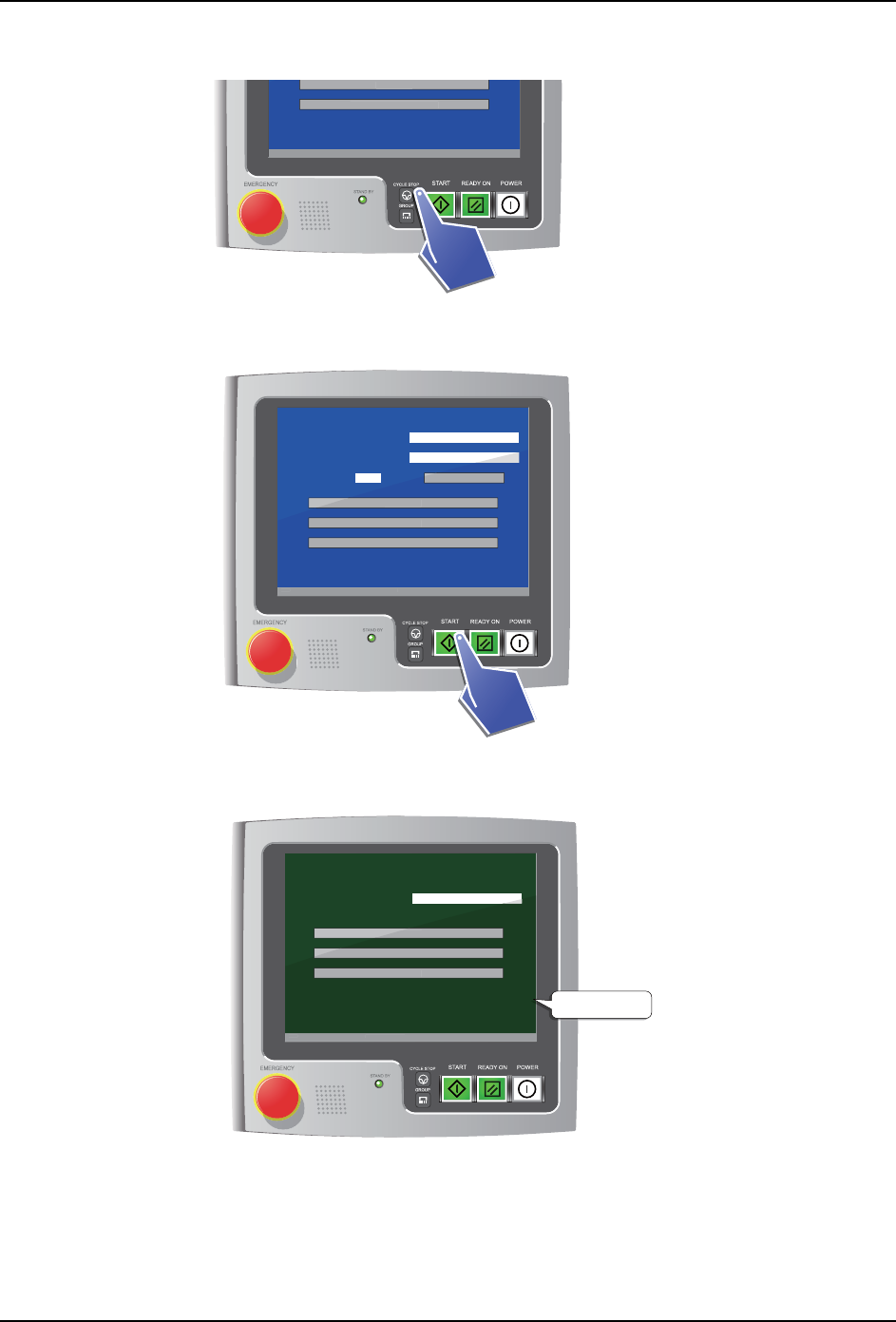
3. 按下2次CYCLE STOP 按钮。
4. 按住 2 秒以上 START 按钮。
5. 主菜单画面的背景变成深绿色。画面变成工程师模式。
01NST-2621E
V3.00 [ Filter exchange notice ]
Oil cleaning
Cleaning preparation details
V
3
.
00
[
Fi
l
ter exc
h
an
g
e notice
]
Oi
l
c
l
eaning
Cl
eaning preparation
d
etai
l
s
01NST-2622E
2 seconds
[ Menu ]
V3.00 [ Filter exchange notice ]
Head serial number
Cleaning count
/ 999
Filter exchange guidance
Counter reset
Air cleaning
Oil cleaning
Cleaning preparation details
V
3
.
00
[
Fi
l
ter exc
h
an
g
e notice
]
Cou
nter rese
t
Air c
l
eaning
Oi
l
c
l
eaning
Cl
eaning preparation
d
etai
l
s
[ Main menu ]
V3.00 [ Filter exchange notice ]
Head serial number S/N
Cleaning
Inspection
Settings
V
3
.
00
[
Fi
l
ter exc
h
an
g
e notice
]
Cleaning
Inspect
i
on
S
etting
s
01NST-2623E
Dark green