工作头自动清洗机使用说明书.pdf - 第36页
4. 安装 INS-HDCLN-002S0 26 工作头自动清洗机使用说明书 2 . 请 按2次C Y C L E STOP 按键。 3. 请按 START 按键 2 秒以 上。 4. 主菜单画面的背景变为浅蓝色。画 面为了操作员模式。 01NST -2674E [ Main menu ] V3.00 [ Filter exchange notice ] Head serial number S/N Cleaning Inspectio…
INS-HDCLN-002S0 4. 安装
工作头自动清洗机使用说明书 25
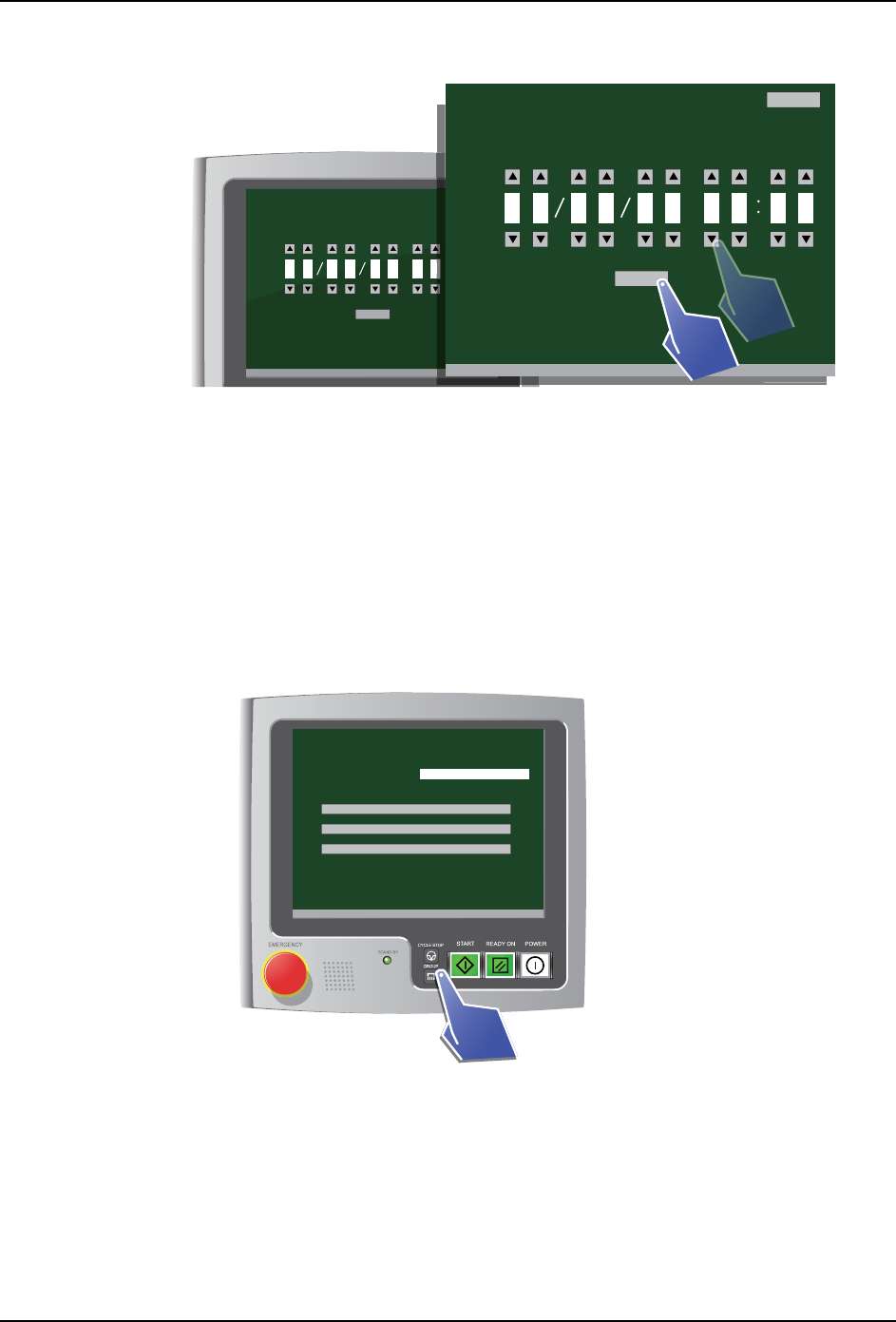
3. 显示日期和时间设定画面。请设定当前的日期和时间。
a. 所显示的数字是日期和时间。请点击各位的三角形按钮 (上、下),变更数字。
b. 点击 「OK」按钮,所设定的日期和时间就会被确定。
c. 点击 「Back」按钮,则返回到设定画面。
4. 至此,完成日期和时间的设定。
4.4.5 把画面的显示设置为操作员模式
操作画面从工程师模式回到操作员模式。
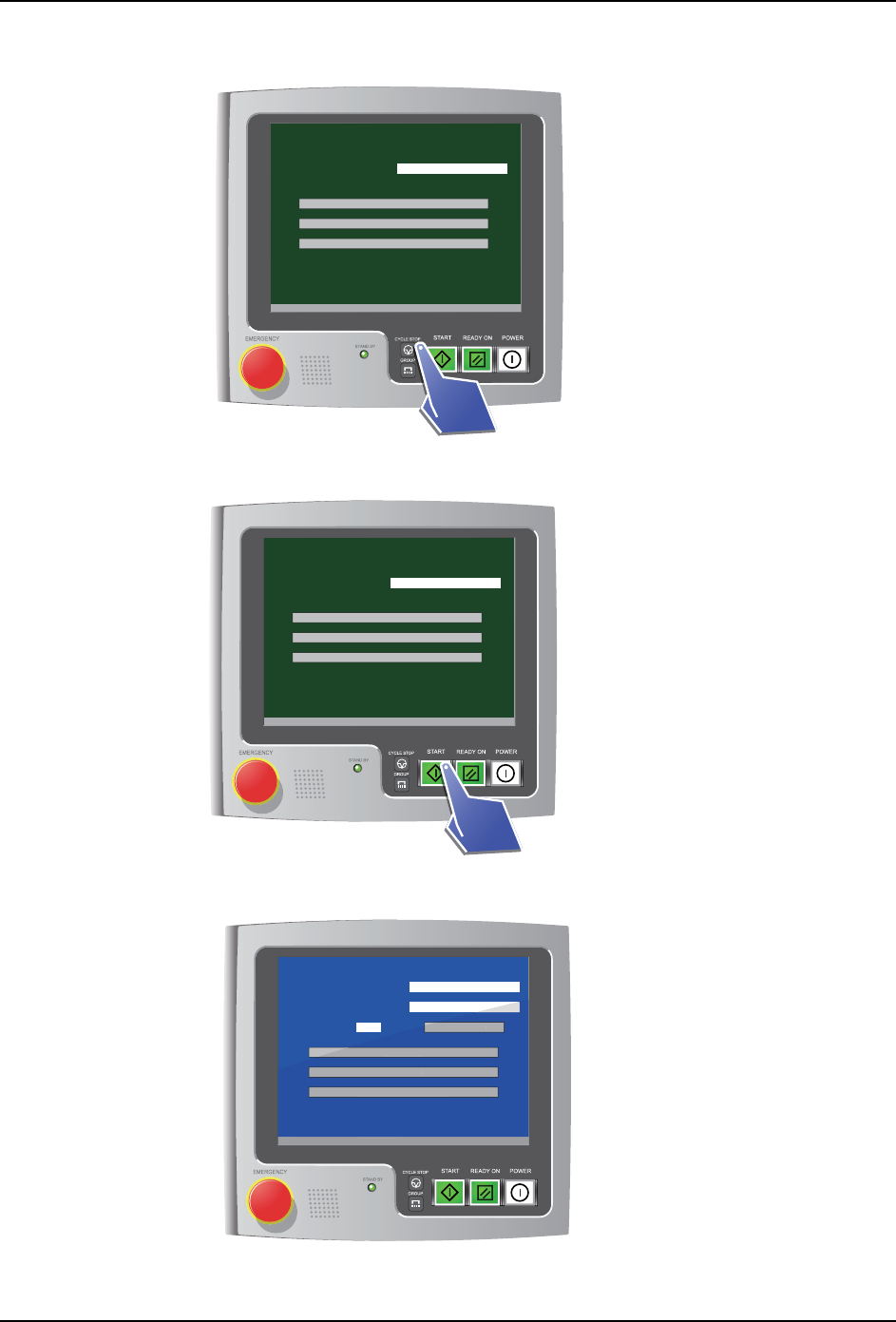
1. 请在显示了主菜单的状态下按 2 次 GROUP 按键。
[ Date & Time ]
Date Time
V3.00 [ Filter exchange notice ]
Back
OK
V
3
.
00
[
Fi
l
ter exc
h
an
g
e notice
]
O
K
31 22 00 30 21 22
01NST-2627E
2
01NST 2627
[ Date & Time ]
Date Time
V3.00 [ Filter exchange notice ]
Back
OK
31 22 00 30 21 22
01NST-2673E
[ Main menu ]
V3.00 [ Filter exchange notice ]
Head serial number S/N
Cleaning
Inspection
Settings
4. 安装 INS-HDCLN-002S0
26 工作头自动清洗机使用说明书
2. 请按2次CYCLE STOP 按键。
3. 请按 START 按键 2 秒以上。
4. 主菜单画面的背景变为浅蓝色。画面为了操作员模式。
01NST-2674E
[ Main menu ]
V3.00 [ Filter exchange notice ]
Head serial number S/N
Cleaning
Inspection
Settings
2 seconds
01NST-2675E
[ Main menu ]
V3.00 [ Filter exchange notice ]
Head serial number S/N
Cleaning
Inspection
Settings
01NST-1892E
[ Menu ]
V3.00 [ Filter exchange notice ]
Head serial number
Cleaning count
/ 999
Filter exchange guidance
S/N
Counter reset
Air cleaning
Oil cleaning
Cleaning preparation details
V
3
.
00
[
Fi
l
ter exc
h
an
g
e notice
]
Cou
nter rese
t
Air c
l
eaning
Oi
l
c
l
eaning
Cl
eaning preparation
d
etai
l
s
INS-HDCLN-002S0 4. 安装
工作头自动清洗机使用说明书 27
4.5 安装应用程序
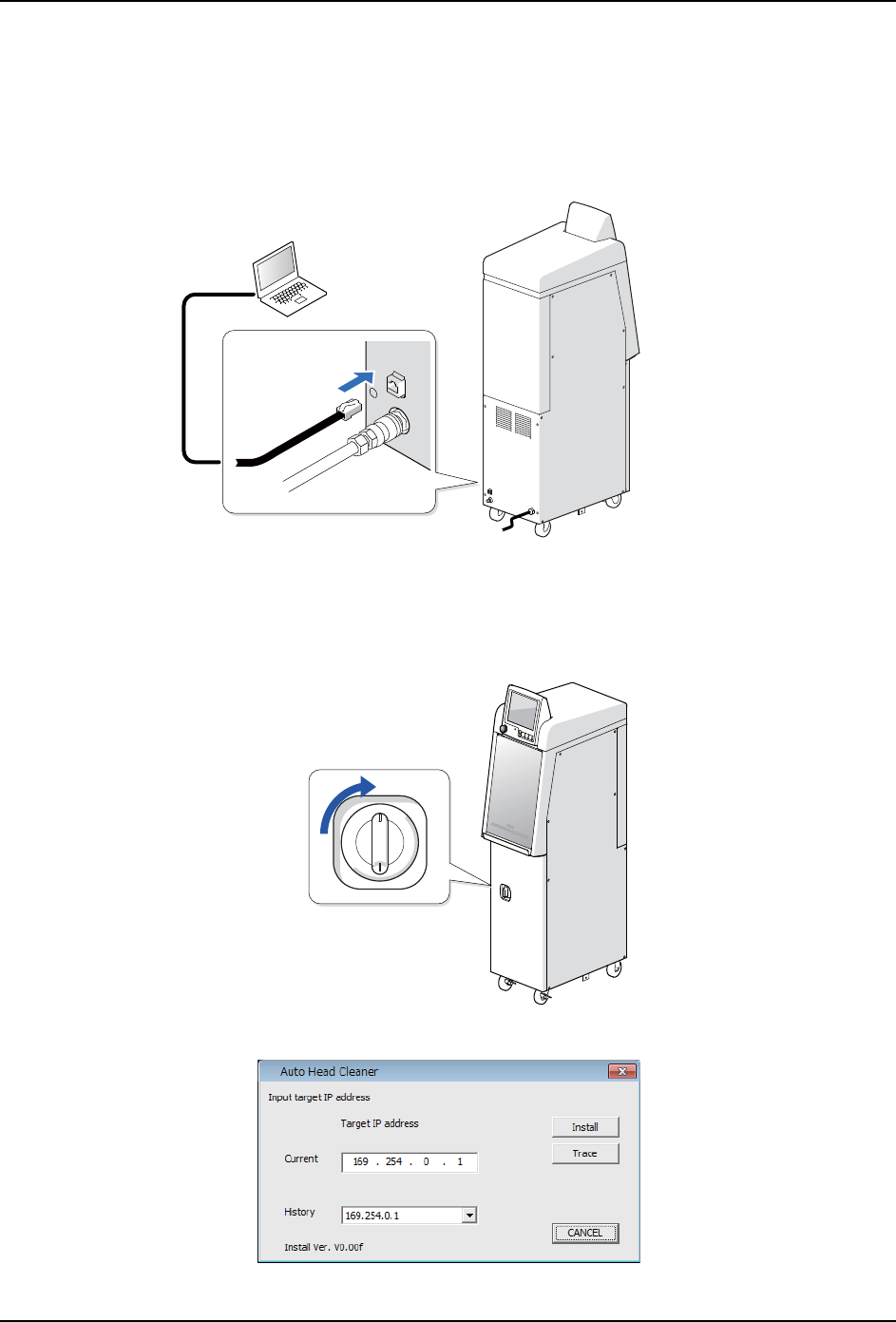
在工作头自动清洗机的 CPU 箱中安装控制软件。另外,将工作头清洗的检查结果获取工具安
装到 PC 中。
首先,请通过 LAN 线缆连接 PC 和工作头自动清洗机。
4.5.1 启动安装程序
1. 将工作头自动清洗机的主开关设置为 ON。
2. 将配备的光盘插入 DVD 驱动器中。安装程序启动。
01NST-1872
LAN
01NST-1874
01NST-2606