系统软件安装程序-.pdf - 第13页
SMT Software Engineering Group IM Opera tions YAMAHA M OTOR CO., LTD. MDOC-SOFT5011 1 The Pro cedure o f Sys tem S oftware I nstall Y AMAHA EN GLISH . 13/16 7) Check and Execute Inst allation Confirm the d rive of the FL…
SMT Software Engineering Group
IM Operations
YAMAHA MOTOR CO., LTD.
MDOC-SOFT50111 The Procedure of System Software Install YAMAHA ENGLISH. 12/16
YSM Series
List 3.10 YSM Series
Default Language Language set
English English / Japanese / Chinese / Korean
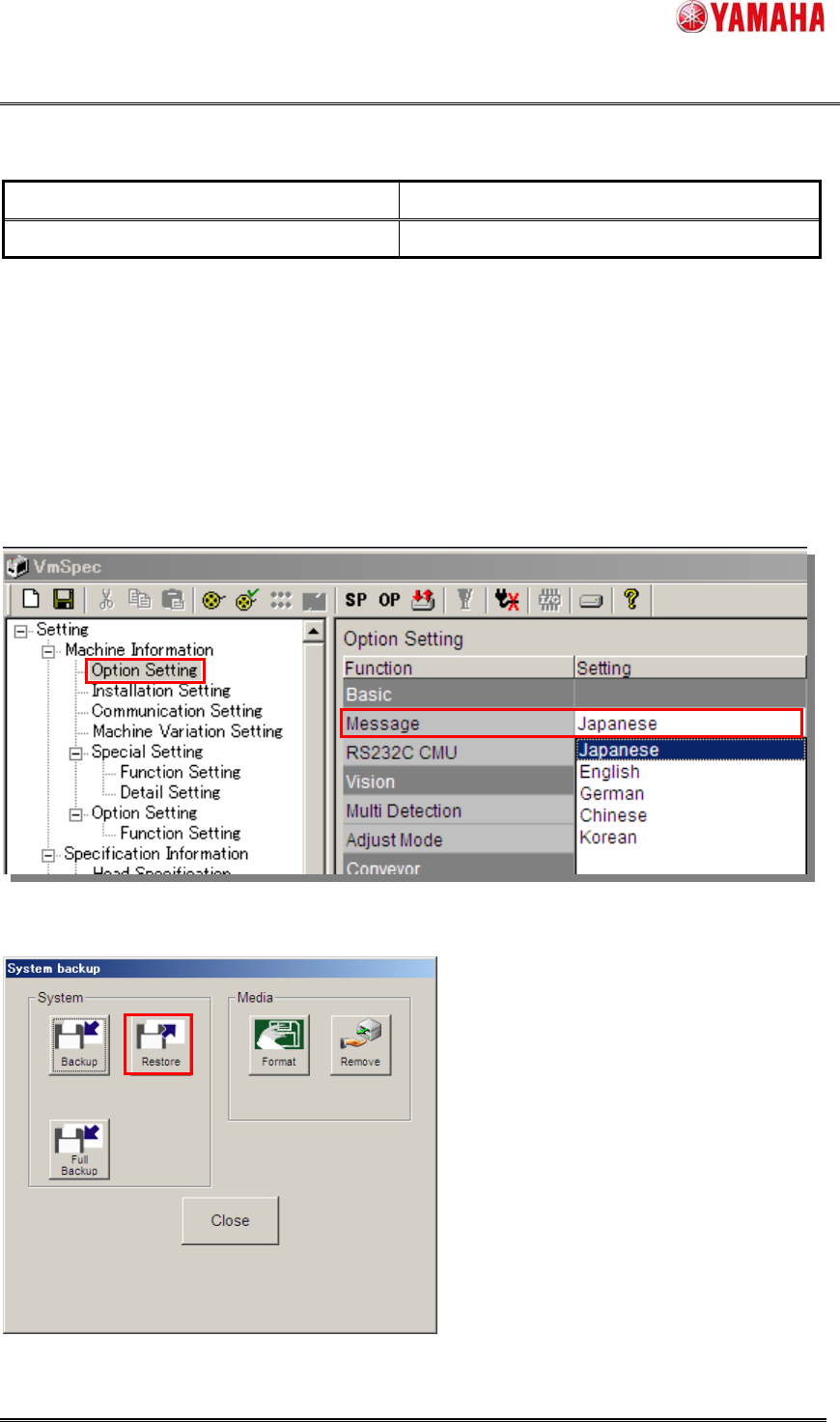
* If you need YSM Series System in languages other than English, set a language through the following
procedure.
1. Create a system in English.
2. Install a machine application.
3. Start the machine application, and select a language from [Machine] – [Setting] – [Machine
Information] – [Option Setting] – [Message]
4. Click the [Setup] – [System backup] – [Restore] button to restore the System Backup.
SMT Software Engineering Group
IM Operations
YAMAHA MOTOR CO., LTD.
MDOC-SOFT50111 The Procedure of System Software Install YAMAHA ENGLISH. 13/16
7) Check and Execute Installation
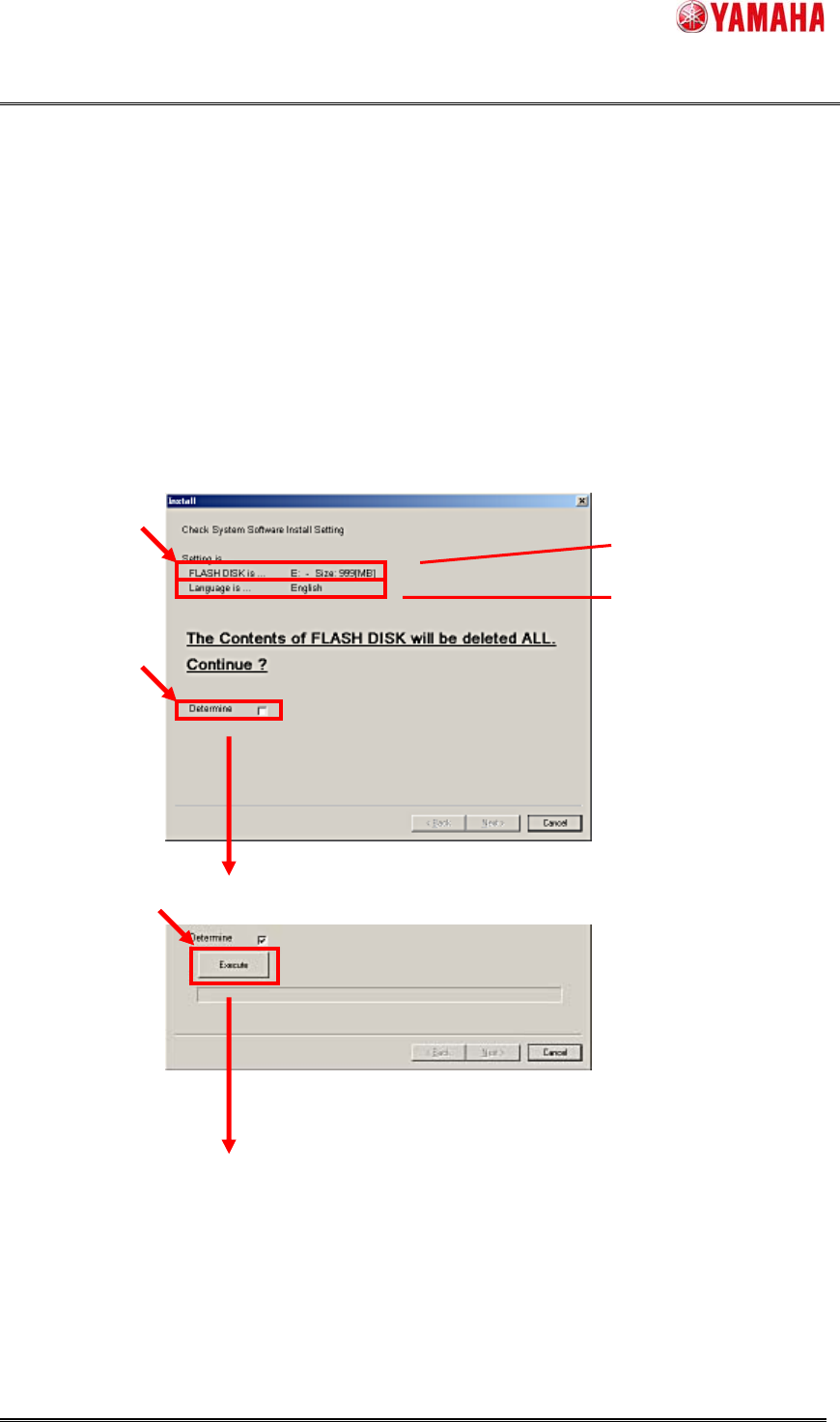
Confirm the drive of the FLASH DISK and the default language, if OK, check the [Determine] box.
(When “Determine” is marked, the [Execute] button will appear.)
Click the [Execute] button, and Installation will start.
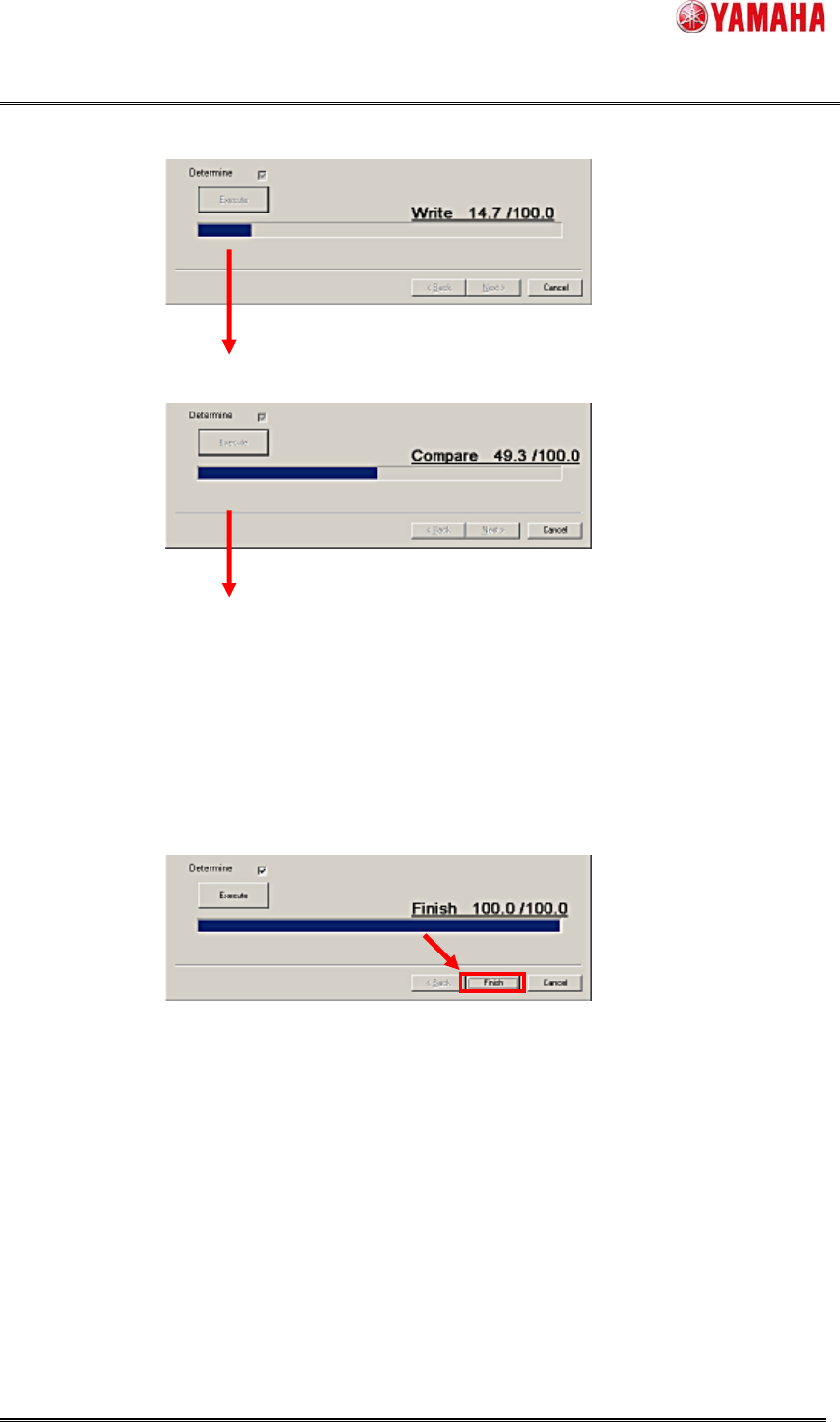
At first “Write”, then “Compare” will be executed.
It will take about 20 minutes.
Figure 3.9 Check [Determine] box
Figure 3.10 Click the [Execute] button to start.
The drive of FLASH DISK
Default Language
SMT Software Engineering Group
IM Operations
YAMAHA MOTOR CO., LTD.
MDOC-SOFT50111 The Procedure of System Software Install YAMAHA ENGLISH. 14/16
Figure 3.11 “Write”
Figure 3.12 “Compare”
8) Complete
When the “Compare” is finished, the System Software Installation is completed.
Figure 3.13 Finish the Installation
Finally, click the [Finish] button and complete.