系统软件安装程序-.pdf - 第14页
SMT Software Engineering Group IM Opera tions YAMAHA M OTOR CO., LTD. MDOC-SOFT5011 1 The Pro cedure o f Sys tem S oftware I nstall Y AMAHA EN GLISH . 14/16 Figure 3.11 “Write” Figure 3.12 “Compare” 8) Complete When the …
SMT Software Engineering Group
IM Operations
YAMAHA MOTOR CO., LTD.
MDOC-SOFT50111 The Procedure of System Software Install YAMAHA ENGLISH. 13/16
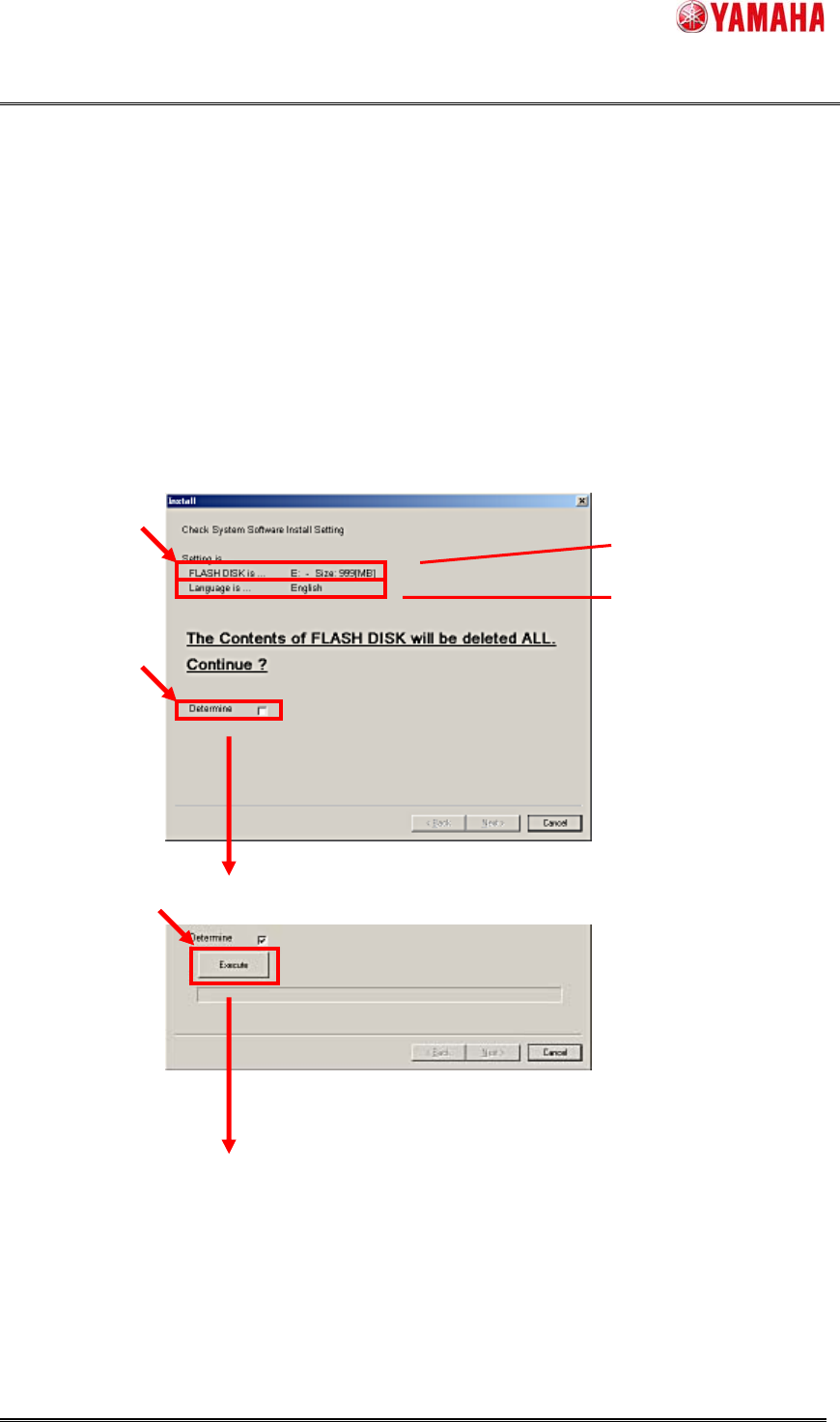
7) Check and Execute Installation
Confirm the drive of the FLASH DISK and the default language, if OK, check the [Determine] box.
(When “Determine” is marked, the [Execute] button will appear.)
Click the [Execute] button, and Installation will start.
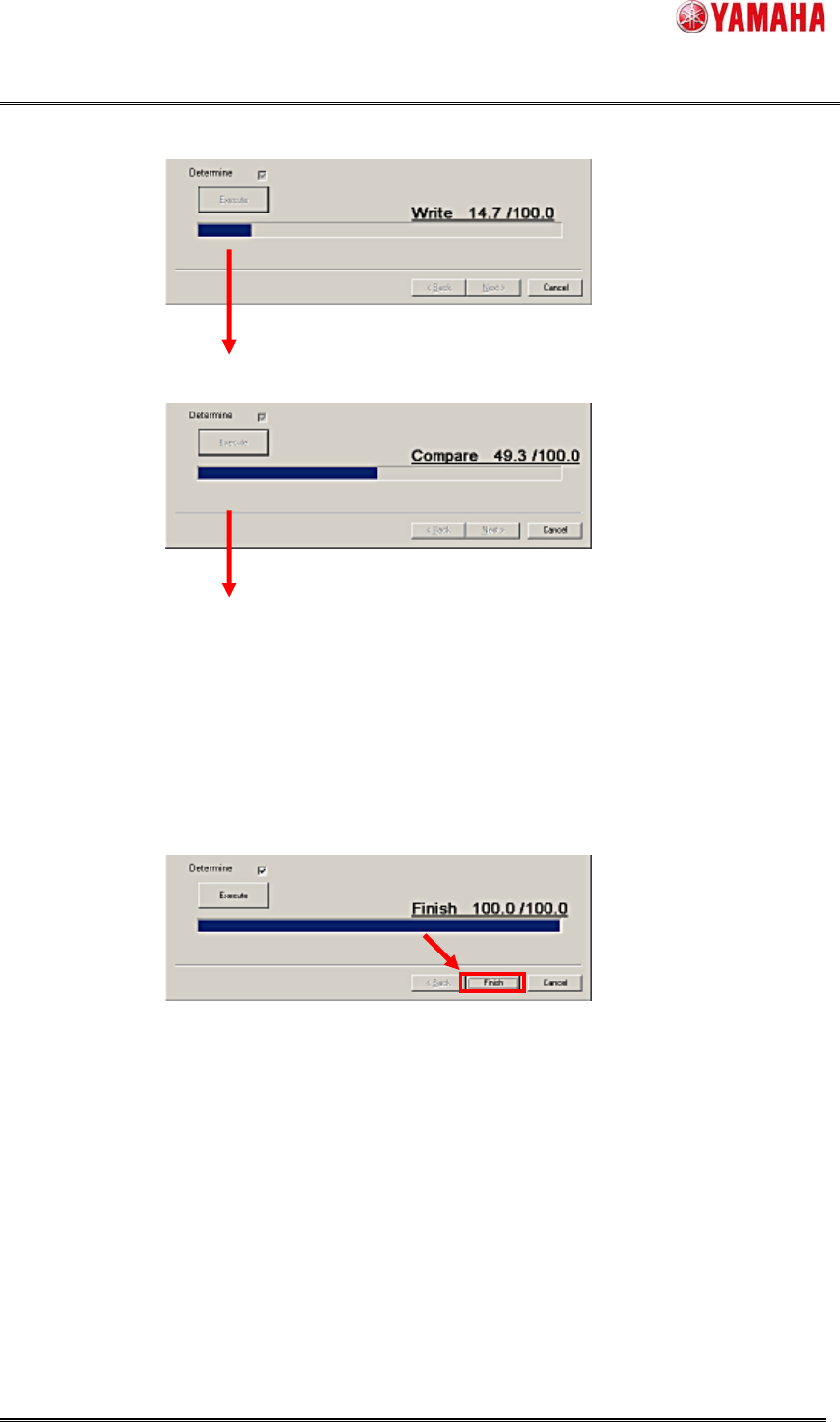
At first “Write”, then “Compare” will be executed.
It will take about 20 minutes.
Figure 3.9 Check [Determine] box
Figure 3.10 Click the [Execute] button to start.
The drive of FLASH DISK
Default Language
SMT Software Engineering Group
IM Operations
YAMAHA MOTOR CO., LTD.
MDOC-SOFT50111 The Procedure of System Software Install YAMAHA ENGLISH. 14/16
Figure 3.11 “Write”
Figure 3.12 “Compare”
8) Complete
When the “Compare” is finished, the System Software Installation is completed.
Figure 3.13 Finish the Installation
Finally, click the [Finish] button and complete.
SMT Software Engineering Group
IM Operations
YAMAHA MOTOR CO., LTD.
MDOC-SOFT50111 The Procedure of System Software Install YAMAHA ENGLISH. 15/16
4. Errors
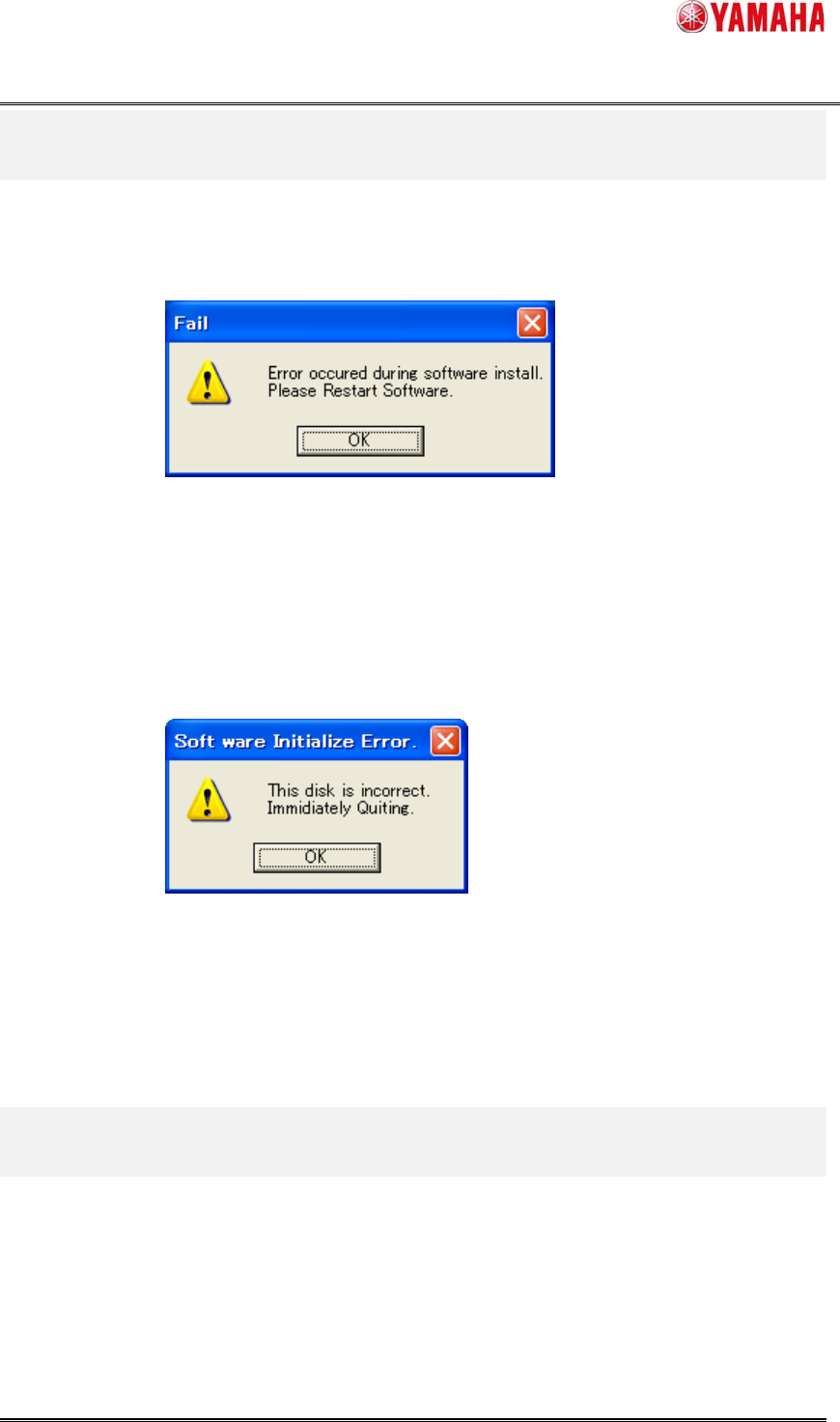
When error occurs during the installation, the following message appears.
Figure 4.1 the Error during installation.
Check the connection of the FLASH DISK, and execute the installation from the first step.
When error occurs at the beginning, the following message appears.
Figure 4.2 the Error at beginning.
It is possible that the System Install Disk is collapsed.
Try installation again, if NG, exchange the system install disk.
5. Restrictions
There is no restriction.