SOM-1750-001.pdf - 第14页
Tg0967-PM-SO 3. Example of Data Output (Component Shortage Output Function) (Machine to External Host Computer) 0309-001 13 (*1) When the alternate-designated feeder slot (destination) is already short of components, the…

Tg0967-PM-SO
3. Example of Data Output (Component Shortage Output Function) (Machine to External Host Computer)
0309-001 12
(1) Component Shortage Error at Feeder No. 101
The message "Feeder Alternate Mode Activated" appears on the
"Information" display.
The component shortage (alarm) data is transmitted to the external
host computer at the same timing.
The machine moves to Feeder No. 103 (destination for the alter-
nate mode) for component picks. (*1)
(2) Component Shortage Error at Feeder No. 103
The message "Feeder Alternate Mode Activated" appears on the
"Information" display.
The component shortage (alarm) data is transmitted to the external
host computer at the same timing.
The machine moves to Feeder No. 104 (destination for the alter-
nate mode) for component picks.
(3) Component Shortage Error at Feeder No. 104
The message "Feeder Alternate Mode Activated" appears on the
"Information" display.
The component shortage (alarm) data is transmitted to the external
host computer at the same timing.
The machine moves to Feeder No. 105 (destination for the alter-
nate mode) for component picks.
(4) Component Shortage Error at Feeder No. 105
The message "Feeder Alternate Mode Activated" appears on the
"Information" display.
The component shortage (alarm) data is transmitted to the external
host computer at the same timing.
The machine moves to Feeder No. 106 (destination for the alter-
nate mode) for component picks.
(5) Component Shortage Error at Feeder No. 106
The error message "COMP. MISSING (SENSOR)" is issued be-
cause component shortage errors have occurred at all objective
feeder Nos. for alternate linkage and the machine stops temporarily.
The component shortage (error) data is transmitted to the external
host computer at the same timing. In this case, the feeder slot data
for all objective slots for alternate linkage is sent out at the same
time.
Tg0967-PM-SO
3. Example of Data Output (Component Shortage Output Function) (Machine to External Host Computer)
0309-001 13
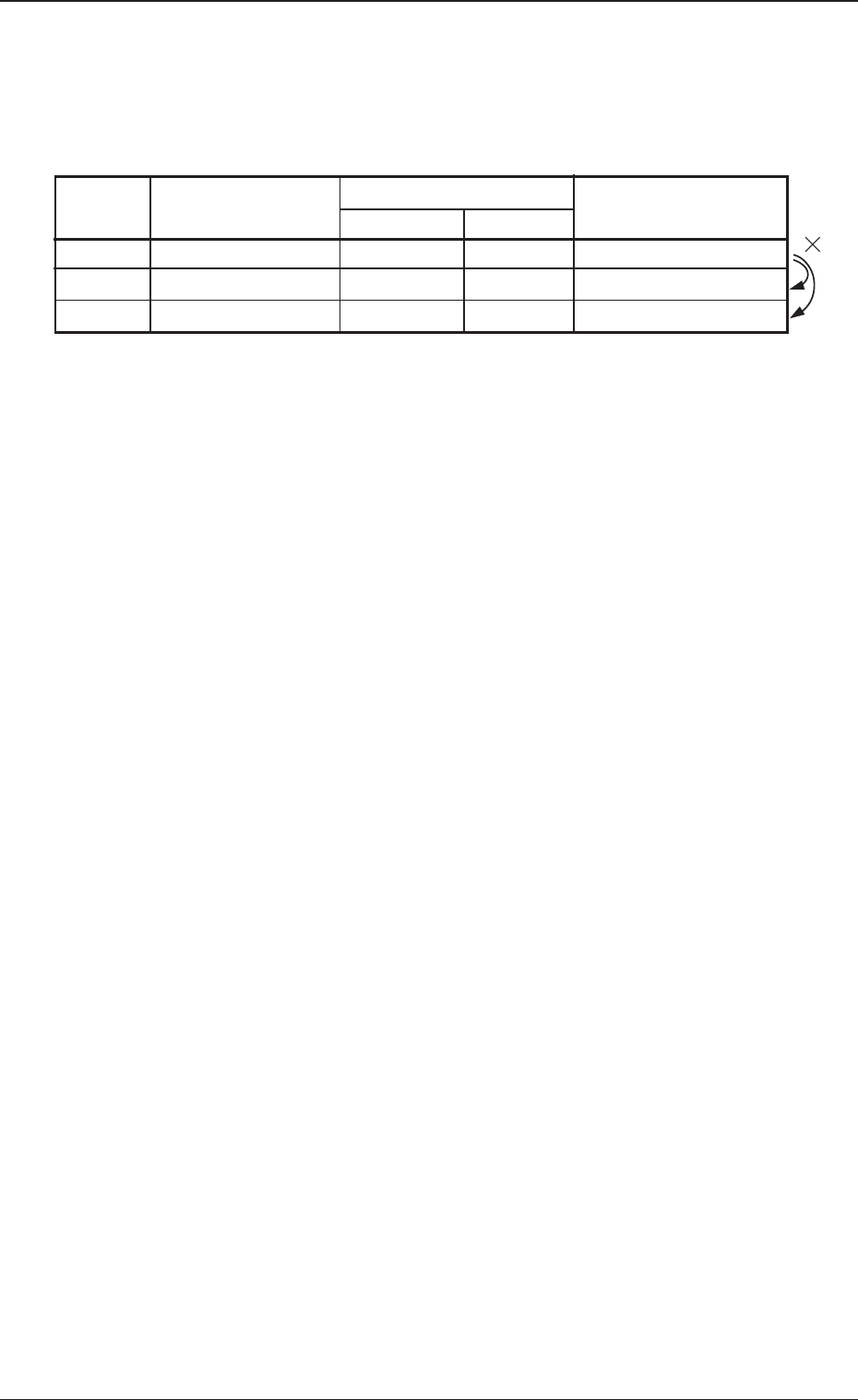
(*1) When the alternate-designated feeder slot (destination) is already
short of components, the machine selects another feeder slot.
Example: When the component data is specified as those in the
table, the machine selects Feeder No. 103.
Table 4
FDR. No. Component ID
Feeder Alternate
Mode FDR. No.
Status
101 C1005T05B0--- ENABLE 102 Component Shortage
102 C1005T05B0--- ENABLE 103 Component Shortage
103 C1005T05B0--- ENABLE 104 Component Existing
When the feeder at Feeder No. 102 is already short of components and
a component shortage error occurs at Feeder No. 101, the machine
selects Feeder No. 103 for component picks.
Ref.: Feeder No. 102 is bypassed.
Tg0967-PM-SO
4. Operation Window
0309-001 14
4. Operation Window
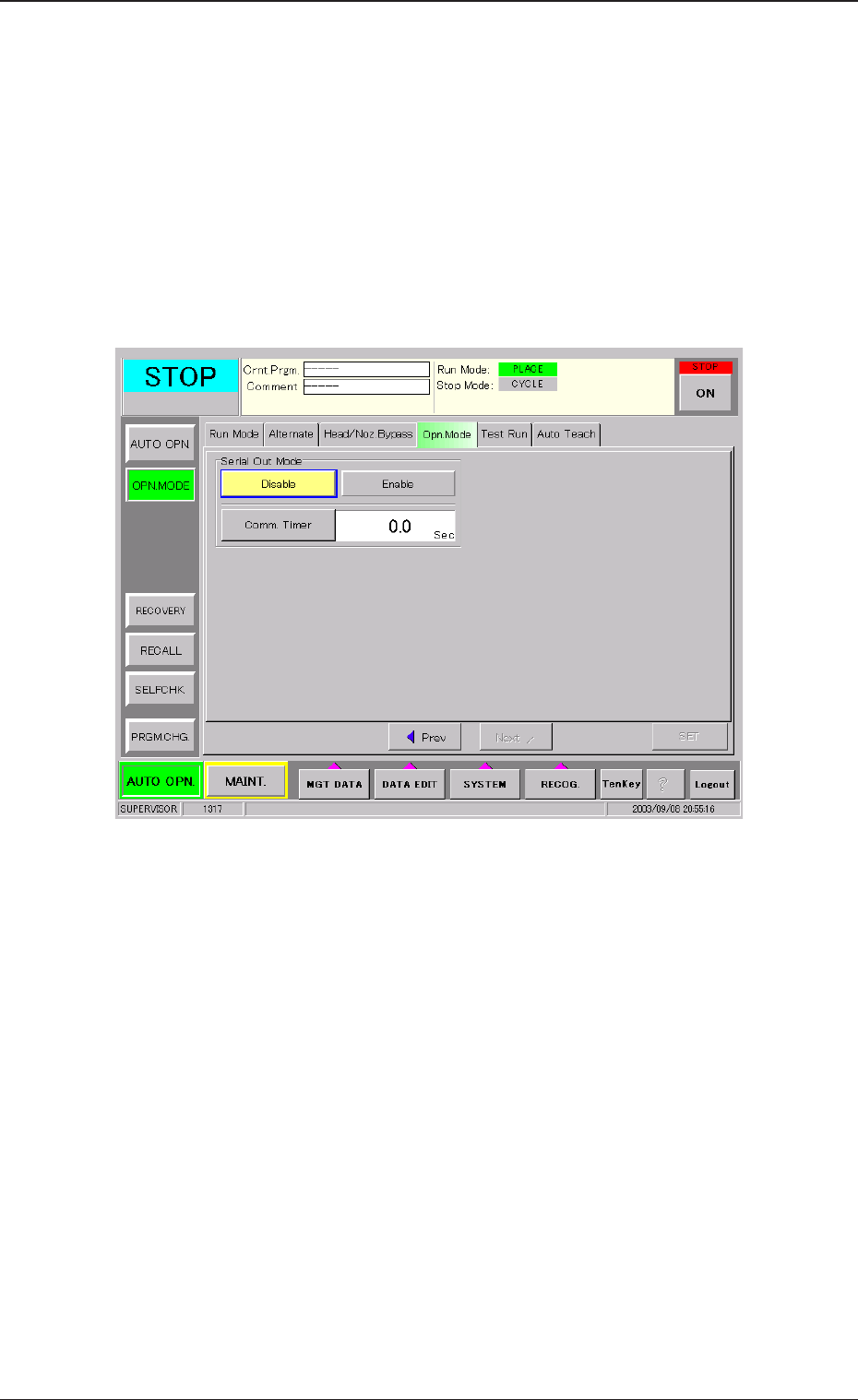
4.1 Serial Out Mode Setting
Here, the Serial Out Mode is set.
When the [Opn. Mode] tab is pressed in the "OPN MODE" submenu
window and then the [Next] button is pressed, the following tab sheet
appears.
Fig. 6
Serial Out Mode
Set [Enable] or [Disable] in the "Serial Out Mode" group box.
[Enable]: The function is available. The component shortage data is
output to the external device (Host).
[Disable]: The function is not available. The component shortage data
is not output.
Comm. Timer
The response time, after the component shortage data is output from
the device to the external device, is set. If the response is not re-
ceived within the above set time frame, the data will be deleted.
Setting Range: 0.1 to 20.0 seconds (Unit: 0.1 sec.)