SOM-1750-001.pdf - 第16页
Tg0967-PM-SO 4.2 Setting of the Device to be Connected (Host) 0309-001 15 4.2 Setting of the Device to be Connected (Host) The data is set for connecting to the external device (Host). When the [SYSTEM] button in the mai…
Tg0967-PM-SO
4. Operation Window
0309-001 14
4. Operation Window
4.1 Serial Out Mode Setting
Here, the Serial Out Mode is set.
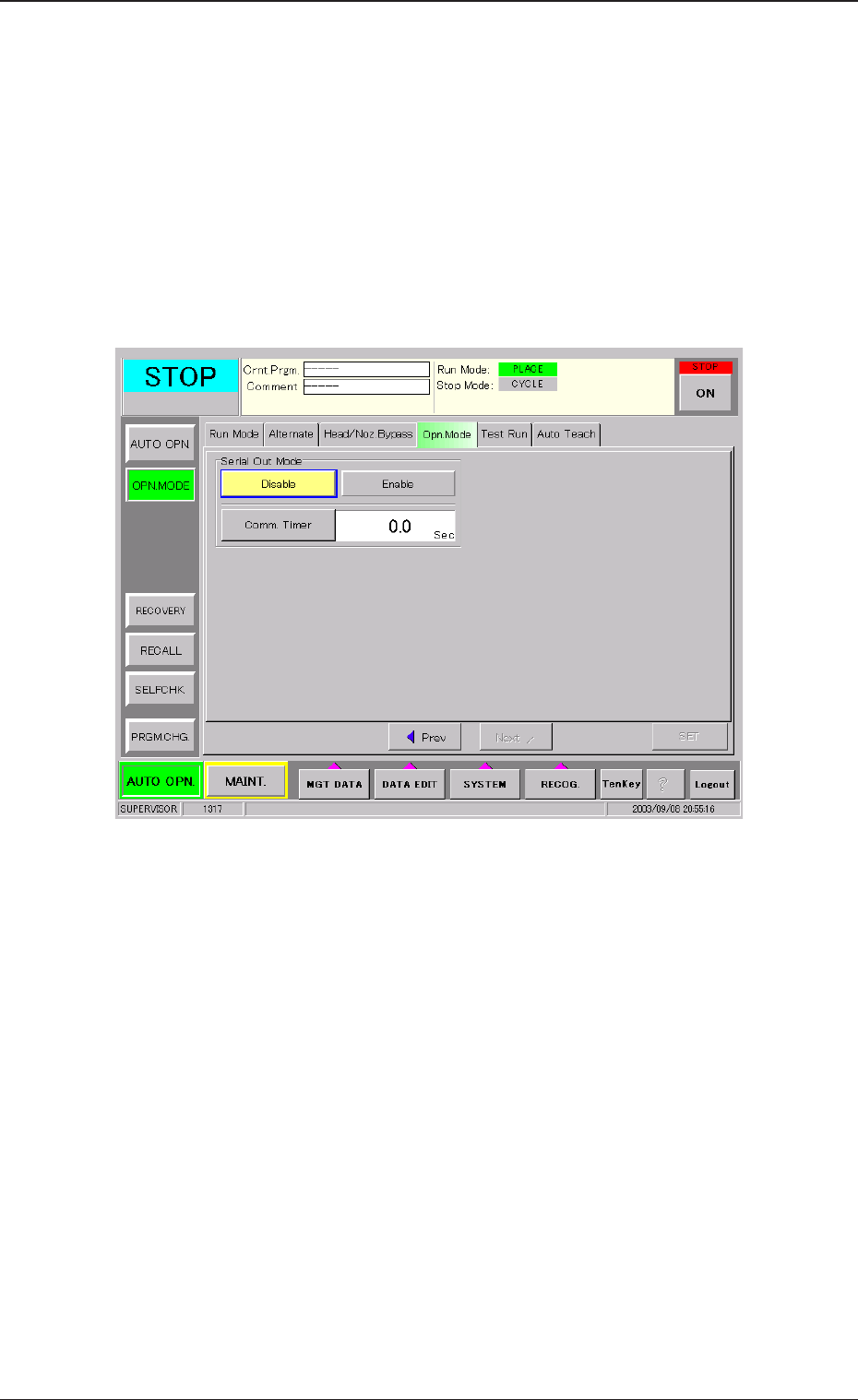
When the [Opn. Mode] tab is pressed in the "OPN MODE" submenu
window and then the [Next] button is pressed, the following tab sheet
appears.
Fig. 6
Serial Out Mode
Set [Enable] or [Disable] in the "Serial Out Mode" group box.
[Enable]: The function is available. The component shortage data is
output to the external device (Host).
[Disable]: The function is not available. The component shortage data
is not output.
Comm. Timer
The response time, after the component shortage data is output from
the device to the external device, is set. If the response is not re-
ceived within the above set time frame, the data will be deleted.
Setting Range: 0.1 to 20.0 seconds (Unit: 0.1 sec.)
Tg0967-PM-SO
4.2 Setting of the Device to be Connected (Host)
0309-001 15
4.2 Setting of the Device to be Connected (Host)
The data is set for connecting to the external device (Host).
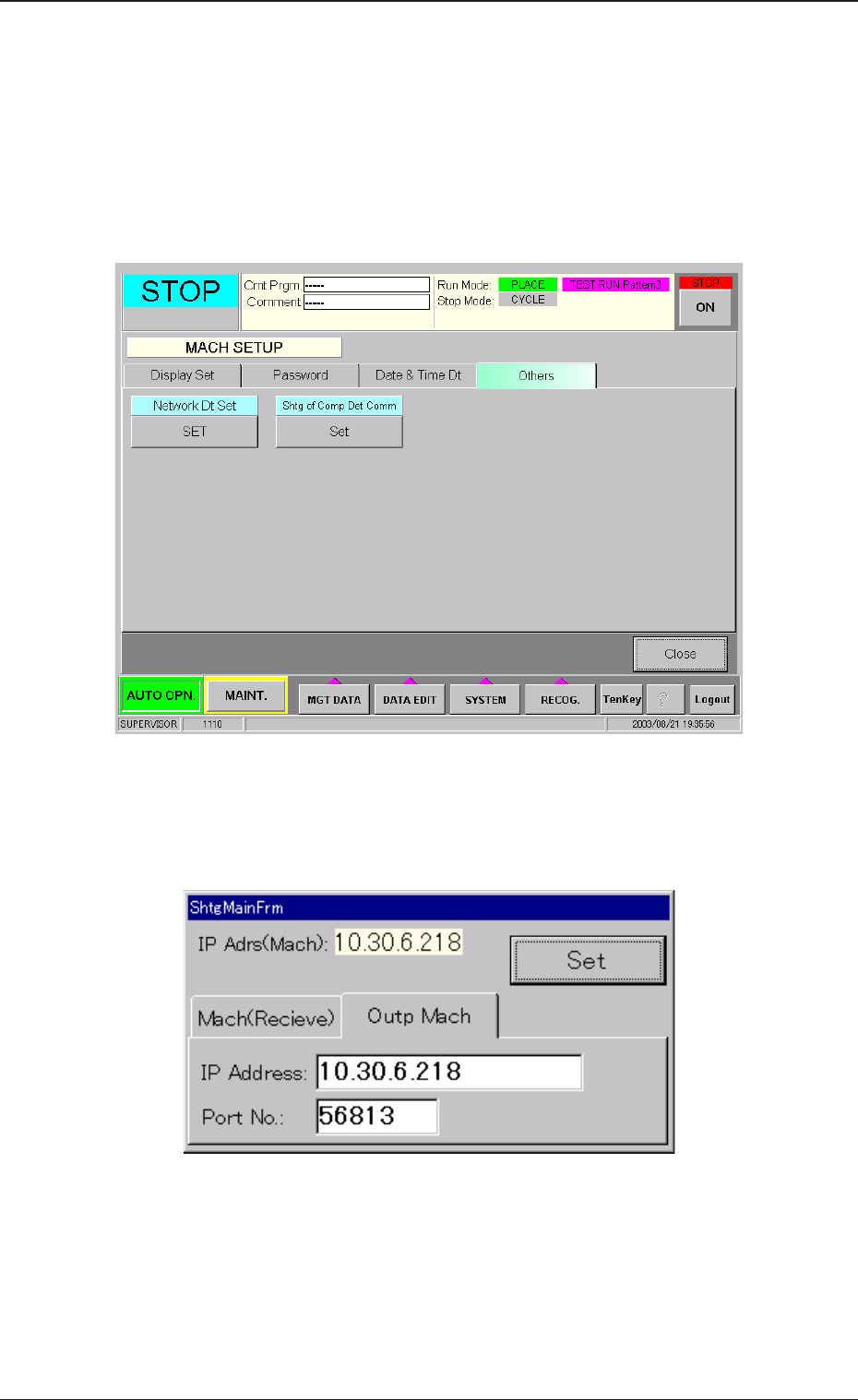
When the [SYSTEM] button in the main menu bar is pressed, the "MACH
SETUP" window appears. Then, when the [Others] tab is pressed, the
following tab sheet appears.
Fig. 7
Shtg of Comp Det Comm
When the [Set] button is pressed, the following window appears.
Fig. 8
Press the [Outp Mach] tab and set the "IP Address" (Host name) and
Port No.
IP Address : Set the IP address of the device to be connected (Host).
Port No. : Set "56813".

1st Edition Issued Sep., 2003 Copying Prohibited
Compiled and Distributed by
0309-001
Tg0967-PM-SO