Printer 710_810 v8 Sensors.pdf - 第9页
SENSOR S REED SWITC H SENS OR Chapter Issue 2 Oct 06 Technical Reference Manual 31.9 REED SWITCH SENSOR Descriptio n A reed switch is activated by a magnet fi tted to either t he piston or drive shaf t of the actuat or .…

SENSORS
CAPACITIVE PROXIMITY SENSOR
31.8 Technical Reference Manual Chapter Issue 2 Oct 06
Testing/
Adjustment
Figure 31-9 Voltage Diagram
Setting Up
Procedure
The procedure for setting up the capacitive proximity sensor is fully detailed in
the Paste Dispenser System chapter of this manual, (Adjustments and Settings
section).
Node Absent Present Absent
12V
0V
Off OffOn
Operation Indicator
Signal
SENSORS
REED SWITCH SENSOR
Chapter Issue 2 Oct 06 Technical Reference Manual 31.9
REED SWITCH SENSOR
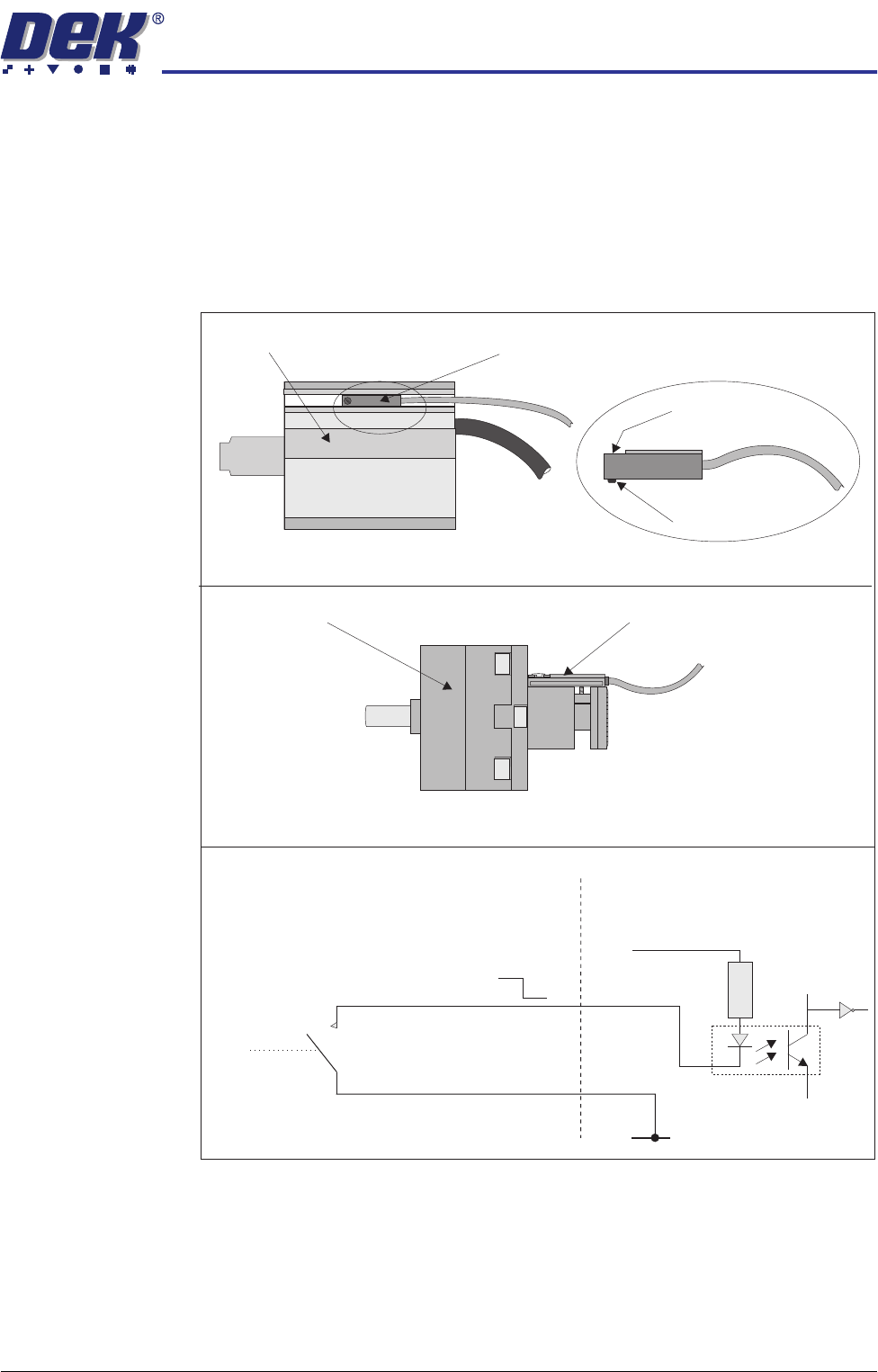
Description A reed switch is activated by a magnet fitted to either the piston or drive shaft
of the actuator. One side of the switch is connected to the input, the other side
of the reed switch is connected to 0V. The input is connected to +12V via a pull
up resistor, so under normal conditions the input is pulled high. When the reed
switch is activated by a magnet, the reed switch closes and pulls the input down
to 0V (low).
Figure 31-10 Reed Switch Schematic
Digital Input
V+ (User)
Opto-isolator
(Red)
(Black)
1K8
0V (User)
12V
0V
N0
(normally open)
Locking Screw
Sensor
Pneumatic Cylinder Reed Switch
Pneumatic Cylinder with Reed Switch
Rotary Actuator
Rotary Actuator with Reed Switch
Board Stop In Reed Switch

SENSORS
REED SWITCH SENSOR
31.10 Technical Reference Manual Chapter Issue 2 Oct 06
Testing/
Adjustment
Setting of the sensor is necessary in order to:
• Ensure that switching takes place in the correct position
• Ensure correct sensing, ie closing when piston extended/retracted
NOTE
For adjustment of ProFlow cassette low sensor refer to ProFlow chapter of this
manual.
Figure 31-11 Voltage Diagram
Magnetic Piston Retracted Extended Retracted
12V
0V
Closed ClosedOpen
Reed Switch
Signal