TK29609.Auto Scale Correction.pdf - 第4页
SMT Software Engineering Group IM Operations Y AMAHA MOTOR CO., L TD MDOC-SOFT50390 4/8 3.2. Machine Setting Make settings of Auto Scale Correction on [Machine] - [Machine Data] – [Mechanical ] – [Position/S pec…
SMT Software Engineering Group
IM Operations YAMAHA MOTOR CO., LTD
MDOC-SOFT50390
3/8
3. Setting Method
Settings to use this function are as follows.
3.1. Board data
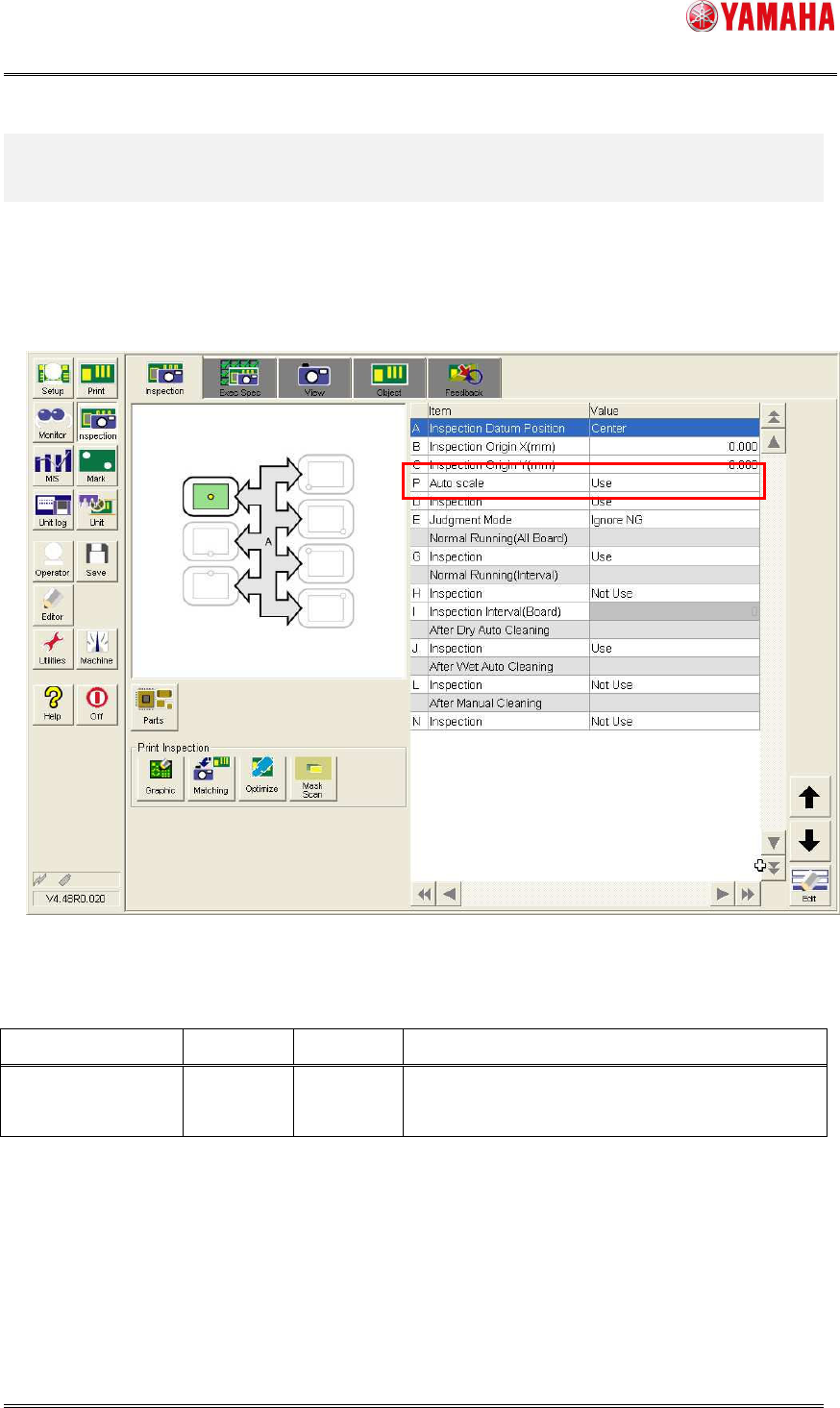
On the [Inspection] - [Inspection] tab, set [Auto scale] to “Use”.
Fig 3.1 [Inspection] - [Inspection] screen
Table 3.1 Board data setting item
Item Default Range Description
Auto Scale Not Use Not Use
Use
Select use or not use “Auto Scale Correction”.
SMT Software Engineering Group
IM Operations YAMAHA MOTOR CO., LTD
MDOC-SOFT50390
4/8
3.2. Machine Setting
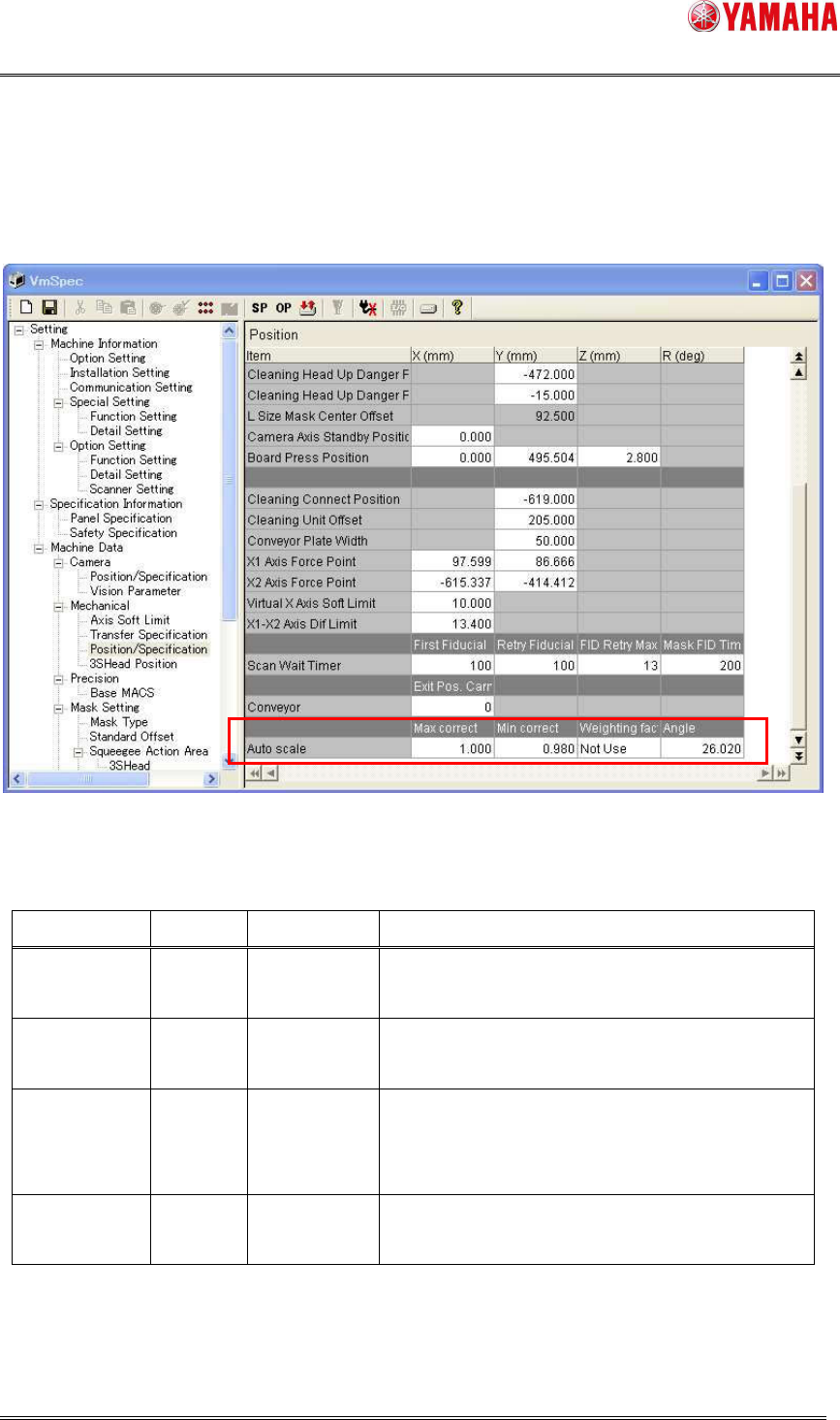
Make settings of Auto Scale Correction on [Machine] - [Machine Data] – [Mechanical] –
[Position/Specification].
Fig 3.2 Position/Specification
Table 3.2 Auto Scale Correction setting
Item Default Range Description
Max correct 1.000 -9999.999
~9999.999
Maximum value of scale correction
Min correct 0.980 -9999.999
~9999.999
Minimum value of scale correction
Weighting
factor
Not Use Not Use
Use
Coefficient is considered at calculation of
scale correction value according to solder
number. (*)
Angle 26.020 -9999.999
~9999.999
Angle of the inspection camera view
(*) If there are only few inspection objects in a view, print position gap may be wrongly
judged as scale gap, and the inspection results may be incorrect. In that case, use
“Weighting factor”.
SMT Software Engineering Group
IM Operations YAMAHA MOTOR CO., LTD
MDOC-SOFT50390
5/8
4. Operation Details
4.1. Operation at print inspection
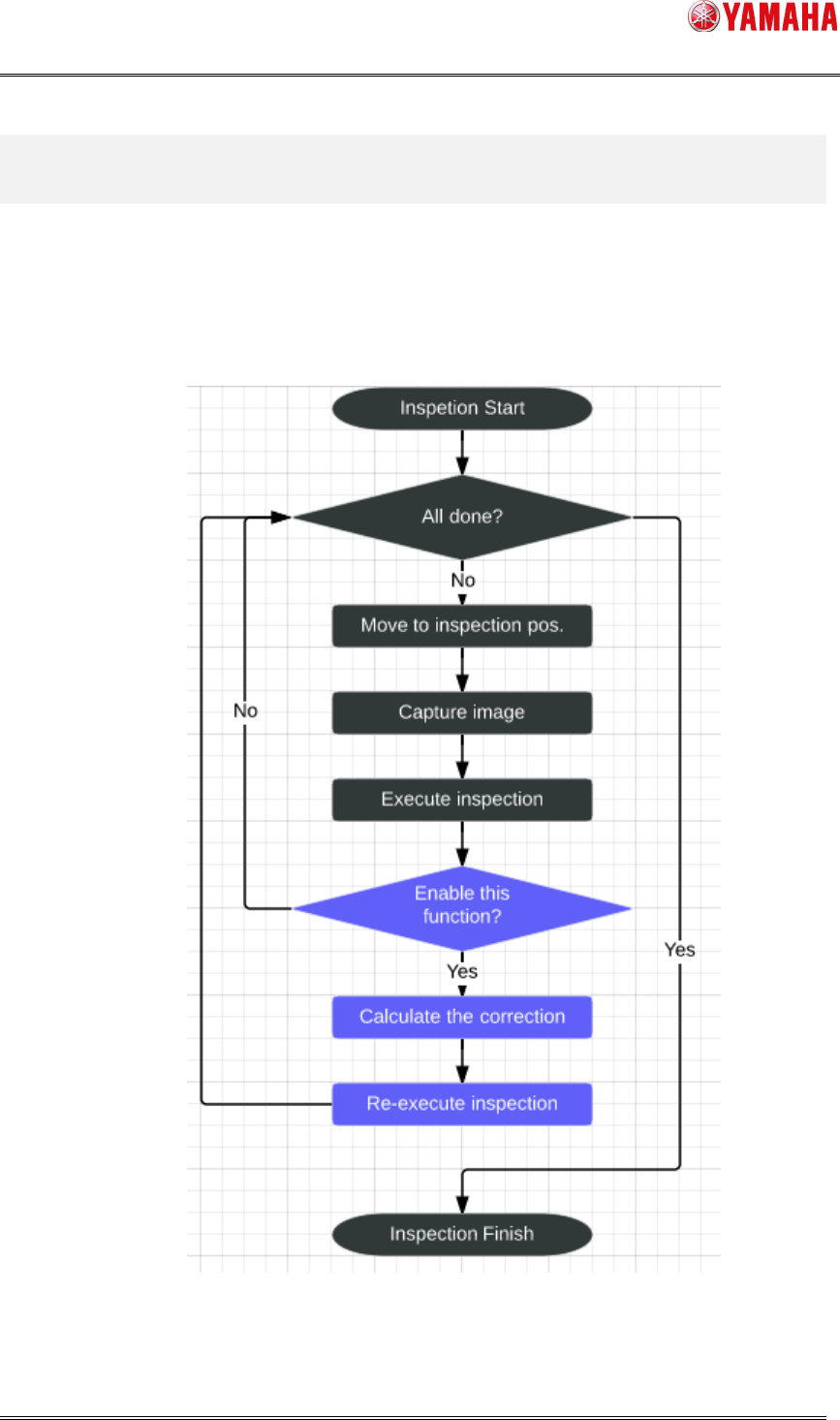
Auto Scale Correction works at Print Inspection and Test Print during auto-running.
The below is the chart of print inspection.
*The processes in blue are added for this function.
Fig 4.1 Auto Scale Correction Flow Chart