TK29609.Auto Scale Correction.pdf - 第6页
SMT Software Engineering Group IM Operations Y AMAHA MOTOR CO., L TD MDOC-SOFT50390 6/8 4.2. How to acquire au to scale c orrection value (1) First, each solder positio n is measured without scale correction. Fi…
SMT Software Engineering Group
IM Operations YAMAHA MOTOR CO., LTD
MDOC-SOFT50390
5/8
4. Operation Details
4.1. Operation at print inspection
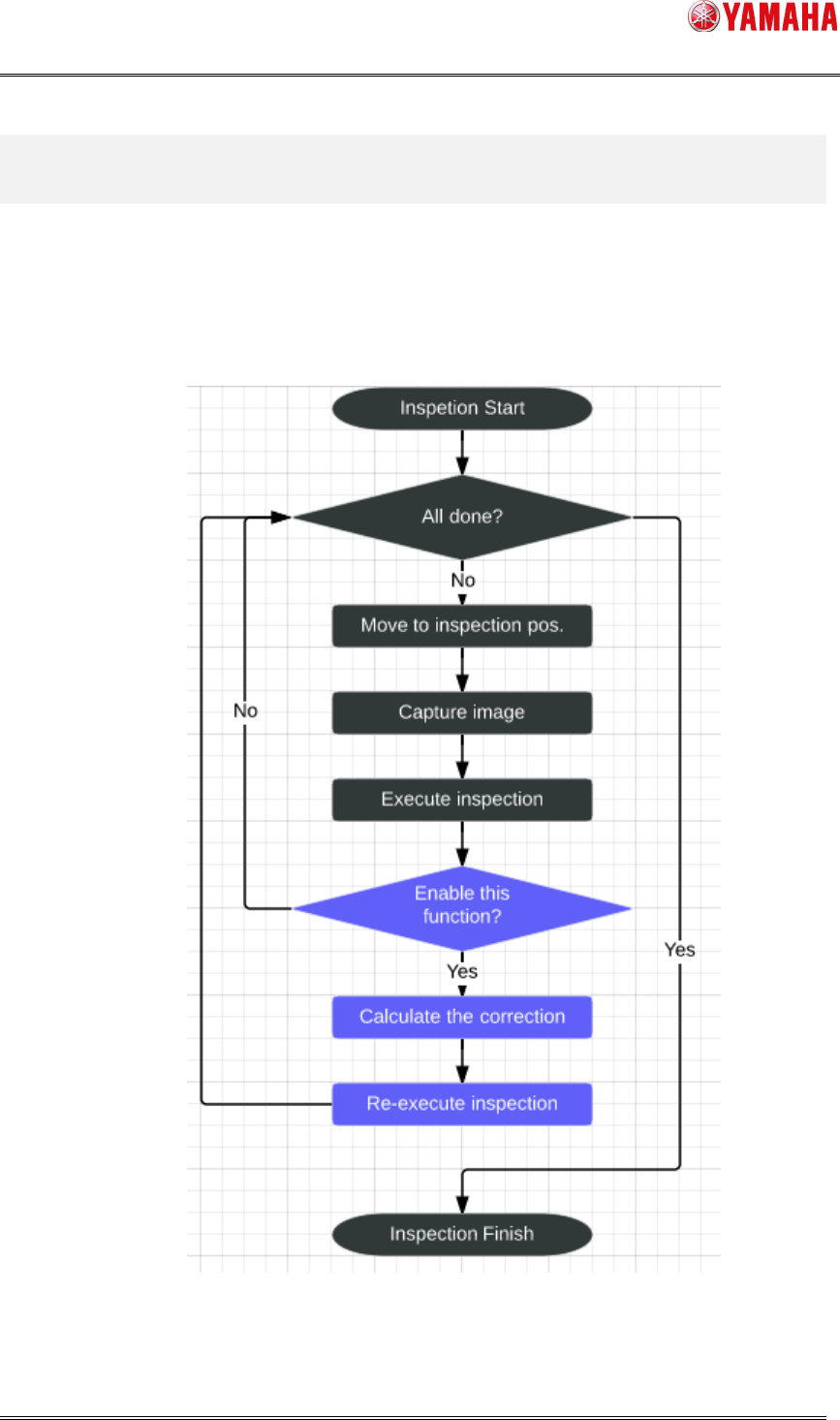
Auto Scale Correction works at Print Inspection and Test Print during auto-running.
The below is the chart of print inspection.
*The processes in blue are added for this function.
Fig 4.1 Auto Scale Correction Flow Chart
SMT Software Engineering Group
IM Operations YAMAHA MOTOR CO., LTD
MDOC-SOFT50390
6/8
4.2. How to acquire auto scale correction value
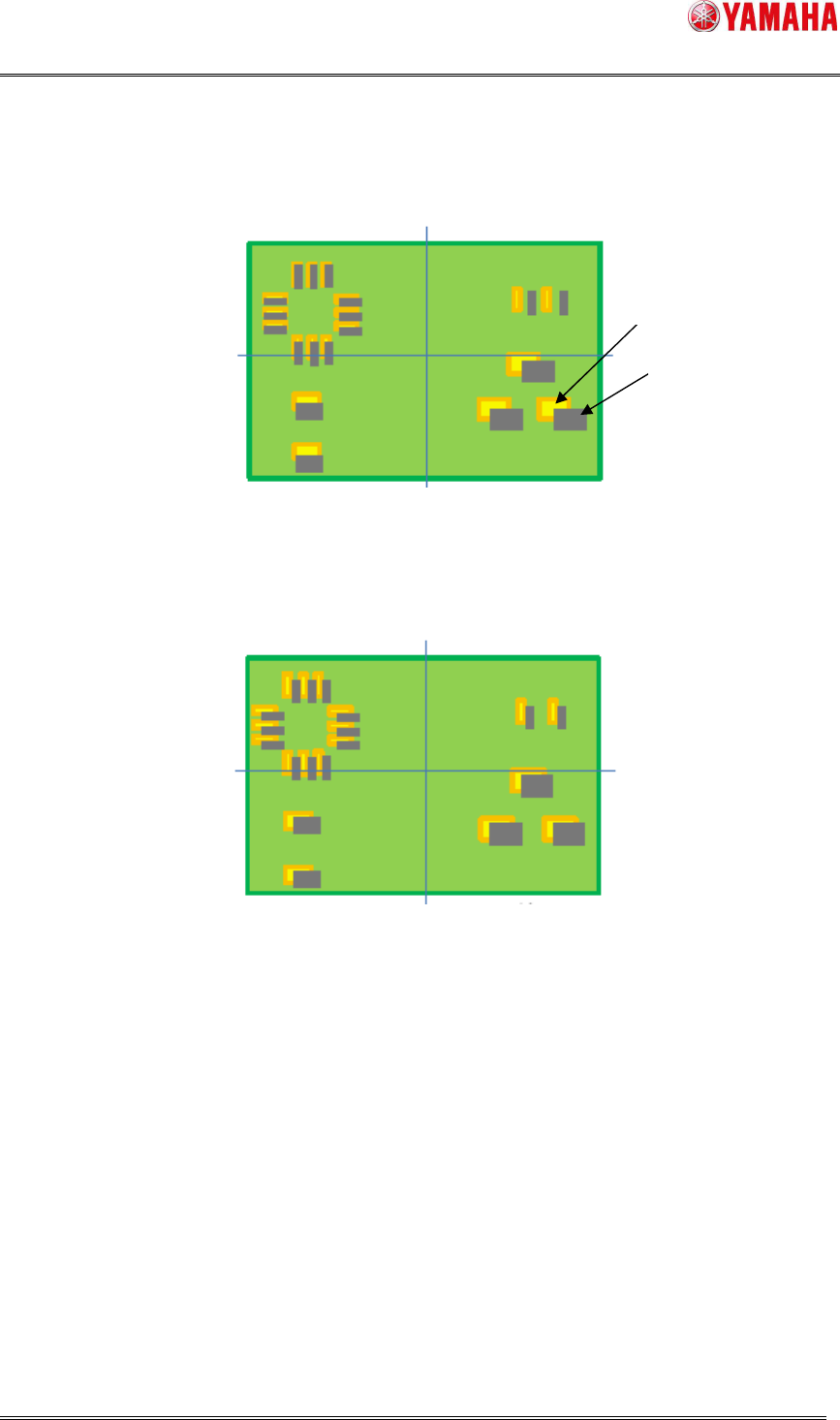
(1) First, each solder position is measured without scale correction.
Fig 4.2 1
st
measurement (without corrected)
(2) Scale correction value is calculated based on gap of the solder positions.
(3) Solder positions are measured again considering the correction value.
Fig 4.3 2
nd
measurement (with corrected)
4.3. Utility
4.2.1. [View Test] button
Auto scale correction works when [View Test] is executed on the [Inspection] – [View] –
[Adjust] screen.
4.2.2. [Object Test] button
Auto scale correction works when [Object Test] is executed on the [Inspection] – [Object]
– [Adjust] screen.
Solder
Pattern
SMT Software Engineering Group
IM Operations YAMAHA MOTOR CO., LTD
MDOC-SOFT50390
7/8
4.4. Log saving
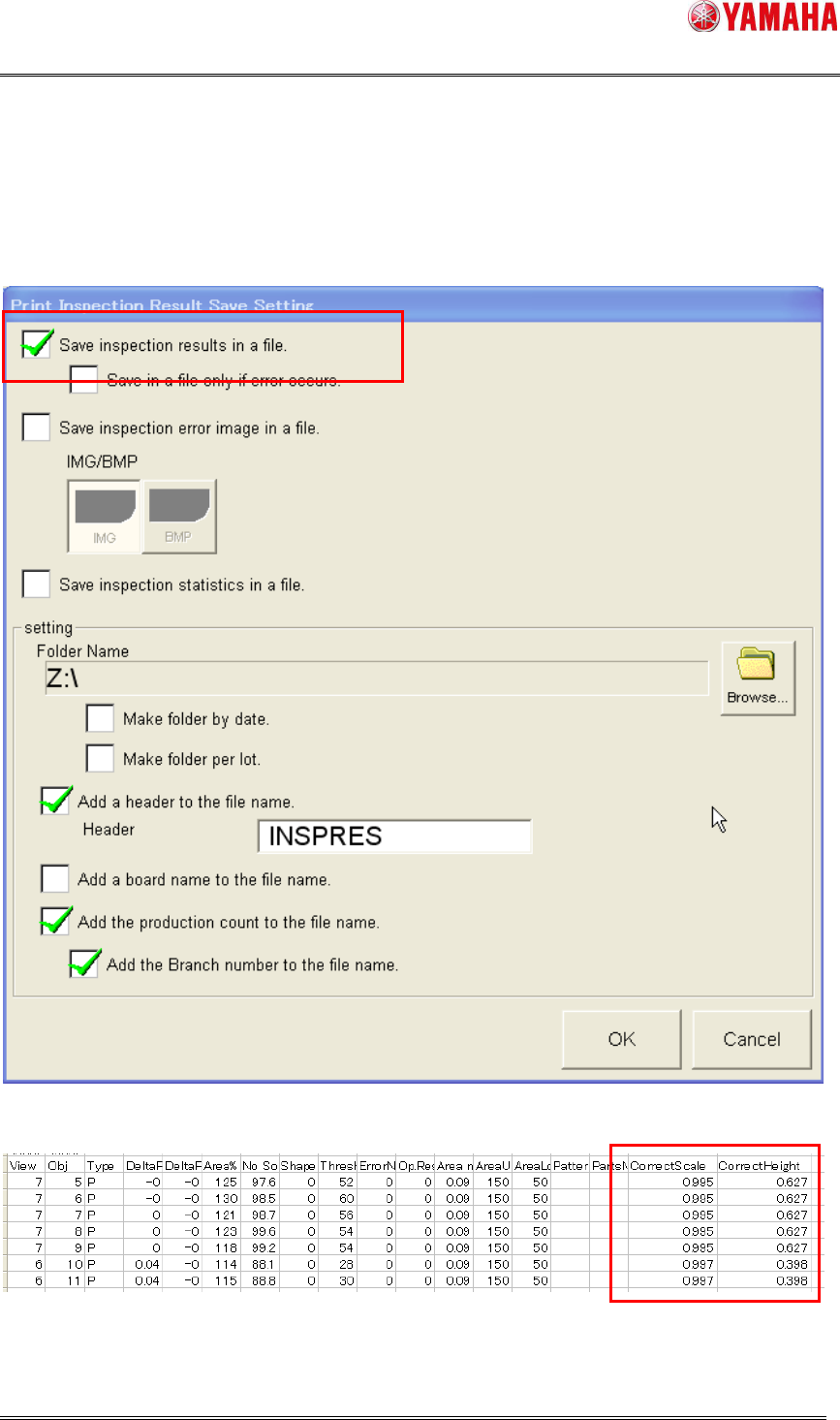
Scale correction value of each view and gap of the imaging area height are output to the
inspection result file.
Fig 4.4 [Software Setting] – [Model] – [Print Inspection]
Fig 4.5 Inspection result file