00196038-0102.pdf - 第19页
Eliminating contact problems with ODU conne ctors MTC2 07/2008 Edition 19 : Remove the springs (2 on the lef t, 2 on the right). 2 : Insert the new bolts into their seat from above. 2 : Fit the new plug-in connector pl a…
Eliminating contact problems with ODU connectors MTC2
07/2008 Edition
18
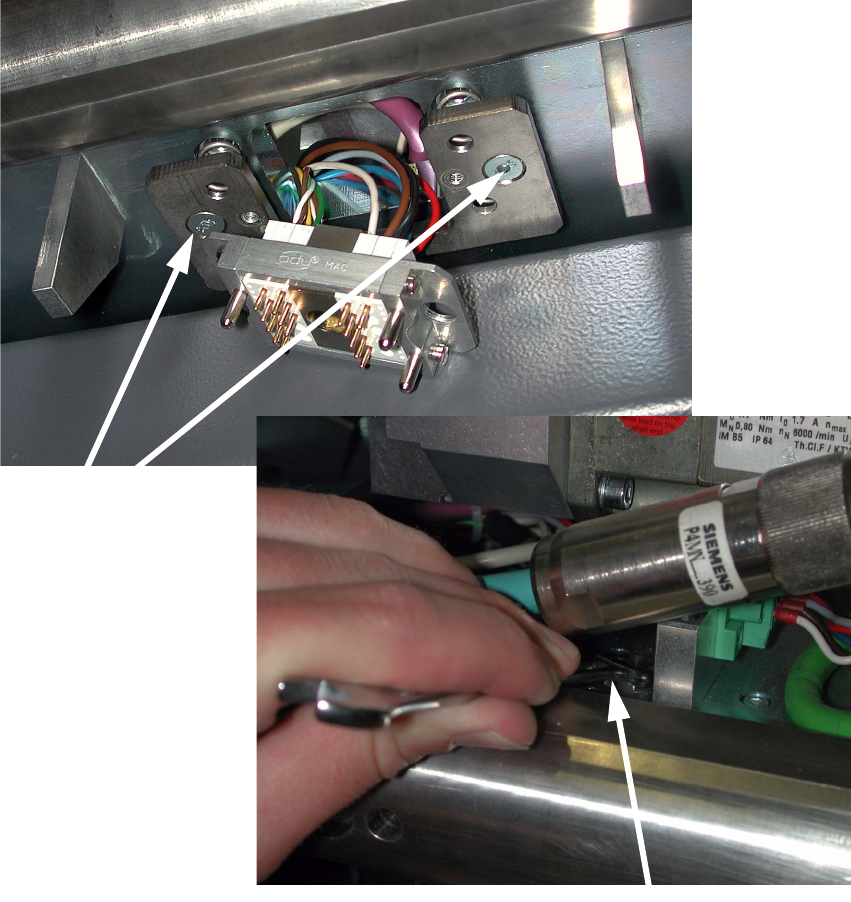
: Unscrew the plug-in connector plate (2 screws).
To do this, hold the bolts with the size 8 fork wrench.
2
2
2
2
2
2
2 screws 2
Hold bolt with fork wrench 2
Eliminating contact problems with ODU connectors MTC2
07/2008 Edition
19
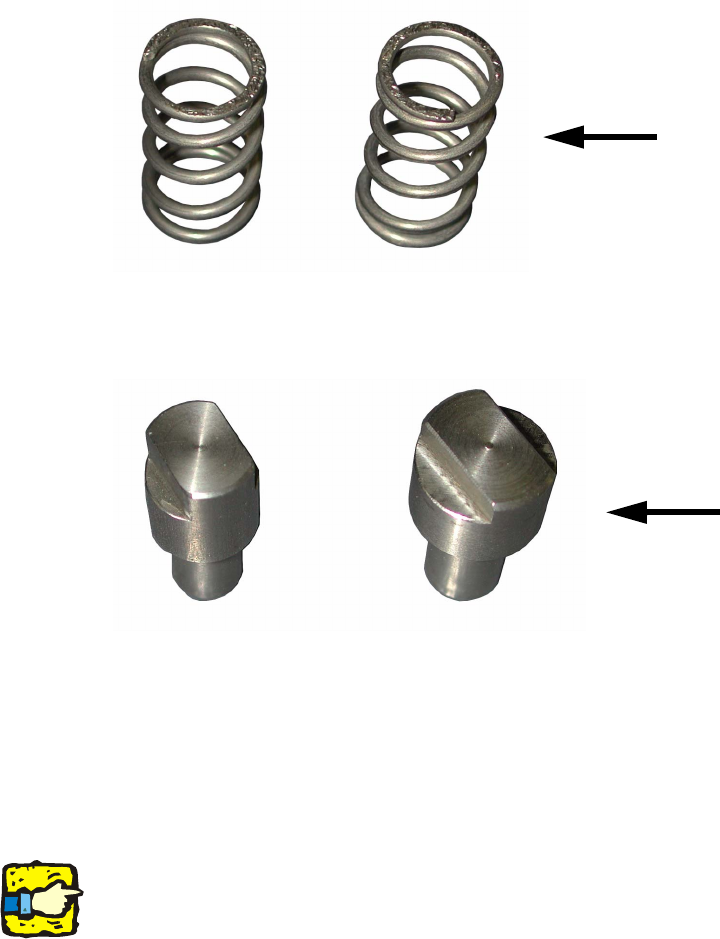
: Remove the springs (2 on the left, 2 on the right).
2
: Insert the new bolts into their seat from above.
2
: Fit the new plug-in connector plate (the milled-out side must be on the inside as the springs
are seated in this recess).
Use the new screws with new washers.
: Insert the springs into their seat.
: Screw the connector to the plug-in connector plate.
2
The plug-in connector plate and connector must be loosely mounted so that they can engage in
the connector mating part. 2
2
: Push the top cover plate over the connector and screw it in place
(1 screw).
: Place the large cover plate on the Y traveling range of the MTC and screw it in place (6
screws).
2
Springs
New bolts
Eliminating contact problems with ODU connectors MTC2
07/2008 Edition
20