00197962-01_2nd_HMI_and_Tower_Light_en.pdf - 第15页
Installing a Second Human Machine Interface 2.3.1 Step 1: Removing the Base Machine Metal Covers Installing the Cable Branch into the Base Machine Assembly Instructions SIPLACE E 15 2.3 2 . 3 I n s t a llin g t h e C a b…
Installing a Second Human Machine Interface
Parts
14 Assembly Instructions SIPLACE E
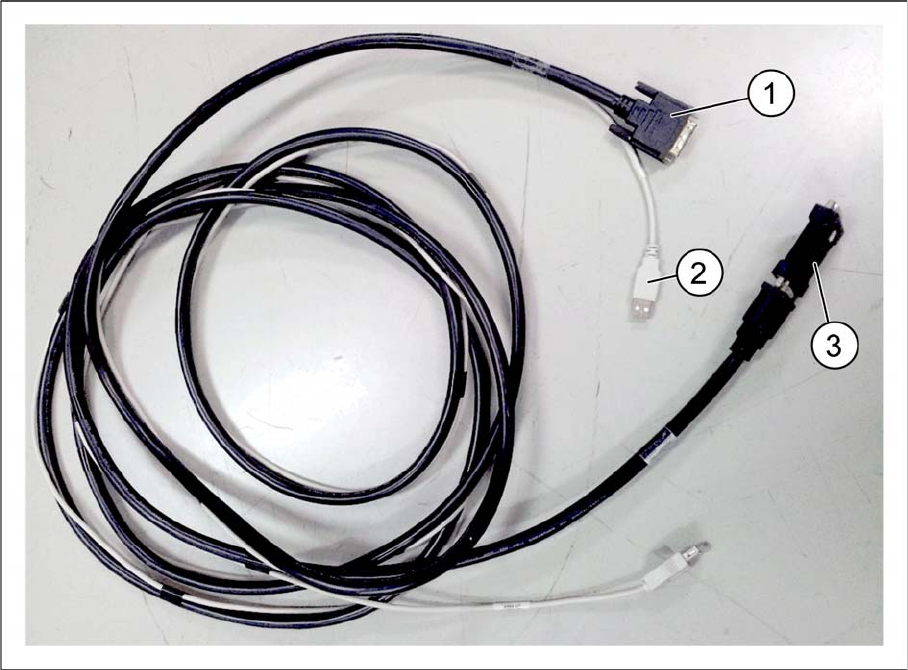
▪ Cable branch, option, Loc2 HMI extension [03107735-xx]
1. Cable, DVI extension: monitor 2 [03102207-xx]
2. Cable, USB: touch screen 2 [03102211-xx]
3. DVI-I F-F Adapter SZ-2011-061 [03107429-xx]
Installing a Second Human Machine Interface
2.3.1 Step 1: Removing the Base Machine Metal Covers Installing the Cable Branch into the Base Machine
Assembly Instructions SIPLACE E 15
2.3
2.3 Installing the Cable Branch into the Base Machine
Installing the Cable Branch into the Base Machine
2.3.1
2.3.1 Step 1: Removing the Base Machine Metal Covers
Step 1: Removing the Base Machine Metal Covers
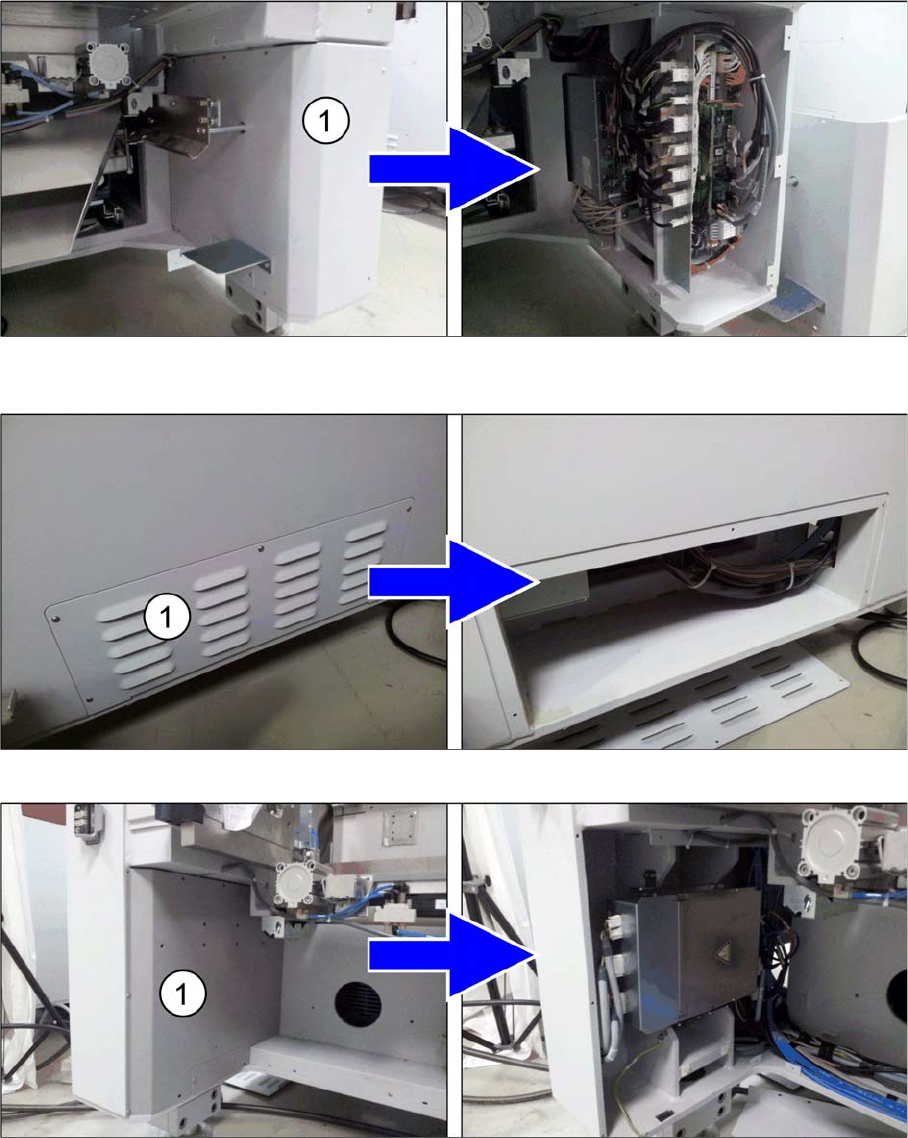
► Pull out the movable feeder table at the location 2 side of the machine.
► Pull out the fixed feeder table and the movable feeder table at both sides of the machine.
► Remove the metal cover (1) at the bottom right on the fixed table side of the machine to access the
BoxPC.
► Remove the metal cover (1) at the bottom right side of the machine behind the BoxPC.
► Remove the metal cover (1) at the bottom left on the movable table side of the machine (location 2).
Installing a Second Human Machine Interface
Installing the Cable Branch into the Base Machine 2.3.1 Step 1: Removing the Base Machine Metal Covers
16 Assembly Instructions SIPLACE E
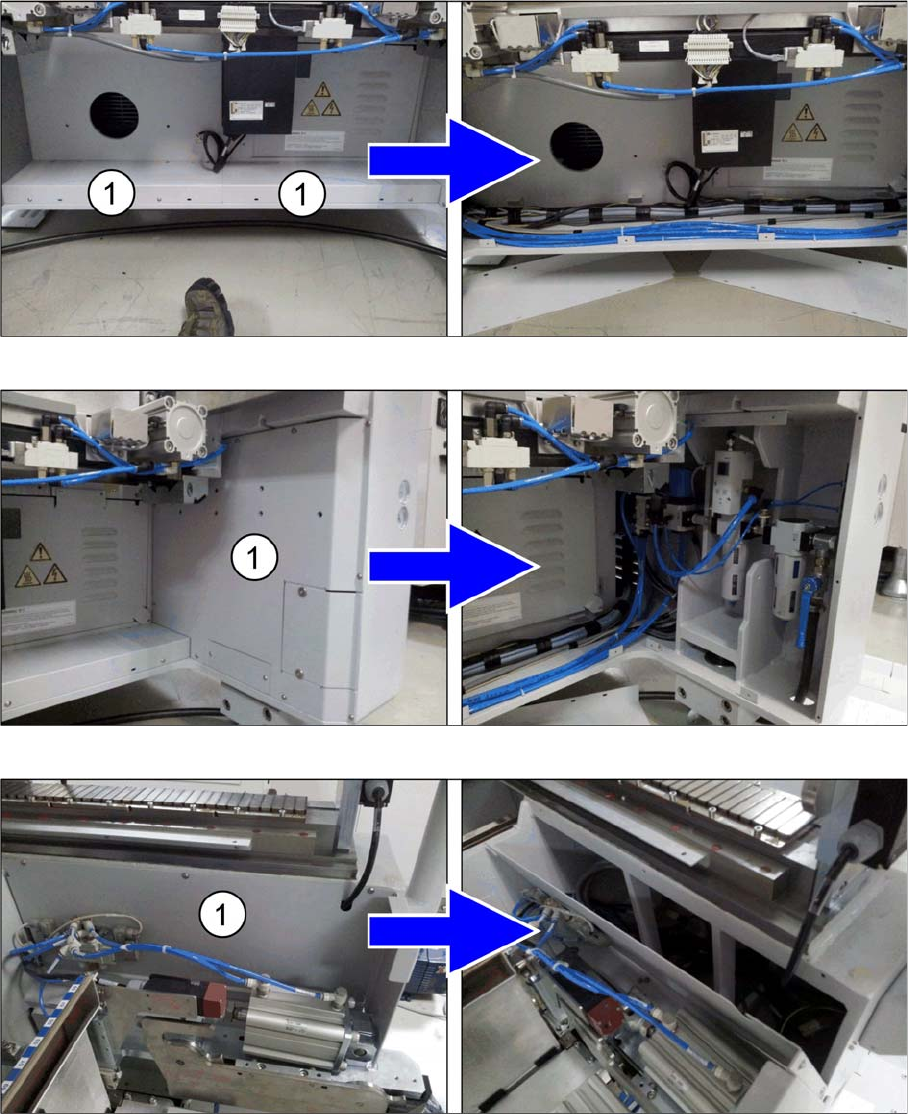
► Remove the metal covers (1) at the bottom on the movable table side of the machine.
► Remove the metal cover (1) at the bottom right on the movable table side of the machine (location 2).
► Remove the metal cover (1) at the top right on the movable table side of the machine (location 2).