TM1998_Stride Board Buffering Function.pdf - 第4页
SMT Software Engineeri ng Group IMOperationsYAMAHAMOTORCO. ,LTD. MDOC-SOFT 50038-001 4/12 D) Aboutthedisp layo fEna bleorDisablestateofthi sfunction The Enable / Disabl…
SMT Software Engineering Group
IMOperationsYAMAHAMOTORCO.,LTD.
MDOC-SOFT50038-0013/12
4.BasicSpecifications
A) Abouttheproductionboardcount
The number of produced board is counted up when the board reaches at the exit position
as before. When this function is used, the number of produced board is counted up when
the board reaches at the exit sensor because the board cannot be stopped and be
transferred to the downstream machine.
B) Aboutthelog
When there is a board between the downstream machine and the upstream machine (“the
board wait striding the machine” state), the board is treated as a board of the downstream
machine. Therefore, the transfer time from the “the board wait striding the machine” state to
the board fixing position, is measured as transfer cycle time of the downstream machine.
The transfer time of the upstream machine is displayed by reaching time to the exit position
as before.
C) Abouttherecoverymethodafterthetransfererror
When the transfer error occurred, according to the instructions of the error message, please
move the board to the transfer destination position and restart auto-running.
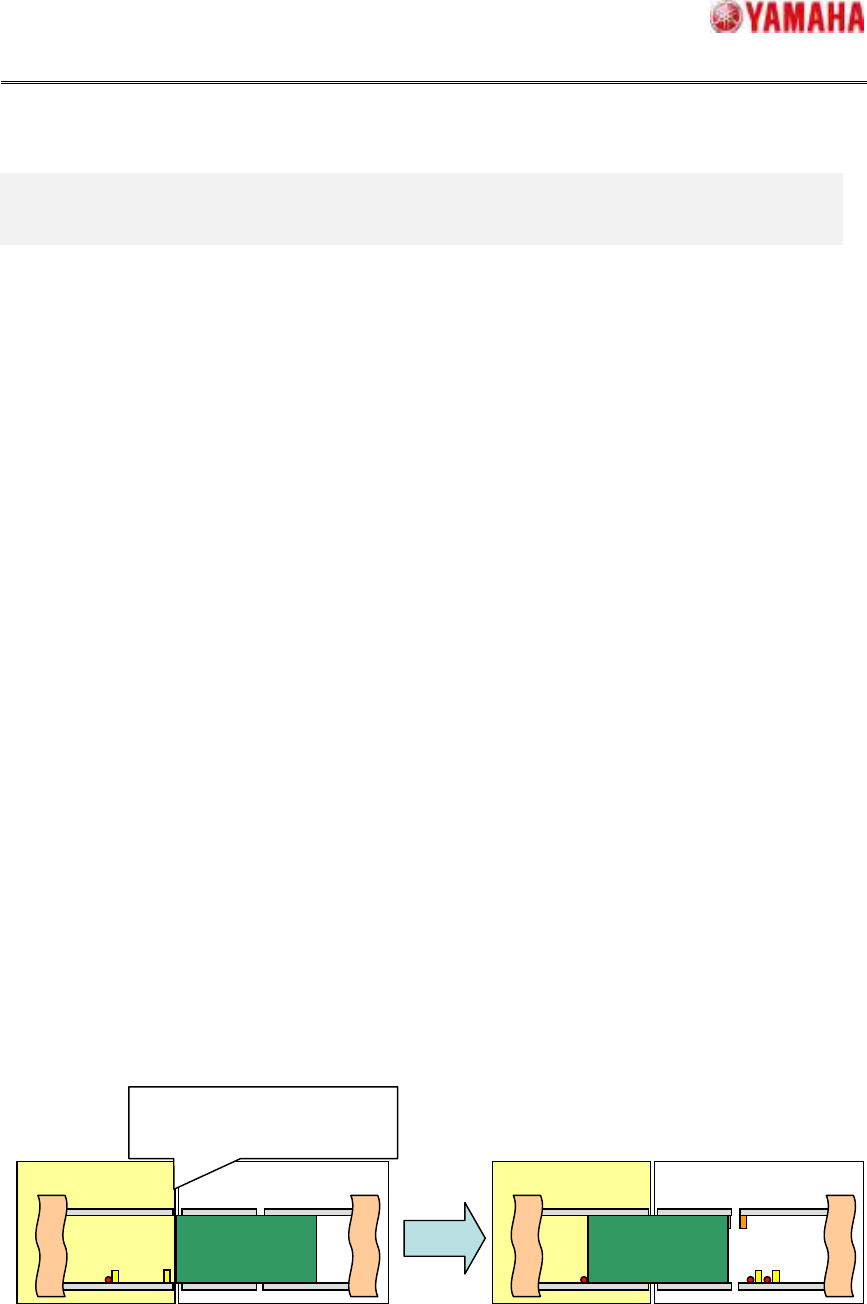
When the board is stacked between machines, “Ea7337: BOARD TRANSFER ERROR” is
displayed, please move the board to the wait position of the downstream machine and
restart auto-running (cf. figure 4.1).
About the other transportation errors, please refer to "Chapter.6. Error message."
Fig.4.1Recoverymethodafterthetransfererror
This Machine
The board is stacked between
machines
, and the transfer error
“Ea7337” occurred.
This Machine Upstream Machine
Upstream Machine
SMT Software Engineering Group
IMOperationsYAMAHAMOTORCO.,LTD.
MDOC-SOFT50038-0014/12
D) AboutthedisplayofEnableorDisablestateofthisfunction
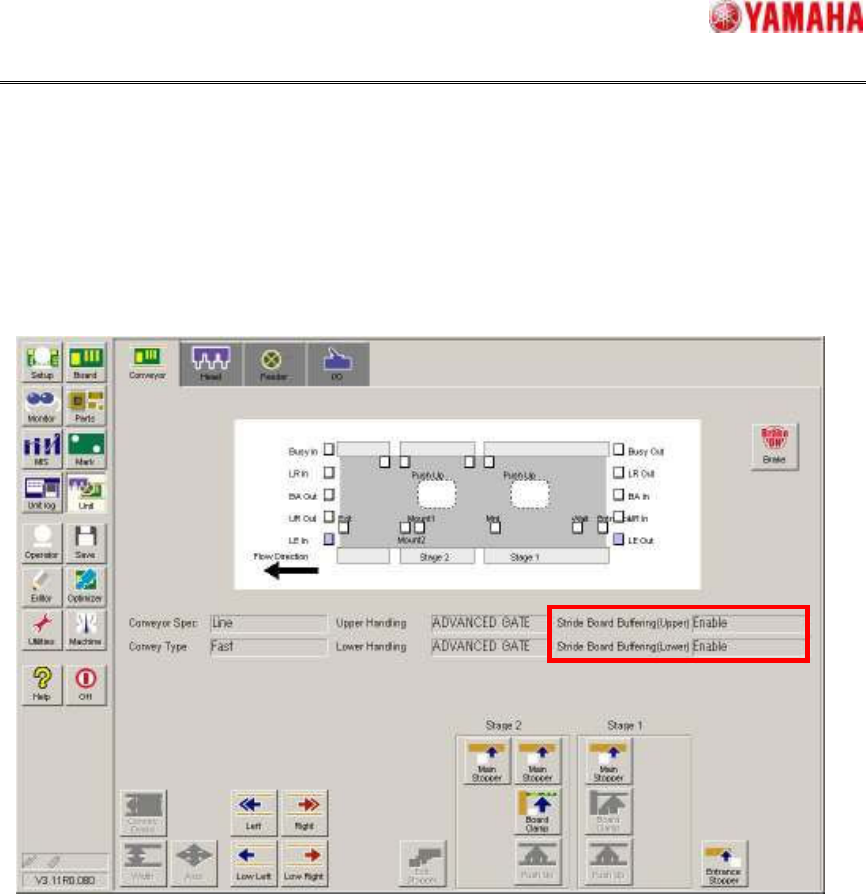
The Enable / Disable state of this function in the current production is displayed on [Unit] –
[Conveyor] screen (cf. figure 4.2).
*ThisisdisplayedfromV3.11STDR1.000orlater.
Fig.4.2[Unit]–[Conveyor]screen
SMT Software Engineering Group
IMOperationsYAMAHAMOTORCO.,LTD.
MDOC-SOFT50038-0015/12
5.Settings
5.1.WayofSettings
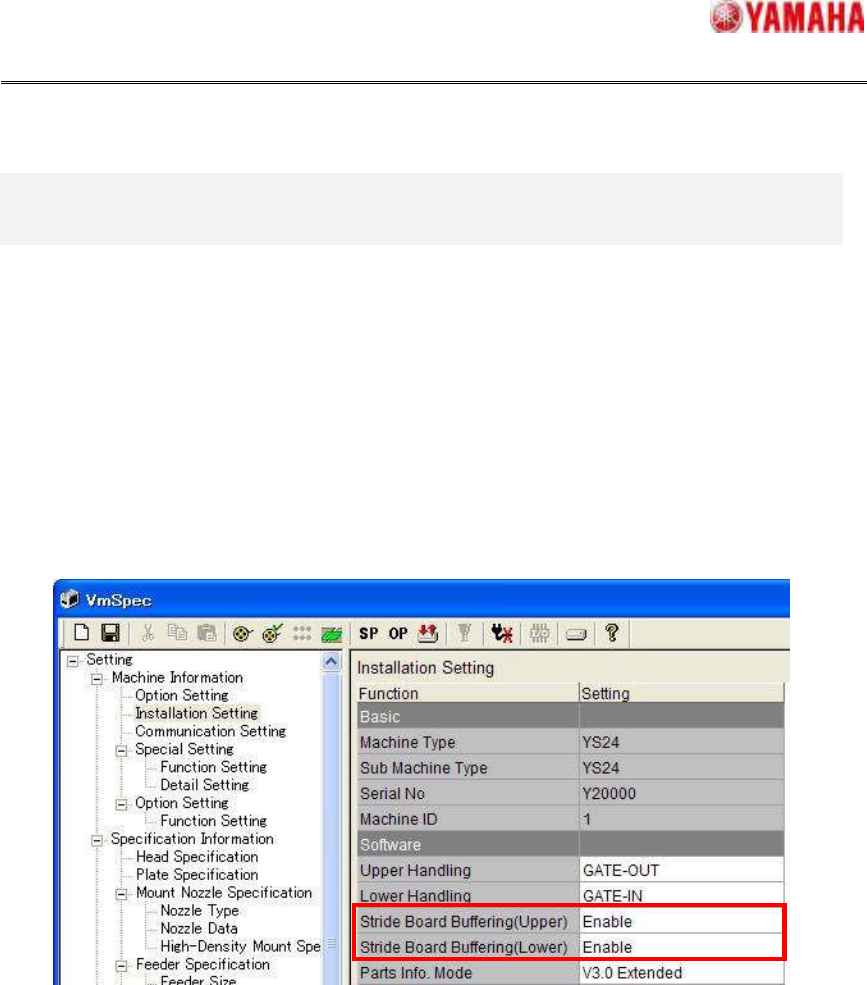
From this version, the following settings are added on [Machine Information] - [Installation
Setting] - [Software] (See Fig6.1). When you do not use this function, please set “Disable” on
the following red frame settings.
1. [Stride Board Buffering(Upper)]
2. [Stride Board Buffering(Lower)]
図
図図
図 5.1“InstallationSetting”screen
This function can be set individually in upstream (Upper) side and downstream(Lower) side, so
please set “Enable” / “Disable” as needed. Factory default setting is “Disable”.