W08b_c_W04b Feeder Operation Manual_074133.pdf - 第10页
W08b(c), W04b Feeder Operation Manual Page 10 of 10 The following is displayed in the width field. [8P]: 8 mm feeder (pap er) [8E]: 8 mm feeder (emboss) [8PB]: 8 mm feeder (black flat tape) 5. Cautions • Depending on the…
W08b(c), W04b Feeder Operation Manual Page 8 of 10
4. Troubleshooting Automatic Identification of Tape Part Package Type
• When automatic identification of tape part package type is not working
Depending on the tape type, there are cases when it is not possible to read the tape feeding holes,
and automatic identification of tape part package cannot be performed.
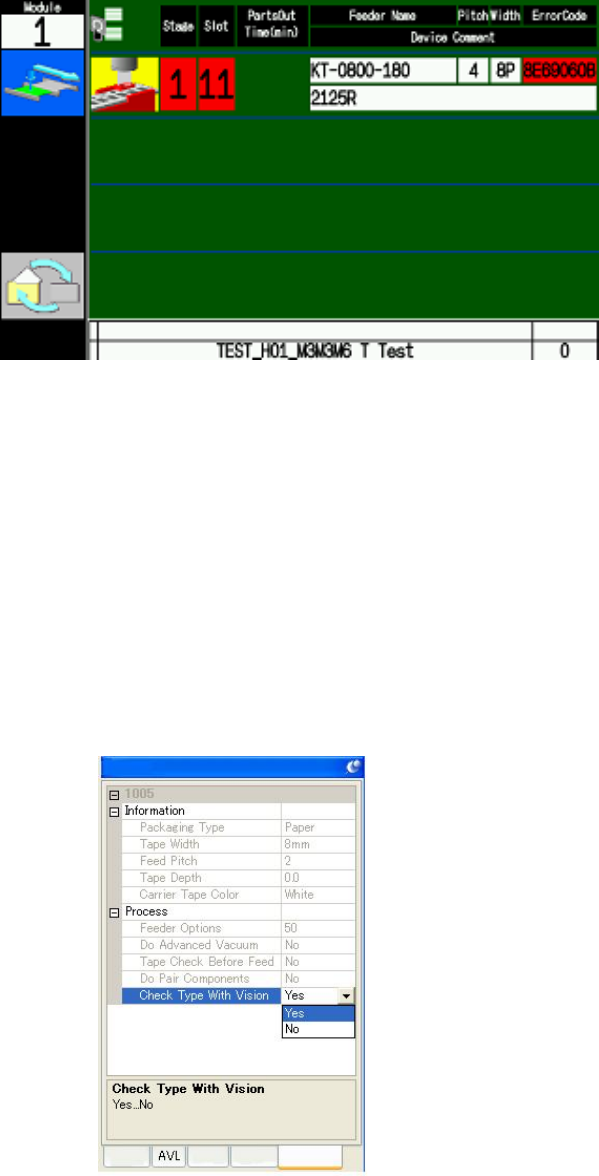
Guidance when unable to read tape feeding holes.
When identification of the tape feeding holes fails, follow the guidance in the screen above.
Push the origin position button on the feeder, and check the set position of the tape.
After checking if there is any dirt, tears, or splicing links on the tape surface, or if the top film is
being taken up, remove the feeder and reset it.
If the above steps do not fix the problem and automatic identification of tape part package cannot
be performed, Specify the job as shown below.
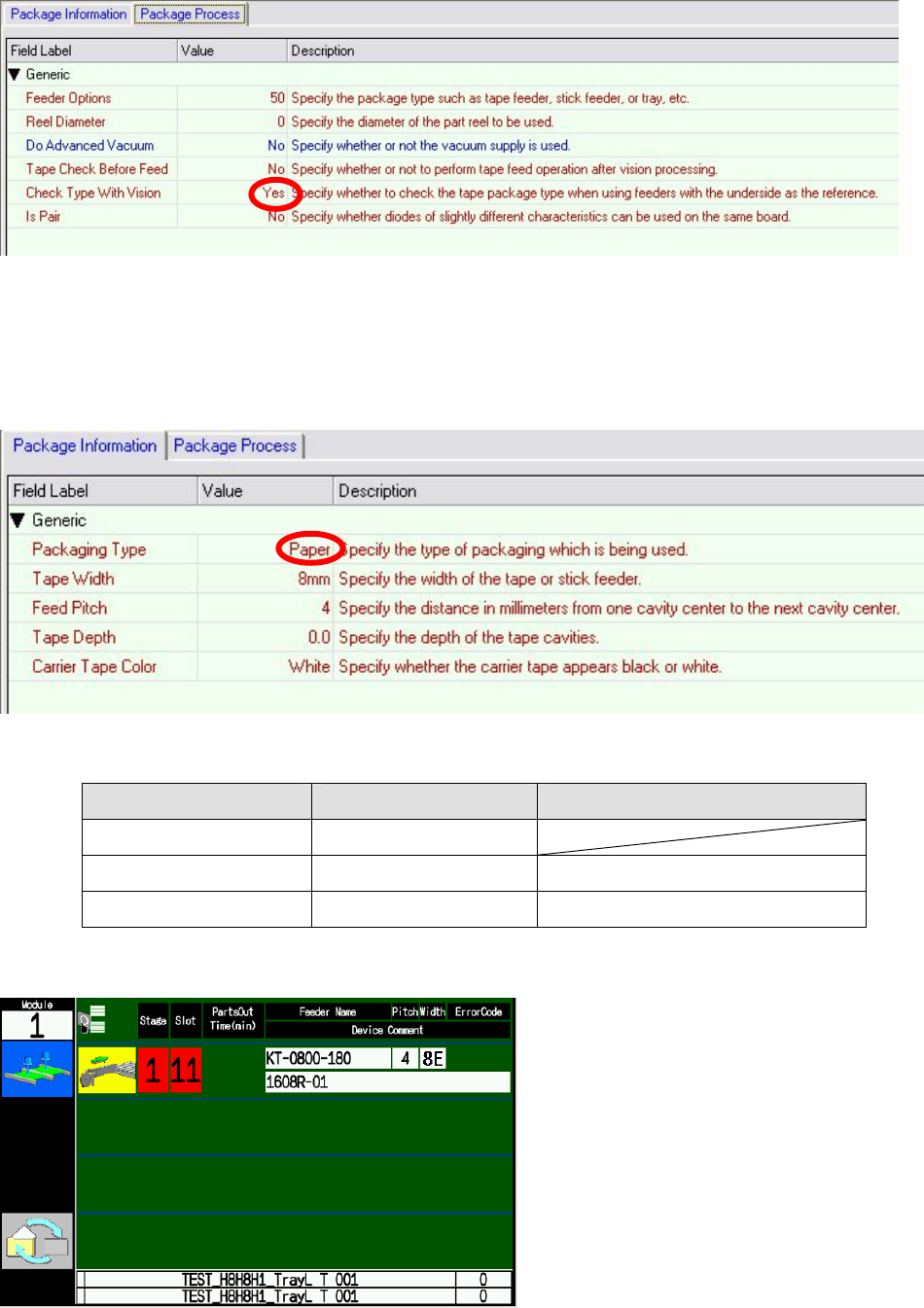
• Specify [No] for the [Package Data] – [Package Process] – [Check Type with Vision] setting.
When editing using MEdit
Properties
Package
Shape
Part
Feede
r
W08b(c), W04b Feeder Operation Manual Page 9 of 10
When editing using Job Builder
When [No] is specified for the [Check Type With Vision] setting, the package type supplied is
identified by the setting at [Package Data] – [Package Information] – [Package Type]. Be sure to
select the correct packaging type, because the pickup height for paper tape and emboss tape are
different.
Package data settings when [Check Type With Vision] is set to [No].
Tape type Packaging Type Carrier Tape Color
Emboss tape Emboss
Paper tape Paper White
Black flat tape Paper Black
Feeder supply guidance when [No] is specified for the [Check Type With Vision] setting
Using the guidance above, set the parts onto the feeder and load the feeder onto the machine.
W08b(c), W04b Feeder Operation Manual Page 10 of 10
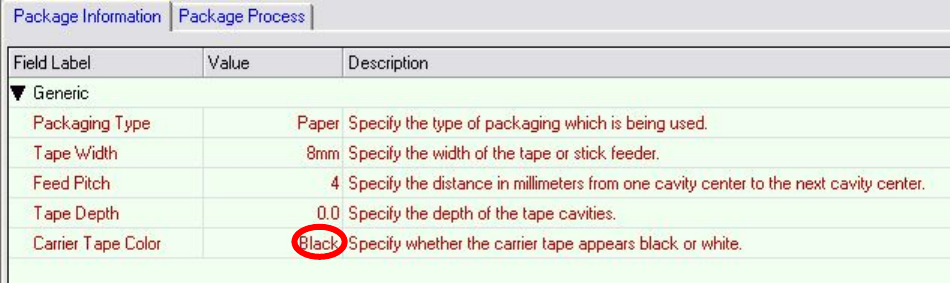
The following is displayed in the width field.
[8P]: 8 mm feeder (paper)
[8E]: 8 mm feeder (emboss)
[8PB]: 8 mm feeder (black flat tape)
5. Cautions
• Depending on the type of emoss tape, there are cases of the package type not being identified
automatically because of an inability to recognize tape feeder holes. If this is the case, specify
[No] for the [Package Data] – [Package Process] – [Check Type with Vision], as described in [4.
Troubleshooting].
• If splicing tape is attached to the section where image recognition is performed, the package
type may be not be identified and show a mismatch. When setting the tape on the feeder,
ensure that the splicing section is not at the point where recognition is performed at the feeding
hole.
• Black flat tape and black embossed tape cannot be automatically distinguished with image
recognition. When using black flat tape, select [Paper] for the [Package Data] – [Package
Information] – [Package Type] setting then select [Black] for the [Carrier Tape Color] setting.
When editing using Job Builder