W08b_c_W04b Feeder Operation Manual_074133.pdf - 第7页
W08b(c), W04b Feeder Operation Manual Page 7 of 10 3.2 Feeder operation panel Two new switches have been added to the FIFW04b, FIFW08b(c) feeder. • Tape feed speed switch Sets the tape feed speed. H is the standard; set …
W08b(c), W04b Feeder Operation Manual Page 6 of 10
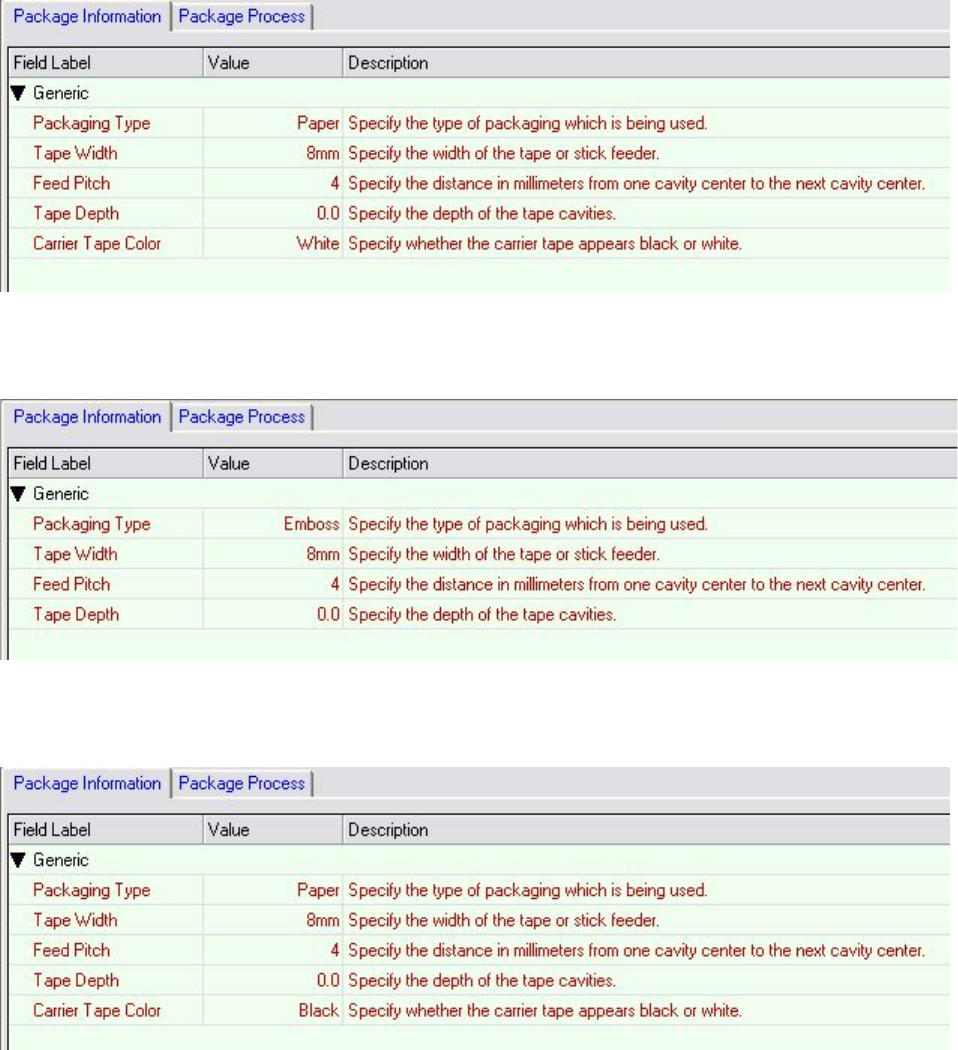
For 8 mm paper tape, specify as shown below.
For 8 mm emboss tape, specify as shown below.
For 8 mm black flat tape, specify as shown below.
W08b(c), W04b Feeder Operation Manual Page 7 of 10
3.2 Feeder operation panel
Two new switches have been added to the FIFW04b, FIFW08b(c) feeder.
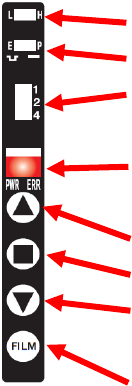
• Tape feed speed switch
Sets the tape feed speed. H is the standard; set to L for low speed.
• Tape type changeover switch
Sets the tape type. Cannot be used from NXT V5.07.
• Feed pitch setting switch
Sets the indexing pitch.
• LED lamp
PWR (green): power is connected.
ERR (red): a tape indexing error has occurred.
• Forward button
Advances the feed tape one specified indexing pitch only.
• Origin positioning button
Advances the part to the sprocket stopping position according to origin sensor.
• Reverse button
Retracts the feed tape one specified indexing pitch only.
• Cover tape feed button
Takes up any slack in the cover tape.
For more information, refer to the “Fuji Intelligent Feeder Manual.”
Tape feed speed switch
Tape type changeover switch
Feed pitch setting switch
LED lamp
Forward button
Origin button
Reverse button
Cover tape feed button
W08b(c), W04b Feeder Operation Manual Page 8 of 10
4. Troubleshooting Automatic Identification of Tape Part Package Type
• When automatic identification of tape part package type is not working
Depending on the tape type, there are cases when it is not possible to read the tape feeding holes,
and automatic identification of tape part package cannot be performed.
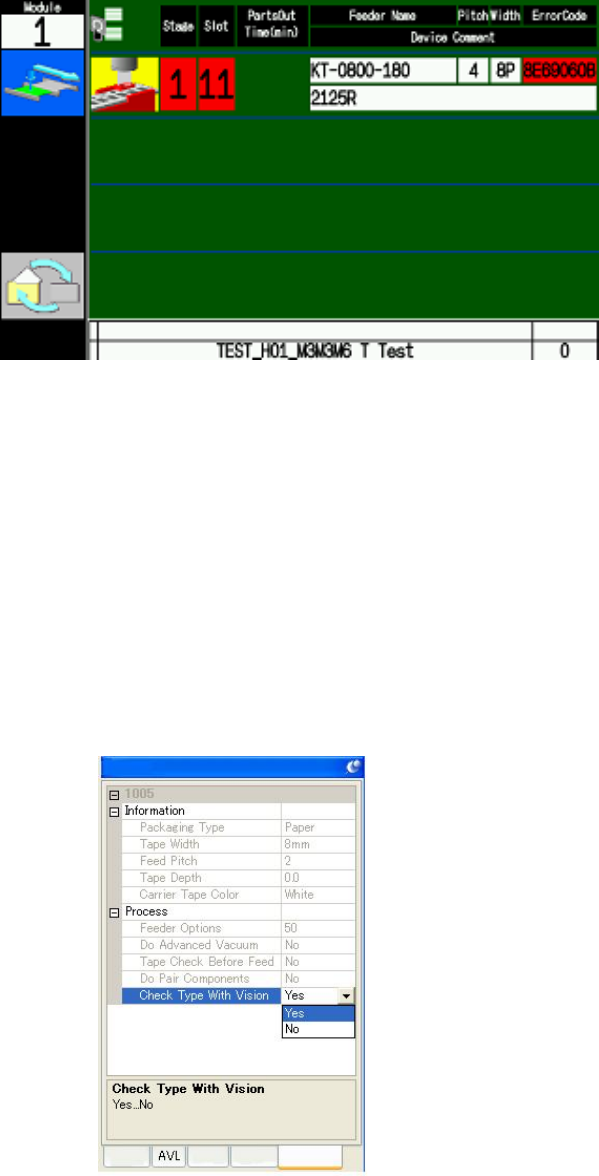
Guidance when unable to read tape feeding holes.
When identification of the tape feeding holes fails, follow the guidance in the screen above.
Push the origin position button on the feeder, and check the set position of the tape.
After checking if there is any dirt, tears, or splicing links on the tape surface, or if the top film is
being taken up, remove the feeder and reset it.
If the above steps do not fix the problem and automatic identification of tape part package cannot
be performed, Specify the job as shown below.
• Specify [No] for the [Package Data] – [Package Process] – [Check Type with Vision] setting.
When editing using MEdit
Properties
Package
Shape
Part
Feede
r