TP2194.User Definition_Setting Item Editor_Manual.pdf - 第4页
SMT Software Engineering G roup IM Operations Y AMAHA MOTOR CO., L TD. MDOC-SOFT50065 4/9 4.1.2 If you ha ve “Y.F acT” Step 1. Start “User De finition_Setting Ite m Editor” of “Y A MAHA IT-System”. “User Definition_S e t…
SMT Software Engineering Group
IM Operations YAMAHA MOTOR CO., LTD.
MDOC-SOFT50065
3/9
4. Usage
4.1 Start of ”User Definition_Setting Item Editor”
4.1.1 If you have “Y.FacT”
Step 1. Start “Board Explorer” of “Y.FacT” and select a machine and a board you want to
make a table of items to be setup.
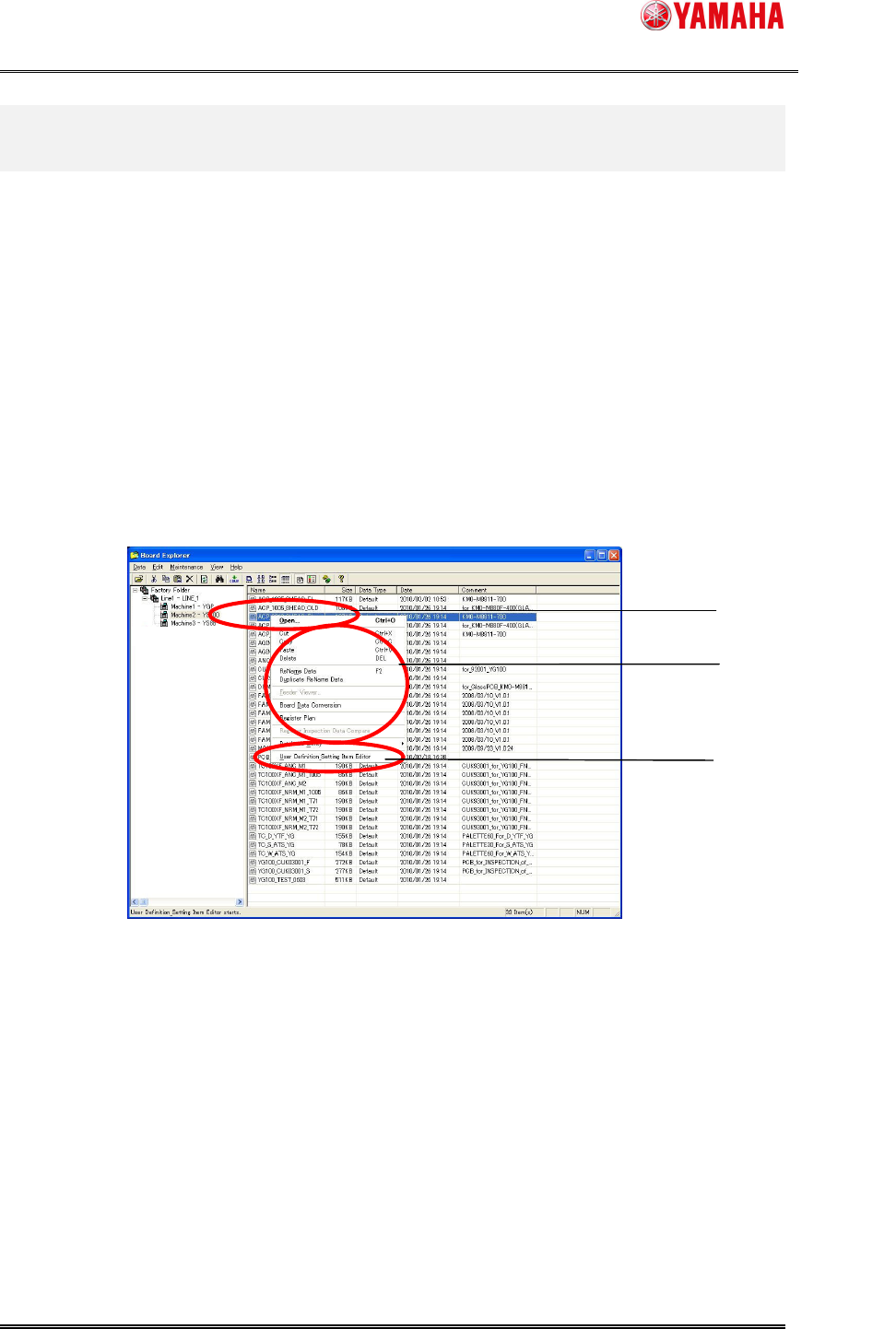
Step 2. Right-click on the machine the board and select “User Definition_Setting Item
Editor”. Then “User Definition_Setting Item Editor” window is displayed.
Figure 4.1.1 Selection from “Board Explorer”
Menu starts by right-
clicking
Target board
of target
machine to be made is
selected.
“
User Definition_Setting
Item Editor” is selected
SMT Software Engineering Group
IM Operations YAMAHA MOTOR CO., LTD.
MDOC-SOFT50065
4/9
4.1.2 If you have “Y.FacT”
Step 1. Start “User Definition_Setting Item Editor” of “YAMAHA IT-System”.
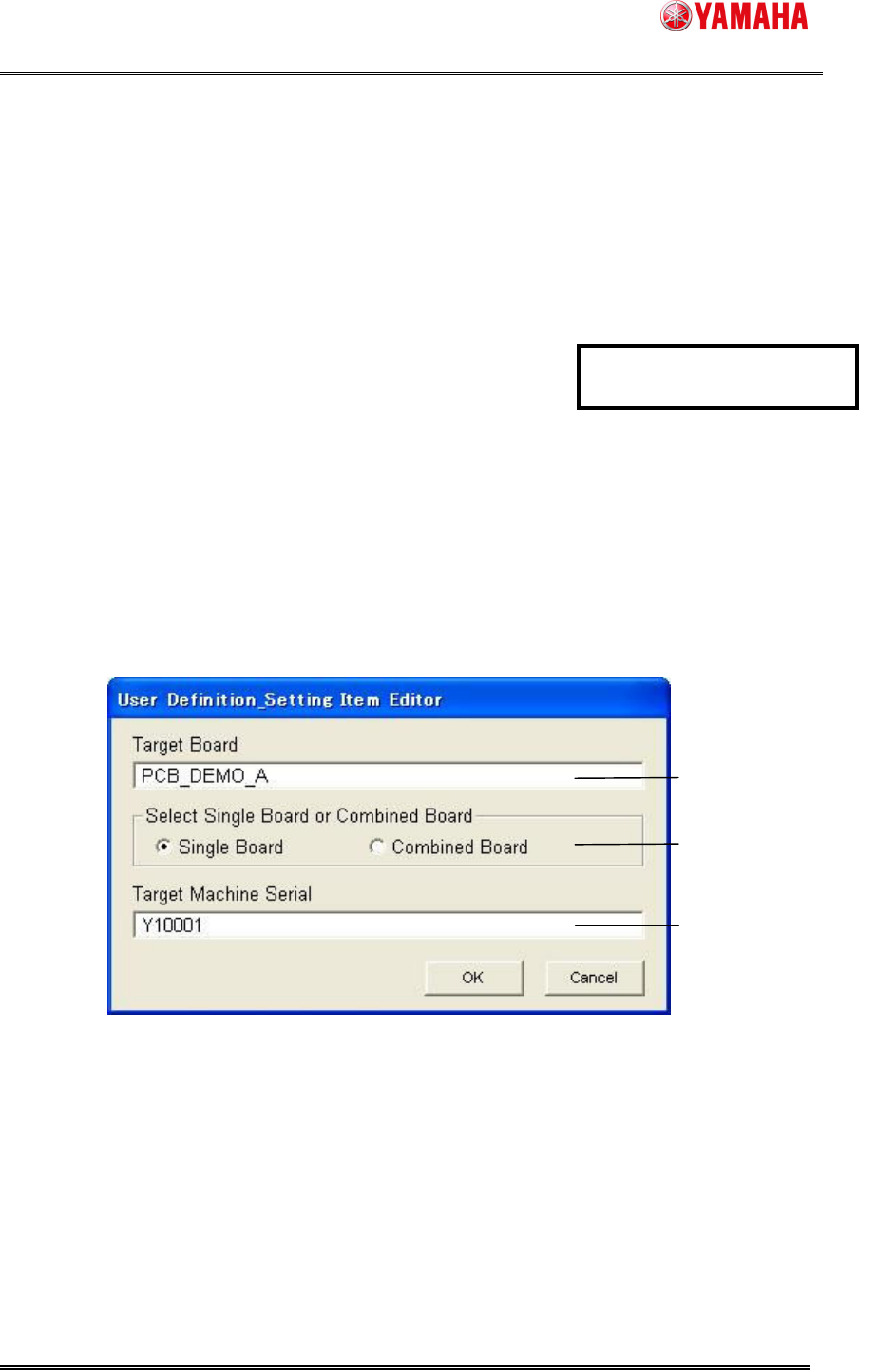
“User Definition_Setting Item Editor” machine board selection window is
displayed. (Figure 4.1.2)
Step 2. Select a board you want to make table of items that should be setup.
1, Input a board name into [Target Board].
2, If the board is a single board, select [Single Board].
If the board is a combined board, select [Combined Board].
* By default, [Single Board] is selected.
3, Input a machine serial of the machine into [Target Machine Serial].
Click the [OK] button after inputting all of them.
“User Definition_Setting Item Editor” window is displayed.
Figure 4.1.2 “User Definition_Setting Item Editor” machine board selection window
Target board is input
Target machine serial is input
Select Single Board or
Combined Board
Revised with revision No. 2
SMT Software Engineering Group
IM Operations YAMAHA MOTOR CO., LTD.
MDOC-SOFT50065
5/9
4.2. ”User Definiton_Setting Item Editor” window structure
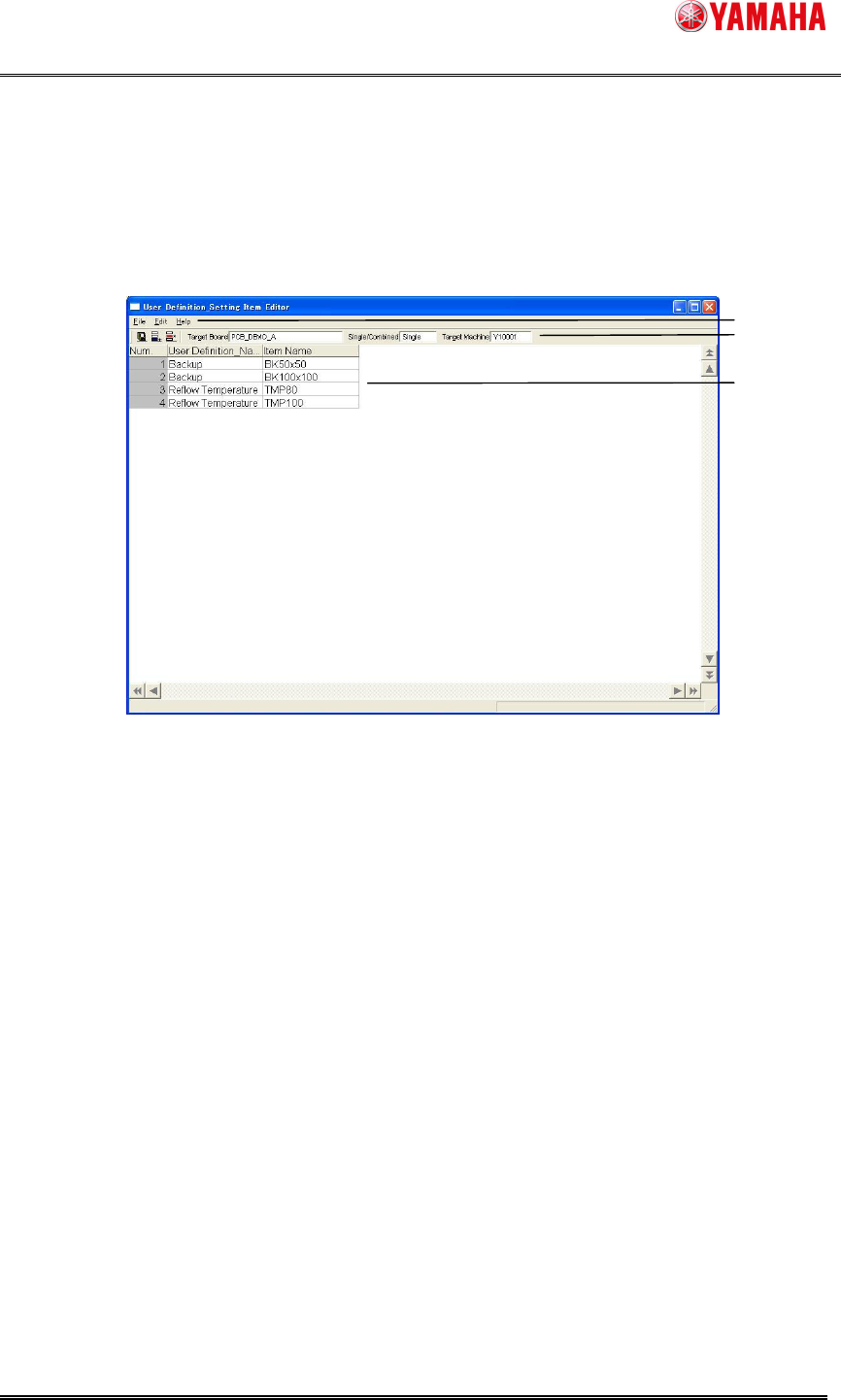
The following explains the “User Definition_Setting Item Editor” window.
Figure 4.2.1 “”User Definition_Setting Item Editor” window structure
1. Menu bar
The commands of “User Definition_Setting Item Editor” are brought together, and they
are registered as a menu. The drop-down list box is displayed when you click the menu,
and you can select each command.
File
A command to operate files such as “Save”.
Edit
A command to edit data such as “Insert New Line” and “Delete Line”.
Help
A command to display its information such as a program version.
1
2
3