TP2194.User Definition_Setting Item Editor_Manual.pdf - 第6页
SMT Software Engineering G roup IM Operations Y AMAHA MOTOR CO., L TD. MDOC-SOFT50065 6/9 2. Tool b a r There are some buttons on the tool bar which are commo nly used menus of “User Definition _ Setting Ite m Editor”. B…
SMT Software Engineering Group
IM Operations YAMAHA MOTOR CO., LTD.
MDOC-SOFT50065
5/9
4.2. ”User Definiton_Setting Item Editor” window structure
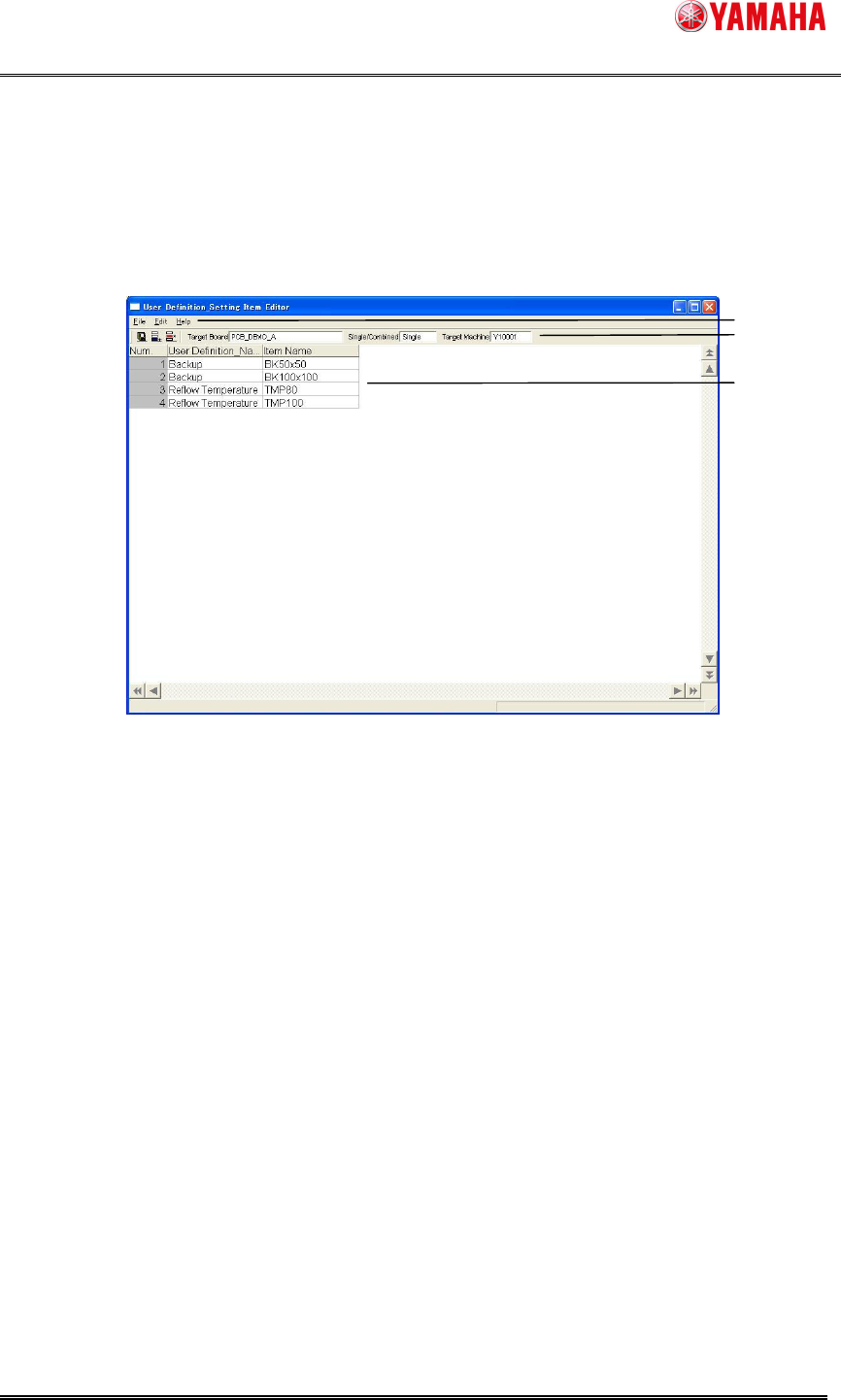
The following explains the “User Definition_Setting Item Editor” window.
Figure 4.2.1 “”User Definition_Setting Item Editor” window structure
1. Menu bar
The commands of “User Definition_Setting Item Editor” are brought together, and they
are registered as a menu. The drop-down list box is displayed when you click the menu,
and you can select each command.
File
A command to operate files such as “Save”.
Edit
A command to edit data such as “Insert New Line” and “Delete Line”.
Help
A command to display its information such as a program version.
1
2
3
SMT Software Engineering Group
IM Operations YAMAHA MOTOR CO., LTD.
MDOC-SOFT50065
6/9
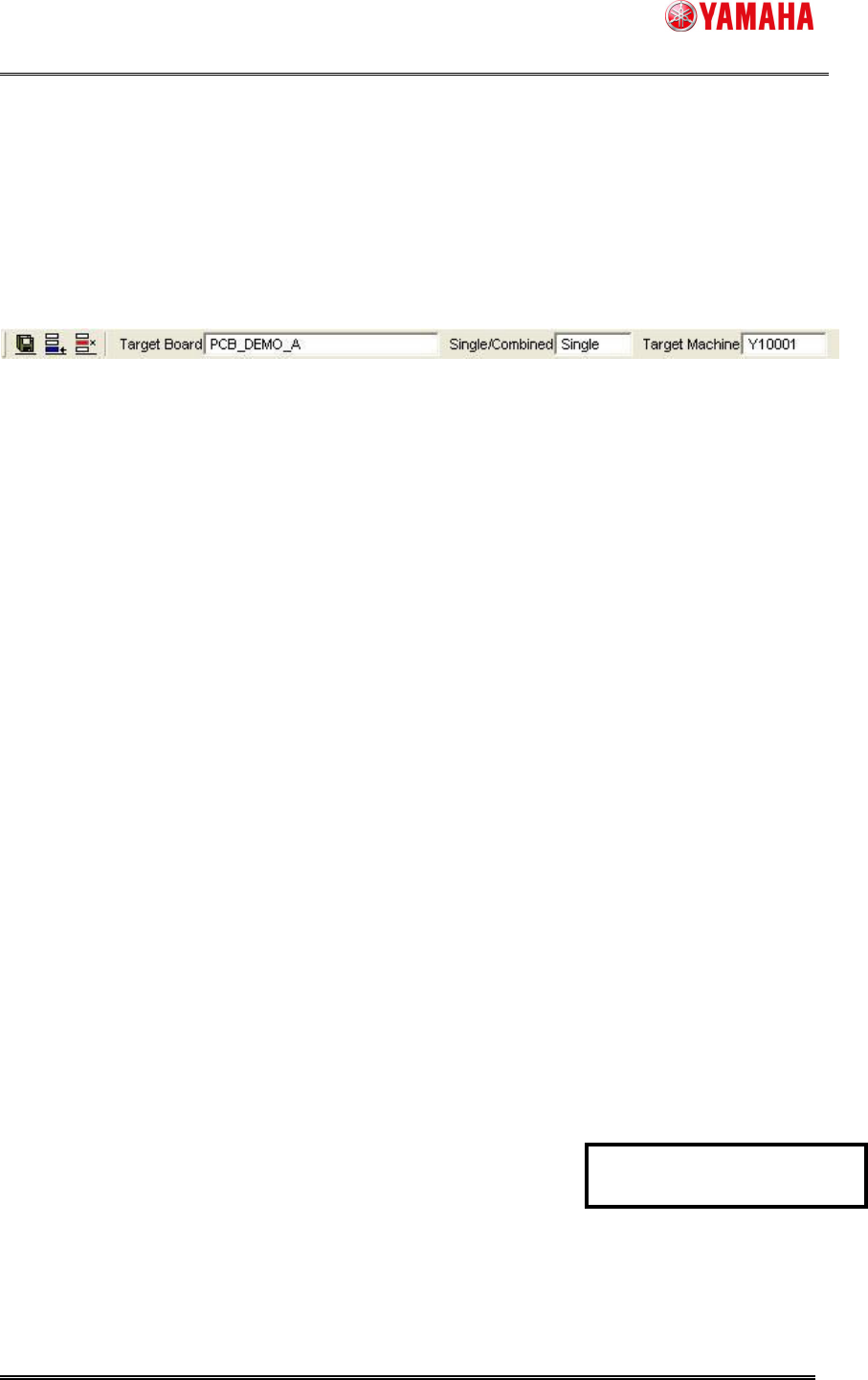
2. Tool bar
There are some buttons on the tool bar which are commonly used menus of “User
Definition_Setting Item Editor”. Besides, a machine serial and a board name you wants
to make a table of items are displayed.
2.1 2.2 2.3 2.4 2.5 2.6
Figure 4.2.2 Tool bar
2.1. [Save] button
Saves a table of items that is set in “User Definition_Setting Item Editor” .
Destination to save is the same as “Setting Info” set in “Line Config”.
* Reference
[Save] button is the same function as “Save” of “File” menu.
2.2. [Insert New Line] button
Adds another line to the table of items.
* Reference
[Insert New Line] button is the same function as “Insert New Line” of “Edit” menu.
2.3. [Delete] button
Deletes a selected line in the table of items.
* Reference
[Delete Line] button is the same function as “Delete Line” of “Edit” menu.
2.4. Target Board
Displays a board name you want to make a table of items to be set.
2.5. Single/Combined
Displays whether a board as "Target Board" is a single board or a combined board.
2.6. Target Machine
Displays a machine serial you want to make a table of items to be set.
Revised with revision No. 2
SMT Software Engineering Group
IM Operations YAMAHA MOTOR CO., LTD.
MDOC-SOFT50065
7/9
3. Table of items that should be set
Displays a table of items used in a target board of a target machine.
For details on each item, see “
4.3.1 The table of items that should be set is registered
”.