00195374-0202_AI_LBO-D1D2_DE+EN.pdf - 第50页
2 Assembly instructions Long board op tion SIPLACE D1 / D2 Long board option 06/2007 Edition 50 : Select "I/O Functions" . I/O Functi ons 2 2 : Click the buttons to take the settings for the laser light ba rrie…
Long board option 2 Assembly instructions Long board option SIPLACE D1 / D2
06/2007 Edition
49
2.7 Functions in the SITEST program
The option does not have to be selected in the SITEST program: it is detected automatically when
it is plugged into the conversion board. 2
2.7.1 Setting the laser light barrier
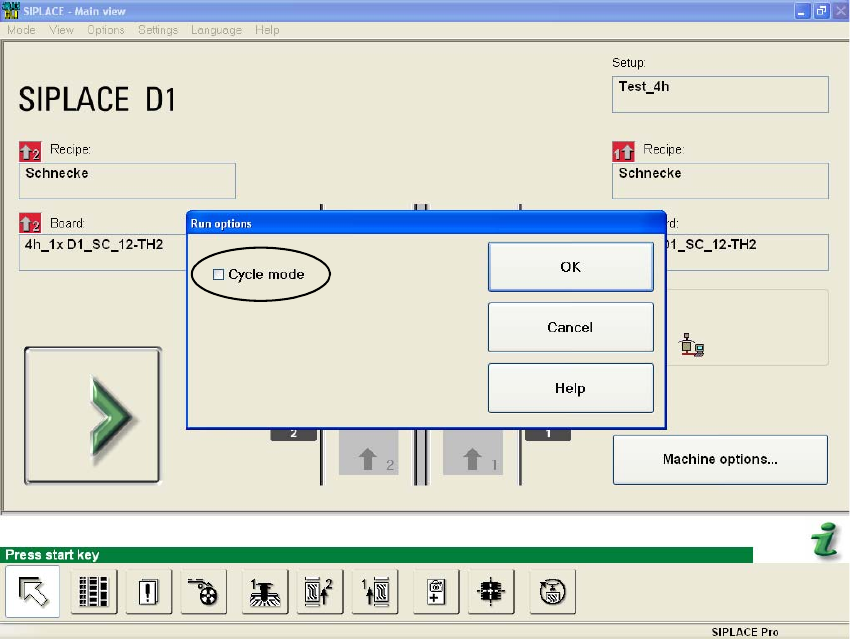
: Select in the Main view "General Functions" --> "Running Options" --> "Cycle mode".
2
2
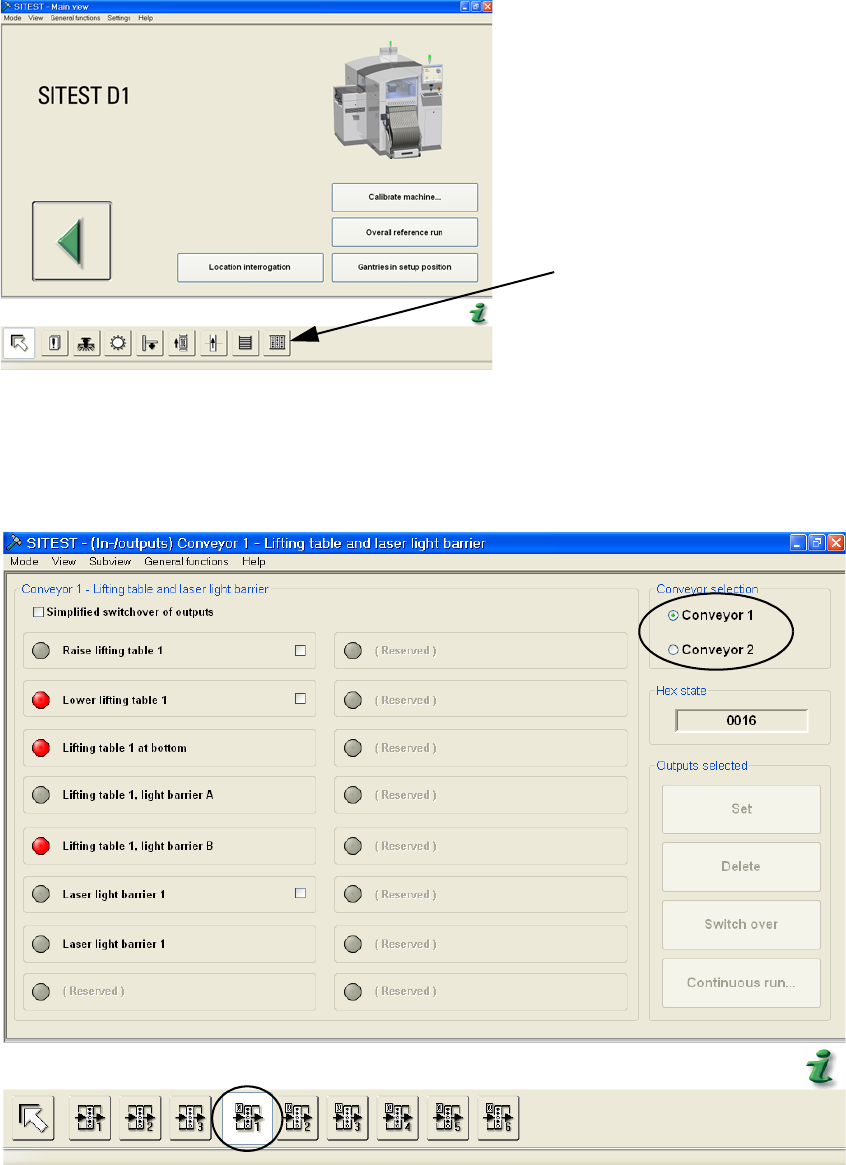
: Start the SITEST program.
2
2
2
2
2
2 Assembly instructions Long board option SIPLACE D1 / D2 Long board option
06/2007 Edition
50
: Select "I/O Functions".
I/O Functions
2
2
: Click the buttons to take the settings for the laser light barrier
Choose the conveyor track.
2
2
Long board option 2 Assembly instructions Long board option SIPLACE D1 / D2
06/2007 Edition
51
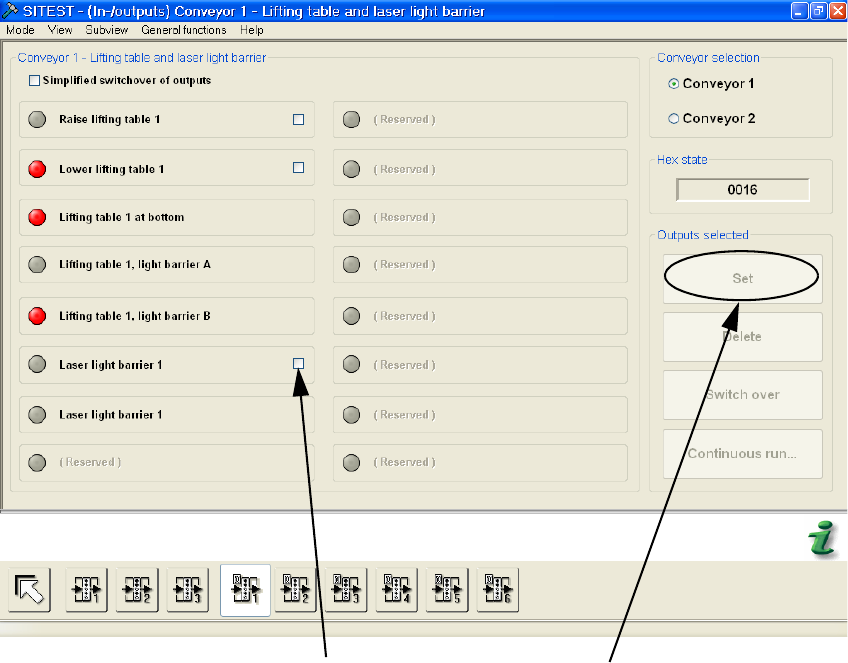
: Click on the boxes behind "Laser light barrier" and on the "Set" box that appears.
Click box
"Laser light barrier"
Click "Set"
2
2
2
2
2
2
2
2
2
2
2
2