00195374-0202_AI_LBO-D1D2_DE+EN.pdf - 第65页
Long bo ard option 2 Assembly instructions Long board op tion SIPLACE D1 / D2 06/2007 Edition 65 2.13 Position of the PCB fiducials 2.13.1 Sample descripti on with 5 fiducials From station SW 50 3 2 Transport dire cti on…
2 Assembly instructions Long board option SIPLACE D1 / D2 Long board option
06/2007 Edition
64
pends on the maximum standard placement area and the stopper offset set for the machine.
The fiducial positions should be selected on the basis of the machine with the smallest area of
overlap on the line.
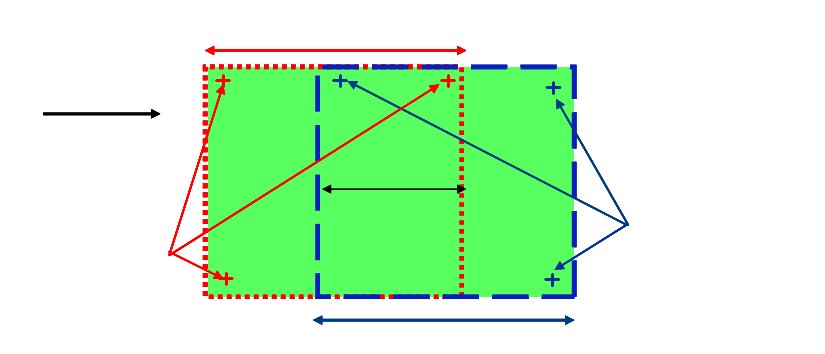
– From station SW 505 and SIPLACE Pro 2.0
– One set of fiducials for processing area or cycle 1 and 2
Over-
lapping
area
Placement area 2
Placement area 1
Transport
direction
PCB fiducial set PA1
PCB fiducial set PA2
Over-
lapping
area
Placement area 2
Placement area 1
Over-
lapping
area
Over-
lapping
area
Placement area 2Placement area 2
Placement area 1Placement area 1
Transport
direction
Transport
direction
PCB fiducial set PA1PCB fiducial set PA1
PCB fiducial set PA2PCB fiducial set PA2PCB fiducial set PA2
2
Long board option 2 Assembly instructions Long board option SIPLACE D1 / D2
06/2007 Edition
65
2.13 Position of the PCB fiducials
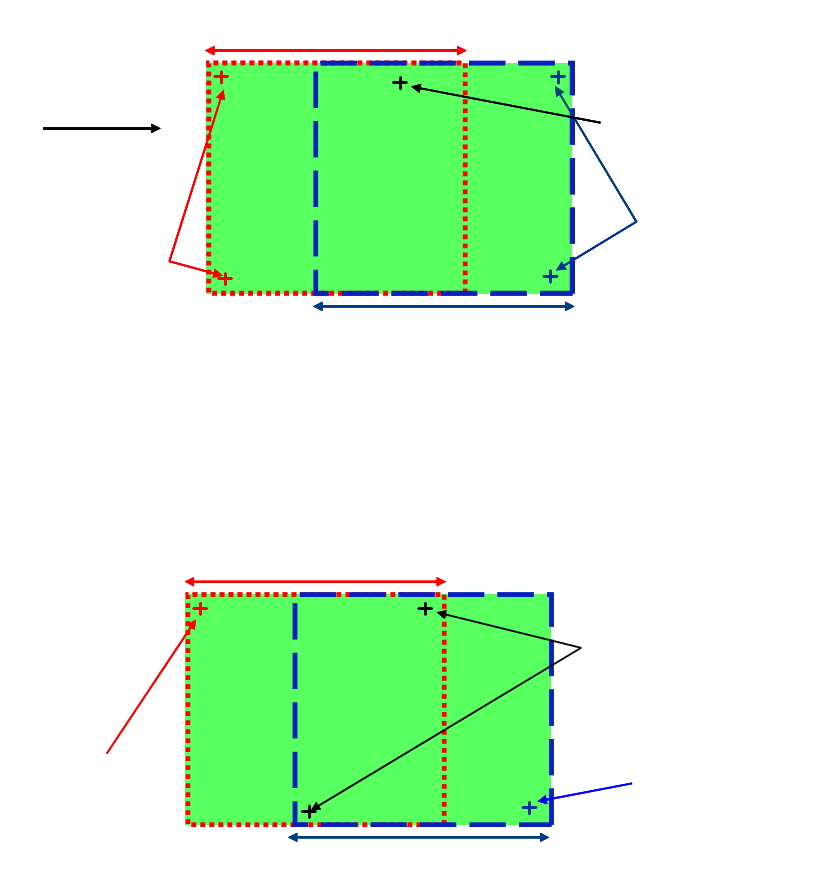
2.13.1 Sample description with 5 fiducials
From station SW 503 2
Transport
direction
PCB fiducial set PA2
PCB fiducial set PA1
PCB fiducial for
PA1 + PA2
Placement area 2
Placement area 1
Transport
direction
Transport
direction
PCB fiducial set PA2PCB fiducial set PA2
PCB fiducial set PA1PCB fiducial set PA1
PCB fiducial for
PA1 + PA2
PCB fiducial for
PA1 + PA2
Placement area 2
Placement area 2
Placement area 1Placement area 1
2
2.13.2 Sample description with 4 fiducials
From station SW 503 and LC 503 or SIPLACE Pro 1.4 2
PCB fiducial PA2PCB fiducial PA2
PCB fiducial PA1
PCB fiducial PA1
Placement area 2Placement area 2
Placement area 1Placement area 1
PCB fiducial set for
PA1 + BB2
2
2
2
2
2 Assembly instructions Long board option SIPLACE D1 / D2 Long board option
06/2007 Edition
66
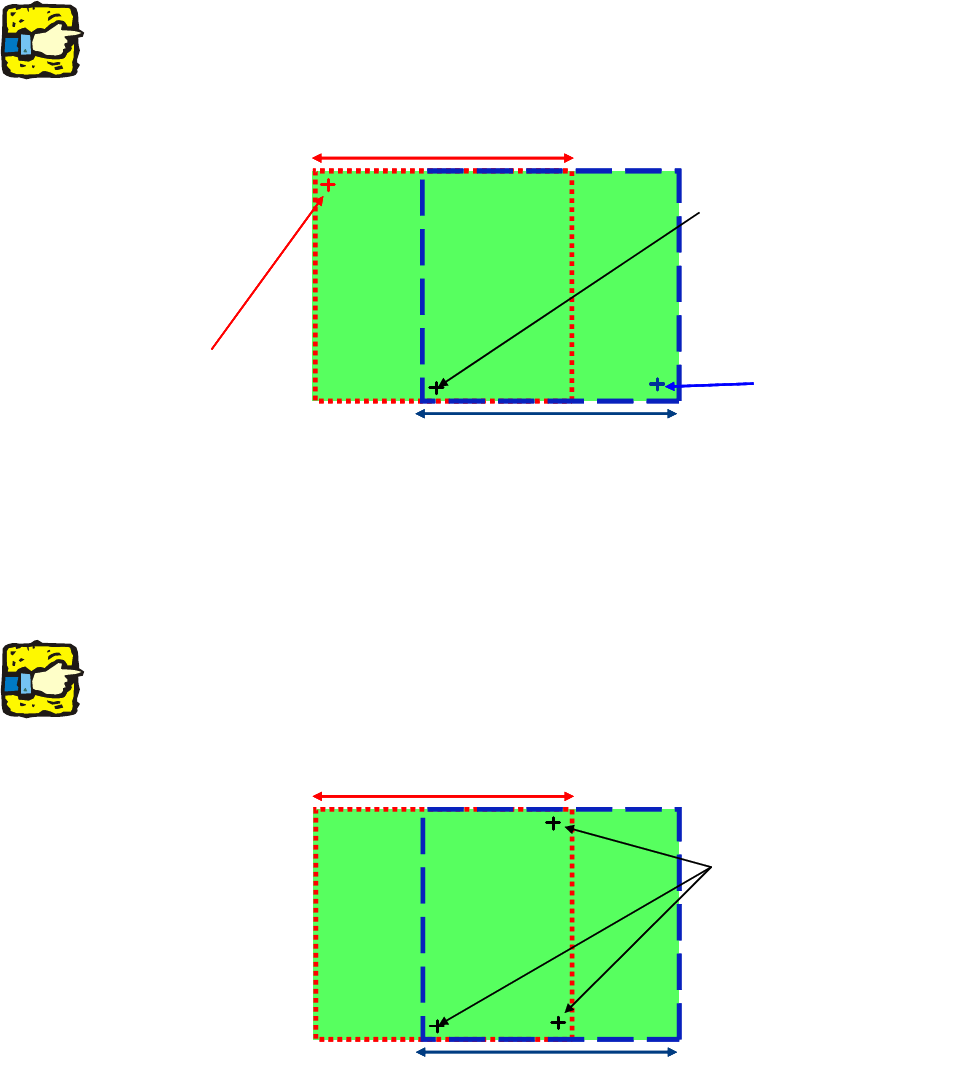
2.13.3 Sample description with 3 fiducials, 2 for each placement area
– From station SW 503 and LC 503 or SIPLACE Pro 1.4
– One set of fiducials with 2 PCB fiducial
s for each processing area.
In this case, the PCB skew is ignored.
2
Although this is possible, we do not recommend it because it can cause problems with accuracy.2
PCB fiducial PA2PCB fiducial PA2
PCB fiducial PA1
PCB fiducial PA1
Placement area 2Placement area 2
Placement area 1Placement area 1
PCB fiducial for PA1 + PA2
2
2
2.13.4 Sample description with 3 fiducials in the area of overlap
– From software version 502 onwards, only one set of fiducials is possible in the area of overlap.
– One fiducial set in the overlap area.
2
Although this is possible, we do not recommend it because it can cause problems with accuracy.
The PCB skew outside the area of overlap is interpolated. 2
Placement area 2Placement area 2
Placement area 1Placement area 1
PCB fiducial set for PA1 + PA2
2