Printer 710_810 v8 High Throughput Conveyor Module.pdf - 第10页
HIGH THROUG HPUT CONVEY OR (HTC) MOD ULE ADJUS TMEN TS AND SE TTINGS 17.10 Technical Reference Manual Chapter Issue 3 Oct 06 Sensit ivity Adjustment When fitted to t he machine rai ls the dif fuse sensors switching thre …
HIGH THROUGHPUT CONVEYOR (HTC) MODULE
ADJUSTMENTS AND SETTINGS
Chapter Issue 3 Oct 06 Technical Reference Manual 17.9
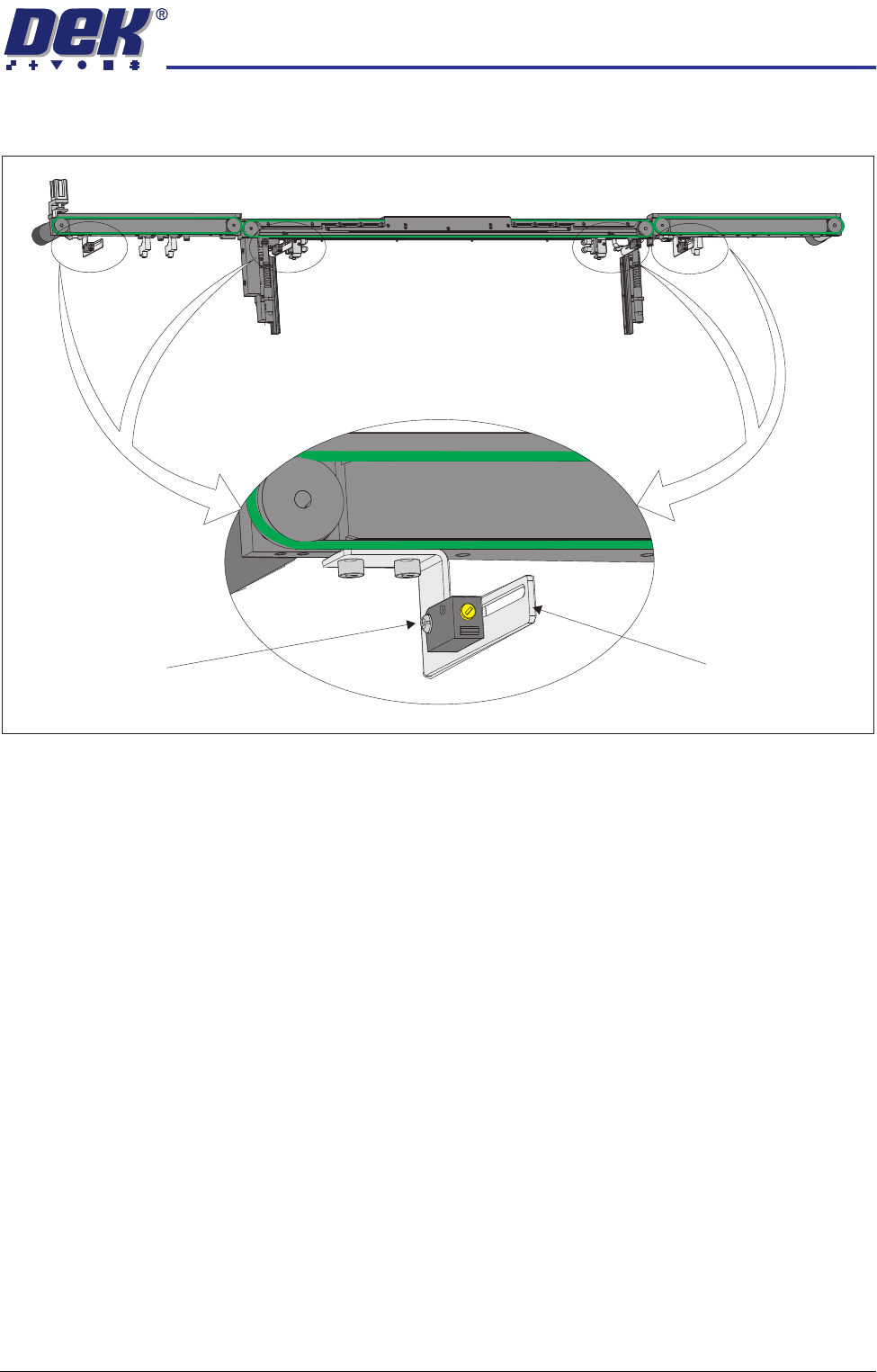
2. Loosen sensor pan head mounting bolt.
3. Adjust the position of the sensor as required.
4. Tighten the securing bolt.
5. Power up and run the machine, checking for correct operation of the sensor.
NOTE
Further positional adjustment of the sensor is possible by means of swopping
the side the sensor is fitted to the sensor attachment bracket.
Rear View of Front HTC Rail
Sensor Pan Head
Mounting Bolt
Sensor Attachment
Bracket
HIGH THROUGHPUT CONVEYOR (HTC) MODULE
ADJUSTMENTS AND SETTINGS
17.10 Technical Reference Manual Chapter Issue 3 Oct 06
Sensitivity
Adjustment
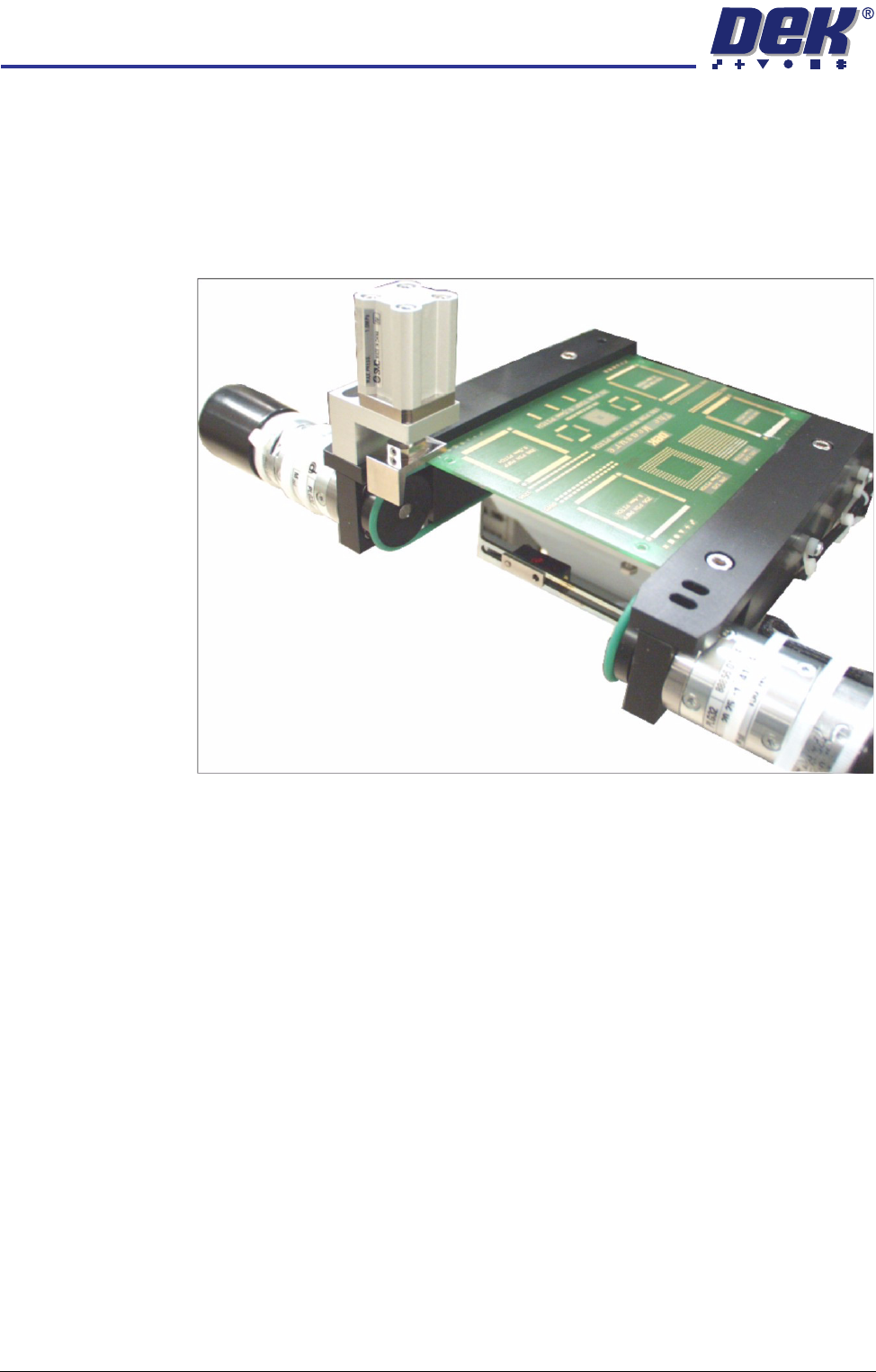
When fitted to the machine rails the diffuse sensors switching threshold can be
adjusted by means of a sensitivity control switch. This ensures that when a
board is fed into the machine (via the transport belts) the sensor output switches
to ON.
To achieve an optimum setting carry out the following procedure:
1. Place a board on the rails covering the sensor.
2. Turn the sensitivity control fully anti-clockwise, ensure that the amber LED
is extinguished.
3. Re-adjust the sensitivity control clockwise until the amber LED illuminates.
NOTE
If the amber LED is flashing, this indicates a week signal. Re-adjust the
sensitivity control.
4. Remove the board from the rails and confirm the amber LED extinguishes.
HIGH THROUGHPUT CONVEYOR (HTC) MODULE
ADJUSTMENTS AND SETTINGS
Chapter Issue 3 Oct 06 Technical Reference Manual 17.11
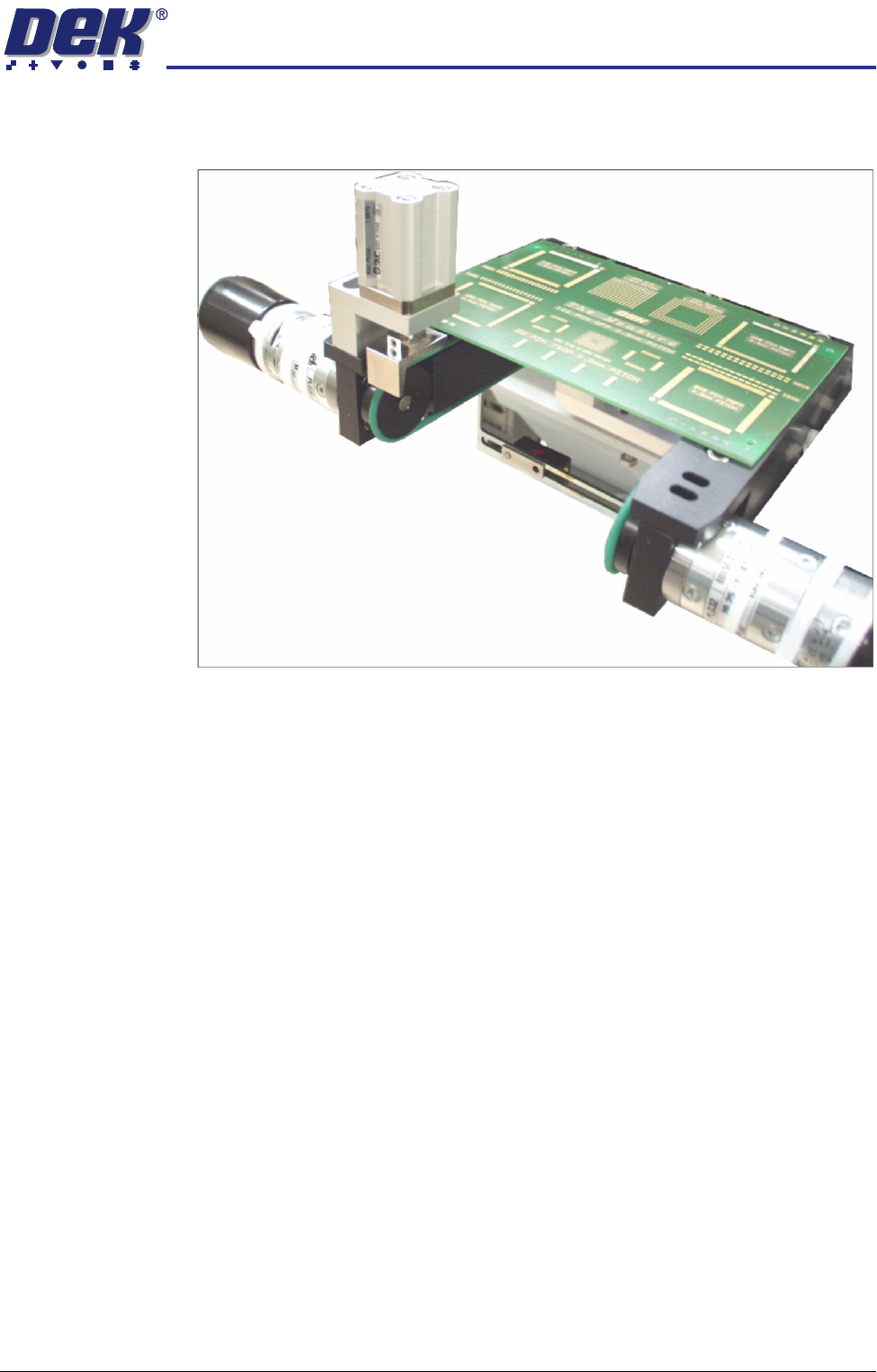
5. Turn the board 90° and position back onto the rail system, (so that the board
lies on top of the rail system as shown in the figure below).
6. Confirm that the amber LED is extinguished. If the amber LED illuminates,
turn the sensitivity control anti-clockwise until the amber LED extinguishes.
7. Remove the board.
8. Position the board back on the rail system, as in Step 1, and confirm that the
amber LED illuminates.
9. Remove the board from the rails and confirm that the amber LED extin-
guishes.
10. This completes the adjustment. If the board has holes or cut-outs, continue
with this procedure.
11. Slide the board backward and forward across the sensor ensuring that the
LED is only triggered by the leading and trailing edges of the board.
12. If the LED flickers when encountering holes or cut-outs, turn the sensitivity
control clockwise a further quarter turn.
13. Repeat Steps 11 and 12 until the correct setting is achieved.
14. Remove the board from the rails and confirm that the amber LED extin-
guishes.