1OM-1505-004_w.pdf - 第115页
1OM-1505 3-10 1. Automatic Operation : Chap.3 1002-002 Note In the case of the "P ASS" operation, press the [P ASS] button in the "TEST Opn. Mode" tab sheet. The "P ASS" operation mode passe…
1OM-1505
1. Automatic Operation : Chap.3
3-9
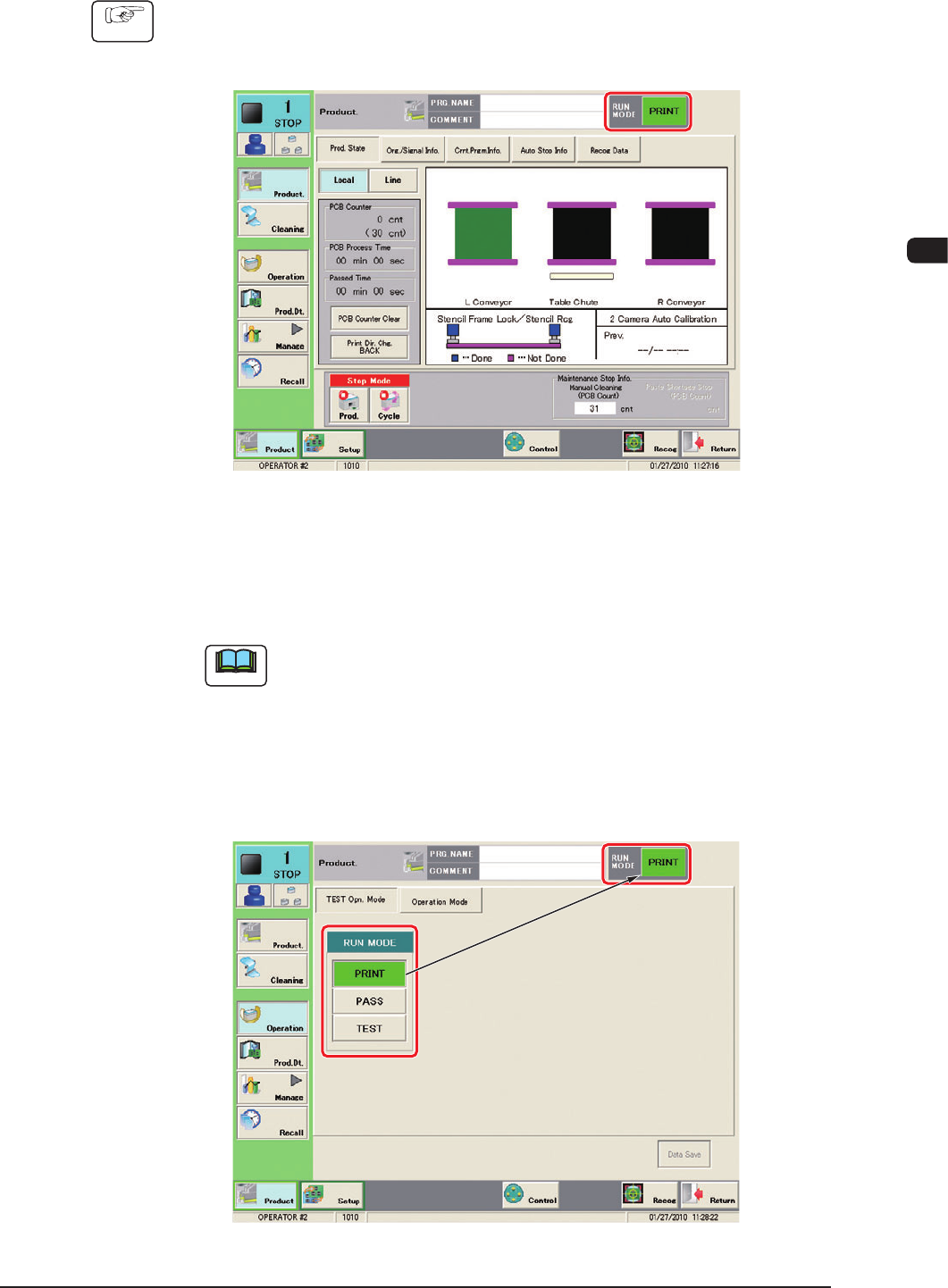
1.3.3 "AUTO OPN. >> MAIN" Window
Procedure
(1) Press the [AUTO OPN] button in the "Top" window.
(The "AUTO OPN." window appears on the touch screen.)
F1C9
(2) Press the [OPN MODE] button in the "AUTO OPN" window.
(The "Test Opn Mode" tab sheet appears as an initial page of the
"OPERATION" window.
Note
Pressing the [Run Mode] button can also display the "TEST Opn Mode"
tab sheet.
(3) Press the [PRINT] button in the "Run Mode" selection box.
(The "RUN MODE" displayed on the upper section of the tab sheet will be
changed to "PRINT".)
F1C10
1002-002
1OM-1505
3-10
1. Automatic Operation : Chap.3
1002-002
Note
In the case of the "PASS" operation, press the [PASS] button in the "TEST
Opn. Mode" tab sheet. The "PASS" operation mode passes a PCB through the
machine without printing (transfers the PCB to the output machine).
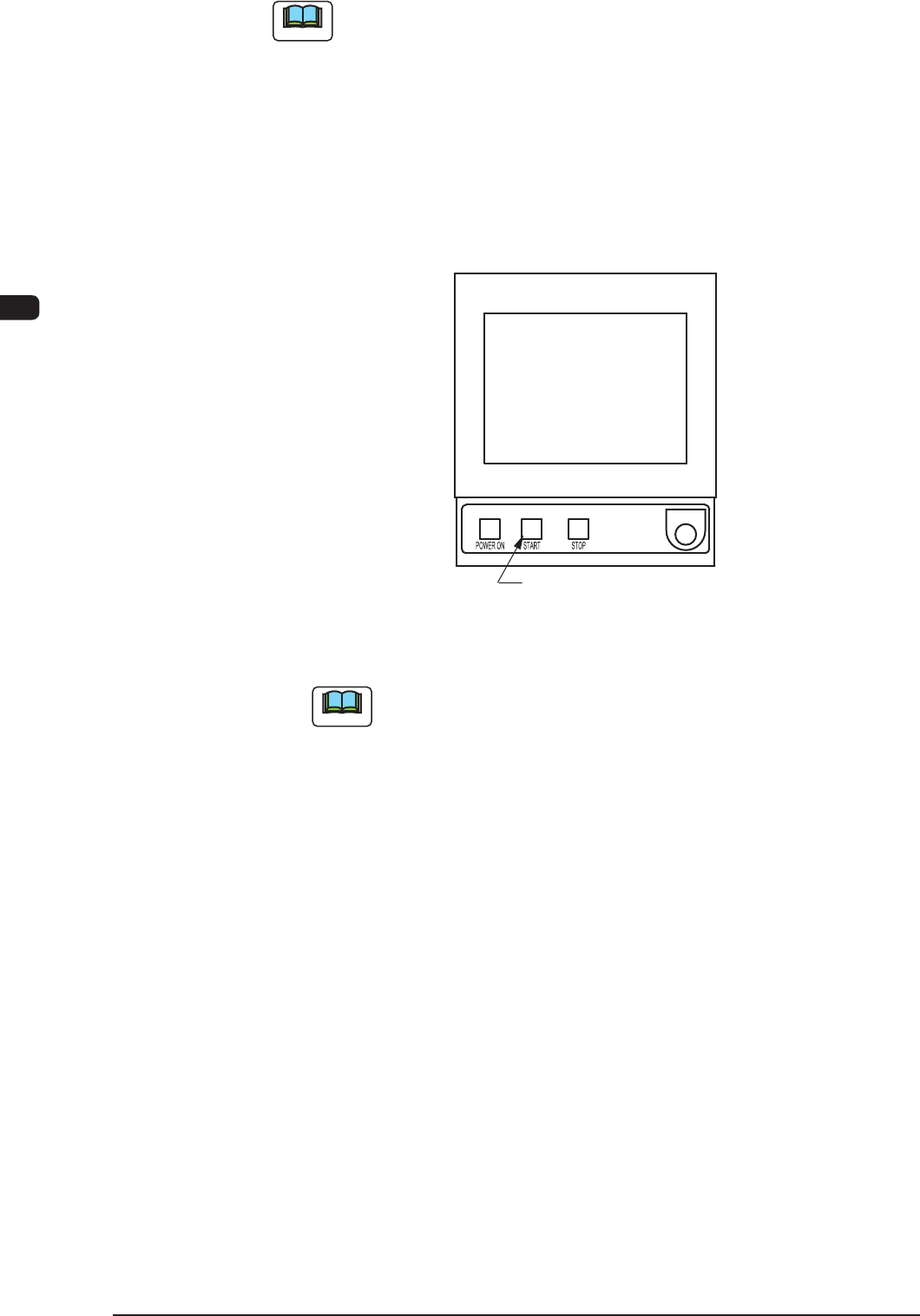
(4) Press the [START] button on the operation panel while it is flashing.
(The Automatic Operation (PRINT) will be started up and the [START]
button (green) on the operation panel and the green lamp on the tower light
are turned ON).
[START] Button
F1C11
Note
(a) In any window except for the "AUTO OPN" window, the [START]
button does not flush, so the machine can not be started up.
(b) In the case that a PCB has already been located on the PCB
positioning section, the PCB is discharged without printing.
(c) In the case that the zeroing operation has not been completed, the
zeroing operation is performed rst.

1OM-1505
1. Automatic Operation : Chap.3
3-11
1.3.4 Work during Automatic Operation
•
Conrmation of Operation Mode and Production Log
The operation mode and the production log can be conrmed in the "AUTO
OPN. >> MAIN" window during the automatic operation.
In the general operation status window, the current pattern program name,
No. of produced PCBs, time required for printing, and elapsed time after the
printing completion, are checked.
By using the "AUTO OPN >> MAIN" window, it can be conrmed if the
machine is producing the PCBs under normal condition or not, if there is any
factor to deteriorate the productivity or not, and what is happening due to
the factor and where it is happening.When the productivity has deteriorated
prominently, it is reported to the operator with a message issued on the "AUTO
OPN. >> MAIN" window.
•
Materials and PCB Replenishment
When a material shortage error occurs during the automatic operation, the
machine issues an error alarm. In this case, replenish the component supply.
Reference
Refer to "2.2 Solder Paste Replenishment during the Automatic Operation"
for details.
•
Interruption & Restart and Emergency Stop & Restoration of Automatic
Operation
Refer to the following when the automatic operation must be interrupted during
the automatic operation, the machine must be stopped immediately in an
emergency, or the automatic operation must be restarted or restored.
Reference
4.1 Stop of Machine Operation in Chapter 2
4.2 Interruption of Automatic Operation in Chapter 2
4.3 Re-Start of Machine Operation in Chapter 2
1002-002