1OM-1505-004_w.pdf - 第118页
1OM-1505 1. Automatic Operation : Chap.3 3-13 1.4.2 Logout When the operation window is to be closed, When the operation window is to be closed, press the [Return] button on the common menu bar or the maintenance menu ba…
1OM-1505
3-12
1. Automatic Operation : Chap.3
1.4 End of Automatic Operation
1.4.1 Stop of Automatic Operation
•
Stop of Automatic Operation by PCB Counter Stop Mode
When the "PCB Counter Stop Mode" function is used, the machine stops
automatically as soon as the counter reaches the specied number of PCBs to
be produced.
•
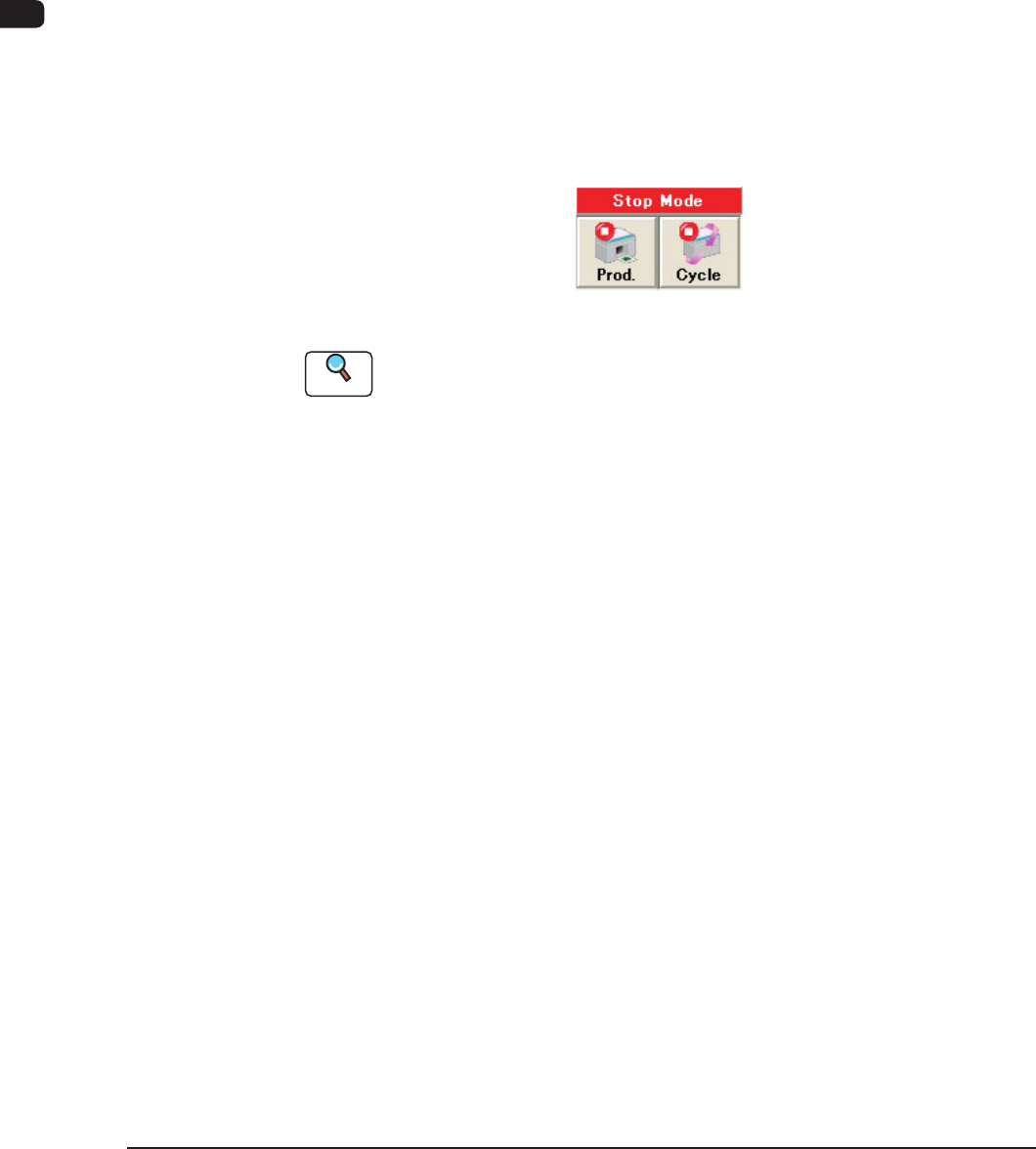
Stop of Automatic Operation with [Prod.] Button
Press the [Prod.] button in the "Product." window.
The [Prod.] button turns yellow.
After the machine has placed components on the PCB inside the machine, it
discharges the produced PCB and each device returns to its stationary position.
At this time, the [START] button on the operation panel extinguishes, the green
lamp of the light tower also goes out, and the automatic operation stops.
F1C13
Reference
Refer to "4. Stop, Interruption, and Restart of Operation" for the other ways to
stop the machine.
1002-002
1OM-1505
1. Automatic Operation : Chap.3
3-13
1.4.2 Logout
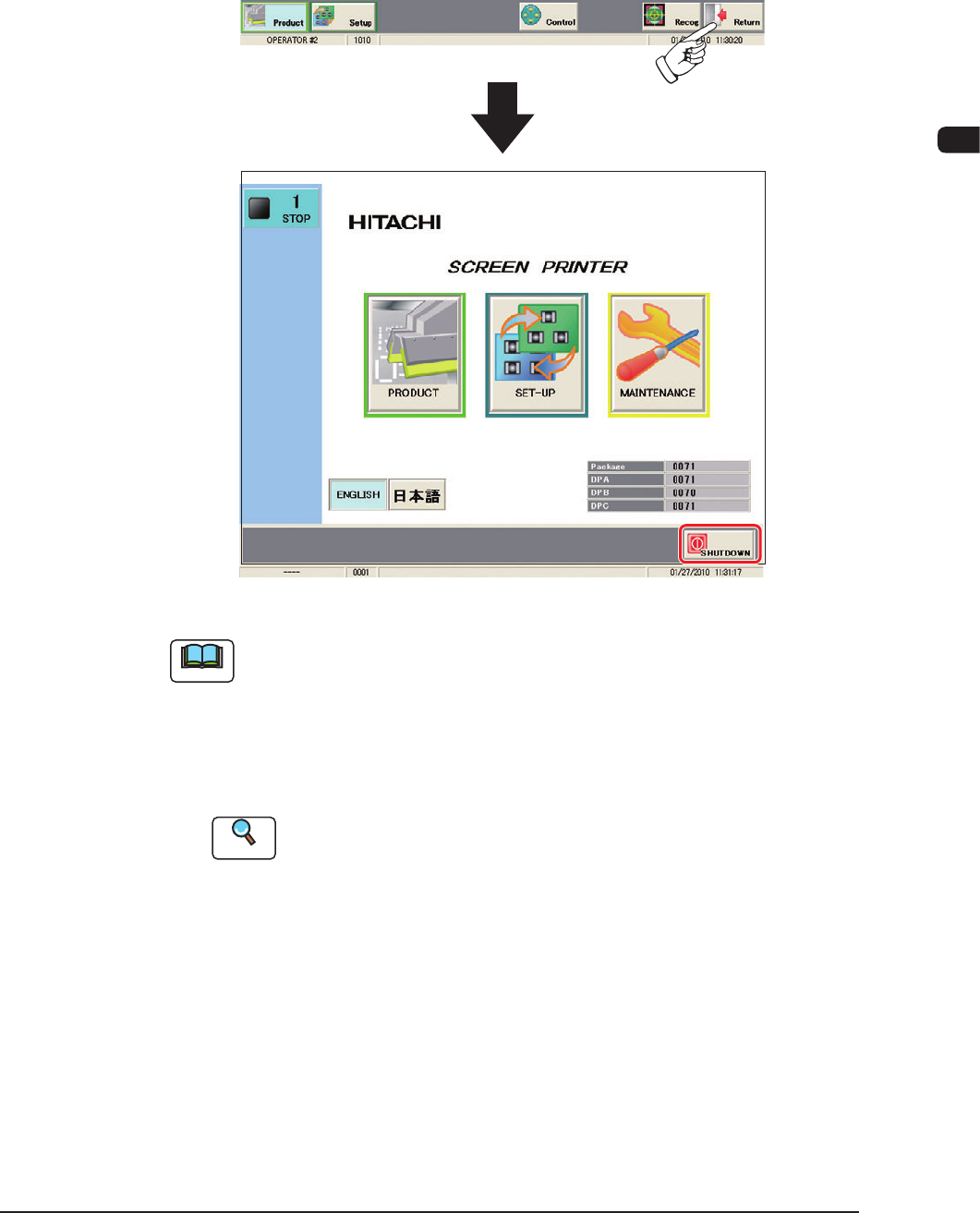
When the operation window is to be closed, When the operation window is to be
closed, press the [Return] button on the common menu bar or the maintenance
menu bar.
The operation window closes and the "Top" window reappears.
F1C14
Note
(a) Whenever an edit window such as the "Pattern Program Data" window is
active, follow the speci ed steps to close the window before the [RETUTN]
button is pressed.
(b) When the power to the machine is to be shutdown after the logout
operation, press the [SHUTDOWN] button.
Refer to "4.2 Power OFF" in "Chapter 2" for details.
Reference
Refer to "4.2 Power OFF Operation" in "Chapter 2" for details.
1002-002
1OM-1505
3-14
2. Squeegee Replacement and Solder Paste Replenishment : Chap.3
2. Squeegee Replacement and Solder Paste
Replenishment
The squeegees can be replaced or solder paste can be replenished during the
automatic operation with the machine in the "STOP" or the "PAUSE" mode.
2.1 When "Squeegee Limit" is reached:
When the number of printing operations reaches the rate (percentage) specied
in the "Sqg. Limit" group box in the "Squeegee Change" tab sheet during the
automatic operation, an error alarm is issued and the machine stops running.
In this case, follow the steps below to replace the squeegees and restart the
automatic operation.
Procedure
(1) When the number of printing operations reaches the rate (percentage)
specied for the "Sqg. Limit", the error window appears.
(2) Press the [RESET] button to cancel the error alarm.
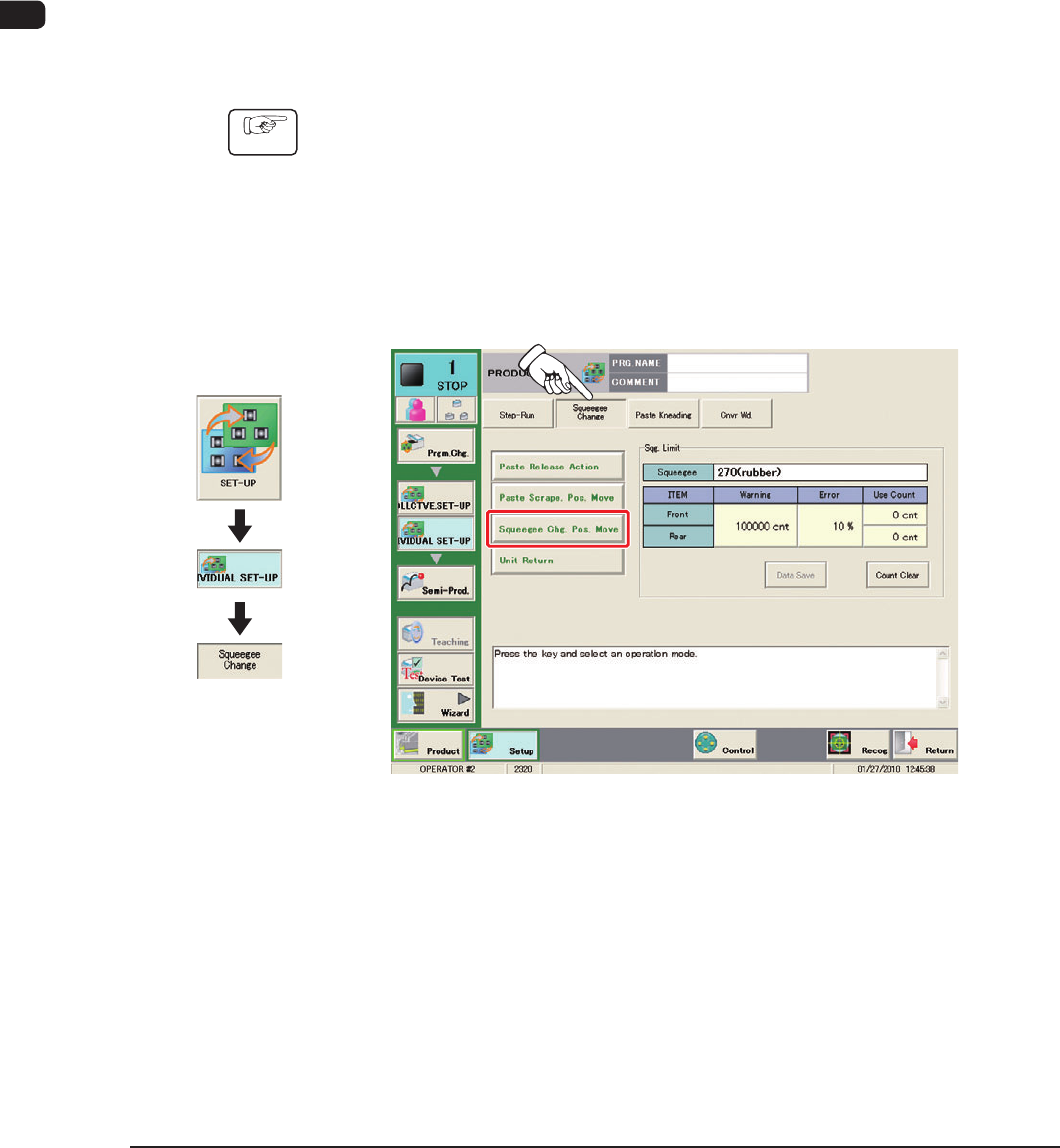
(3) Press the [Squeegee Change] tab.
(The following tab sheet will be displayed.)
F1C15
(4) Press the [Squeegee Chg. Pos. Move] button and press the [START] button
on the operation panel.
The squeegees are moved to the change position.
(5) Press the cover lock switch.
(6) Open the transparent cover on the machine front.
1002-003
Graphic
Development