MPM UP3000中文操作手册.pdf - 第20页
1.4 選擇 S tencil Height 進入測鋼板高度參數設定 Please Place Board on ( 請將 PCB 板放到軌道輸入端 ) Tracks and Then Press NEXT ( 按 NEXT 繼續或 EXIT 離開 ) Press EXIT to Quit. 按 NEXT 之後,出現下列訊息與視窗: ---Information--- Run Stencil Height? ( 要執行偵測鋼板高度?按 …
1.2 選擇 Board Stop Y 進入基板停止點,Vision Y 找到板子板邊位置參數設定
---Information---
Please Place Board on Tracks. (請將PCB板放到軌道輸入端)
Press NEXT to Continue, or EXIT to Quit. (按SELECT 繼續或EXIT離開)
你按 NEXT 之後,出現開始做板邊視窗:
Jog to the leading edge of the board.
Stay 1/2 inch in from the rails. Press EXIT!
Jog to the leading edge of the board. (請將十字游標移動到基板板邊
Stay 1/2 inch in from the rails. Press EXIT! 中間位置後,按 EXIT 離開)
※此動作最主要是讓視覺系統內基板停止感應器,感應基板是否停止
在印刷平台中心點位置
1.3.選擇 Board Stop X 進入板子與鋼板對位與印刷平台中心點參數設定
---Information---
Please Place Board on Tracks. (請將PCB板放到軌道輸入端)
Press NEXT to Continue, or EXIT to Quit. (按NEXT繼續或EXIT離開)
按 NEXT 之後,出現下列訊息:
--Information--
Select for workholder (選擇專用治具請按NEXT)
NEXT for normal teach (原廠支撐塊或頂針請按EXIT)
EXIT to abort.
※此動作最主要是讓視覺系統內基板停止感應器,感應基板支撐塊讓停止感應
器能精準的將板子送到印刷平台中心點位置
19
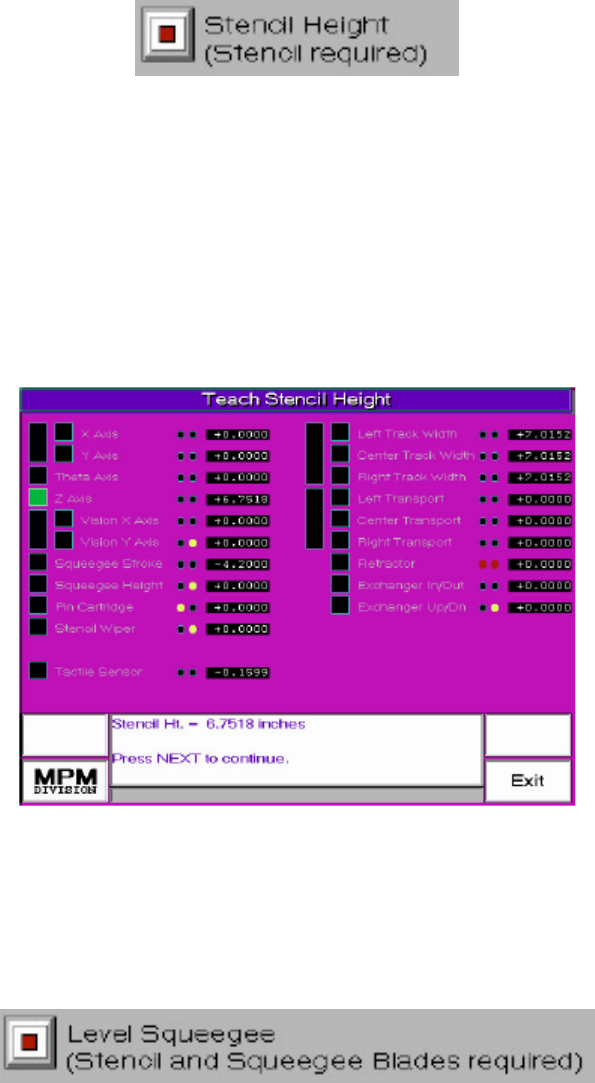
1.4 選擇 Stencil Height 進入測鋼板高度參數設定
Please Place Board on (請將PCB板放到軌道輸入端)
Tracks and Then Press NEXT (按NEXT繼續或EXIT離開)
Press EXIT to Quit.
按 NEXT 之後,出現下列訊息與視窗:
---Information---
Run Stencil Height? (要執行偵測鋼板高度?按SELECT在原地偵
Select for YES, or NEXT to reposition tactile. 測鋼板高度或按NEXT更換地方偵測)
※偵測完畢後會出現下列訊息與 Z 軸上升高度值
Stencil Ht. = X.XX inches. (Z軸上升碰到鋼板高度)
Press NEXT to continue. (按NEXT後完成離開)
1.5 選擇 Level Squeegee 進入測刮刀高度參數設定
---Information---
Find Stencil Height first? (要再執行一次偵測鋼板高度?按SELECT再測
Press SELECT for Yes, or NEXT to continue. (一次或按NEXT開始測刮刀高度)
20
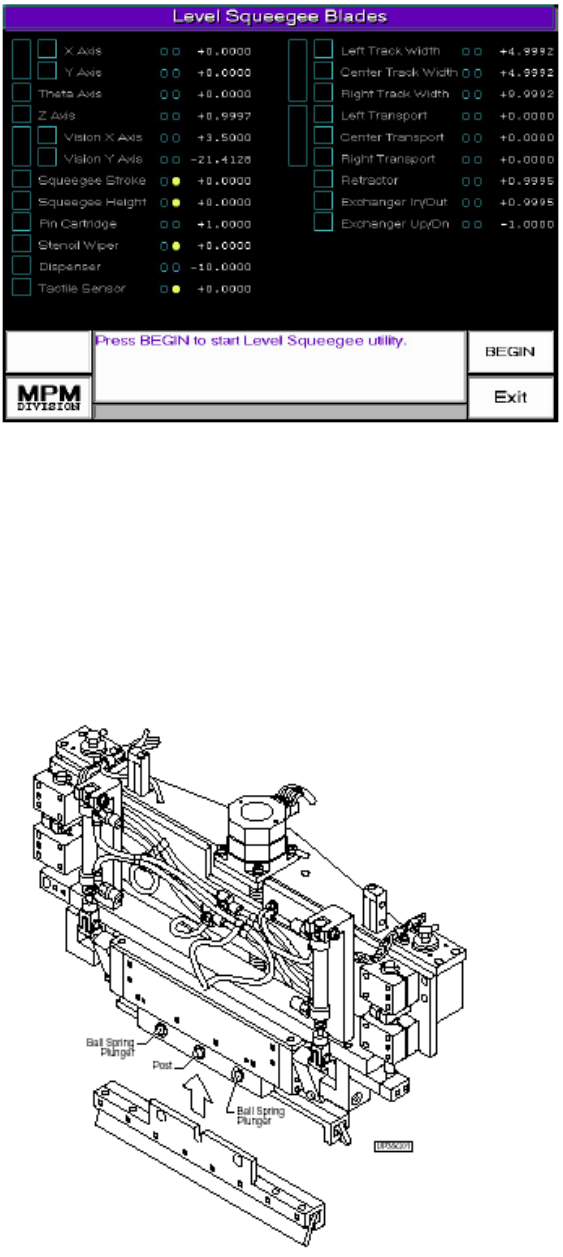
按 NEXT 之後,出現下列訊息與視窗:
※ 按右下方BEGIN開始偵測刮刀高度,如果未安裝刮刀時會出現下列訊息
--Information--
Stand Clear. About to move squeegee forward.
Press Any Key. (按任意鍵後刮刀座會移動到機器前方,方便安裝刮刀)
按任意鍵後,出現下列訊息:
Please Install Squeegee Blades Now. (請現在安裝刮刀)
Press NEXT When Done. (按NEXT完成)
21